
Can Claude Make 3D Models? Five Ways to Do It, and What Each One Actually Gives You
Claude has no 3D engine of its own, but between code, app connectors and 3D generators there are now five real ways to get a model out of a conversation. They produce very different things, so here is what each one is good for.
Short answer
Claude cannot output a 3D mesh by itself. On its own it can write code that builds simple geometry, such as OpenSCAD for a printable bracket or Python for Blender. With connectors it can also operate Blender, SketchUp and Autodesk Fusion.
For a finished, textured model of a character, creature, prop or figurine, connect 3D AI Studio. You describe the object or attach a photo, the model is generated in a few minutes and appears in an interactive 3D viewer right in the chat, ready to download as GLB, FBX, OBJ, STL, USDZ or 3MF. It is free to try.
Three Headed Wolf Statue
Prism 3.1 · GLB
Done. It is saved to your dashboard, and I can convert it to FBX or STL from here.
The viewer above is the real one, loading a real generated model. Drag it to rotate. In Claude the same card appears inline when the 3D AI Studio connector finishes a model.
What can Claude do with 3D on its own?
Claude is a language model. It reads and writes text, and code is text, so anything that can be described as code is within reach: a parametric box, a Three.js scene, a Blender script. What it cannot do on its own is sculpt. There is no step in its pipeline where a detailed mesh with textures comes into existence.
Claude can, out of the box
- Write OpenSCAD or CadQuery for parts with exact dimensions
- Write Blender Python that builds or edits a scene
- Write Three.js or Babylon.js code for a web 3D scene
- Explain file formats, topology, slicing and print settings
Claude needs a connector for
- A textured model of a character, animal or prop
- A 3D model from a photo or a sketch
- Changes inside an open Blender, SketchUp or Fusion file
- A finished GLB, FBX, STL or 3MF file you can download
The gap is easiest to see side by side. On the left is what code built from primitives looks like when you ask for a creature; on the right is a model generated by a 3D model trained on real 3D data.
What are the ways to make 3D models with Claude?
Five methods, from no setup at all to a dedicated generator:
| Method | Setup | What you get | Best for |
|---|---|---|---|
| Write code (OpenSCAD, Blender Python, Three.js) | Built-in | Geometry from primitives, no textures | Brackets, boxes, parametric parts |
| Blender connector | Blender plus add-on | Changes in your Blender scene | Scene setup, materials, scripting |
| SketchUp connector | Trimble account | A .skp model | Buildings, rooms, furniture |
| Autodesk Fusion connector | Fusion running locally | CAD geometry in Fusion | Engineering parts with exact dimensions |
| 3D AI Studio connector | Paste one URL, sign in | Textured mesh (GLB, FBX, OBJ, STL, USDZ, 3MF) | Characters, creatures, props, figurines |
They are not rivals so much as different tools. A furniture designer will live in SketchUp, an engineer in Fusion, and a game developer will want the generator. Most people end up using two.
Can Claude write code that makes 3D models?
Yes, and for one kind of object it is the best option there is. Ask Claude for OpenSCAD and you get a script that produces a part with exact dimensions. Change a variable and the part updates. For a wall hook, an enclosure for a circuit board or a replacement knob, this beats every AI generator, including ours.
// Wall hook, 40 mm wide, two 4 mm screw holes
$fn = 64;
width = 40; plate = 4; hook_depth = 25;

difference() {
    cube([width, plate, 60]);
    for (x = [10, 30]) translate([x, -1, 45]) rotate([-90, 0, 0]) cylinder(d = 4, h = plate + 2);
}
cube([width, hook_depth, plate]);
translate([0, hook_depth - plate, 0]) cube([width, plate, 15]);
It stops working the moment the object has a face. Primitives and boolean operations cannot make a dragon, a character or anything sculpted, however good the prompt. If your object has dimensions, use code. If it has a face, use a generator.
What do the Blender, SketchUp and Fusion connectors do?
All three are in Claude's connector directory, and all three operate an existing 3D program rather than generating a model from scratch.
Blender (by Blender Lab)
Gives Claude a natural language interface to Blender's Python API and documentation, and needs a Blender add-on. It is great for scene setup, materials, lighting, renaming and the scripting jobs nobody enjoys. It builds new objects from Blender's modelling operations, which is why its creatures look like the left side of the comparison above. Our Blender MCP guide covers it in depth.
Trimble SketchUp
Turns a conversation into a SketchUp model and gives you a .skp file. Its tools are build_model, get_docs and save_model, and it works from text, images and floor plans. Trimble's own notes say it builds from basic shapes and curved surfaces, shows a static thumbnail rather than a 3D preview, cannot edit an existing .skp, and lets free SketchUp users generate up to 30 models. Good for rooms and furniture, not for characters.
Autodesk Fusion
Connects Claude to a live Fusion session on your computer. Fusion has to be installed and running, with its MCP server switched on in Fusion's preferences. Claude can then create primitives, modify features and query the design. It is precise CAD, so it suits engineering parts.
How do you generate a textured 3D model in Claude?
Connect a 3D generator. 3D AI Studio is a remote connector: in Claude, open Settings, then Connectors, click Add custom connector, paste https://mcp.3daistudio.com/mcp and sign in. No API key. From then on you can ask for models in any chat.
- From text: "make a low poly fox for my game", "a stone gargoyle for a fountain".
- From a photo or sketch: attach it and say "turn this into a 3D model". An upload card appears; drop the file in.
- From a generated image: ask Claude to design the object as an image first, tweak it until you like it, then make it 3D. This gives you the most control.
In Claude the finished model opens in an interactive viewer with a textured and clay toggle, so you can check it before downloading. Every model is also saved in your 3D AI Studio dashboard, where you can convert it, make a low poly version or unwrap its UVs.
Let Claude make real 3D models
Add 3D AI Studio as a connector and Claude can generate textured 3D models from text, photos and sketches, show them in a 3D viewer in the chat, and export GLB, FBX, OBJ, STL, USDZ or 3MF. Free to try, no API key.
Connect 3D AI Studio to ClaudeCan Claude make 3D models for printing?
Yes, with the right method for the object. The split is the same as above: dimensions mean code, faces mean a generator.
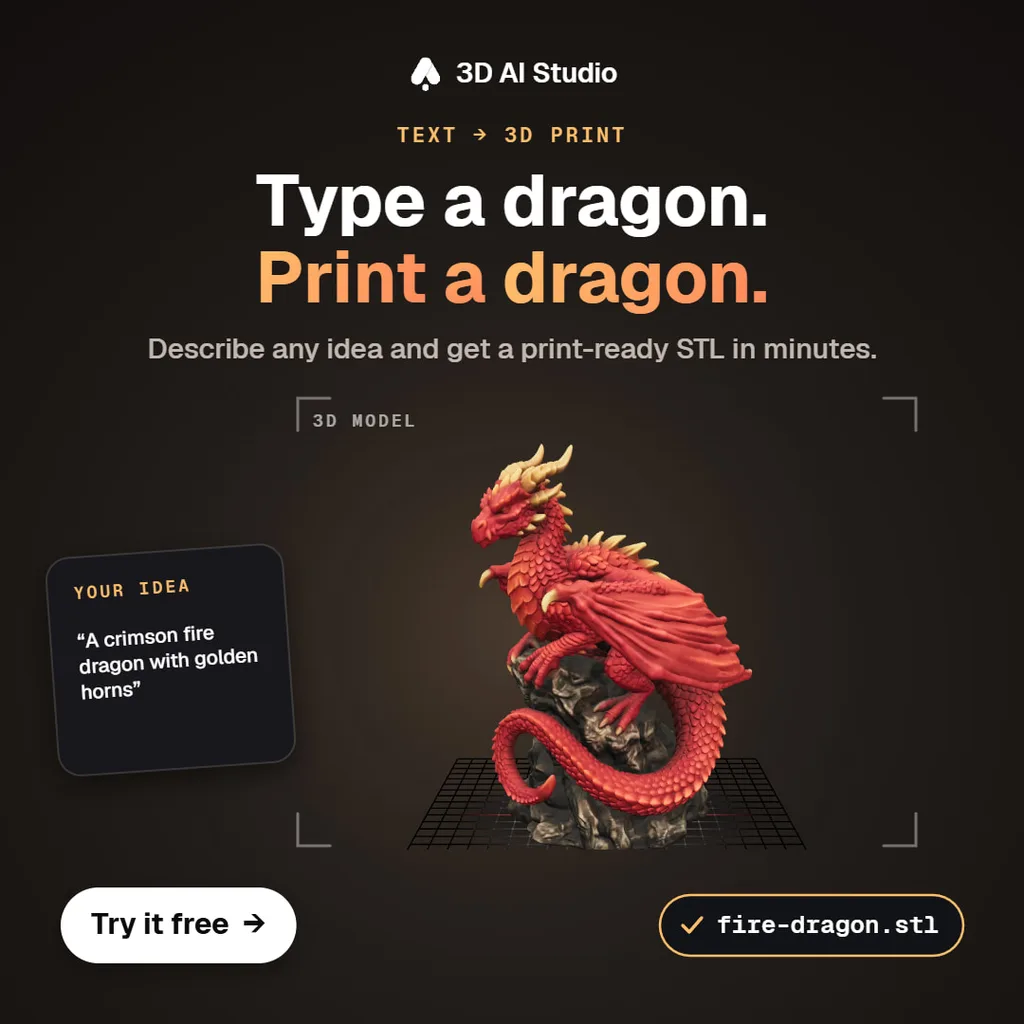
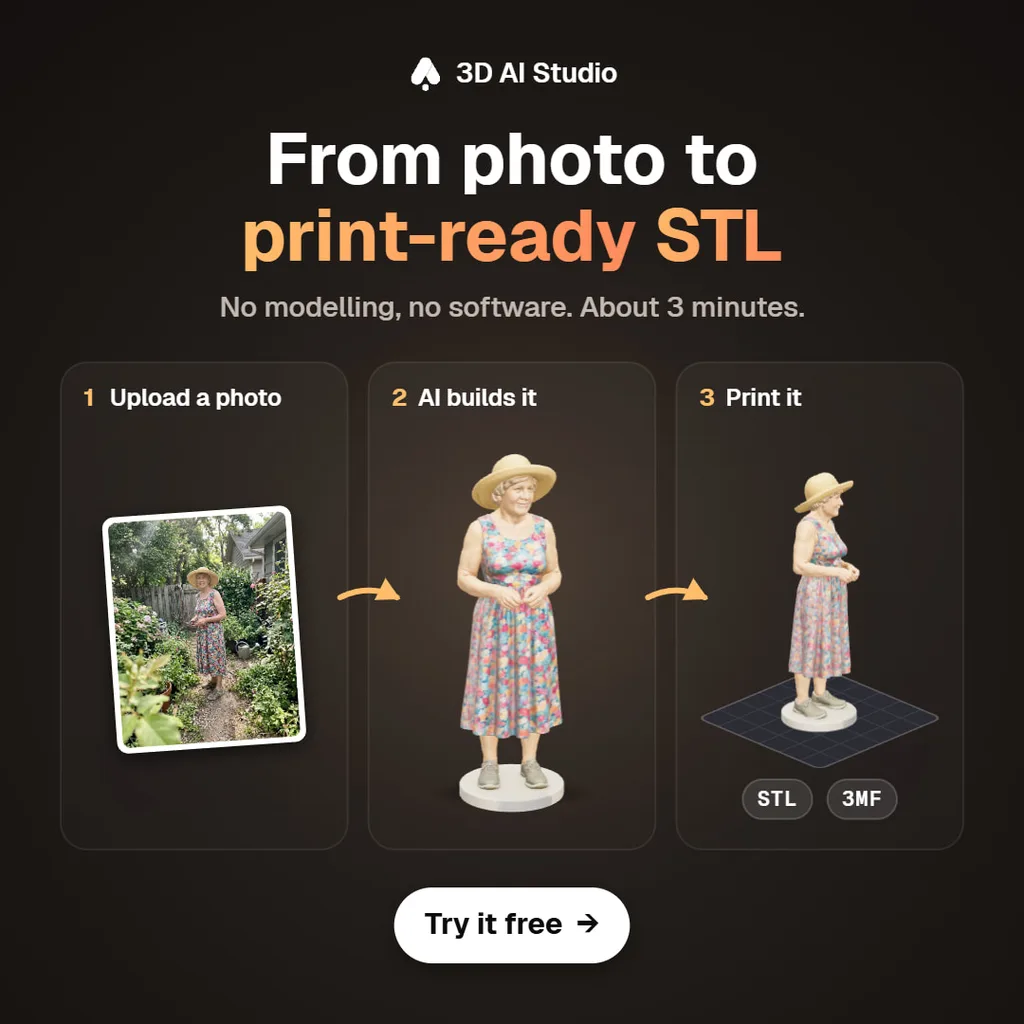
- Ask for the size you will print: "convert it to STL, 80 mm tall". 3D AI Studio scales the model during conversion.
- Ask for 3MF if you print on a Bambu Lab or Prusa printer and want one tidy file.
- Check thin parts such as swords, antennae and tails in your slicer before printing small, and add supports where the model overhangs.
- For a functional part that has to fit something, go back to OpenSCAD. Claude writes it, you print it.
Can Claude Code make 3D models?
Claude Code uses the same MCP servers, and it can do something the chat app cannot: save files into your project and write the code that uses them. That makes it a fast way to fill a web scene or a game prototype with real models.
claude mcp add --transport http --scope user 3daistudio https://mcp.3daistudio.com/mcp
> add a spinning 3D trophy to the hero section. generate it, keep it light● 3daistudio · generate_prism_3_1 (a gold trophy cup on a marble base)└ model ready● 3daistudio · low_poly_model (target 8,000 triangles)Saved public/models/trophy.glb and added a <TrophyScene /> component with GLTFLoader and slow rotation.Hero section updated. The model is 640 KB.
Read next
- Make game assets with Claude Code and Cursor
A complete asset workflow for coding agents.
- Can Claude generate images?
The 2D side of the same question.
- Can ChatGPT create 3D models?
The same answer for ChatGPT, with its own setup steps.
- Best Claude connectors for creative work
Which connectors are worth adding for 3D, images and design.
Frequently asked questions
Can Claude make 3D models?
Not by itself, but it can with the right connector. On its own Claude can write code that builds simple geometry, such as OpenSCAD or Blender Python. With connectors it can drive Blender, SketchUp or Autodesk Fusion. To get a textured 3D model from a prompt or a photo, connect 3D AI Studio: Claude generates the model and shows it in an interactive 3D viewer in the chat.
Can Claude generate a 3D model from a photo?
With 3D AI Studio connected, yes. Attach the photo, ask Claude to turn it into a 3D model, and drop the file into the upload card that appears. A textured model comes back in a few minutes, ready to export as GLB, FBX, OBJ, STL, USDZ or 3MF.
Can Claude make STL files for 3D printing?
For simple functional parts, Claude can write OpenSCAD or CadQuery code that you run to get an STL. For figurines, characters and anything organic, connect 3D AI Studio: it generates the model and converts it to STL or 3MF, optionally scaled to the size you want to print.
Does Claude have a Blender connector?
Yes. Blender Lab's Blender connector is in Claude's connector directory. It gives Claude access to Blender's Python API and documentation and needs a Blender add-on. It operates Blender; it does not generate textured meshes, so many people pair it with a 3D generator.
What does the SketchUp connector for Claude do?
Trimble's SketchUp connector builds SketchUp models from text, images or floor plans and gives you a .skp file to download. It is aimed at architecture, furniture and other hard-surface designs. Free SketchUp users can generate up to 30 models.
Which is the best way to make 3D models with Claude?
It depends on the object. For organic or detailed models, such as characters, creatures, props and figurines, use 3D AI Studio. For buildings and furniture you will edit in SketchUp, use the SketchUp connector. For precise engineering parts, use Fusion or OpenSCAD code. For scene work inside Blender, use the Blender connector.
Can Claude Code make 3D models?
Yes, through MCP servers. Add 3D AI Studio with claude mcp add --transport http --scope user 3daistudio https://mcp.3daistudio.com/mcp and Claude Code can generate models and save them into your game or web project, then write the code that loads them.
Tim Karlowitz
Developer & Creative @ Karlowitz Studios
Tim is a creative technologist and developer at Karlowitz Studios in Germany. He specializes in interactive 3D web experiences and automated content pipelines, bringing a rigorous engineering perspective to AI tool evaluation.