
3D Texture Painting Online, by Hand or with AI
Paint right on your 3D model. Or describe the change, and AI paints it onto the model for you.
No 3D model yet? Turn a photo into a 3D model or generate one from text, then paint it here.
Trusted by creators at top game studios and tech companies
















How to paint a 3D model with AI
Three steps, right in your browser.
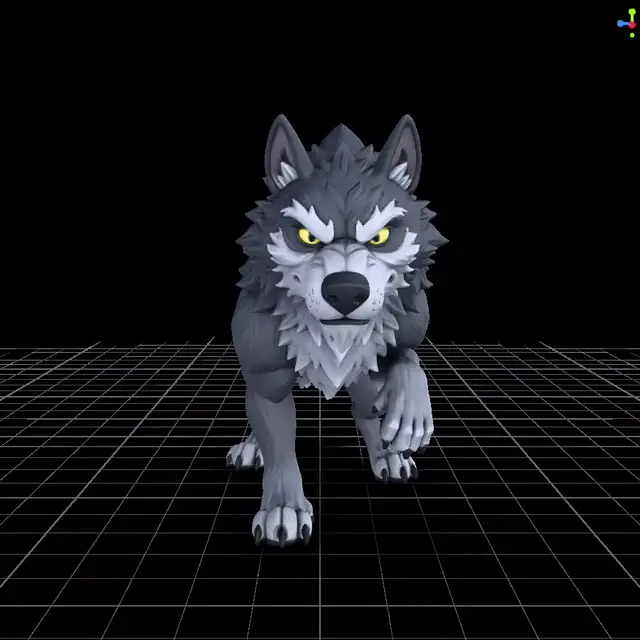
Open your model
Upload a GLB, glTF, FBX or OBJ, or start from a sample. No model yet? Make one with the AI image to 3D converter.
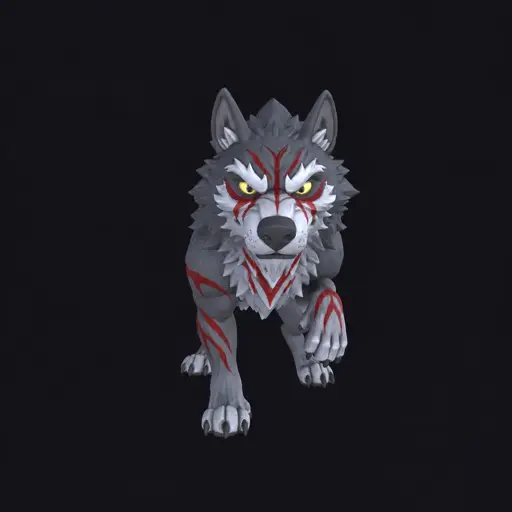
Describe the change
Turn the model to the side you want and type what to paint.
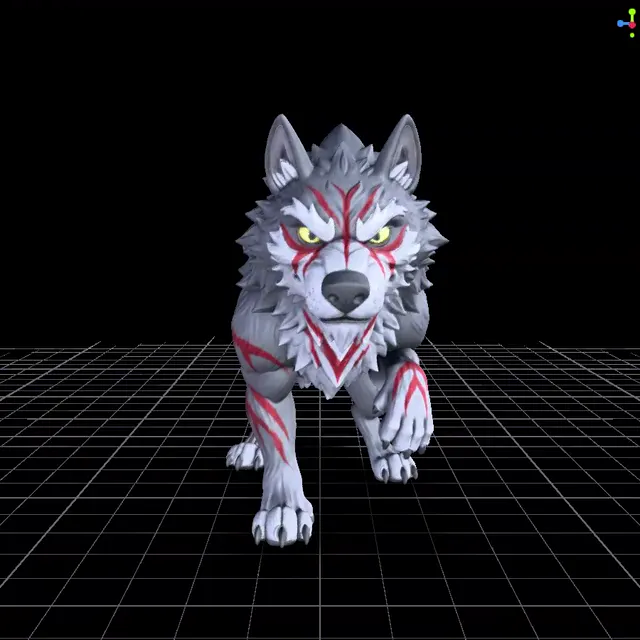
Paint it onto the model
The result lands on its own layer. Refine it by hand, then export.
Don't have a 3D model yet? Make one, then paint it
Make a model from a picture or a sentence on 3D AI Studio, then finish it here.

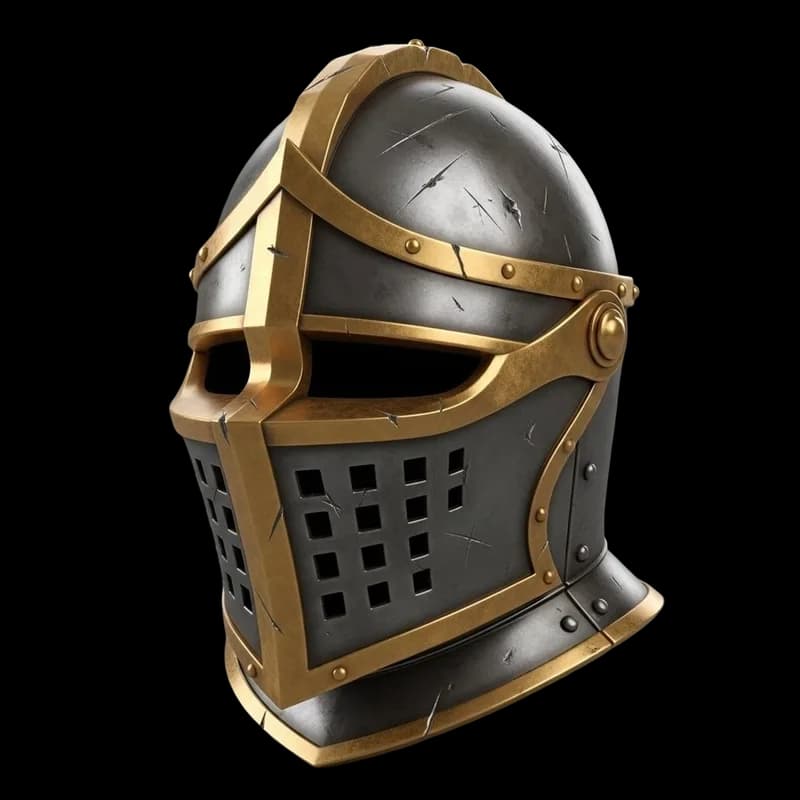
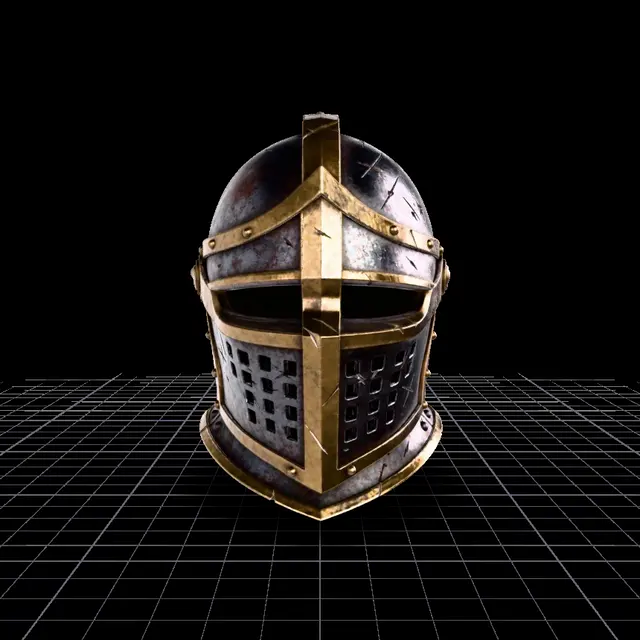
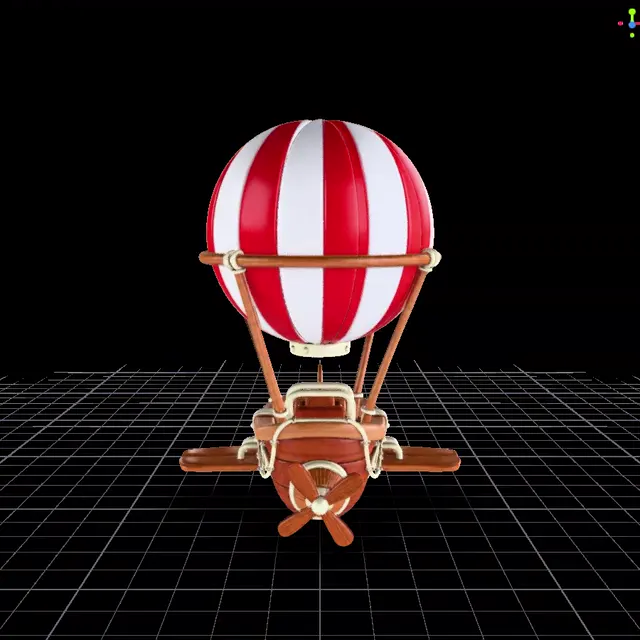
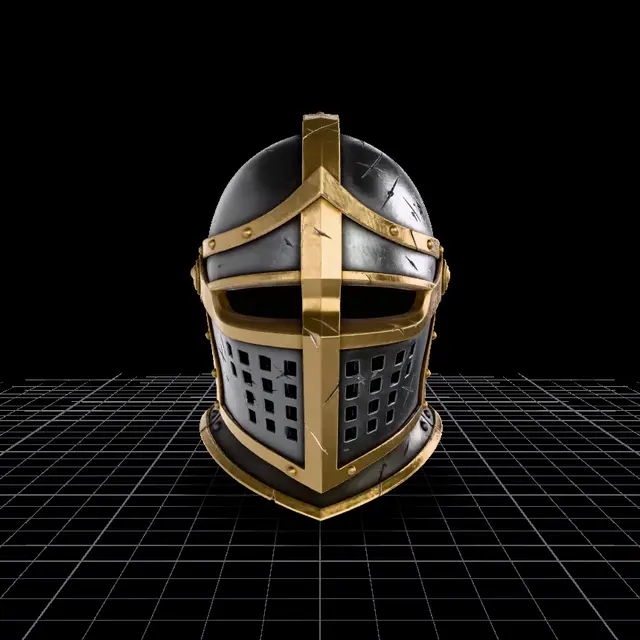
The input picture, the model Image to 3D made from it, and the same model after one AI edit in the painter: rust, dents and scratches, gold trim kept.
From a pictureStart from a photo or concept art
Upload a photo, a render or concept art to Image to 3D. The AI builds a textured 3D model and saves it to your dashboard. Open it in the Texture Painter and add wear, colors or details.
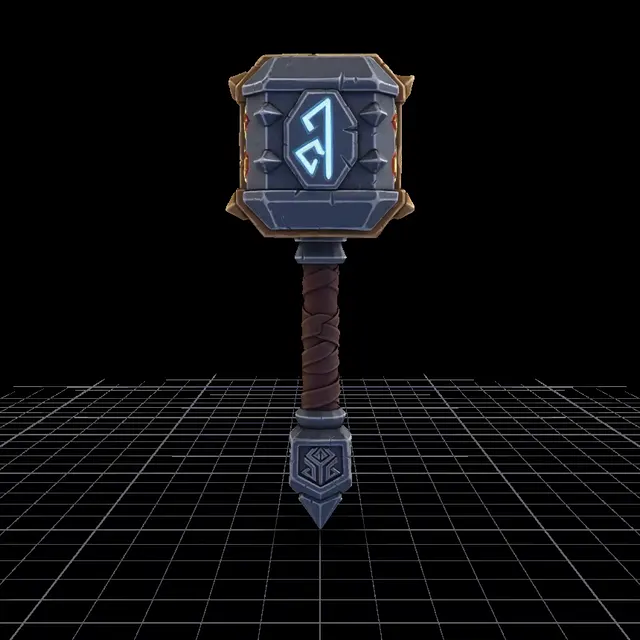
“dwarven warhammer with glowing runes, dark steel”
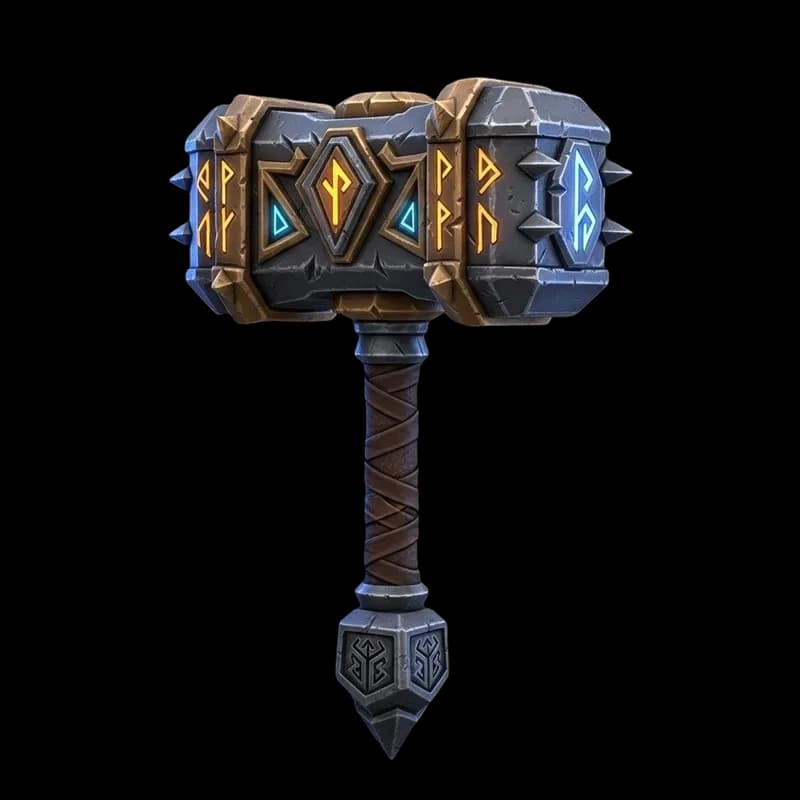
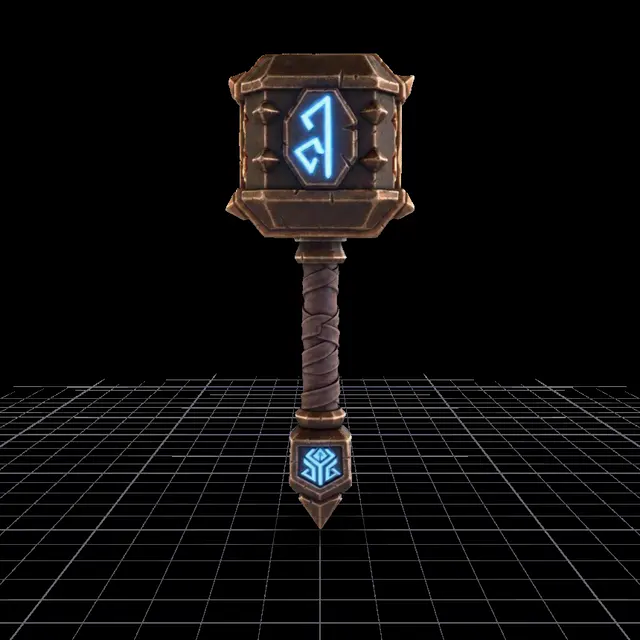
The prompt, the model Text to 3D generated from it, and the same model after one AI edit in the painter that turned the steel to weathered gold.
From a sentenceStart from a text prompt
Describe the object in a sentence, and Text to 3D generates the model. Then paint it here: change the materials, add a logo or weather it.
A 3D painting tool that runs in your browser
Everything you need to texture a model, plus AI.
AI paints from a prompt
It edits what you see and paints it back onto the model.
Paint by hand
Brush, eraser, image brush, decals, eyedropper and fill.
Layers
Blend modes, opacity, groups and merge, like a 2D editor.
Up to 8K
Paint at 1K to 8K and export textures up to 12K.
Your own models
GLB, glTF, FBX and OBJ. No UVs? Basic UVs are made for you.
Export anywhere
GLB with PBR maps, OBJ, STL, or the textures as PNGs.
Hand-painted textures, right on the model
Hand painting is free. It works like a 2D painting app, except you paint on the 3D surface.
Six tools, one key each
Brush B
Paint with size, opacity and hardness. The [ and ] keys change the size.
Eraser E
Remove paint from the active layer.
Image brush S
Paint with a picture, like a pattern or a texture. Transparent PNGs stamp their shape.
Decal D
Place a sticker, logo or label. Each decal is its own layer.
Eyedropper I
Pick a color from the model.
Fill G
Fill an area of the selected layer with one color.
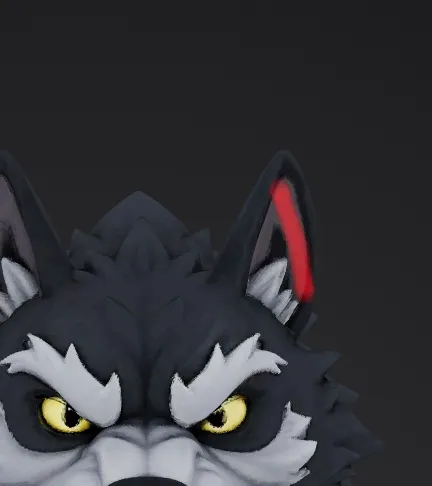 Stroke
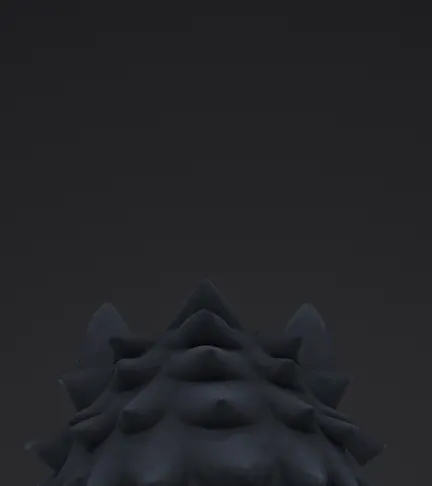 Back, off
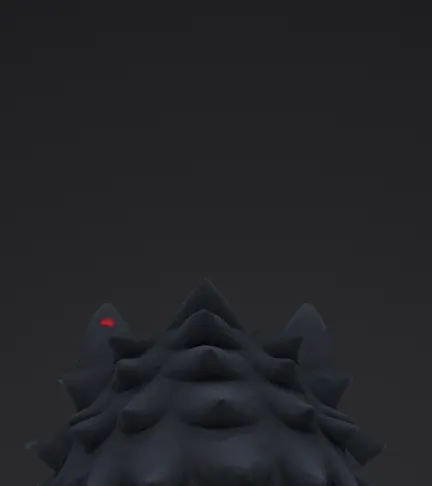 Back, on
Paint hidden areas and Edge fade
A stroke stops at the surfaces you can see. Turn on Paint hidden areas and it also reaches the back, like the back of an ear. Edge fade softens paint on surfaces you see at a steep angle, so strokes don't smear.
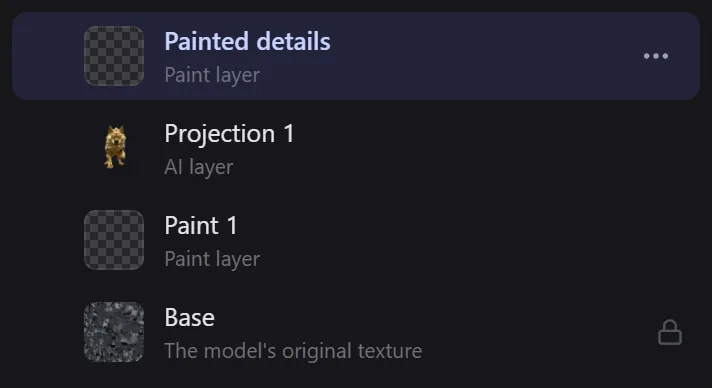
Layers, like a 2D editor
Paint goes on paint layers, and every decal and AI result gets a layer of its own. Change opacity and blend mode, lock, group, merge, hide or reorder layers without touching the rest.
Move around like in a 3D app
The view turns around the spot under your pointer and zooms toward it, so close-up detail stays in reach. Press F to focus on what you point at. Mouse, trackpad, touch and pen all work.
What you can ask the AI to paint
Describe one change. The AI paints it onto the side you are looking at, as a new layer.
BeforeAfter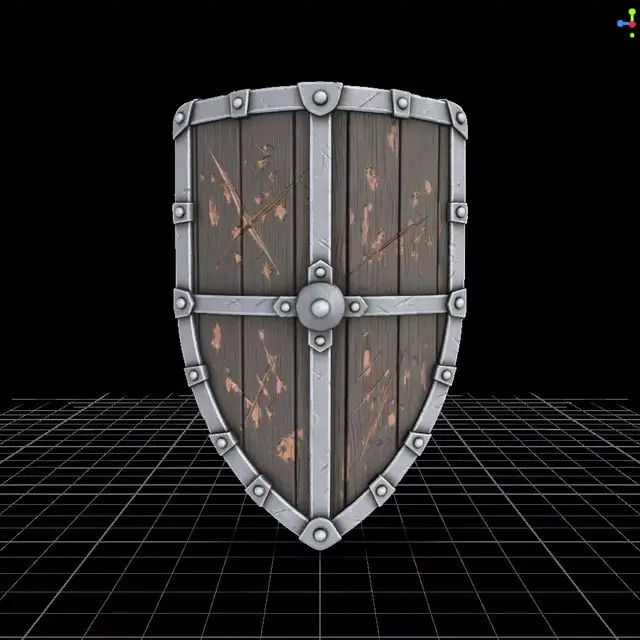 Before
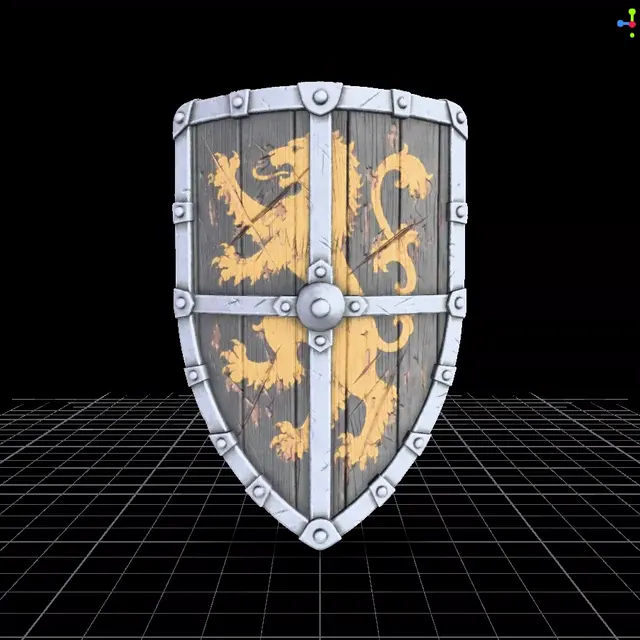 After
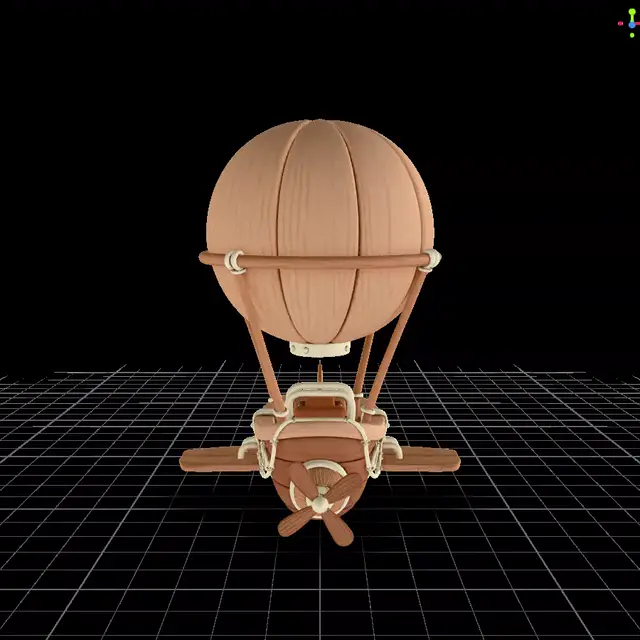 Before
 After
 BeforeAfter
 BeforeAfter
One side, or all sides at once
A normal generation repaints the side you are looking at. All sides (360°) paints 4 or 9 views around the model in one go, for a new color or material everywhere.
Reveal only what you want
A new AI layer starts hidden. Paint over the model to bring it in where it looks good, erase to hide it again, or apply it everywhere with smooth edges.
Refine it by hand
The result is a normal layer. Paint over it, change its opacity, or mix several AI results on one model.
AI models in the painter
| Model | Typical time | Credits |
|---|---|---|
| Qwen Edit Lightning | About 5 s | 1 |
| Qwen 2 Pro | About 80 s | 5 |
| GPT Image 2.5 Flare | About 60 s | 3 to 25 |
| GPT Image 2 | About 90 s | 3 to 25 |
| GPT Image 2.5 Sunburst | About 120 s | 3 to 25 |
| Nano Banana 2 | About 120 s | 7 to 20 |
| Nano Banana Pro | About 200 s | 14 to 25 |
AI painting needs a paid plan. Each model shows its credit cost in the painter before you generate.
What people paint with it
From game props to printed figures: the same painter, different finish lines.
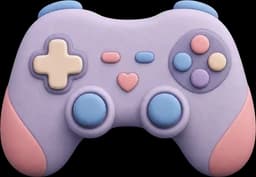
Game assets and characters
Add wear, team colors, decals or a logo to props and characters before they go into your engine. Turn concept art into a model with image to 3D first.

3D printing
Try a color scheme on a figure before you print it and paint it by hand. The GLB keeps your painted texture, and the STL export is the shape for your slicer.

Tabletop and hobby
Plan colors for miniatures, terrain and props, and check them from every side before you pick up a real brush.

Products and concepts
Show a new finish, color or label on a product model in minutes. Need a quick concept model? Start with the text to 3D generator.
Export to Blender, Unity, Unreal and more
Your painted texture travels with the model, at up to 12K.
| Export | What you get |
|---|---|
| 3D model (GLB) | The model with your painted texture. |
| Smaller GLB | Same resolution, with a JPEG texture for a smaller file. |
| GLB with PBR materials | Keeps the model's normal, roughness and metalness maps. |
| Smaller GLB with PBR | The PBR maps with a JPEG painted texture. |
| Textures only (PNG) | The painted texture of each part, zipped. |
| OBJ | The shape only, for other tools. |
| STL | The shape only, for 3D printing. |
| Save to my dashboard | Keeps it next to your generations. |
Texture sizes
Paint at 1K, 2K, 4K or 8K. When you export, pick a texture size from 1K up to 12K.
Works with your tools
GLB is the binary glTF format. Blender and Godot import it directly. Unity imports it with the glTFast package, and Unreal Engine with its glTF importer.
Every export option, step by step, in the Texture Painter guide.
Texture Painter vs Substance 3D Painter, Blender, ArmorPaint and 3DCoat
How it compares to other 3D painting software (October 2026).
| Texture Painter | Substance 3D Painter | Blender | ArmorPaint | 3DCoat | |
|---|---|---|---|---|---|
| Runs in the browser | |||||
| Price | Free to start | Paid | Free | Paid | Paid |
| Paint by hand in 3D | |||||
| AI paints from a text prompt | With add-ons | Local AI nodes | |||
| Layers and masks | Texture slots | ||||
| Learning curve | Minutes | Steep | Steep | Medium | Steep |
What creators say about 3D AI Studio
The Texture Painter is part of 3D AI Studio. These are reviews of the platform.
The speed in which I can generate 3D models is astonishing. Its simplified my workflow and given my applications an aesthetic uplift that impresses clients. I even 3D printed a few of those Models and they came out great

Tim Karlowitz
Website Developer
With the 3D AI STUDIO, Ive been able to create complex, high-quality 3D models in seconds, shaving hours off of my usual timescales and allowing me to focus more on getting creative. It has been a game-changer. This is the best AI 3D Model Generator i have ever used!

Noah Böhringer
Game Developer at BHR Studios
So cool! I just logged in and was very quickly able to make a 3D model from a prompt. Could see a lot of applications of this in video editing / animation. Cant wait for all the new Features!

Dillion Verma
Developer @Nvidia

The Best image to 3D Model generator out there. Un matched from my comparisons. Has saved me so much time and $$$. I am very picky about how the models look and 3D AI Studio is able to give you that REAL Detail that you need to be legit.

Junior Lopez
Canada
3D AI Studio is the best service I've found out there. They have a far superior output for highly detailed, realistic models and several amazing tools for source image generation, retexturing and model re-meshing/refining. The interface is clean, easy-to-use and intuitive.

Paul Hoover
United States
Mind blowing customer support. The results are pretty amazing, you generate cool game assets within minutes AND there's an option to make them pretty low poly. When I stopped using I asked a refund for the last month - got it within 30 seconds. Mind blown.

Yuri Shmorgun
Israel
I've tried several 3D modeling solutions, but 3D AI Studio stands out for its product and its support. Jan is amazing, he is constantly adding new features and improving on the experience, and extremely responsive to any support requests. Highly recommend!

Ian Chaplin
United States
3d models that wont break the bank. I made around 25 models rigged a few. It was able to use just my png 2d artwork to generate a 3d model which can be saved as glb, fbx, stl, which port over into game engines easy. Some of my characters have armor on an it made them look so AAA in thier armor.

Brad J Bigner
United States
Overall the best AI website I have tried. The team is amazing! They are really going with what the community wants, they listen and they go from our very own requests. I would say that you really get your money worth! highly recommend!

XshadowX
Canada
The speed in which I can generate 3D models is astonishing. Its simplified my workflow and given my applications an aesthetic uplift that impresses clients. I even 3D printed a few of those Models and they came out great
Tim Karlowitz
Website Developer
With the 3D AI STUDIO, Ive been able to create complex, high-quality 3D models in seconds, shaving hours off of my usual timescales and allowing me to focus more on getting creative. It has been a game-changer. This is the best AI 3D Model Generator i have ever used!
Noah Böhringer
Game Developer at BHR Studios
So cool! I just logged in and was very quickly able to make a 3D model from a prompt. Could see a lot of applications of this in video editing / animation. Cant wait for all the new Features!
Dillion Verma
Developer @Nvidia
The Best image to 3D Model generator out there. Un matched from my comparisons. Has saved me so much time and $$$. I am very picky about how the models look and 3D AI Studio is able to give you that REAL Detail that you need to be legit.
Junior Lopez
Canada
3D AI Studio is the best service I've found out there. They have a far superior output for highly detailed, realistic models and several amazing tools for source image generation, retexturing and model re-meshing/refining. The interface is clean, easy-to-use and intuitive.
Paul Hoover
United States
Mind blowing customer support. The results are pretty amazing, you generate cool game assets within minutes AND there's an option to make them pretty low poly. When I stopped using I asked a refund for the last month - got it within 30 seconds. Mind blown.
Yuri Shmorgun
Israel
I've tried several 3D modeling solutions, but 3D AI Studio stands out for its product and its support. Jan is amazing, he is constantly adding new features and improving on the experience, and extremely responsive to any support requests. Highly recommend!
Ian Chaplin
United States
3d models that wont break the bank. I made around 25 models rigged a few. It was able to use just my png 2d artwork to generate a 3d model which can be saved as glb, fbx, stl, which port over into game engines easy. Some of my characters have armor on an it made them look so AAA in thier armor.
Brad J Bigner
United States
Overall the best AI website I have tried. The team is amazing! They are really going with what the community wants, they listen and they go from our very own requests. I would say that you really get your money worth! highly recommend!
XshadowX
Canada
“I've watched thousands of head-to-head votes across every major 3D AI model. 3D AI Studio is the one place you can actually use the top models together - with a full toolkit around them.”
Stefan Vaskevich
Founder of Top3D.ai - the independent 3D AI leaderboard
Tips and guides for 3D texture painting
Better results from the first stroke and the first prompt.
Turn to the side you want
The AI paints what the 3D view shows. Face the area you want to change before you generate.
Describe one change
Short, concrete prompts work best, like red war paint on the face. Name colors and materials.
Use All sides for big changes
For a new color all around, switch on All sides (360°): the AI paints 4 or 9 views at once.
Reveal what you want
An AI result starts as its own layer. The brush brings it in, the eraser hides it again.
What is 3D texture painting?
3D texture painting means painting color directly onto a 3D model instead of on a flat image. You paint where you see the surface, and the painter writes the color into the model's texture for you. It is how artists add wear, logos, scars or a new color scheme to a model.
How to texture a 3D model, step by step
1. Open the model: upload one, convert a picture into a 3D model, or describe it with Text to 3D. 2. Pick a texture size: 2K for small props, 4K for most models. 3. Block in the base colors on one layer. 4. Add details, wear and decals on layers above. 5. Use AI for big changes, like a new material, and refine the result by hand. 6. Export a GLB with the texture, or the textures as PNG files.
What is UV mapping?
UV mapping unfolds a 3D model's surface into a flat image, the texture, like a sewing pattern. The UV map says which part of that image sits where on the model. When you paint in 3D, the painter finds the spot under the brush and writes the color into the matching place in the texture. That is why the same paint shows up in Blender, Unity or any app that opens the exported model. Models without UVs get basic UVs when they load.
Hand-painted vs AI textures
Hand-painted textures give you exact control: every stroke is yours, which suits stylized art, logos and small fixes. AI textures are fast for big or detailed changes, like a new material or weathering, but you steer them with words. Most models get both: AI for the bulk, the brush for the details.
Texture painting vs. AI texture generation
AI texture generation retextures a whole model in one go from a prompt or an image. Texture painting changes the parts you choose: a scar on a face, a crest on a shield, a new color on one side. The Texture Painter does both by hand and with AI, one layer at a time. For a full retexture, use the AI Texture Generator.
Texture resolution: 2K, 4K or 8K?
Pick it by how close the camera gets. 2K suits small props and web viewers, 4K suits most models and close-ups, and 8K is for large surfaces where fine detail must hold up. Higher sizes need more graphics memory, so 8K works best on a strong graphics card. You paint at 1K to 8K and can export textures at up to 12K.
Step by step: Texture Painter guide
Retexture a whole model instead? Try the AI Texture Generator
Free to start
Upgrade when you want AI painting.
Free
- Paint by hand with every tool
- Import and export your models
- Sessions saved in this browser
Paid plans
- AI painting from a prompt
- Cloud sessions with version history
- Monthly credits for every AI tool