Updates & Changelog
Track our progress and see what's new
Continuous Innovation
We're constantly improving 3D AI Studio with new features, performance enhancements, and bug fixes. Stay informed about every update.
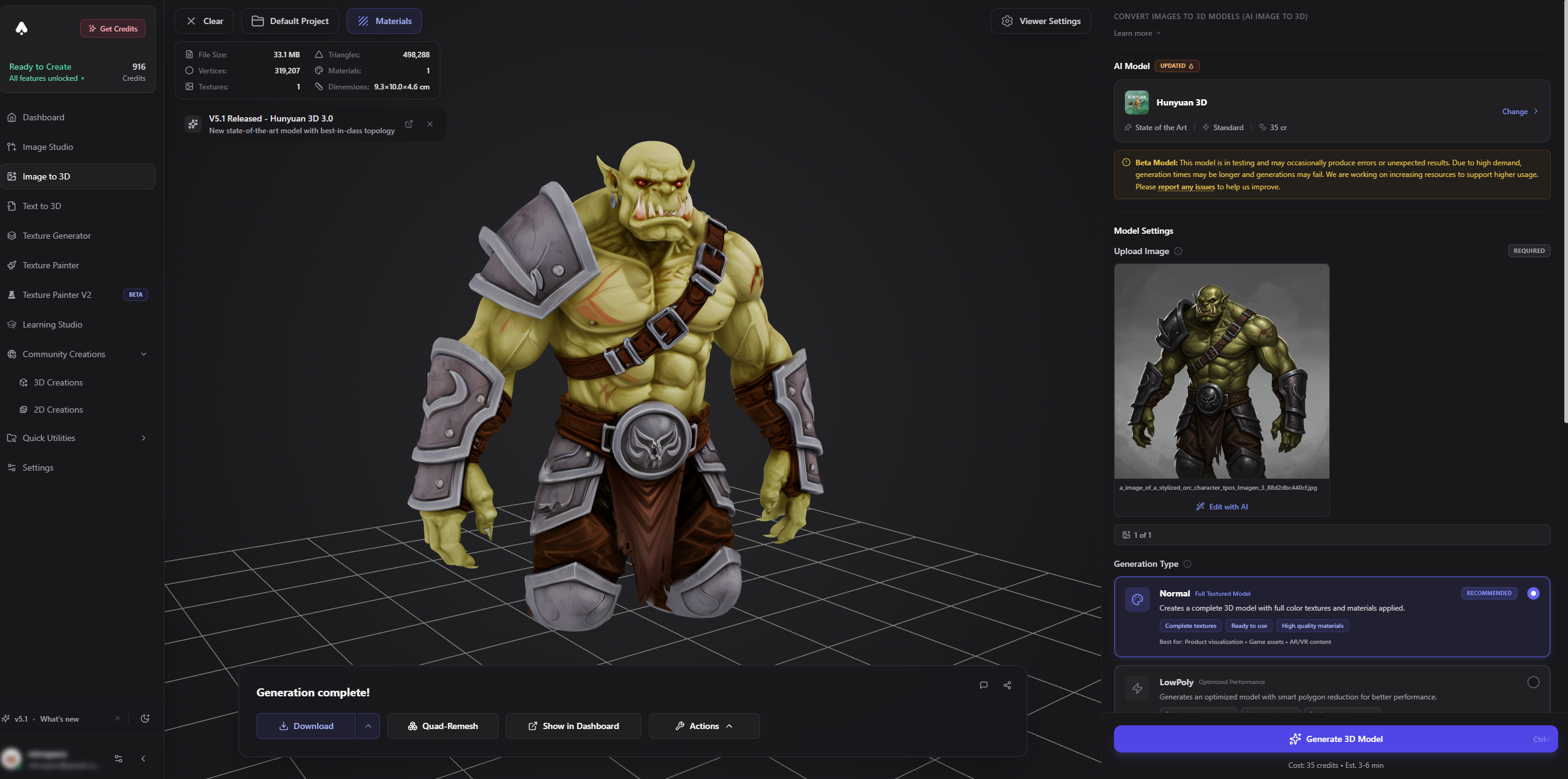
Example: Stylized Orc created with Image to 3D
Version 6.8.8
Format conversion: get your file right away
Converting a model to FBX, OBJ, STL, 3MF and the other formats no longer sends you off to find the result. The conversion now runs right in the window you started it from, and when it's done you download the file with one click.
What's new:
See your conversion happen, step by step, with a timer. Most formats are ready in 15-25 seconds
Download the converted file straight from the window. It's also saved to your dashboard, and Open takes you right to it
Convert to another format in one click, with your settings kept
You can close the window at any time. The conversion keeps running and the file shows up in your dashboard
For 3D printing:
STL and 3MF now have a Print size option right up front, so your model opens in your slicer at the size you want
Quick sizes for common prints - 28 mm tabletop mini, 5 cm, 10 cm and 18 cm - or enter your own in mm, cm or inches
Multi-Color 3MF takes a few minutes, so you can pick Keep working and carry on while it finishes. It appears in your dashboard when it's ready. Prefer to wait? The window updates the moment it's done
Multi-Color is only offered for models it works with (GLB and FBX), and tells you why when it isn't
Also:
If a conversion fails you see why right away, and your credits are refunded automatically
The conversion window is smoother: switching formats no longer makes it jump around
Let us know how it works for you - use Send Feedback in the dashboard menu.
Version 6.8.7
A faster, cleaner sidebar - and a smoother dashboard
We rebuilt the sidebar that takes you around 3D AI Studio. It looks the way you know it, but everything around it got quicker and calmer: pages open faster, and moving from one tool to the next no longer starts the sidebar over every time.
What you'll notice:
Switching between tools is quicker - the sidebar stays in place, keeps its scroll position and remembers the sections you opened
Pages load faster, especially on slower connections and phones
Collapsing and expanding the sidebar is smoother, also next to a 3D viewer
Hover highlights respond instantly
No more flicker when a page loads: light mode, privacy mode and a collapsed sidebar are right from the first moment
While your account loads you see a short placeholder instead of a brief "0 credits" or "Log in"
On your phone:
A new bottom bar replaces the narrow sidebar strip, so every tool gets the full width of your screen
Home takes you to your dashboard, Create lists everything you can make, Tools shows every tool by category, Explore has the community galleries and tutorials, and You holds your credits, workspace and settings
Messages and buttons that float over the page now sit above the bar instead of underneath it
Dashboard:
Your files show up sooner when you open the dashboard
Paging through your files is quicker - the next page is often ready before you click, and thumbnails appear without flashing
Opening a project is faster and no longer jumps around while it loads
Resizing the window or changing the grid size keeps your place
Generations in progress update reliably with less work in the background, so the dashboard stays responsive
Also:
Switching privacy mode in Settings now updates the sidebar right away
Logging in from the sidebar now works on every page, including the free tools like the 3D Viewer and the Splat Viewer
Everything should simply feel faster and more dependable. If anything looks off, let us know - use Send Feedback in the dashboard menu.
Version 6.8.6
A new asset view - set up the way you work
Clicking a file in your dashboard now opens a completely redesigned view, made for people who work through a lot of models and images every day. Arrange it the way you like, drive it from the keyboard, and get from one result to the next without hunting for anything.
Make it yours:
Pin up to 5 favourite tools to the top of the list - one set for 3D models, one for images. Your pins follow you to every device
Collapse the tools list to a slim icon bar when you want the viewer as big as possible
Drag the sidebar to the width that suits you - it stays that way next time
The tools that fit the file in front of you come first, so the ones you need are always near the top
Keyboard first:
1-9 opens a tool straight away
/ (or just start typing over the list) finds any tool, ↑ ↓ and Enter to pick it
Ctrl/Cmd + K jumps to any recent generation
← → steps through your files, T opens tags, Esc closes
Pick up where you left off:
Reuse image & settings (or prompt & settings) takes you back to the generator with the same model, all your settings and your input already filled in. Nothing is generated until you press Generate
Reuse inputs sends all the images of a multi-image generation to another tool in one go
Edit image right where your input is shown: clean up the background or fix the angle, and for Image to 3D turn the edited image into a new model with the same settings
Click any input image to see it full size, and use "Made from" to jump to the generation it came from
Reusing settings and inputs, and tags, are included in the paid plans.
Everything in one place:
Your model or image in the middle, the tools on the left, and on the right how it was made: the images you started from, your prompt, the settings you picked, your notes and its project
Pick another format from the Download menu and the conversion opens right away
Copy your prompt, add notes and move the file to a project without leaving the view
On your phone, Tools, Download and Info each have their own tab
A short tour shows you around the first time you open it, and the ? button replays it whenever you like. We'd love to hear what you think - use Send Feedback in the dashboard menu.
Version 6.8.5
See the settings behind every generation - and run them again
Every 3D model and image you create from now on remembers the settings it was made with. Open any file in your dashboard and expand the new "Settings used" section to see them at a glance: which model, texture quality, mesh detail, polygon count, PBR or shaded materials, aspect ratio, resolution, number of images and so on - exactly as you set them, in the same words as the generator.
3D models also get a material badge - PBR materials, Shaded textures or Geometry only - and a matching Material filter in the dashboard so you can pull up all your PBR-ready assets in one click.
Rerun with these settings (experimental):
One click takes you to the generator with the same model and every setting already filled in - for Text to 3D, Image to 3D, Image Generate and Image Edit. Your original reference image is loaded as well when it was kept
Nothing is generated until you press Generate yourself, so you can tweak anything first and you always see the current price before spending credits
If a model has since been retired, we pick its successor and tell you what changed; settings that no longer apply fall back to their defaults with a short note
Works for your own generations and, in team workspaces, for your teammates' too
Rerun is experimental while we polish the edge cases - if something doesn't come back the way you set it, let us know. Generations made before this update show "Settings weren't recorded"; everything created from now on is covered.
Version 6.8.4
Texture Model setting for Prism 3.1 and Tripo P2 - and P2 arrives in the API
The newest texturing pass is now a setting instead of a separate model. Prism 3.1 and Tripo P2 - Game Ready get a Texture Model control in Text to 3D, Image to 3D and Multi-view (also in Flow and through the AI assistant connector): Standard is what both models have always used and stays the default; Latest (experimental) switches to the newer texturing pass at the same price.
Choosing Latest unlocks two options:
Fast texture quality - same resolution and price as Standard, noticeably quicker, less fine detail. Good for drafts and iterations; switch to Ultra or Max for the final version
Neutral Lighting - for image and multi-view input, removes the lighting baked into your photos (shadows, highlights, colour casts) before texturing so the model looks right in any scene. Off by default
Latest is experimental: texture results can vary between generations while it's being evaluated. If something looks off, switch back to Standard and let us know.
What this replaces: the experimental Prism 3.2 entry in the Prism version list is gone - it was Prism 3.1 with exactly this texturing pass. Pick Prism 3.1 and set Texture Model to Latest for the same result. The Texture Generator and the Flow texture node use the same Standard / Latest naming now.
Also:
Tripo P2 is now available in the 3D AI Studio API: text-to-3d/p2, image-to-3d/p2 and multiview-to-3d/p2, including quad mesh output (delivered as FBX), the texture_model option, fast texture quality and lighting_removal. See the API docs for parameters and pricing
Version 6.8.3
Meshy 7.1 - sharper geometry and a new Ultra 4K mesh tier
Meshy's updated flagship is live in Text to 3D, Image to 3D and Multi-view to 3D, in Flow and through the AI assistant connector. Same price and settings as Meshy 7, noticeably finer geometry.
New Mesh Detail setting replaces the Ultra Mode toggle: Standard, Ultra 2K (+10 credits, same as the old Ultra Mode) or the new Ultra 4K (+15 credits) for the finest surface detail on hero assets and intricate shapes. Ultra 4K is available for text prompts and single-image input
Multi-view to 3D now offers Ultra 2K too - previously Ultra was single-image only
Meshy 7 stays available as a legacy version in the model list; new generations default to Meshy 7.1
Also:
Meshy 5 has been retired by Meshy and can no longer be selected. In the Texture Generator and on the Flow texture node, Meshy-6 Lite takes its place as the budget option at the same price
Version 6.8.2
See where you're signed in - and log out a single device
Settings → Security now shows every device and browser that is signed in to your account: browser and system, phone model where available, approximate location, when it signed in and when it was last active. The one you're using right now is marked "This device".
Left yourself logged in on a shared computer or an old phone? Hit "Log out" on that entry and only that device is signed out - everything else stays as it is. "Sign out everywhere" is still there when you want to end every session at once.
You may be asked to sign in again once after this update.
Version 6.8.1
3D printing: STL and 3MF exports now arrive at the right size
Files converted to STL or 3MF from your dashboard could show up in the slicer as a tiny sliver or trigger a "model may be in meters" prompt. They now import at the correct scale in Bambu Studio, OrcaSlicer, PrusaSlicer and Cura, and the Resize option gives you exactly the size you asked for.
The Format Conversion dialog also got a tidier 3MF section with short tips on importing into your slicer and what to do if it complains about too many triangles.
Version 6.8.0
Major UpdatePrism 3.2 - a new experimental texturing pass, plus Prism improvements
Prism 3.2 keeps the geometry you know from Prism 3.1 and adds a completely new texturing pass. We're still evaluating it, so it ships as an experimental option: Prism 3.1 remains the default and our recommendation for production work, and you'll find Prism 3.2 in the Prism version list in Text to 3D, Image to 3D and Multi-view (available on paid plans while it's in evaluation). It's also available in Flow and through the AI assistant connector.
What Prism 3.2 brings:
Neutral Lighting - photos come with their own lighting baked in: shadows, highlights, colour casts. Prism 3.2 removes that before texturing, so your model looks right in any scene instead of carrying the lighting of the original shot. It's on by default for image inputs; turn it off if you want to keep the photo's original shading
Fast texture quality - a new option for drafts and iterations. Same resolution as Standard, noticeably quicker, at no extra cost. Switch to Ultra or Max for the final version
Texture results can vary between generations while the pass is being tuned - if something looks off, switch back to Prism 3.1 and let us know what you saw
For all Prism versions:
Higher polygon budgets - Polygon Count now goes up to 1,500,000 faces, or 2,000,000 with Ultra mesh quality, for film, VFX and high-detail 3D printing. Auto is still the recommended setting for most work
Image Auto-Fix is now available on Prism image generations as well, for low-resolution or rough reference photos
Texture Generator:
Prism texturing now uses the Prism 3.2 texturing pass by default, including the Fast quality option and the Neutral Lighting toggle
Re-texturing a model from your dashboard without writing a prompt now automatically uses that model's original reference image (or the prompt it was generated from), so "just redo the textures at higher quality" works in one click. Uploaded models still need a prompt or a reference image
Multi-view texturing now expects all four views (front, left, back, right). If you only have one or two angles, use the single-image mode with your best shot
Model line-up:
Prism 3.1 remains the default Prism model
Prism 3.2 appears in the Prism version list with an Experimental badge
Prism 3.0 is now listed as legacy, and Prism 2.5 has been retired
Also in this release: any setting outside a model's supported range is flagged before you generate instead of failing halfway through, and options a model can't use are handled cleanly rather than silently ignored.
Version 6.7.37
Meshy 7 now works from text prompts
Meshy's newest model was image-only so far. It's now also available in Text to 3D (and in Flow):
Describe your object and get Meshy 7's higher-fidelity geometry and up-to-8K textures straight from text
Ultra Mode is available for text too - turn it on for finer surface detail on hero assets and intricate shapes
New Mesh Quality option: pick Smart Low-Poly (AI) to get clean, game-ready topology with up to 15,000 polygons directly from a prompt - no separate retopology step needed
Prompts can now be up to 800 characters, so you have more room for detail. The same applies to texture guidance text on all Meshy models
Meshy 6 stays available if you prefer it - it's now listed as the previous version.
Version 6.7.36
Remesh Prism: fewer failures on very detailed models
Quad remeshing with texture baking could fail on extremely dense models (for example high-detail Ultra generations), usually after a long wait and without a clear reason. That's addressed:
New "Simplify First" option in Geometry Options. Turn it on for very complex models and the mesh is reduced before remeshing, so the job finishes instead of failing. It's off by default
When a remesh does fail, the message now tells you why and what to change - for example that the model is very detailed and Simplify First would help. Credits are refunded as always
Large models upload more reliably
Remesh modal:
The FBX compatibility preset (Blender, 3ds Max, Mixamo) now lives inside the FBX format button instead of taking up its own section
A cleaner, more spacious layout
Version 6.7.35
Flow: name your files with the new Save As node
Generated files used to download with an auto-generated name made from your prompt. If you're producing lots of assets - say, a set of game icons - you want them named after what they are. Now you can:
Add a Save As node at the end of your flow (Logic → save as) and connect the finished image or 3D model to it
Connect any text into its "name" input - for example the same text box that describes the specific icon in your prompt - or just type a name on the node
Hit Download on the node and the file saves under that name, e.g. "Fire_Sword.png" instead of a long generated one. The file type is always kept
Every result remembers the name it was made with, so older results keep their names even after you change the text or reload the page
Works with batches too: wire the same list that drives your prompts into "name" and each item is named after its own text
Numbered files:
Turn on "Number each new result" and every new result gets a running number added to its name - Fire_Sword_001, Fire_Sword_002, and so on
Choose how many digits, whether the number goes before or after the name, and where to start counting
The node shows what the next file will be called, and a Reset counter button starts the sequence over whenever you like
Optionally force all names to lowercase for tidy, consistent asset folders
Export ZIP picks it up automatically:
Connect a Save As node before an Export ZIP and the files inside the archive use your names too - a whole ZIP of correctly named icons in one go
Save As is completely free, never runs anything, and passes your result straight through - so it fits anywhere in an existing flow.
Version 6.7.3
Tripo P2 is here - the next generation of game-ready 3D:
Generate from text, a single image, or multi-view photos - with noticeably sharper textures and geometry that follows your input more faithfully than P1
New: Quad Mesh Output. Flip one toggle and P2 generates quad topology instead of triangles - perfect for rigging, subdivision, and hand-editing in Blender or Maya
Quad generations give you two files in your dashboard: the quad mesh as FBX, plus a preview version that displays right in the browser viewer
Polygon budgets now reach up to 50,000 faces - more than double P1's range
Find it in Image to 3D, Text to 3D, and Flow. P2 launches in beta; P1 stays available as the faster, cheaper option
FBX conversions keep their textures now:
Converting a model to FBX with Change Format previously produced files that could show up untextured in the built-in viewer and some other apps - that's fixed, textures now come along everywhere
3D viewer:
Flat shading now also works in Clay and Wireframe view modes - great for judging low-poly facets and topology without smoothing hiding the details
Billing:
Changed your mind after cancelling? There's now a Resume Subscription button in your billing settings - one click and your plan continues like nothing happened
Version 6.7.2
Hitem3D is now available in Flow:
Pick Hitem3D 2.1 or the new Hitem3D 3.0 directly in your Image to 3D and Multi-view to 3D nodes
Ultra-high-resolution reconstruction (up to 2048³) with PBR materials, adjustable de-shading and up to 5 million faces
The credit cost on the node now updates live as you change resolution and texture settings, so you always see the exact price before you run
Version 6.7.1
Fresh coat of paint for signing in:
The login/signup modal and the login page got a cleaner, more focused redesign - one clear action, less visual noise
Your last used sign-in method is now shown as a subtle hint, so you always know which one to pick
Email codes now autofill nicely on supported devices, and password managers no longer get confused by the code field
Version 6.7
Major UpdateYour account just got a big security upgrade - passkeys and two-factor authentication are here:
Passkeys - sign in without typing anything:
Log in with Face ID, Touch ID, Windows Hello or a hardware key like a YubiKey - no email code needed
Your browser or password manager (iCloud Keychain, Google, 1Password...) can suggest your passkey right in the email field
Add as many passkeys as you like, name them, and manage them in your settings
Passkeys are phishing-resistant: they only ever work on our site, so a fake login page can't steal them
Two-factor authentication (2FA):
Turn on 2FA and every sign-in - email code, Google, Discord or GitHub - asks for a second confirmation from a device you own
Use a passkey, a security key, or any authenticator app (Google Authenticator, Authy, 1Password...) as your second factor
Signing in with a passkey already counts as two factors, so it won't ask twice
You get 10 single-use recovery codes as a backup - store them somewhere safe
Every security change on your account triggers an email notification, so nothing happens behind your back
Everything lives in the new Passkeys & 2FA page in your settings
2FA for Teams:
Team owners can now require two-factor authentication for their team
New members can only join once they have 2FA enabled; existing members keep their access and see a reminder until they set it up
Owners can see at a glance which members have 2FA enabled
A much simpler API dashboard login:
The separate API password and API 2FA setup are gone - the API dashboard now simply uses your 3D AI Studio account
One click connects you: no extra password to remember, no second authenticator entry
Because API keys can spend credits, the dashboard requires 2FA on your account - setting it up takes about a minute
Already had an authenticator app from the old API setup? It keeps working as-is - just enable 2FA in your settings, no re-scanning needed
If your API session expires while you're working, a banner lets you reconnect with one click
Your API keys and running integrations are not affected in any way
Version 6.6.3
Projects grew up - they now feel like real workspaces:
Project notes: give every project a description, right inside the project - like a small README. Formatting works too: bold, italic, headings and lists
Project stats: see at a glance what's inside - how many 3D models, images and videos a project holds
Project states: mark a project as Done when it's finished, or Archive it to keep your list clean
Archived projects get their own tab in the Projects view - nothing is deleted, and one click brings them back
Done projects show a subtle badge, and you can filter your project list to show only finished ones
Change the state from inside a project or straight from a project card's menu
Version 6.6.2
Opening projects feels completely different now:
Entering a project is a smooth, cinematic zoom: a quick preview of the project's files flies toward you while everything loads, then you land right inside - no flicker, no half-loaded grids
Going back plays the same move in reverse, like closing a folder
Each project workspace is now subtly tinted in the project's color, so you always know where you are at a glance
The project header sits cleanly at the top with everything in reach: back, pin, share and delete
Opening a project from the Projects tab uses the same transition, and going back returns you to the Projects tab instead of dropping you in All Files
Project cards animate in softly when you open the Projects tab
Fixed a bug where a freshly opened project could briefly show another project's files
Lots of small polish: faster transitions, no more layout jumps or stray scrollbars while switching
Version 6.6.1
Tag your creations right after generating:
You no longer need to go to the dashboard to organize new generations - you can now add tags the moment a result is ready, right where you created it.
Image to 3D & Text to 3D: click the small tag icon next to the Share button once your model is ready
Texture Generator: use the new Add Tags button in the action bar when your textured model is done
Image Generation: the Tags button lives in the canvas toolbar next to Download - and with the hover overlay enabled, every image in grid view gets its own Tag action
Image Editing: same Tags button in the canvas toolbar for your edited results
Everything works like on the dashboard: pick existing tags, create new ones on the spot, and get suggestions based on your prompt
Auto-Scroll got a big performance pass:
Scrolling is much smoother - no more flashing or re-rendering of the grid while new files load in
The next pages now load well before you reach the bottom, so browsing feels continuous instead of stopping to wait
Long scrolling sessions stay fast: the dashboard remains just as responsive after loading hundreds of files as it is on a fresh page
Fixed the Back to Top button not appearing when scrolled down
The loading indicator no longer makes the page jump while new files are added
Version 6.6
Your Dashboard got a full redesign - cleaner, faster, and much easier to organize:
We rebuilt the entire library experience around one consistent design language. Everything you use to browse, filter and organize your generations now lives in a single streamlined layout - and staying organized finally feels effortless.
A completely reworked tagging system:
Tags are now front and center: create them, rename them, merge duplicates and delete them from the new Manage Tags window
Give every tag its own color and icon - or let us pick a fitting one automatically based on the name
Tag files directly from the grid: hover a card and hit the tag button, or just press t
Tag many files at once: select them and add or remove tags in one go
Filter your library by one tag or several, match any or all of them, or show only untagged files
Smart suggestions: when you tag a file, we suggest tags based on your prompt
The new Organize Bar:
Your projects and tags sit right above your files as two quick-access rows
Click a tag to filter, click a project to open it - or drag a file onto either one to organize it instantly
Drag a tag onto a file to apply it - organizing works in both directions
Pin your most-used projects and tags so they always stay in reach
Make it yours: reorder sections, hide what you don't need, or collapse the whole bar with one click next to the view tabs
Redesigned file cards:
Every card now shows the generation type in a clean header - see at a glance what's 3D, image or video, even when thumbnails look similar
The used AI model is clearly visible on every card, along with when it was created
Tags appear as small colored icons on the thumbnail, so tagged files are easy to spot without clutter
Hover actions in one tidy row: select, tag, favorite and download - plus a clear Open button
3D files carry a subtle highlighted badge so they stand out in a mixed library
Files created through a connected AI assistant are marked with a small badge
Smoother organizing with drag & drop:
Dragging a file now shows a compact preview next to your cursor instead of covering the screen - you can actually see where you're dropping
Drop targets light up clearly as you hover them
A calmer, clearer layout:
The top bar, organize bar and file grid now share one unified look - less visual noise, more room for your work
Secondary destinations moved into a single More menu, so the bar only carries what you use constantly
Pagination moved to the far right where you expect it, with a highlighted current page and click-to-jump
Auto-Scroll and the new card options (like showing tags or the generation type header) now live in Display Options
Opening a project feels like stepping into it, with a quick smooth zoom transition
As always: tell us what you think - this one was shaped heavily by your feedback!
Version 6.5.4
Tripo Smart Segmentation is here - and it's the new default:
Semantic AI splitting that understands what each part IS: it recognizes heads, bodies, weapons and accessories, and cuts where a human would
Guide it with an optional hint like "game character with sword and armor" to make sure the right pieces get separated
Pick your split granularity: Coarse for a few large parts, Fine for many small ones
Original textures and UVs are fully preserved on every part
Available in the Segmentation Tool and directly on your models in the Dashboard
Prism segmentation upgrades:
New v2 (Beta) mode with semantic labeling - splits along meaningful part boundaries instead of pure geometry, with adjustable granularity
Prism now also accepts STL and OBJ uploads in the Segmentation Tool - no need to convert to GLB first
Segmentations kick off faster than before thanks to a streamlined upload pipeline
Fixes:
Fixed a bug where saving to the dashboard could silently fail in the classic Texture Painter - saves now run through the same reliable pipeline as the new painter, with a much higher file-size limit and a clear error message if something goes wrong
Version 6.5.3
Miora3D 1.0 is here (beta):
A new image-to-3D model built for true-to-photo reconstruction - it stays remarkably faithful to your input image
Especially strong on products, packaging and collectibles: labels, text and logos survive the jump to 3D better than ever
Great color consistency and texture fidelity - what you see in the photo is what you get on the model
Optional PBR materials and a custom polygon count for finer control
Prefer just the shape? Geometry-only mode gives you a clean white model at a lower credit cost
Miora3D is in beta while we fine-tune it - you'll find it in the model picker on Image to 3D. Give it a spin and tell us what you think!
Version 6.5.2
Hitem3D 3.0 is here:
Generate highly detailed 3D models from a single image or four views
Choose Quality for everyday use or Master for maximum mesh detail
Create PBR materials and adjust de-shading for cleaner textures
Hitem3D is also available in the Texture Generator with single-image and multi-image guidance
Version 6.5.1
Meshy 7 is here - a new flagship with Ultra mode:
Meshy 7 is now available for Image to 3D and Multi-view to 3D, with better geometry and the same up-to-8K textures you know from Meshy 6
New Ultra mode: an optional boost for even finer surface detail - perfect for hero assets and intricate shapes
Multi-view got smarter: Meshy 7 uses your first image as the front view for a more faithful reconstruction
Retexturing with Meshy 7 is also live in the Texture Generator and on the texture node in Flow
Smart Low-Poly gets high-res textures:
The game-ready Smart Low-Poly mode now supports Ultra (4K) and Max (8K) texture quality, so compact meshes can carry seriously sharp textures
Everywhere you work:
Meshy 7 works across the whole platform: the 3D studios, Flow, and your connected AI assistants (MCP)
Meshy 6 stays available as before - including its emissive (glowing) textures - so you can keep using whichever fits your project
Version 6.5
Major UpdateConnect Claude, ChatGPT and Cursor straight to your 3D AI Studio account:
You can now use 3D AI Studio from inside the AI assistant you already talk to. Ask for a 3D model in a normal conversation, and it gets generated with your credits, shown to you right there in the chat, and saved to your dashboard like any other generation.
Ask for a model, get a model:
Describe what you want in plain language and your assistant generates it - text to 3D, image to 3D, or several views of the same object
Prism 3.1, Tripo P1, Hunyuan 3.1 and Meshy 6 are all available, with the same settings you get on the platform: texture quality, geometry detail, PBR, polygon limits and more
Your assistant picks a sensible model on its own, or you can simply name the one you want
A real 3D viewer inside the conversation:
Finished models appear in an interactive viewer in the chat instead of a link - drag to rotate and inspect the result before you do anything with it
Switch between the textured view and clay mode to judge the shape and surface without textures in the way
Download the file or jump straight to the model in your dashboard from the same card
Images in the same conversation:
Generate images with GPT Image 2 or Nano Banana 2 Lite, and edit them in place
Chain the whole thing together: make a reference image, turn it into a 3D model, then convert it to STL for printing, without ever leaving the chat
Share an image in the chat and your assistant can use it as the input for a generation
Finishing touches it can handle for you:
Convert a finished model to GLB, FBX, OBJ, STL, USDZ and the other formats you already use
Remove the background from an image
Create projects, move generations into them, and search your library by name or prompt
Check how many credits you have left
Works with the assistant you already use:
Claude on web and desktop, ChatGPT, Cursor, Claude Code, and anything else that speaks the Model Context Protocol
Building a scene in Blender? Pair it with Blender MCP: generate the characters and props here, let the Blender side handle placement, materials and lighting
Setting it up takes about a minute:
Open Settings, go to 'AI Assistants (MCP)', and add the connector to your assistant
There is no API key to create, paste or rotate - you sign in through a normal login screen once and approve the connection
Nothing to install and nothing to keep running on your machine
Personal or team credits, your choice:
When you connect, you pick whether the assistant spends your personal credits or a team's shared pool
Everything it creates lands in that workspace, so models generated for a team stay visible to your teammates
You stay in control:
Settings lists every connected assistant with when you connected it, when it was last used, how many actions it has taken and how many credits it has spent
Disconnect any of them instantly, and the assistant loses access straight away
Bigger generations ask for your approval before any credits are spent
Anything made this way is marked in your dashboard, so you can always tell what came from an assistant and what you made yourself
Available on all paid plans.
Version 6.4.1
Meshy 6: 8K textures and more control over your input:
Texture quality on Meshy 6 is now a three-step choice: Standard (2K), Ultra (4K) and the new Max (8K) for razor-sharp hero assets and extreme close-ups
Max (8K) is also available when retexturing in the Texture Generator and on the texture node in Flow
New advanced option 'Enhance Input Image': disable it to preserve the exact look of your image - great for pixel art, stylized art and precise product reproduction
New advanced option 'Remove Baked Lighting': keep it on for clean textures under dynamic lighting, or turn it off to bake the lighting from your image into the texture
Version 6.4
Major UpdateA big refresh for 3D generation: a cleaner workflow, a brand-new model picker, better Meshy, new viewer modes, and more.
We've spent the last few weeks reworking the parts of 3D AI Studio you use the most. Here's everything that's new.
Redesigned 3D generation, easier than ever:
The generation sidebar in Image to 3D and Text to 3D has been redesigned to be simpler and faster to use - the settings you need are right where you'd expect them
Picking a model is completely new: a redesigned model selector and a full-screen picker where you can search, favorite, and compare models at a glance
Each model now shows quick tags for what it's good at - things like PBR, Quad topology, 4K/8K textures, emissive maps, 3D-print optimized and more - so you can choose the right one in seconds
Meshy 6 is better - 4K textures and emissive maps:
Meshy 6 now supports crisp 4K (HD) textures for sharper, more detailed surfaces - great for hero assets and close-up renders
It can now also generate emissive (glowing) textures, so lights, screens, and glowing details actually shine
New viewer modes:
Glow mode: when a model has emissive textures, the 3D viewer automatically offers a beautiful dark showcase mode with adjustable glow, bloom and lighting - the best way to show off glowing models
Segments mode: a new way to view a model broken into colored parts, with the ability to inspect and download individual pieces - the start of segmentation support built right into generation
New model: Meshy Smart Low-Poly:
A new option that generates clean, game-ready low-poly models right at generation time - similar to Tripo P1 - perfect for games, real-time and AR/VR (up to 15,000 polygons)
Regular Meshy 6 stays available as a normal high-detail option - just pick whichever fits your project
New model: Hitem3D for Image to 3D:
Hitem3D is now available for Image to 3D, optimized for clean geometry that's great for 3D printing
This is just the beginning - we're testing several new models to bring you the very best. Something big is coming soon, and it'll be on 3D AI Studio first
Flow gets Meshy + 4K textures:
Meshy 6 is now available as a model in Flow for text, image and multi-image to 3D
The Flow texture node and the Texture Generator tool now support 4K (HD) textures on Meshy
Tell us what you think - one-click feedback:
After a generation you can now give a quick thumbs up or thumbs down - it takes one click and helps us spot issues and make the models better for everyone
New here? A friendlier start:
We added a new onboarding flow and a guided quest to help new users learn the platform and get to their first great result faster
Also:
The Swift and Prism Turbo models have been retired and are no longer available - newer models produce better results in the same or less time
Version 6.3.1
A better 'Choose from Dashboard' picker for 3D models:
The model picker used across our 3D tools (UV Unfold, Texture Generator, Add Base, Compression, Stager and more) got a complete redesign
Search your models by name, filter by favorites, and include models stored inside your projects - just like the image picker
The grid now fits your screen perfectly on any window size, with smooth loading previews instead of a blocking spinner
Clearer feedback everywhere: hover previews with the model name, and helpful hints when a search or filter comes up empty
Version 6.3.0
3D print prep, reimagined: printability check, watertight repair, multi-color 3MF export, real-world resizing and a new UV engine:
Check printability before you print:
A new mesh analysis tells you in seconds whether a model is actually print-ready: watertight or not, holes, non-manifold edges, degenerate faces and the model's volume - each with a clear pass/fail
You get a simple verdict on top: 'Print-ready', 'Minor issues' or 'Needs repair' - so you only run a repair when the model actually needs one
Find it in the Repair Mesh dialog ('Analyze mesh first') and in the new Easy Export flow
New repair engine - watertight, print-ready meshes:
The Repair Mesh dialog now lets you choose between two engines: the new default focuses purely on printability - it closes holes, fixes non-manifold edges and degenerate faces, and guarantees a watertight result
The existing Blender engine stays available for texture-preserving repairs with format and quality options
Note: the new engine outputs clean geometry without textures - chain the Retexture tool afterwards if you need them back
Multi-color 3MF export - print in color, straight from your textures:
Format Conversion's 3MF option now has two flavors: Standard (plain geometry, as before) and the new Multi-Color, which converts your model's textures into a printable color palette
Pick how many filament colors your printer can handle (1-16, with a live palette preview) and how fine the color boundaries should be
Made for Bambu AMS and other multi-material printers - the resulting 3MF drops straight into your slicer
Easy Export - 3D printing without the learning curve:
The 3D Print Export dialog now opens in a new Easy mode: analyze, repair, and export a multi-color 3MF in three guided steps - no manual color work needed
The full vertex-color workshop (palette editing, painting, merging, bases) is one click away under 'Advanced', exactly as before - the app remembers which mode you prefer
Resize models to real-world dimensions:
New 'Resize Model' action on your dashboard models and in the 3D viewer: give your model actual physical size for slicers, AR and game engines
Three ways to size it: let AI recognize the object and apply its realistic size automatically, set an exact height, or constrain the longest side - with cm, inch and meter inputs
Choose whether the model stands on the floor or pivots around its center; geometry and textures stay completely untouched
UV Unfold - new engine with a higher face limit:
The UV Unfold tool now offers a second engine that produces clean, non-overlapping UV islands and accepts meshes up to 40,000 faces (up from 30,000)
If your model is too dense for one engine, the tool suggests the other one with a single click - and FBX/OBJ uploads are converted automatically so they just work
Also available as a provider choice on the UV Unfold node in Flow, with the same smart face-limit checks
Version 6.2.4
New image model: Seedream 5.0 Pro:
ByteDance's newest flagship image model is now available for both image generation and image editing
Exceptional prompt following, sharp text rendering, and very realistic portraits and material textures
Precise, instruction-driven edits that change exactly what you ask for and leave the rest untouched - identity, lighting and colors stay consistent
Edit with up to 10 reference images at once, and generate in 10+ languages at up to 2K resolution
Version 6.2.3
New tool: Split Image into Parts + a reworked Character Sheet Generator:
Split Image into Parts (new):
Upload one image of a character, creature, vehicle or prop - AI detects its separable parts (helmet, sword, wheels, gear...) and lists them as a checklist
Review the list before anything is generated: rename parts, remove ones you don't need, or add your own - you're never charged for parts you didn't ask for
Each selected part is then cut out as its own clean image on a white background, and every part has a 'Make 3D' button that sends it straight into Image to 3D
Everything lands in your dashboard automatically - great for 3D printing single components or building modular game asset kits
Character Sheet Generator, reworked:
A cleaner, step-by-step page: upload, generate, then split or go 3D - with a live example on your first visit
New Pro mode '4 Views': every view (front, left, right, back) is generated as its own full-resolution image, and you can re-run any single view you don't like
New 'Make 3D Model' button: sends all four views straight into multi-view 3D generation - the most accurate way to turn a character into a 3D model
New view adjustments: force an A-pose or T-pose, white background, empty hands, neutral expression, or no shadows - all optional, off by default
Much more reliable side views: left and right profiles now actually face opposite directions
Also:
Every image in your dashboard now has two new quick actions: 'Character Sheet (4 Views)' and 'Split into Parts' - one click loads the image straight into the tool
Version 6.2.2
UV Unfold from your dashboard + one-click settings reset:
UV Unfold as a model action:
Every 3D model in your dashboard now has a 'UV Unfold' action, right next to Compress File - send any model straight to the UV Unfold tool with one click
The tool opens with your model already loaded, face count checked, and the current UV layout on screen
Results are linked back to the source model in your dashboard, so your generation history stays connected - and 'Texture this model' chains straight into texturing
The tool page also got tidier: once a model is loaded, the intro header gets out of the way so the 3D preview and UV layouts have the full screen
Reset your generation settings in one click:
Tweaked one setting too many? Image to 3D and Text to 3D now have a 'Reset all settings to default' button at the bottom of the Advanced section
It only appears when something actually differs from the model's defaults, and puts every setting back in one click
Your prompt and uploaded images stay untouched - only the settings reset
Version 6.2.1
Flow: UV nodes, node search, and quality-of-life fixes:
UV Viewer (free):
Wire in any 3D model and see its UV unwrap as a flat 2D layout, with triangle and island counts at a glance
Toggle the model's texture under the wires, open the layout full-size, download it as a PNG, or save it to your assets as an image - ready to wire into image nodes
Models with multiple parts are fully supported: the viewer opens on the main part's unwrap and each part gets its own tab with its own counts
Analyzes right in your browser: no credits, and it passes the model through, so you can drop it inline between generation and texturing as a quality checkpoint
UV Unfold (5 credits):
Generates fresh UV coordinates for a model - the fix when an unwrap is bad or missing
Works on models up to 30,000 triangles - the node checks your mesh before running and can insert a matching Retopology step in one click; results land in your dashboard with full lineage
Search the node menu:
Right-click the canvas (or open the + menu) and just start typing - the menu filters live across every node, including your custom nodes, groups, and workflow templates
Matches light up as you type, Enter adds the top hit, Esc clears the search - adding a node is now a two-keystroke affair
It understands what nodes do, not just their names: try 'unwrap', 'retopo', or 'upscale'
Also:
New image model: Nano Banana 2 Lite is now available in Flow's image generation nodes
Fixed: 3D generation nodes no longer demand a prompt when the selected model treats it as optional (e.g. Hunyuan 3.1 Pro with an image input)
The UV nodes are expert nodes: find them via the new search or the Node Library. The Flow assistant knows them too - ask it to 'check my model's UVs' - but it will never add them to your workflows uninvited.
Version 6.2.0
UV tools in the 3D viewer - check your unwrap before texturing:
Is this model's UV layout good or garbage? Now you can see it at a glance, right in the viewer. Enable 'UV Maps' in the viewer settings (paid plans).
UV Maps panel:
See every UV layout as a flat 2D view, with a texture on/off toggle in the full-screen viewer
Download any layout as a PNG - perfect as a template for hand-painting textures
Triangle and UV island counts for each set
See it on the model:
'Show on model' draws the UV wires directly on your textured model, so you can see exactly where every island and seam sits
'Highlight seams' marks all UV seams on the mesh in orange, Blender-style
'Stretch heatmap' colors the model by texture distortion - green is clean, red means stretched or squashed textures. The fastest way to judge an unwrap
New shading mode:
'UV Check' maps a classic checker grid through the model's UVs - warped or uneven squares instantly reveal problem areas
Also:
Wireframe mode in the model viewer is now an opt-in toggle in the viewer settings everywhere, matching the new UV Maps and Texture Maps toggles
Version 6.1.9
Flow: rename your nodes + a smarter, more reliable Builder Agent:
Name your nodes:
Double-click any node's title to give it your own name - 'Approved image', 'Final castable model', whatever makes your flow read like a story
Press Enter to save, Escape to cancel; clearing the name brings back the original
Custom names are saved with your canvas, work with undo, and carry over when you duplicate, copy & paste, or save a flow as a template
The Builder Agent sees your names too - rename a node to 'Hero shot' and you can just say 'make the hero shot bigger'. It can also name steps for you when building or tidying a flow
Builder Agent improvements:
Small cosmetic edits (like renames) can no longer sink a whole proposal: if one of them can't be applied, it's simply skipped with a note while all the real changes still go through. Before, one bad edit could reject everything with 'nothing applied'
Wiring into nodes with several input slots (like Export ZIP) is now much more reliable - connections find the right slot for the right kind of result
The agent no longer adds an Export ZIP step unless you actually ask for one - your results are always downloadable from each node and the Outputs panel anyway
Also improved:
The Export ZIP node's input slots now have clear names (images, 3D models, videos, image set) - existing flows keep working, nothing to change on your end
Version 6.1.8
Segmentation, completely reworked:
We rebuilt the segmented model experience from the ground up - a new viewer, a smarter parts workflow, and a new segmentation model for beta users.
New segmentation model (beta):
Splits your model into cleaner, more logical parts
Automatically adds joints between parts, so pieces are ready for 3D printing and assembly right out of the box
A brand new segment viewer:
Studio lighting and a much clearer look for your parts
Spread slider: pull your model apart into an exploded view to see every piece - parts even sway gently so you can tell them apart
Click parts to select them, double-click to isolate, and hover to highlight - with a sleek selection box around whatever you pick
Three view modes: Textured (full materials & PBR), Clay, and Colors (each part gets its own color)
Part thumbnails in the sidebar, so you can find the piece you're looking for at a glance
Keyboard shortcuts: H hide, I isolate, A show all, F frame the camera, arrow keys to browse parts
Download exactly what you need:
Download a single part, your selection, or the whole model as GLB
New 'STL for printing' export: every part as its own STL file, bundled in one ZIP - ready for your slicer
Send any part straight to the Texture Generator to give it its own textures
Merge parts together (and unmerge them) - merged parts move and export as one piece
Version 6.1.7
See where you're logged in - new 'Login activity' in Settings:
Keep an eye on your account's security: review your recent sign-ins and see which devices are logged in.
What you can do:
See your recent logins with device, browser, and approximate location
Spot anything you don't recognize at a glance
Sign out of all devices with one click if something looks off
How to use it:
Open Settings and select the 'Login activity' tab
Version 6.1.6
Introducing ZIP Exports - download all your creations in one file:
Pick any of your generations - images, 3D models, and videos - and we'll bundle them into a single ZIP archive for you. No more downloading files one by one.
What you can do:
Select up to 50 files at once and export them together, even across multiple pages of your Dashboard
Give your export a name - it becomes the ZIP's filename (e.g. 'Game assets pack.zip')
Organize the archive into folders: by type (2D / 3D / video), by file format, or by date
Choose how long your download link stays available: 1 day or 30 days
Optionally get an email when your export is ready - perfect for larger exports
Track everything in 'My Exports':
A new button in your Dashboard header opens 'My Exports', where you can watch live progress, cancel a running export, and re-download anything that's still available
The button shows a spinner while an export is running and a green dot when one is ready for you
Works in Flow too:
New 'Export ZIP' node: wire any results into it - single files, whole batches, or a Collect - and get a ZIP at the end of your workflow. Run the flow, and your download is waiting when everything finishes
The Outputs panel now has a select mode: Ctrl-click (or use the select button) to pick results and export them as a ZIP right from the panel
How to use it:
In your Dashboard, select some files and choose 'Export ZIP' from the action bar
Each export costs 1 credit - and if anything goes wrong, it's refunded automatically
Version 6.1.5
New Model - Nano Banana 2 Lite (Image Studio):
Our fastest image model yet. Nano Banana 2 Lite is built for speed - ideal for quick drafts, rapid iteration, and exploring ideas before switching to a bigger model for the final render.
What's new:
Ultra-fast text-to-image generation powered by Google's Gemini 3.1 Flash Lite
Just 2 credits per image at every resolution, from 0.5K up to 4K
Supports extreme aspect ratios like 4:1 and 1:8 - great for banners and panoramas
Generate up to 4 images per request
How to use it:
Open Image Studio and look for the 'Nano Banana 2 Lite - Generate' card with the 'Fastest Model' badge
Version 6.1.4
More reliable rigging & animation for humanoid characters with Prism:
We've improved how Prism rigs and animates humanoid (biped) characters. Previously, some humanoids could look great once rigged but come out distorted after applying an animation. That's now fixed - rigged humanoids animate cleanly and consistently.
What's better:
Humanoid characters are now rigged with the model best suited for them automatically, so your animations look right the first time
The full library of humanoid animations - idle, walk, run, dances, emotes, combat moves, sports, and more - works reliably
Preview animations before you apply them:
The Apply Animation window now shows a short preview for every animation, so you can see exactly how each one looks before spending credits.
What's new:
Each animation now has its own preview thumbnail, grouped by category (Basic, Locomotion, Dance, Emotion, Gesture, Combat, Sports, and Actions)
Previews load smoothly with placeholders, so the picker stays fast and responsive
How to use it:
Open a rigged model from your Dashboard and choose 'Apply Animations'
Browse the previews, pick the one you want, and animate
Version 6.1.3
See and download your model's texture maps - right in the 3D viewer:
Ever wondered which texture maps your model has, or whether it's PBR? You can now open a Texture Maps panel that shows every map on your model - base color, normal, roughness, metalness, and more - each with a preview.
What you can do:
See at a glance whether a model is PBR and how many maps it has
Click any map to view it full-screen
Download individual maps as PNG with one click
How to use it:
Open a model in Image to 3D, Text to 3D, or from your Dashboard
In the viewer's settings, turn on 'Texture Maps' - the panel appears in the corner of the viewer
Bug fixes:
Fixed an issue where running several actions at once (like rigging, retopology, or conversions) could briefly show duplicate 'in progress' cards in your Dashboard, all showing the same status. Each item now shows its own correct progress, and a refresh is no longer needed.
Version 6.1.2
Texture Generator now supports multiple reference views on Prism models:
Instead of guiding your textures with a single image, you can now provide several reference views of the same object - front, left, back, and right - for more accurate, consistent textures all the way around your model.
What's new:
Add up to 4 reference views when retexturing with Prism - the front view is required, and any others you add sharpen the result
Great for characters and props where the back and sides matter just as much as the front
Works alongside the existing text-prompt and single-image options
Smart Low Poly is now faster - and available to everyone:
Our Retopology (Smart Low Poly) action rebuilds heavy, high-poly models into clean, lightweight meshes that are perfect for games, AR, and real-time use. We've optimized it to run faster, and it's now available to all users.
Prism models are faster across the board:
We've tuned our Prism generation pipeline, so text-to-3D and image-to-3D results now come back noticeably quicker - same quality, less waiting.
Version 6.1.1
Introducing Wireframe Mode - inspect your model's topology right in the 3D viewer:
A brand-new shading mode that draws your mesh's edges over a clean clay surface, just like professional 3D software. It's the easiest way to see how your model is actually built.
What you can do:
See real quads: where possible, the viewer reconstructs quad topology instead of showing raw triangles, for a cleaner, more readable wireframe
Switch between quad and full triangle view with a single toggle
Fine-tune the look: adjust line thickness, opacity, and color to your taste
Stays smooth on dense models - the wireframe builds in the background so the viewer never freezes
How to use it:
Open any 3D model in your Dashboard
Pick the Wireframe icon in the viewer's shading toolbar (next to Solid, Textured, Unlit, and Normals)
Looking at a heavy, high-poly model? When you're in wireframe view, you'll get a quick shortcut to Retopology to rebuild it with cleaner, lighter topology - great for games, AR, and real-time use.
Preview FBX and OBJ files right in the browser:
Until now, FBX and OBJ results could only be downloaded. You can still do that anytime - but now you can also preview them directly in the 3D viewer without leaving the Dashboard.
What's new:
On any FBX or OBJ result, tap 'View File' to open it in the full 3D viewer - with textures, materials, and all your favorite tools (shading modes, wireframe, lighting, and more)
Textured OBJ packages load automatically, with their colors and maps applied
Vertex-colored OBJ models display their colors correctly
A clear label shows the file format you're viewing, so you always know what you're looking at
Good to know: in-browser preview for these formats is experimental and marked with a 'Beta' tag - it may look slightly different from your 3D software, so downloading remains the way to get the exact file. Available on paid plans.
Version 6.1
Introducing Batch Mode for Image to 3D - turn a whole folder of images into 3D models in one go:
Instead of converting one image at a time, you can now upload many images and generate a 3D model for each of them in a single run - perfect for building asset packs, product catalogs, and collections.
How it works:
Pick your model and dial in your settings exactly like you normally would
Flip on the Batch toggle next to the model selector, then drop in up to 25 images
Hit Generate and every image is turned into its own 3D model using those same settings
Made to stay out of your way:
Your models generate in the background while you keep working or browse to other pages
A sleek progress panel keeps you updated - drag it anywhere on screen, collapse it down, and watch each model as it finishes
Open any result (or even one that's still generating) directly in the Image to 3D viewer with one click
Anything that doesn't succeed is refunded automatically and can be retried in a single tap
Every model is saved to your Dashboard automatically, so you can close the panel anytime without losing a thing.
Works with all single-image models - Prism, Hunyuan, Forge, and more. Batch Mode is a Pro feature.
Version 6.0
Major UpdateIntroducing Flow - Build Your Own AI Pipelines on an Infinite Canvas:
Flow is our biggest release yet: a brand-new, node-based visual workspace where you connect simple building blocks into your own custom AI pipelines. Instead of jumping between separate tools, you lay everything out on one infinite canvas - generate an image, edit it, turn it into a 3D model, batch a whole asset pack, and more - all wired together exactly how you want. Build it once, then reuse it forever.
The basics - how it works:
Every step is a node: it has inputs on the left and an output on the right. Connect one node's output to the next node's input and your data flows down the chain.
Connections are color-coded by type (text, image, 3D model, and more) so you always know what fits where.
Nodes only produce a result when you run them. Click Run on a single node for quick, one-off creations, or run a whole chain at once.
The canvas is infinite and auto-saves as you work, so you never lose your progress.
Right-click anywhere (or press Shift + /) to browse and search every available node, with handy shortcuts like T for text and G for generate.
Two ways to work:
Build mode: drop in nodes, wire them up, and run the one you care about. Perfect for experimenting and one-off generations.
App mode: mark which nodes are your inputs and which are your outputs, and Flow turns your canvas into a clean fill-in-the-blank form. Drop in a new photo or prompt, hit Run, and the entire pipeline runs end to end - no rewiring needed. Run it again and again with different inputs.
A complete toolbox of nodes:
Images: Generate Image, Edit Image (restyle, relight, recolor, add or remove objects, swap backgrounds - almost any change from a simple instruction), Style Reference, Remove Background, Upscale, Optimize Image, and Pose Changer
3D: Image to 3D, Multi-View to 3D, Text to 3D, Texture, Retopology, and format conversion (GLB, FBX, STL, and more)
Text & prompts: text inputs, prompt templates with fill-in variables, combine and split prompts, and an LLM node that can describe images or write prompts for you
References: upload your own images and 3D models, or build a Moodboard to drive a consistent style
Power tools: Batch (run a step once for every item in a list), Collect Results, Multi-View, Combine to Grid, Split into Parts, Switches, Variables, and Seeds for reproducible results
Viewers & 3D preview: inspect any image or 3D model full-screen, compare before-and-after, and download in the format you need
Make a whole asset pack in one consistent style:
Use a Batch node to generate many assets at once from a list of prompts
Pair it with a Style Reference so every asset shares the same look
Turn the entire set into 3D models in a single run - perfect for game assets and collections
Let AI build the flow for you:
Open the Flow Builder Agent and just describe what you want - it places and wires every node into a complete, ready-to-run pipeline for you
Ask it to improve or extend an existing flow, or to explain how any node or flow works if you ever get stuck
No manual dragging or connecting required - go from a single sentence to a finished workflow
Reuse, share, and never start from scratch:
Save any flow as a template, or save a group of nodes as your own reusable custom node
Share a flow with anyone via a link, or publish it to the gallery for the whole community
Full version history lets you snapshot your work and roll back to any earlier state at any time
A built-in Node Library explains what every node does and how it connects to others
Designed to feel effortless:
Fast mode shows lightweight previews to keep things snappy, while selected assets always display in full resolution
Auto-arrange instantly tidies up your nodes into a clean layout
Light and dark themes, a distraction-free mode for deep work, and an Outputs panel that gathers every result your flow produces
Learn it in minutes - the complete video guide:
We made a 7-part tutorial series that takes you from a blank canvas all the way to building your own reusable AI apps
It covers the basics, image-to-3D, consistent multi-angle edits, turning a flow into a reusable app, batch asset packs, building flows with AI, and a full tour of every node
Watch the full series with the button below
Open Flow from the sidebar, start from a blank canvas, a template, or just describe your idea to the AI - and build your first pipeline today.
Also new: a free Gaussian Splat toolset:
Alongside Flow, we shipped two brand-new tools for 3D Gaussian Splatting, a modern, photorealistic 3D format built for real-time rendering and capture:
Image to Gaussian Splat: turn a single image into a 3D Gaussian Splat (.splat) with AI in about 4 minutes, preview it in real time, and download the file.
Free Gaussian Splat Viewer: open and explore any .splat file right in your browser. Drag and drop a file, paste a URL, or try a sample scene, with orbit, zoom, auto-rotate, screenshot, and fullscreen.
Find both in the sidebar, or generate a splat and open it straight in the viewer.
Also new: LOD Generator (beta):
Create multiple Level of Detail (LOD) versions of any 3D model in one go - lighter copies of your model for games, AR/VR, and real-time apps where performance matters.
Choose 2-6 detail levels, each with its own polygon count, or start from a ready-made preset (Game Ready, Web, Mobile, AR/VR, or Props)
Export to FBX, GLB, OBJ, USDZ, STL, or 3MF, with optional quad topology, texture, and scale settings
Every level is generated as its own model and lands right in your dashboard
Open it from the "Add LOD's" action on any 3D model
Also new: Batch Remesh:
Remesh many models at once instead of one at a time. Select up to 10 models, set your options once, and apply a clean Prism remesh to all of them in a single click.
Select your models, then choose Actions and Batch Remesh
One shared configuration (format, topology, and target face count) is applied to every model
Each remeshed model appears in your dashboard as it finishes
Version 5.77
New "Max" Texture Quality (8K) for Prism Models:
Prism models now offer a third texture quality tier. On top of Standard and Ultra, you can choose Max for the highest texture resolution we've ever offered - razor-sharp 8K textures built for hero assets, close-up renders, and cinematic shots.
Available on all Prism models (Prism 3.1, 3.0, 2.5, 2.0, Turbo)
Works across Text-to-3D, Image-to-3D, and Multi-View generation
Max texture quality is available on all paid plans
Also new in the AI Texture Generator (Prism mode):
The new top quality tier is available when retexturing existing models too
Texture upscaling: leave the prompt empty to enhance and upscale your model's existing textures instead of generating new ones - great for sharpening older generations without changing their look
Version 5.75
Major UpdateIntroducing the New Video Studio - A Dedicated Home for AI Video:
Video generation has graduated into its own dedicated studio. Previously a small part of Image Studio, it has been completely rebuilt from the ground up into a full creative workspace, so you can turn a single image or a sentence into a finished video clip in seconds, then take it all the way to 3D - all in one place.
Three ways to create:
Image to Video: upload any image and describe how it should move to bring it to life
Text to Video: describe a scene and generate a video from scratch, no footage needed
Reference to Video: combine multiple images, videos, and audio clips for consistent characters, style transfer, motion transfer, and lip-sync across shots
The best AI video models, all in one studio:
Choose from leading models including Google Veo 3.1, Kling 3.0, Seedance 2.0, and more
Switch models anytime without retyping your prompt - compare results side by side
The credit cost for your settings is always shown before you generate
Built for real results:
Native audio and lip-sync on select models, so characters can speak and scenes come with sound
Cinematic clips up to 15 seconds and resolutions up to 4K
Export in popular formats for YouTube, TikTok, Reels, ads, and the web (16:9, 9:16, and 1:1)
Generation runs in the background, so you can keep working while your videos render
A built-in prompt helper turns your idea into a detailed, ready-to-use prompt
Works with the rest of the studio:
Create or edit the perfect image in Image Studio, then send it straight to Video Studio to animate it
Keep your whole creative flow, from image to video to 3D model, in a single platform
Open Video Studio from the sidebar and make your first video today.
Version 5.76
Redesigned "Choose from Dashboard" Image Picker:
The image picker used across Video Studio, Image Studio, and the tools got a sleek, modern redesign.
Search your images by prompt or tag
New toggle to include images saved inside projects
The grid auto-fits your screen, so there are no awkward scrollbars
Cleaner pagination with a quick jump-to-page box
Faster animations and skeleton loading
Version 5.74
Completely Rewritten Documentation:
We rewrote our entire documentation from scratch. Whether you're just getting started or want to learn every tool in depth, the new docs cover everything clearly and thoroughly.
Every tool now has its own dedicated page with explanations, tips, and examples
New workflow guides that walk you through common tasks step by step
Better organized so you can find what you need faster
Covers the full platform: 3D generation, Image Studio, textures, rigging, export, integrations, and more
Written for both beginners and advanced users
Version 5.73
New Model: Rodin 2.5 - Next Generation 3D with 5 Quality Tiers:
Rodin 2.5 is now available for Text-to-3D, Image-to-3D, and Multi-Image generation. It introduces five quality tiers so you can choose exactly the right balance between speed and fidelity.
Five quality tiers: Lowest (fastest, ~30-90 sec) through Ultra (highest fidelity, up to 2M faces)
Advanced texture controls: choose texture quality from Legacy to High for more detailed surfaces
Creative geometry mode: let the AI fill in details more freely (available on Medium and High tiers)
HD Texture Enhancement: optional post-processing for sharper, more refined textures
Texture Delighting: removes baked lighting for clean textures that work with dynamic scene lighting
Force Symmetry: generate perfectly symmetrical models for characters, vehicles, and architecture
Micro Detail Scale: reproduce ultra-fine surface details like fabric textures and engravings (Ultra tier only)
Multi-image support: upload 2-5 views of the same object for precise reconstruction
Credits: 20 (Lowest/Low), 30 (Medium/High), 35 (Ultra). +10 for HighPack (4K textures).
Version 5.72
Texture Painter - Mac Support & One-Click Apply:
The Texture Painter now works much better on Mac, and we've added a new way to instantly apply generated textures.
Mac improvements:
Orbiting now works with Option + drag (Alt + drag) - the same shortcut used in Blender, Maya, and other 3D tools
Ctrl + click is properly handled as right-click on Mac, so it orbits instead of accidentally painting
Keyboard shortcuts no longer get stuck after Cmd+Tab or switching apps
The demo mode hint now shows Mac-specific controls (⌥ Option, ⌘ Cmd) instead of Windows shortcuts
One-Click Apply:
After generating a texture, you can now click 'Apply This Layer' to instantly reveal the texture with smooth, natural edges
No need to manually paint the mask - the texture fades out naturally at steep angles, just like spray paint
Adjust Coverage and Edge Softness sliders with a live preview on the 3D model before confirming
Toggle the preview on and off to compare before and after
Undo with Ctrl+Z / Cmd+Z if you change your mind
Version 5.71
New Model: Pixal3D - Image to 3D with Full Parameter Control:
Pixal3D is now available for Image to 3D generation. It gives you fine-grained control over every stage of the 3D generation pipeline - structure, shape, and texture - with 18 adjustable parameters.
Upload any image and convert it to a detailed 3D model with realistic textures
Choose your texture resolution: 1024 (20 credits), 2048 (30 credits), or 4096 (40 credits)
Adjust mesh resolution between 1024 and 1536 for different levels of geometric detail
Control structure, shape, and texture guidance independently for different creative results
Set vertex count up to 2 million for high-detail meshes
Reproducible results with seed control
Export in GLB, OBJ, FBX, STL, and USDZ
Note: Pixal3D is an experimental model that may produce mesh artifacts in some cases. It is best suited for users who want granular control and are comfortable with technical parameters. For the most reliable results, we recommend Hunyuan 3.1 Pro or Prism 3.1.
Version 5.70
Browser Notifications for Generations:
You can now get desktop notifications when your generations finish - even if you've switched to another tab or app.
New Notifications tab in Settings lets you enable browser notifications
Choose exactly what you want to be notified about: 3D generations, image generations, image edits, or all of them
By default, notifications only appear when you're not actively looking at the page
A test button in settings lets you verify notifications are working
Completely off by default - opt in whenever you're ready
Works great with long 3D generations: start a model, switch to something else, and get a ping when it's done
Version 5.69
GPT Image 2 for Character Sheet Generator:
The Character Sheet Generator now supports GPT Image 2 - the best image editing model available.
GPT Image 2 is now the default model for generating character turnaround sheets
Produces significantly more detailed and consistent multi-view character references
New quality selector (Low / Medium / High) lets you balance speed and credit cost
Low quality: 3 credits, Medium: 6 credits, High: 12 credits per generation
High quality is available for Pro users
Version 5.68
Major UpdateTexture Painter v2 - Major Rework:
Texture Painter v2 has been completely reworked into a much cleaner, more reliable, and more powerful painting experience for 3D models.
What's improved:
Completely redesigned layout with a cleaner workspace, clearer controls, and a more modern interface
Much smoother painting workflow with better guidance when a model is not currently paintable
New save and download experience with clearer options for saving to your dashboard, downloading models, and capturing screenshots
Save to dashboard is now much more reliable, making it easier to keep painted models in your project library
Optimized download options for smaller model files while keeping visual quality high
Better support for PBR materials, so models can keep important material maps like normal, roughness, and metalness where needed
New layer system for building up textures, edits, decals, and paint passes in a clearer, more flexible way
New support for segmented models and multi-mesh assets, so more complex models can be painted directly
New import support for FBX, OBJ, and STL files in addition to GLB
Improved screenshot and capture previews so you can see exactly what is being saved or sent to AI
Better model loading, viewport controls, and visual feedback across the whole painter
More polished onboarding and demo flows, including easier upload and dashboard model selection
Roadmap:
Texture Painter v2 is currently the new beta experience
We plan to replace the original Texture Painter v1 with v2 at the end of June
Until then, we will keep polishing the workflow based on feedback
Version 5.67
Remesh Settings Memory:
Remesh Modal - Settings Are Remembered:
The Remesh tool now remembers your settings between sessions, so you don't have to re-configure your preferred pipeline every time
Settings are saved per provider tab (Base, Ultra, Meshy, Tencent) - each tab keeps its own preferences
The tab you last used is also remembered, so you land right back where you left off
Only your meaningful choices are kept (formats, topology, texture sizes, baking, target faces, and other taste-level options)
A subtle hint in the footer lets you know your last settings were restored, with a one-click "Reset to defaults" link if you ever want a clean slate
Reset is per-tab and instant - no confirmation dialogs, no surprises
Version 5.66
Live Tab Status Indicators:
Your browser tab now shows real-time status while generating 3D models or images.
A blue indicator appears in the tab icon when a generation is in progress
Turns green with a checkmark when your generation completes successfully
Shows a red indicator if something goes wrong
The tab title updates to show generation status (e.g. ◇ Generating..., ✦ Done!)
When a generation finishes while you're on another tab, the title gently alternates to catch your attention - stops the moment you switch back
Works independently across multiple tabs - check on all your generations at a glance
No need to keep the tab open and visible. Start a generation, switch tabs, and come back when it's done
Version 5.65
3D Viewer Overhaul & Remix Redesign:
Major upgrade to how 3D models look and how the Remix tool works.
3D Viewer:
All models now look significantly better on the platform, including older generations. Realistic studio lighting and accurate material rendering make every model shine
New view modes: Solid (clay/mesh inspection), Textured, Unlit (raw textures), and Normals
Smoother zoom and orbit controls with better responsiveness
New settings panel with environment selection, lighting controls, material overrides, and camera options
All viewer settings persist across sessions
Reset camera button with smooth animation back to default view
Remix Tool:
Completely redesigned from the ground up for simplicity
No more multi-step capturing process. Just open, describe your changes, and generate
Interactive 3D viewer with viewfinder showing exactly what gets sent to AI
Viewer controls for brightness, exposure, and PBR toggle built in
New result view with Original, Result, and Compare slider to see before/after
Added GPT Image 2 as an editing model option
Background color selector for captures
Cleaner error handling with model switching suggestions
Works well on all screen sizes
Version 5.64
New AI Model - GPT Image 2:
The best image generation and editing model on the market. Produces stunning results with exceptional detail and prompt adherence. Note: generation times are longer than other models due to the higher quality output.
Added OpenAI's GPT Image 2 for both image generation and editing
Available in the Generate tab and Edit tab of the Image Studio
Three quality tiers: Low (3 credits), Medium (6 credits), High (12 credits)
Flexible output sizing via aspect ratio presets (1:1, 16:9, 9:16, 4:3, 3:4, and more)
Supports up to 4 output images per request
Edit mode supports multi-image input (up to 10 reference images)
Output in PNG, JPEG, or WebP format
Version 5.63
Batch Remove Background:
New Batch mode for Remove Background: process up to 30 images at once
Upload multiple images via drag & drop, paste, or file picker
Choose your AI model and settings once, apply to all images in the batch
Images are processed in parallel (5 at a time) for fast throughput
Live progress tracking with per-image status indicators
Download results individually or all at once
Retry failed images with a single click
Available to all paid subscribers
Version 5.62
Major Performance Upgrade:
Significant performance improvements across the entire platform, making everything feel faster and more responsive.
Dashboard & Navigation:
Switching between Files, Projects, and other tabs is now instant - no more loading flickers or skeleton screens on return
Tab switching animations are now snappy and modern, with no blocking delays
The Dashboard now loads immediately without a fade-in delay
Reduced micro-stutter during navigation
File Grid:
Selecting and deselecting files is now much more responsive
Smoother scrolling across the file grid
File cards are now lighter and more performant
3D Viewer & File Preview:
Opening files from the grid now feels snappier with a faster, more decisive animation
The model actions panel now appears instantly instead of cascading in one button at a time
Expand/collapse animations on the actions panel are now quick and fluid
Smoother model interaction in the 3D viewer
Across All Pages:
Improved performance across the sidebar, dashboard, projects, branches, and 3D viewer
Smoother interactions across the board, especially on lower-end hardware
Version 5.61
Edit with AI:
Your selected AI model is now remembered across sessions - no need to re-select every time you open the editor
Version 5.60
Team Workspaces & Shared Projects:
A major new feature set for professional studios and creative teams. Teams can now collaborate with shared credits, shared project folders, and full creator attribution.
Team Workspaces:
Shared credit pool: team members generate using team credits, no individual subscription management needed
Team Workspace tab: real-time view of all team generations with creator name and profile picture on every card
Member filter: quickly review any team member's output
Context switching: freely switch between personal mode and team mode, keeping personal work separate
Shared Projects:
Team project folders visible to all members for organizing shared assets
Any member can create and rename projects, owner/admin can delete
Per-member default project: each member can set their own default team project for auto-assignment
Creator badges on project cards showing who created each project
Context-Aware Platform:
Every generation tool (3D, image, audio, video, texturing, processing) respects team context automatically
Credits, project assignment, and usage tracking all switch based on active context
Sidebar shows 'Team Mode' with credit source, smooth transition animations on context switch
Branches tab hidden in team mode, team-specific empty states and labels throughout
Creator Attribution:
Generation cards in Team Workspace show creator name and profile picture
Opening a generation shows 'Created by you' or 'Created by [member]' badge
Project cards display who created each project
Performance:
Faster project loading and smoother navigation across team views
Version 5.58
Background Removal - New AI Models:
Two new background removal models have been added, delivering significantly better results across a wider range of images.
BiRefNet v2: Upgraded engine with additional model variants including Light 2K, Matting, and Portrait modes for more accurate cutouts
Pixelcut: Premium model that excels at product photography and complex edges
The original BiRefNet model remains available as a free option
Choose your preferred model directly from the Remove Background tool in Image Studio
Version 5.57
Texture Generator AI - Complete Redesign:
The Texture Generator has been completely redesigned from the ground up with a new layout, improved UX, and better reliability across all engines.
What's new:
New sidebar layout matching the Image to 3D and Text to 3D tools for a consistent experience
Unified color scheme and cleaner design throughout the tool
Post-generation action bar with Download, Convert Format, Paint in 3D, and Dashboard actions
Generation state persists across page reloads
Improved reliability for large models that previously could fail
Better error messages with automatic credit refunds on failures
Auto-generated prompts for image-based texturing instead of generic placeholders
New - Hunyuan Texture Edit:
Hunyuan texture editor is now available as the fourth texturing engine
Supports text prompts and image references for texture editing
Optional PBR material generation with text prompts
New - Meshy Rigging & Animation:
Auto-rig humanoid characters with a skeleton in seconds
Apply animations to rigged characters (walk, run, idle, and more)
Fast processing with GLB and FBX output
Hunyuan Remeshing - Texture Baking (Beta):
Experimental texture baking option added to Hunyuan's remeshing tool
Preserves original textures on the remeshed model
Still in testing, give it a try and let us know how it works
API - Tripo Models & Tools:
Tripo v3.0, v3.1, and P1 generation models now available via the API
Text-to-3D, image-to-3D, and multiview-to-3D endpoints for all three model versions
Tripo Texture Model endpoint for AI texturing with text, image, or style transfer
Tripo Convert Model endpoint with quad remeshing, format conversion, and advanced geometry options
Tripo Mesh Segmentation endpoint for splitting models into semantic parts
Full documentation available in the API docs
Version 5.56
Dashboard Redesign - Modern Card Layout & Customization:
The dashboard has been redesigned with a brand-new modern card layout. You can switch between the new Modern design and the Classic layout at any time from the Display Options menu.
Customization options:
Card Style: Toggle between Modern and Classic card designs
Show Prompt: Display generation prompts directly on cards (Modern only)
Colored Labels: Toggle colored generation-type labels on cards
Badge Style: Choose between Colored badges or Accent Bar style
Redesigned Filters:
New AI Model filter: Search generations by the specific AI model used (e.g. Prism, Hunyuan, Meshy)
Time range presets: Quickly filter by last 1 hour, 24 hours, 7 days, or 30 days
Date range picker: Select a custom date range with a visual calendar
All filters now work with a cleaner, more organized panel layout
Generation Lineage - Derived From:
When viewing a generation that was created from another (e.g. a remesh, retexture, or format conversion), you can now see a "Derived from" section showing the parent generation
Click on the parent to jump directly to the original generation
Available on both desktop and mobile views
New Format Converter - Faster & Cheaper:
Completely new format conversion tool, now ~10x faster and 50% cheaper than before
New supported formats: PLY, 3MF, and USDZ in addition to existing GLB, OBJ, STL, and FBX
Now the standard converter across the platform - available from the dashboard and directly after 3D generation
Choose from Dashboard - Image Selection:
New "Choose from Dashboard" option added to the Texture Generator, Image-to-3D, and all multi-view generation tools
Instead of downloading and re-uploading images, you can now pick any image directly from your dashboard
Works for all image input fields across supported tools
Bug Fixes:
Fixed a bug where the 3D viewer in the dashboard kept flickering when opening a file
Version 5.55
Nano Banana 2 added to standalone tools:
3D Stager, Pose Transfer, PBR Map Generator, Character Sheet Generator, and 3D Relief Generator now all support Nano Banana 2 as the default model
Gemini Edit and Nano Banana Pro remain available as alternative options
All tools upgraded to faster async processing for improved reliability
PBR Map Generator improvements:
Improved prompts for all map types (Normal, Roughness, Height, AO, Metallic, Depth)
Fixed an issue where Normal Maps could produce tiled/repeated patterns instead of a direct conversion
Character Sheet Generator improvements:
Rewritten prompt for cleaner, more consistent character turnaround sheets
Fixed an issue where generated sheets could include unwanted grid backgrounds or divider lines
Version 5.54
Major UpdateNew Model - Tripo P1 - Game Ready (Text-to-3D, Image-to-3D, Multi-view):
A huge step forward for game-ready 3D generation. Tripo P1 - Game Ready is a brand-new model built from the ground up for production-ready assets with highly optimized mesh topology.
What makes P1 different:
Optimized specifically for game development and real-time applications
Best-in-class mesh optimization with clean, refined geometry at efficient polygon budgets
Face limit range of 48-20,000 faces, perfect for mobile games, AR/VR, and WebGL
Fast generation: ~30-60 seconds per model
Supports text-to-3D, image-to-3D, and multi-view input
New Model - Qwen Image 2 Pro (Image Studio):
Alibaba's latest image model with enhanced text rendering and fine-grained realism
Available for both text-to-image generation and image editing
Multi-image editing support (up to 3 reference images)
Fewer content restrictions for more creative freedom
5 credits per image
Version 5.53
New Model - Meshy 6 Multi-view (Image-to-3D):
Meshy 6 now supports multi-view input for higher-quality 3D generation
New 'Remove Lighting' parameter available across all Meshy 6 models
Strips baked-in lighting from source images for cleaner, more neutral textures
New Tool - Mesh Repair for 3D Printing (Beta):
Fix non-manifold edges, holes, flipped normals, duplicate geometry, and loose vertices
Produces a clean, watertight mesh ready for 3D printing
Three quality levels: Low, Standard, and Max
Optional texture baking to preserve textures on the repaired mesh
Output in GLB, STL, OBJ, FBX, or PLY formats
Starting at 2 credits (4 with textures, +1 for rendered thumbnail)
Version 5.52
New Model - Trellis 2 (Image-to-3D):
TRELLIS.2-4B model now available on the platform for image-to-3D generation
Flexible resolution options: 512, 1024, and 1536
Optional texture generation with configurable texture size (1024–4096)
Optional 3D rendered thumbnail for better dashboard previews
Reproducible results with seed parameter
25% cheaper than API pricing
Version 5.51
New Model - Prism 3.1 (Beta):
Next-generation 3D model with improved geometry quality and accuracy
Enhanced detail capture across all object types
Superior texture fidelity for more realistic outputs
Available for Text-to-3D, Image-to-3D, and Multi-view generation
Also available as a texturing model version in the Texture AI tool
New Model - Nano Banana 2 (Image Studio):
Powered by Google's Gemini 3.1 Flash for fast, high-quality image outputs
Supports text-to-image generation with 0.5K–4K resolution
Also available as an editing model for image manipulation
Version 5.5
Major UpdatePublic API Launch - Build with 3D AI Studio:
We are opening our entire platform as a public REST API. Every tool you use in the browser is now available as an API endpoint.
What you can do with the API:
Generate 3D models from text or images (Hunyuan Pro, Hunyuan Rapid, TRELLIS.2)
Generate and edit images (Gemini 3 Pro, Gemini 3.1 Flash, Gemini 2.5 Flash, Seedream)
Retexture existing 3D models with AI
Smart retopology with configurable polygon density
Mesh repair and 3D print preparation
Format conversion (GLB, OBJ, STL, FBX, PLY)
High-res rendering and turntable videos
GLB optimization and compression
Texture baking
Miniature figurine flow (photo to 3D figurine in one call)
How it works:
Simple REST endpoints with Bearer token authentication
All generation is async: submit a job, get a task ID, poll for results
Pay-as-you-go credits, no subscription or monthly fees
Multiple API keys with configurable expiration
Two-factor authentication required for API dashboard access
Detailed request logs with per-request credit tracking
Getting started:
Go to the API Platform from the new API button in your top bar
Continue with your account (2FA required - set up in Settings > Passkeys & 2FA)
Create an API key and buy credits
Start making requests
Full documentation is available at Platform > API Documentation.
Enterprise teams can reach out for volume pricing and custom rate limits.
Version 5.45
Major UpdateMobile Version - Now Available:
After extensive planning and development, 3D AI Studio is now fully usable on mobile devices.
Dashboard: Browse, manage, and organize your 3D models and projects on the go
Image to 3D: Upload images and generate 3D models directly from your phone
Text to 3D: Create 3D models from text prompts on any mobile device
Image Studio: Access all image generation, editing, and conversion tools
Settings: Full access to account and preference settings
Note: While all features are fully functional on mobile, a desktop device is still recommended for the best experience. 3D rendering and model viewing are resource-intensive tasks that benefit from larger screens and more powerful hardware.
Version 5.44
Grok Imagine Pro - New Image Generation Model:
Advanced image generation model powered by Grok Imagine Pro
Comparable to Nano Banana Pro in quality and speed
Available in Image Studio under generation tools
Grok Edit Pro - New Image Editing Model:
Advanced image editing model powered by Grok Edit Pro
Comparable to Nano Banana Pro in quality and speed
Available in Image Studio under edit tools
Version 5.43
Grok Imagine & Grok Edit - 2 New Image Models:
Grok Imagine (Image Generation):
New AI image generation model powered by Grok
Available in Image Studio under generation tools
Grok Edit (Image Editing):
New AI image editing model powered by Grok
Available in Image Studio under edit tools
Texture Generator - Reworked:
Improved reliability across the entire texture generation pipeline
Fixed bug where results sometimes errored out and didn't display
Generated textures now correctly show in the viewer after completion
Overall more stable and consistent experience
UV Unwrap AI - New Beta Feature:
AI-powered automatic UV unwrapping for 3D models
Upload any 3D model and generate clean UVs automatically
Found under Quick Utilities in the sidebar
Currently in beta - more improvements coming soon
Version 5.42
Dashboard Grid - Compact Mode:
Improved layout for smaller card sizes (zoom levels 4-5)
Action buttons now stack vertically to avoid overlap
Buttons are slightly transparent, full opacity on hover
Format badge shows icon-only on left, text label on right
Secondary indicators hidden by default, appear on hover
Smaller Open button without subtitle text
Move to Project - Fix:
Files list now refreshes after moving files to a project
User stays on the current page after move
Segmented Model Viewer - FBX Fix:
Fixed crash when opening segmented models in FBX format
Non-GLB formats now show a friendly message instead of crashing
Download button available for unsupported preview formats
Hint added to select GLB format when generating for in-browser preview
Version 5.41
Multi-View & Multi-Image to 3D - Complete UI Redesign:
Completely redesigned layout for all multi-image and multi-view 3D generation
New visual grid with reference images showing each view angle
Clear progress indicators showing how many images are uploaded
Required vs optional views are now clearly labeled with colored badges
Hover actions redesigned: View, Replace, Crop, Edit with AI, and Remove
Detailed tooltips explaining each action and view angle
Easy bulk upload with unassigned images section for quick assignment
Clear All button to quickly reset and start over
Quick Model Switching:
New toggle in Advanced Settings to switch between single-image and multi-view versions
Easily switch from Image-to-3D to Multi-view (and vice versa) with one click
Works with Hunyuan, Prism, and Forge models
Preserves your prompt and settings when switching
Version 5.4
Major UpdateHunyuan 3.1 Pro - New Model:
Latest generation of Tencent's Hunyuan 3D AI
Significantly improved mesh detail and geometric accuracy
Enhanced texture quality with better color fidelity and sharpness
Available for Text-to-3D, Image-to-3D, and Multi-view generation
Multi-view now supports up to 8 views for enhanced reconstruction
Ultra Remesh - Reworked:
Complete overhaul of the Ultra remeshing system
Fixed OBJ format output (was producing corrupted files)
Proper ZIP archive handling for OBJ exports with materials
More reliable format conversion across all output types
Hunyuan Smart Topology - New:
AI-powered polygon reduction using Hunyuan Polygon 1.5
Choose between triangle or quadrilateral mesh topology
Three reduction levels: Low, Medium, and High
Outputs clean OBJ files optimized for game engines and 3D software
Version 5.31
Meshy Models - Export Options Update:
Store additional formats directly during generation: FBX, OBJ, and USDZ
No need to convert files after generation - get all formats at once
When remeshing is enabled, optionally save the pre-remesh file too
Streamlined workflow: generate once, download in any format you need
Video Generation - 3 New Models:
Seedance 1.5 Pro (Image to Video):
Premium image animation with flexible duration (4-8 seconds)
Resolution options up to 1080p for high-quality output
Optional end frame upload for controlled transitions
AI audio generation to match your video content
Fixed camera toggle for static or cinematic shots
Kling O1 Frame Transition:
Create smooth transitions between two images
Upload start and end frames for seamless animation
Perfect for time-lapse effects, morphing, and transformations
5 or 10 second duration options
Kling Motion Control:
Transfer motion from any reference video to your image
Character in your image performs actions from the reference video
Match video orientation (30s max) or match image orientation (10s max)
Keep original audio option from reference video
High complexity mode for intricate movements like dance or martial arts
Video Generation - UI Redesign:
Completely redesigned video generation tools for better usability
More intuitive controls and clearer parameter organization
Improved workflow for faster video creation
Version 5.30
3D Relief Generator - Major Update:
Texture Display in 3D Viewer:
New textured material presets: Textured Matte, Textured Glossy, and Textured Satin
Textured Matte is now the default material for instant texture preview
Toggle textures on/off with new 'Show Texture' button in the viewer controls
Fixed bug where textures weren't displaying correctly in the 3D viewer
Export Quality Improvements:
Exported textures are now full resolution (up to 4K) instead of preview quality
Fixed dark texture issue - exported textures now match original image brightness
Export progress bar with percentage - see exactly how far along your export is
Depth Map Generation Modes:
New 'Depth Style' toggle: choose between Detailed and Organic modes
Detailed mode: Preserves fine surface details and textures (default)
Organic mode: Creates smooth, rounded forms perfect for portraits and sculptures
Organic mode uses full depth range on subject with seamless background blending
Planar Mode - Depth Cutoff:
New 'Depth Cutoff' slider in Planar mesh mode
Remove background by cutting off depths below a threshold
Creates holes in the mesh for interesting relief effects
Perfect for isolating subjects from backgrounds
User Experience:
Added detailed tooltips to all controls and options
Hover over any setting to understand what it does
Better guidance for new users learning the tool
Version 5.29
Image Annotation Tool - New Feature:
Draw directly on images to guide AI edits with visual precision
Circle areas you want to modify, use arrows to point at specific details
Freehand drawing for organic marks and custom shapes
Shape tools: circles, rectangles, lines, and arrows
Color picker with 9 preset colors plus custom color support
Adjustable stroke width (6 sizes from thin to thick)
Select tool to move and resize annotations after drawing
Full undo/redo support with keyboard shortcuts (Ctrl+Z / Ctrl+Shift+Z)
Delete selected annotations with Delete or Backspace keys
Exports annotated image at full resolution for AI processing
Available in Image Studio Edit tools (e.g., Nano Banana Pro)
Access by uploading an image, then hover over it in the sidebar to reveal the annotate button
Dashboard - Loading Generations Redesign:
Loading cards now show a blurred preview of your input image
Model name badge displayed during generation (matches completed cards)
Your prompt/title shown in the info section while generating
Live status messages show current generation step
Progress percentage badge when available
Consistent styling between loading and completed cards
Reliability & Performance Improvements:
Video generation is now more reliable with better error handling
Image Studio is being migrated to a more robust backend system
Reduced timeouts and fewer generation errors across all tools
Improved Image Studio generation speed overall
Prism 3.0 - Reliability & Speed Update:
Prism 3.0 is now more reliable with improved connection handling
Faster generation times with optimized backend processing
Fixed timeout errors (e.g., 'HTTPSConnectionPool Read timed out') that could occur during generation
Version 5.28
Edit with AI - Complete Redesign:
New two-panel layout with sidebar controls and large canvas preview
Nano Banana Pro is now the default model
Interactive examples with click-to-use prompts
Model tooltips explaining strengths and use cases
Delight Mode - New:
Toggle between Edit and Delight modes
Removes harsh shadows and normalizes lighting for 3D generation
Adjustable guidance, quality steps, and speed settings
Before/after comparison slider
Version 5.27
Load into Image Studio - Complete Redesign:
Modern, sleek modal with improved layout and visual design
Tool cards now show thumbnails with hover preview
'Click to Use' overlay appears on hover for clear interaction feedback
Unified top bar with integrated search functionality
Favorites System:
Add any tool to your favorites by clicking the heart icon
Favorites panel on the right side for quick access to your most-used tools
Favorites persist across sessions using local storage
Compact favorite cards for easy browsing
Search & Navigation:
Real-time search across all tools by name, description, or category
Search results show category labels for easy identification
Back button to navigate between categories and tools
New Quick Action - Delight Image:
Added 'Delight Image' action directly in the image actions menu
Removes harsh shadows and creates uniform lighting
Located under 'Change Format & Resize' in the actions panel
Opens image directly in the Restore Lighting tool
Image Studio - Load Into Tool Action:
New 'Load Into Tool' button in the canvas quick actions bar
Replaces the previous 'Edit' submenu with a unified tool selector
Opens the same favorites-enabled modal used in the dashboard
Seamlessly switch between Image Studio tools without losing your work
Full lineage tracking: parent-child relationships preserved across tool switches
Version 5.26
Image Studio - Two New Utility Tools:
Restore Lighting - AI Lighting Normalization:
Automatically removes harsh shadows, highlights, and directional lighting from images
Creates uniform, soft, even illumination across the entire image
Eliminates visible light spots and shadow artifacts
Ideal for preparing images for Image-to-3D model generation
When converting photos to 3D models, uneven lighting can bake shadows into textures
This tool neutralizes lighting so your 3D models have clean, shadow-free textures
Works great on product photography, portraits, and any image with harsh lighting
Vectorize Image - Raster to SVG Conversion:
Convert any raster image (PNG, JPG, WebP) into scalable vector graphics (SVG)
AI analyzes shapes, colors, and edges to create clean vector paths
Output SVGs scale infinitely without losing quality
Perfect for logos, icons, illustrations, and graphic design assets
Use vectorized images in design software like Illustrator, Figma, or Inkscape
Great for preparing artwork for vinyl cutting, laser engraving, or print
Note: SVG files are temporary and should be downloaded immediately
Both tools available in Image Studio > Utilities
Version 5.25
Community Creations - Visual Refresh:
Creator badges now show on each creation based on achievements earned
Profile pictures displayed on creation cards
See how long creators have been members when viewing their work
More compact layout lets you browse more creations at once
Cleaner design throughout the 2D and 3D community pages
Version 5.24
Prism 3.0 Model - Major Update (Image & Text to 3D):
Dramatically faster generation speed - white model + texture in ~1 minute
New texture mapping with improved geometric consistency
Better color prediction for occluded and hidden surfaces
Smart Low Poly v2 - Upgraded AI Model:
Updated to the latest Smart Low Poly v2 model for better mesh optimization
Improved quality and detail preservation during polygon reduction
Redesigned modal with cleaner, more intuitive interface
Ultra Remesh - New Export Options:
Added Export Orientation control to set model facing direction (+X, -X, +Y, -Y)
Ensures proper model orientation for your target software or game engine
Added FBX Export Preset option (experimental) for better software compatibility
Choose between Blender, 3ds Max, or Mixamo presets when exporting to FBX
FBX preset optimizes export settings for your target application
Ultra Texture AI - New Settings & Parameters:
Added Model Version selector: V3.0 (default, 4K texture upscaling) or V2.5
New Enable Texturing toggle: Turn off with PBR on to only update PBR maps without re-texturing
New Bake Textures toggle: Bake advanced material effects into base textures for better compatibility
New Geometry Compression toggle: Apply meshopt compression for smaller files and faster loading
Version 5.23
Audio Generation - Complete Revamp:
Completely redesigned interface with modern, sleek design
New Text-to-Speech models: Multilingual v2, v3 Alpha, Turbo v2.5, and Flash v2.5
30+ premium voices with search and favorites system
Advanced voice settings: stability, similarity, style, speed, and speaker boost controls
Multi-language support with automatic language detection
Reset button to quickly restore default voice settings
Sound Effects Generation - Enhanced:
AI-powered sound effect generation from text descriptions
Duration control from 1-30 seconds
Prompt influence slider for creative control
Seamless looping option for ambient sounds
New Features:
Custom audio player with seek, time display, and download
Generation history panel showing your recent 10 generations
One-click replay of past generations from history
Dynamic credit cost display based on selected model
Floating audio-themed icons for visual enhancement
Reliability Improvements:
Much more stable generation process
Better error handling with descriptive messages
Faster audio generation times (~5 seconds)
3D Print Export - 3MF Format Support:
Added 3MF format export to the Vertex Color tool
Industry-standard format with better color accuracy for multi-color 3D printing
Improved compatibility with Bambu, Prusa, and other modern 3D printers
Dashboard - Project Management:
Easier project deletion with streamlined controls
Improved project viewing for faster navigation
Dashboard - Auto-Scroll:
Added 'Back to top' button when auto-scroll is enabled
Appears after scrolling down for quick navigation back to the top
Version 5.22
3D Relief Generator - New Tool:
Create 3D printable relief sculptures from any image using AI
Upload an image and AI generates a detailed height map automatically
Real-time 3D preview with photorealistic material finishes
Multiple material presets: Metallic Silver, Gold, Bronze, Ceramic, Matte, and more
Adjustable depth intensity, smoothing, and mesh resolution controls
Solid mesh mode for watertight 3D printing or planar mode for wall art
Detail enhancement feature to amplify fine surface details
Invert depth option for creating molds
Export as STL for 3D printing or OBJ with optional textures
Supports 1K, 2K, and 4K resolution output
Available at Tools > 3D Relief Generator
Perfect for:
Custom lithophanes and photo reliefs
Decorative wall art and plaques
Portrait sculptures and commemorative pieces
Architectural ornaments and medallions
Version 5.21
Dashboard Performance - Further Optimization:
Files are now preloaded for faster access and reduced loading times
Smoother navigation when browsing your dashboard
Image Generation & Loading - Speed Boost:
Significantly faster image loading for editing and generation workflows
Optimized image processing pipeline for quicker results
Imagen4 Models - New Image Generation:
Added Imagen4 for high-quality image generation
Added Imagen4 Fast for quick generations when speed is priority
Version 5.20
Major UpdateProject & Branch Sharing - Complete Overhaul:
Share entire projects or workflow branches with anyone via unique links
Shared content is frozen at the moment you share, so later changes don't affect it
Human-readable URLs make links easy to share and remember
Full control over what viewers can access: downloads, prompts, comments
Set custom titles and public notes (with markdown support) for context
View analytics show how many times your shares have been accessed
Advanced Sharing Controls:
Password protection keeps your shares private
Automatic expiry lets you set shares to self-destruct after a date
Save limits control how many times others can save your content
Deactivate or delete shares at any time
Collecting from Others - New Feature:
Save projects and branches shared by other creators to your collection
Give saved items custom titles and descriptions for your own organization
Saved items persist even if the original is deleted (shows status indicator)
Status tracking shows if saved content is active, expired, disabled, or deleted
Quick access to your entire saved collection in one place
Projects & Branches UI - Complete Redesign:
New tabbed interface: My Projects/Branches, Shared, and Saved collections
Beautiful card designs with thumbnail previews and status badges
Mini tree visualizations show branch structure at a glance
One-click copy link, manage settings, or open shared content
Stacked thumbnail previews show what's inside projects
Display Options for Shared Projects:
Gallery, List, and Compact Grid viewing modes for shared projects
Sort by newest, oldest, or name for better organization
Featured generation support highlights your best work
Color-coded project themes carry over to shared views
Dashboard Performance - Major Optimization:
Dashboard now loads files significantly faster than before
Thumbnails are now lightweight low-resolution previews that load instantly
Full-resolution images only load when you open the file, saving bandwidth and memory
Smoother scrolling and reduced lag when browsing large collections
Version 5.19
AI Character Sheet Generator - New Tool:
Generate professional character reference sheets from a single image
Automatically creates consistent front, side, and back orthographic views
Includes a smart grid editor to perfectly align and split the sheet
Split sheets into individual images with one click
Perfect for 3D modeling references, game assets, and animation consistency
Available at Tools > Character Sheet Generator
Version 5.18
Focus Mode - New Feature:
Toggle a distraction-free workspace designed for experienced users
Hides example prompts, style addons, loading tips, and UI hints
Subtler toolbar buttons and more compact thumbnails when enabled
Confirmation dialog explains exactly what gets hidden before enabling
Settings persist across sessions automatically
Enable via the lightning bolt icon in the canvas toolbar or in Settings
Available to Pro and Studio subscribers
Image Studio - Layout Redesign:
Improved layout for better usability on smaller screens
More responsive canvas controls and tool organization
Hover Overlay toggle to enable/disable interactive quick action menus on grid images
Streamlined toolbar with cleaner visual hierarchy
Version 5.17
Major UpdateAI Prompt Helper - New Power Tool:
Chat with Bob, your AI prompt engineering assistant
Describe what you want in plain language and get optimized prompts for image generation or editing
Upload up to 3 reference images to guide the AI (style reference, character concepts, color palettes)
Suggestions for prompt refinements and variations
Save generated prompts directly to your library
Use prompts directly in Image Studio tools with one click
Access from anywhere with Ctrl+P (Cmd+P on Mac)
Prompt Library - New Power Tool:
Save your best prompts and create reusable templates with variables
Organize prompts into collections with nested folders (up to 3 levels deep)
Tag system for quick filtering and categorization
Create templates with {{variable}} placeholders that you fill in each time
Pin, favorite, and search across all your saved prompts
Drag and drop prompts between collections
Copy prompts with one click or use them directly in Image Studio
Access from anywhere with Ctrl+L (Cmd+L on Mac)
Global Keyboard Shortcuts:
Ctrl+P: Open AI Prompt Helper from any page
Ctrl+L: Open Prompt Library from any page
Both tools work alongside any prompt field across the platform
Version 5.16.6
3D Print Export - New Post-Generation Action:
Prepare your 3D models for multi-color 3D printing with vertex colors
Full Colors mode: Preserves all texture colors for printers that support millions of colors (XYZ, Mimaki, Stratasys J-series)
Custom Palette mode: Reduces colors to match your filaments, perfect for multi-color printers (Bambu AMS, Prusa MMU, Palette)
Mesh Only mode: Exports geometry without colors for single-color prints or manual painting
Automatic color palette extraction from textures with adjustable color count (2-8 colors)
Real-world scale controls with support for centimeters and inches
Optional pedestal/base additions with multiple styles to choose from
Exports OBJ format with vertex colors baked in - no external processing required
Find it under Model Actions after generating a 3D model
New Guide - Pro Workflow for Consistent 3D Results:
Learn the optimal workflow that pros use to get exactly what they envision, every time
Step 1: Generate images first using Image Studio with your prompt
Step 2: Pick the perfect variation from multiple options
Step 3: Optionally edit the image with AI (Nano Banana Pro, Gemini Edit) to refine details
Step 4: Convert to 3D using Image to 3D for predictable, consistent results
Includes interactive examples for Characters, Props, and Environments
Video tutorial from Jan walking through the workflow step by step
Available at Guides > Better Workflow or directly at /BetterWorkflow
Version 5.16.5
File Navigator in Process Modal:
Browse through all your files without closing the modal using arrow keys
Seamlessly navigate between generations on the current page
Automatically loads next/previous pages when reaching page boundaries
Sleek loading spinner overlay when switching between files
Position counter shows current file and page info at a glance
Videos and audio files now autoplay for faster review
Perfect for quickly reviewing and comparing multiple generations
Generation Details Section - Redesigned:
Instantly see which AI model was used with color-coded badges for each model family
Input image thumbnail now visible in collapsed state for quick reference
Click thumbnail to view full-size image without expanding the section
Model icons: Prism (diamond), Meshy (grid), Hunyuan (award), Forge (hammer), Seed3D (seedling)
Generation type and input source shown at a glance
Smoother loading states with spinner when switching between generations
Model Actions Panel - Improved:
Fixed collapsed state layout to display icons in a clean single column
Removed 2-column grid that caused awkward spacing
Better tooltip positioning for action descriptions
Version 5.16
AI PBR Map Generator - New Tool:
Generate professional PBR texture maps from any source image using AI
Supports Normal, Roughness, Height, Ambient Occlusion, Metallic, and Depth maps
Perfect for 3D artists and game developers who need quick texture map generation
Before/after comparison slider to preview results
Available at Tools > PBR Map Generator
3D Stager - New Tool:
Upload GLB/GLTF models and stage them in a full 3D scene
Position, rotate, and scale up to 5 models with transform controls
Add custom background images and adjust camera FOV
AI transforms your viewport into production-quality rendered images
Multiple render styles: Photorealistic, Cinematic, Product Shot, Architectural, Anime, and more
Lighting moods, environment settings, surface types, and visual effects
Multiple aspect ratios: Square, Landscape, Portrait, Ultrawide, and more
Available at Tools > 3D Stager
AI Pose Transfer - New Tool:
Transfer poses from reference images to your characters using AI
Built-in pose library with 21 pre-made poses to choose from
Upload custom pose references for unlimited flexibility
Maintains original subject appearance while applying new poses
Favorites system to quickly access your most-used poses
Available at Tools > Pose Transfer
Bug Fixes:
Fixed dashboard crashes when multiple Branches instances were open
Fixed welcome modal incorrectly appearing when opening a project
Version 5.15.5
Flux 2 Family - New Image Generation & Editing Models:
Added Flux 2, Flux 2 Pro, and Flux 2 Flex models for image generation and editing
Flux 2: Fast and affordable option for quick generations
Flux 2 Pro: Premium quality for professional results
Flux 2 Flex: Flexible model balancing speed and quality
All models available in Image Studio for both generation and editing tasks
New Guide - How to Fix Flat 3D Model Results:
Added comprehensive guide on fixing flat/pancake-like 3D model outputs
Step-by-step instructions using Edit with AI to add depth before 3D generation
Real examples showing before/after transformations
Available under Guides section
Version 5.15
Nano Banana Pro - New State-of-the-Art Model:
Added Nano Banana Pro (Nano Banana 2) from Google for image generation and editing
Latest state-of-the-art image generation and editing model with enhanced capabilities
Support for multiple resolution options: 1K, 2K, and 4K output quality
Flexible aspect ratio controls including 21:9, 16:9, 4:3, 1:1, 9:16, and more
Multiple output format options: JPEG, PNG, and WebP
Advanced multi-image editing support for complex workflows
Available in Image Studio for both generation and editing tasks
Tooltips - Platform-Wide:
Added comprehensive tooltips throughout the website for better guidance
Helpful hints and explanations appear on hover for all major features
Can be disabled in Settings for users who prefer a cleaner interface
Improved onboarding experience for new users
Image Studio - Category Improvements:
Complete rework of Convert category with enhanced reliability and performance
Improved Image Reference category for better reference image handling
Enhanced Style Reference category with more accurate style transfer
Upgraded Sketch category for improved sketch-to-image conversion
All categories now work more reliably with better error handling
Faster processing times across all Image Studio workflows
Version 5.1
Major UpdateHunyuan 3D 3.0 Model - New State-of-the-Art Integration:
Added Hunyuan 3D 3.0 from Tencent as a premium third-party model option
Best-in-class mesh topology optimized for 3D printing and technical applications
Exceptional geometry precision perfect for CAD workflows, manufacturing, and clean mesh structures
Available for Text to 3D, Image to 3D, and Multi-View workflows
Flexible polygon control with face counts from 40,000 to 1,500,000
Support for Normal, LowPoly, Sketch, and Geometry generation types
PBR materials support for realistic rendering in game engines and 3D software
Quadrilateral topology option for better edge flow and animation-ready meshes
3D Viewer - Model Statistics Display:
New model statistics panel showing detailed information about loaded 3D models
Toggle on/off in Viewer Settings (top-right gear icon)
Displays file size, triangle count, vertex count, material count, and texture count
Real-time dimensions with metric (cm) and imperial (inches) unit switching
Automatically calculates stats when models load with zero performance impact
Perfect for technical inspection and understanding model complexity
3D Viewer - Wireframe Mode:
Added wireframe visualization toggle in Viewer Settings
Shows all polygon edges for topology inspection
Ultra-fast toggle with zero performance cost using material.wireframe
Instantly switch between textured and wireframe views
Ideal for inspecting mesh structure and polygon distribution
3D Viewer - Visibility Boost (Materials-Off Mode):
New contrast boost feature for better mesh visibility when materials are disabled
Adjustable boost level slider (1.0x to 4.0x) for custom contrast enhancement
Default 2.0x boost provides excellent edge definition without washout
Toggle on/off in Viewer Settings under Materials section
Amplifies lighting differences to reveal geometry details and surface features
Makes gray mesh mode much more useful for technical inspection
3D Viewer - Materials Section Improvements:
Materials section in Viewer Settings now collapsible by default for cleaner interface
Click the Materials header to expand and access all material controls
State persists across sessions for improved workflow
Version 5.0.3
Seed3D Model - New Third-Party Integration:
Added Seed3D as a new external model option alongside Meshy
Specialized for robotics and hard surface models with exceptional detail
Note: Seed3D takes significantly longer to generate than other models
Perfect for mechanical parts, vehicles, and technical objects
Email Notifications - Generation Completion:
Added email notification option for ALL 3D AI models when generation finishes
Available in Advanced Settings for all model types
Get notified when your longer generations complete
Dashboard - Auto-Scroll Improvements:
Added 'Scroll to Top' button in auto-scroll mode for easier navigation
Improved overall dashboard usability and user experience
Image Cropping - Pre-Generation:
Added image crop tool that appears when hovering over uploaded images
Crop button on top left corner for quick access before generation
Multiple aspect ratio presets (Free, Square, 16:9, 9:16, 4:3, 3:4)
Custom aspect ratio controls for precise cropping needs
Real-time preview with zoom controls for perfect framing
Prism Models - Art Style Fix:
Fixed critical bug where Prism models would error when art style was applied
Art style parameter now works reliably across all Prism model variants
Upscaling - Bug Fixes:
Fixed various bugs affecting image upscaling reliability
More stable upscaling process with better error handling
Texture Generation - Large File Support:
Fixed bug where models over 100MB would fail to import for texture generation
Improved handling of larger 3D models in texture workflow
Version 5.0.2
Auto-Scroll - Fixed:
Resolved issues with auto-scrolling functionality in the dashboard
Smoother and more reliable infinite scroll experience
Image Studio - Smart Grid View:
Grid view now intelligently displays all generated images at once
Automatically adjusts layout when generating multiple images
Better visibility of batch generation results
Prism Models - Timeout Fix:
Fixed critical bug causing Prism model generations to time out
Generation reliability significantly improved
Timeout errors should no longer occur
Batch Generation - Concurrent Processing:
You can now start new 3D generations on the same page while others are processing
Previously you had to open a new page/tab to generate multiple models simultaneously
Makes batch generation workflows much faster and more convenient
Version 5.0.1
Add Base Tool (Free):
New free tool for adding pedestals and bases to 3D models
Perfect for 3D printing: instantly add a stable base to any model
Multiple base styles to choose from with full customization
Adjust rotation, scale, and vertical offset in real-time 3D preview
Works with any GLB file from your dashboard or uploaded directly
Find it under Tools → Add Base
Image to 3D - Bug Fixes:
Fixed a critical bug that caused generation errors when input images had large file sizes
Generations now handle larger images more reliably
Meshy Models - Quality Fix:
Fixed a bug where boolean parameters weren't being sent correctly to Meshy models
Fixed 'Task not found' error when setting Target Polycount with remesh disabled
Added hint to Target Polycount parameter explaining it requires remesh to be enabled
Results should now be much higher quality as model settings are properly applied
Affects all Meshy models: Meshy 4, Meshy 5, and Meshy 6
Model Favoriting System:
Added the ability to favorite up to 4 models in Image to 3D and Text to 3D
Favorited models always appear first in the model selection modal
Makes it much easier to quickly access your most-used models
Click the heart icon on any model card to favorite it
Image to 3D - Optimize Input Image:
New 'Optimize Input Image' option automatically prepares images for 3D generation
Converts any image format to the optimal format for generation
Automatically resizes oversized images to prevent errors
Helps prevent generation failures caused by incompatible file types or large file sizes
Image to 3D - Copy-Paste Support:
You can now paste images directly from your clipboard into the image input
Simply copy an image and press Ctrl+V (or Cmd+V on Mac) in the image upload area
Makes it much faster to generate 3D models from images you find online
3D Viewer - Orthographic Camera:
Added Orthographic view as a new camera type option
Switch between Perspective and Orthographic views in the viewer settings
Perfect for technical inspection and precise measurements
3D Viewer - Material Controls Redesign:
Completely reworked the texture display system
Disabling textures or PBR materials now works much more reliably
Added quick material toggle button directly in the viewer without opening settings
Redesigned viewer settings interface for better clarity and ease of use
Sign-In Improvements:
Sign-in page now highlights which login method you used last time
Makes it easier to remember and quickly select your preferred login method
We appreciate all your feedback - please keep it coming!
Version 5.0
Major Update3D Generation Engine - Complete Overhaul:
Generation is now much more reliable and finishes significantly faster
Errors are extremely rare, and when they happen you can see exactly what went wrong
Failed generations now appear in your dashboard with detailed error information
Multi-image mode is now available for ALL models: Prism 2.5, Prism 2.0, Forge Gen-2, Forge Gen-1, and Forge Sketch
New Speed-Optimized Models:
Forge Sketch: Fast 3D generation without compromising quality
Prism Turbo: Ultra-fast generation perfect for rapid prototyping and iterations
Third-Party Model Integration (Beta):
We're opening our platform to third-party AI providers for even more model options
Meshy 6, Meshy 5, and Meshy 4 are now available as beta models for testing
CSM models and Hunyuan 3D 3.0 coming soon
Visit the model selection modal to view examples and learn more about each model
Image to 3D & Text to 3D - Complete Redesign:
Choosing the right model is now much easier with an improved selection interface
Preview example outputs for each model before you generate
New dedicated page to compare all available models side-by-side
Settings sidebar completely redesigned for better clarity and ease of use
Everything works perfectly on all screen sizes from mobile to desktop
Dashboard Projects - Major Improvements:
Projects section at the top of dashboard has been completely redesigned
See which 3D models are inside each project at a glance
Pin your most-used projects so they always appear first
Drag and drop files from your dashboard directly into any project
Hover over any project to preview what's inside on the current page
Hold Ctrl and click cards to select multiple generations much faster
Smart File Naming:
Generated 3D files now automatically use your prompt and AI model as the filename
Makes it much easier to identify and organize your generations at a glance
Process Modal (Open Button) - Complete Redesign:
When you click 'Open' on any file, you now get a much larger, clearer view
All available actions are easier to see: edit images, re-texture models, convert formats, remesh, and more
Everything in one place for a streamlined workflow
Works perfectly on all screen sizes
Loads much faster than before
Branches Mode (Beta) - Automatic Workflow Tracking:
Completely new feature that automatically tracks the evolution of your creations
Visualizes your entire workflow as a tree: image generation → edit → 3D model → remesh → format change
Continue your workflow from any point in the tree
Different from Projects: Branches are automatic, Projects are manual
Projects require you to create folders and organize files yourself
Branches track everything automatically without any manual work
Delete individual files or entire branches for better organization
Dashboard Display - Customization Options:
Choose how many rows of files you want to see per page
Adjust zoom level to see more cards or view them larger
Perfect for working on smaller screens or viewing lots of files at once
Favorites & Quick Filters:
New favorite button lets you star your best generations
Quick filter buttons at the top of dashboard for instant filtering
Filter by Images, 3D Models, Favorites, and more with one click
No need to open the full filter menu for common tasks
Texture Generator - Upgraded:
Complete interface redesign for better usability
New Ultra model delivers much higher texture resolution
Base model still available for standard quality textures
Ultra model is also significantly faster than before
Added Meshy model for texture generation with alternative styling options
Click 'Retexture Model' on any 3D model in your dashboard to get started
Remesh & Format Change - Simplified:
Both tools have been redesigned with simpler, clearer interfaces
Better tooltips and guidance to help you choose the right settings
Faster processing with improved error handling
Image Studio - UI Updates:
Input components redesigned to match the overall website design
More consistent and easier to use
Foundation laid for advanced features coming in future updates
GLB Compressor - Redesigned (Beta):
Complete interface redesign with modern, space-efficient layout
Now accessible directly from dashboard: click 'Open' on any GLB file and select 'Compress File'
Automatically loads your model from the dashboard for seamless workflow
Advanced settings moved to dedicated modal for cleaner interface
Theme-aware design that matches the rest of the platform
All compression presets and options in an easy-to-use centered layout
Explainer Videos:
Added comprehensive video tutorials to each major tool
Quick visual guides help you understand features at a glance
Learn best practices and workflows directly within the platform
Version 4.8
Major UpdateForge Gen-2 (Image→3D & Text→3D):
Huge new AI model with much higher mesh fidelity and topology quality
Supports multi-image conditioning for more consistent results
Note: takes a bit longer to generate than other models
Prism 2.5 Model Family - Geometry Details:
New Detailed Mesh Feature for much higher detailed meshes and textures
Available under Advanced Settings in Image to 3D and Text to 3D
Enhanced geometry complexity and texture resolution for superior quality
Tools – GLB Compressor (Free):
New utility to compress .glb files without noticeable quality loss
Reduce file sizes for faster sharing and web delivery
3D Viewer:
Fixed bug where turning Materials off sometimes didn't fully disable them
Image Studio – Qwen Edit Plus:
Added Qwen Edit Plus model (state-of-the-art) for best-in-class edits
Sidebar:
Fixed issue causing the wrong tool version to display
Version 4.7
Dashboard - Multi Download:
Added ability to select multiple generations and download all at once
Selection now works across multiple pages for batch operations
UI Improvements:
Enhanced dashboard interface for better user experience
Improved UI design for Image to 3D and Text to 3D pages
Made turning on Detailed Textures much easier and more intuitive
Bug Fixes:
Fixed critical bugs in Gemini Edit that were causing edit failures
Improved reliability of image editing operations
Version 4.6
Image Editing - SeedEdit:
Added new SeedEdit tool for powerful seed-based edits and variations
Fine-tune outputs by locking or exploring seed changes
Image Editing - Improve Prompt:
New 'Improve Prompt' helper to refine prompts for better results
Makes editing images faster and easier with one-click prompt upgrades
Tutorials & Guides:
Added new tutorials for Remix and Image Edit tools in the Tutorials section
Added a new Video Generation tutorial
New guides for creating figurines of yourself
Dashboard - Pagination Jump:
You can now click the page number in the top-right to jump directly to any page in Files
Video Generation:
Improved quality and simplified workflow
Added option to easily edit the image before starting video generation
Image to 3D / Text to 3D:
Moved 'Detailed Textures' out of Advanced options to the main UI for quicker access
Dashboard - Upscale Image:
New Upscale Image tool to quickly upscale images directly from the dashboard
Version 4.5
Major UpdateRemesh Engine:
Upgraded base remesh for much faster, more reliable results
Added LOD (Levels of Detail) generation using the Ultra model
Batch Tools:
New Batch Remesh and Batch Convert to process multiple models at once
Model & Settings Visibility:
Dashboard and Process modal now show which AI model generated each asset
Remesh jobs now display the exact settings used in the Process modal
Dashboard Auto-Reload:
Fixed issues so new generations auto-appear while processing and when finished
Dashboard - Statistics:
Added new Statistics option to see your total generations and usage
Accessible via the 'Statistics' button in the Dashboard
Image Studio - Style Reference:
New Style Reference category: upload up to 10 reference images to match their style
Includes two example presets to get started quickly
Image Studio - Guides:
Added two new guides for Generate and Edit categories with tips, tricks, and workflows
Performance:
Minor performance improvements across the app
Pricing & Credits:
3D generation is now cheaper: 20 credits (down from 25)
One-time credits are now available to everyone (not just subscribers)
Sign-in:
Sign-in screen now shows which login method was used last
Added Discord and GitHub as login/signup options
Bug Fixes:
Fixed 'Load into Image Studio' from Dashboard error
Fixed 'Edit Image with AI' modal not working on smaller screens
Remix Model (Beta):
New Remix Model feature accessible from Dashboard after 3D generation and in Community Creations
Edit and remix existing 3D models to generate new variations
Works with both 3D models and images as base inputs
Available in beta for testing and feedback
Onboarding:
Added a new Image to 3D tutorial accessible directly from the page
Version 4.4
Remesh - New Fast & Stable Model:
Introduced a new remesh model with more settings
Significantly faster and far more stable remeshes
Most remesh jobs now finish in under 1 minute
Remesh Tool - Access Fix:
Fixed an issue that sometimes made the Remesh Tool inaccessible to subscribers
Refine Tool:
Fixed a bug that caused the Refine tool to stop working
Image Studio - Auto Texture from Image:
New tool to upload an image and automatically convert it into a usable texture
Dashboard Filters:
Fixed an issue where filters stopped working when changing pages
Version 4.3
Image Studio - Nano Banana (Gemini Edit) Model:
Added new state-of-the-art Nano Banana (Gemini Edit) model for image editing
Advanced AI-powered image editing capabilities with enhanced precision
Superior performance for complex image modifications and style transfers
Image to 3D - Enhanced Quick Edit:
Integrated Nano Banana (Gemini Edit) model into Quick Image Edit option
Faster and more accurate pre-generation image editing workflow
Improved editing quality for better 3D model generation results
Keyboard Shortcuts - Global Generation:
Added Ctrl+Enter keyboard shortcut for generation across the entire website
Fast-track generation from any page or tool with a simple key combination
Improved workflow efficiency for power users
Learning Studio - New Tutorial:
Added comprehensive Image to 3D tutorial in Learning Studio
Step-by-step guidance for optimal image to 3D model conversion
Best practices and tips for achieving high-quality 3D results
Version 4.2
Image Studio - Qwen Edit Model:
Added state-of-the-art Qwen Edit model for advanced image editing
Edit images with AI: change styles, poses, remove objects, and more
Comprehensive editing capabilities for all types of image modifications
Image to 3D - Pre-Generation Editing:
Added 'Edit Image with AI' button for easy image editing before 3D generation
Simply describe your desired changes in a modal interface
Change poses, styles, objects, and more before converting to 3D
Streamlined workflow from image editing to 3D model generation
Version 4.1
Major UpdatePrism 2.0 Model Release:
Huge new AI model release for Text to 3D and Image to 3D generation
Prism 2.0 is in early testing and may produce unexpected results occasionally
Significant improvements in texture material quality compared to previous models
Ongoing optimization to enhance stability and reliability
New Pages:
Added dedicated Text to 3D page with improved interface
Added dedicated Image to 3D page with enhanced functionality
Model Comparison:
Updated model comparison page for better overview and user guidance
Improved presentation of different AI model capabilities and use cases
Rig Optimization (Voxel Skinning) - New:
Optimize your rigs with voxel-based skinning
Improves vertex weights, reduces artifacts, and gives smoother deformations during animation
Rigging & Animation:
Fixed bugs with Rigging AI when FBX format was selected
Fixed bugs with Animation AI when FBX format was selected
Enhanced stability for rigged model exports in FBX format
Landing Page:
Updated landing page with additional information and improvements
Enhanced user experience with better content presentation
Version 4.0
Major UpdateRigging & Animation:
Added rigging for 3D models; works best for human-like models and also supports animals
Feature is experimental but available to everyone
Added animations; first rig your model and then apply an animation
Coming soon: Rig Optimization to automatically fix common rig issues
Dashboard:
Added auto-scrolling for faster browsing
Fixed an issue where thumbnails would sometimes not load
Performance & Stability:
Improved overall website performance
Optimized modal performance and fixed rare random closures
Process Modal:
Redesigned with a better layout for consistent behavior across all desktop devices
Smart Low Poly & Mesh Segmentation:
Moved out of Beta - now available to all users
Community:
Improved 3D Community Creations layout and resolved related UI bugs
Projects:
Fixed a bug preventing users on paid plans from creating more than 2 projects
Vertex Colors:
New Vertex Color mode to convert textures into vertex colors for 3D printing
Texture AI 2.0 (Beta):
Completely redesigned layout, features, and UI
Much faster and more reliable; available to Beta users now
Please share feedback so we can keep improving
Version 3.5
Major UpdateRigging & Animation:
Added rigging and animation features for 3D models
Access these features under Model Actions in the dashboard after generation
Rigging requires a free pre-check to see if the model can be rigged
After rigging, users can apply animations to their models
Feature is in beta and will be improved over time
More in-depth tutorial coming in the following days
Mesh Segmentation:
Moved Mesh Segmentation out of beta - now available to all users
AI automatically splits models into logical parts for easier editing
Version 3.47
New BETA Features:
Added Mesh Segmentation - AI automatically splits models into logical parts
Added Smart Low Poly - AI-powered mesh optimization with quality preservation
Both features available through Dashboard process modal for 3D mesh post-processing
Join the beta in Settings → Join Beta to access these features
Version 3.46
STL Export Sizing:
Fixed STL export to produce models at correct real-world size for 3D printing.
Version 3.45
Format Shortcuts:
Added quick format conversion shortcuts directly after 3D generation
One-click access to change model formats without additional navigation
Smart Notifications:
Improved notification system with better intelligence and relevance
More accurate status updates and completion alerts
Version 3.44
Format Conversion Feature:
Added new 'Change Format' or 'Convert Format' option in dashboard
Converts 3D model formats without remeshing for faster processing
Direct format conversion maintains original model quality and structure
Streamlined workflow for users who only need format changes
UI/UX Improvements:
Enhanced design of community generations in 2D Library
Improved visual presentation of community generations in 3D Library
Performance Enhancements:
Significantly faster remeshing process across all 3D tools
Improved processing speed for 3D model optimization
Version 3.43
Credit System Updates:
Credits now auto-update in real-time when users are on the page
Credit balance is always up-to-date without requiring page refresh
Improved credit tracking and display across all tools
Onboarding Improvements:
Enhanced onboarding experience with better tool explanations
Improved user guidance for new users to understand platform features
More intuitive introduction to all available tools and capabilities
Magic Edit Tool Enhancement:
Added size options for Magic Edit generations (Landscape, Portrait, 1:1, etc.)
Users can now choose preferred aspect ratio for their edited images
Expanded creative flexibility with multiple size format options
Version 3.42
Image Generation Improvements:
ImageGen is now the default image model for improved quality and performance
Increased default inference steps to 40 from 28 for Flux models, delivering better results
Enhanced image generation pipeline for more consistent outputs
Learning Studio Expansion:
Added new comprehensive tutorials to the Learning Studio
Extended educational content with step-by-step guides and examples
Improved user onboarding with better learning resources
UI/UX Enhancements:
Updated interface to be more responsive and easier to use across all devices
Enhanced navigation and improved user experience throughout the platform
Better visual hierarchy and cleaner design patterns
3D Viewer Updates:
Viewer settings are now closeable and the application remembers your preference
Added quick tips display in the 3D viewer for better user guidance
Quick tips can be fully disabled according to user preference
Improved viewer functionality with persistent settings
Legacy Features Restored:
Re-enabled the legacy remesher for users who prefer the classic workflow
Maintained backward compatibility while introducing new features
Users can now choose between legacy and new remesh engines
Version 3.41
Major UpdateImage Studio Major Overhaul:
Completely redesigned with new grid view functionality for generation tools
Enhanced UI/UX with improved zoom controls, better pan/zoom experience
Added smart grid layouts (2x2, 2-column, 3-column) for viewing multiple generated images
Implemented intelligent image selection with automatic view switching and centering
Grid view preferences are now saved and remembered across sessions
Dashboard Integration:
Added direct image loading from dashboard to any Image Studio tool
Streamlined workflow for processing existing images with new tools
One-click image transfer between dashboard and Image Studio tools
Documentation Access:
Integrated direct links to documentation within each tool interface
Improved help accessibility with contextual documentation references
Enhanced user guidance with better onboarding and feature discovery
Performance Improvements:
Optimized image rendering to prevent reloading during zoom/pan operations
Enhanced memory management for smoother multi-image handling
Improved responsiveness across all Image Studio tools
Version 3.40
Major UpdateNew Remesh Engine:
Introduced next-generation remesh engine with significantly faster processing
Improved quality and accuracy in mesh reconstruction and optimization
Legacy remesh engine remains available and fully functional
Note: Legacy engine is being migrated to new servers, may experience temporary errors
Enhanced Privacy Mode:
Privacy mode now blurs all private details across the entire website
Billing information and sensitive data in settings menu are now protected
Comprehensive privacy protection ensures user data remains secure
Dashboard UI Improvements:
Redesigned dashboard interface for better clarity on file formats and processing status
Enhanced visual indicators showing which files are remeshed and their current format
Improved file organization and status visibility for better workflow management
Image Generation Updates:
Added support for multiple image outputs in single generation requests
Moved image quantity setting from advanced settings to main interface
More intuitive image generation workflow with better accessibility
Learning Resources Expansion:
Added new comprehensive tutorials to the Learning Studio
Extended documentation with more detailed explanations and examples
Improved help resources for better user guidance and support
Bug Fixes:
Resolved crashes occurring on the /Home page
General stability improvements and performance optimizations
Version 3.39
Privacy Mode Enhancement:
Privacy mode now consistently blurs user information across all modals and interfaces
Enhanced privacy protection in the file preview modal to match sidebar behavior
Real-time privacy mode synchronization across all open windows and tabs
New Tutorials Section:
Added comprehensive tutorials covering all major features and workflows
Step-by-step guides for beginners and advanced users
Video tutorials and interactive walkthroughs for better learning experience
Documentation Improvements:
Released detailed documentation with in-depth explanations of all tools
Enhanced API documentation with examples and best practices
Improved troubleshooting guides and frequently asked questions
Better organized help resources for faster problem resolution
Version 3.38
Major UpdateAudio Generation Update:
Significantly faster sound and speech generation with improved quality
Completely redesigned Audio Generation tool with modern glass morphism UI
New floating prompt bubbles for inspiration and easier workflow
Enhanced voice selection with starring/favorites system and persistence
Added audio examples modal to preview different generation capabilities
Image to Prompt Tool Redesign:
Full UI overhaul matching the new Audio Generation design language
Beautiful glass morphism interface with floating inspiration bubbles
Improved image upload experience with drag & drop, paste, and click support
Streamlined advanced settings with better organization and visual hierarchy
Remesh Tool Improvements:
Added helpful hints and guidance to help users choose the right remesh settings
Better tooltips and explanations for different remesh options
Improved user experience with clearer instructions for optimal results
Version 3.37
Dashboard Performance Improvements:
Added intelligent caching system for significantly faster dashboard loading times
Improved responsiveness when browsing and managing your 3D models
Enhanced 3D Viewer Controls:
New PBR (Physically Based Rendering) toggle for realistic material visualization
Material visibility controls to focus on geometry or textures as needed
Interactive roughness and metallicness sliders for real-time material adjustment
Smart Memory Features:
Selected models in Image to 3D and Text to 3D tools are now remembered between sessions
3D viewer rotation settings persist, so your preferred viewing angle is saved
No more re-selecting your preferred model every time you use the tools
Workflow Improvements:
Image to 3D tool now allows you to select images directly from your dashboard
Streamlined workflow for converting existing images to 3D models
Version 3.36
Dashboard UI Improvements:
Enhanced file selection experience with larger, more prominent select and download buttons
Improved hover interactions: buttons now scale up smoothly and reposition to prevent overlap
Better visual feedback with darker backgrounds and brighter borders on hover
More intuitive file management with easier-to-click controls and smoother animations
Version 3.35
Remesh Improvements:
Stability upgrades to reduce timeouts and unexpected errors
Fixed several edge-case bugs in the remeshing pipeline
Performance Upgrades:
Faster model processing across several tools
Reduced memory usage and improved responsiveness in high-load scenarios
Upcoming Downtime Notice:
We're preparing a major backend migration to support future growth
Scheduled downtime: Monday, June 23rd at 4:00 AM ET (expected ~2 hours)
Version 3.34
New Bust Maker Tool:
Turn yourself into a classical marble or bronze bust sculpture
Maintains facial features and proportions while transforming into masterful portrait sculpture
Available under Image Studio → Convert → Bust Maker
Bug Fixes:
Fixed: Layout shifts in Image Studio that were blocking sidebar and tool access
Improved: Overall Image Studio interface stability and responsiveness
Behind the Scenes:
Currently testing our redesigned landing page experience
Performance optimizations across the Image Studio toolkit
Version 3.33
New Texture Generator Tool:
Generate seamless PBR-ready textures from any text prompt or reference image
Supports normal, roughness, metallic, height, and AO map generation
One-click send-to-Texture Painter
Image Studio Add-ons:
Added 3 brand-new utilities plus 2 Flux Kontext edit tools
All tools leverage the revamped modular pipeline released in 3.3
Video Generation with Kling:
Turn any prompt into a 4-second 16:9 clip at 24 fps
Accessible under Image Studio → Video (Beta)
Tutorials Section:
Image Studio now features a dedicated Tutorials tab
We'll be adding step-by-step guides and walkthrough videos over the next few weeks
Coming Soon:
We're preparing a major overhaul of Texture AI / Texture Painter - stay tuned!
Version 3.32
New Pose Generator Tool:
Easily convert any character image into a clean T-Pose or A-Pose for modeling or rigging
Keeps full detail, outfit, and stylization while adjusting only the pose
Includes prompt presets for A-Pose, front/side view, and neutral lighting
Available now under Image Studio → Convert → Pose Generator
Bug Fixes:
Fixed: Image Edit tool would fail to load input image when triggered via Quick Actions
Fixed: Masks were misaligned on specific screen sizes due to canvas scaling issue
Version 3.31
New Vertex Colors Painter (Beta-only):
Instantly convert texture pixels into per-vertex colors for full-color 3D printing or ultra-light web viewers
Automatic palette extractor: pick 2-8 dominant hues and fine-tune them before painting
One-click OBJ export with vertex-color data baked in (no external processing required)
100 % client-side; works entirely in your browser, even offline
Find it under Model Actions → Vertex Colors (visible to beta users after enabling Beta in Settings)
Version 3.3
Complete Image Studio Overhaul:
Re-engineered from the ground up for speed, modularity, and limitless workflows
50+ plug-and-play tools now available in one unified workspace
Drag-and-drop Build-Your-Own Tool system – chain convert, edit, and generate steps in any order
New Creative Tools include:
Character Sheet Generator: auto-layout multi-pose reference sheets in seconds
Magic Edit: brush-based object removal, replacement, and style transfer
Sketch ➜ Image: rough doodles become polished artwork with one click
Plus dozens more converters, upscalers, filters, and batch utilities
OpenAI GPT-1 Image Model Integration:
State-of-the-art diffusion-transformer hybrid for maximum prompt adherence
Sharper details, richer colors, and higher resolutions out of the box
Seamless model switcher lets you compare GPT-1 with any other engine instantly
Quality-of-Life & Performance:
Streamlined toolbar, collapsible panels, and quick-access hotkeys
Significantly faster preview renders and lower GPU memory footprint
Robust undo/redo stack across every tool action
We can't wait to see what you build with the all-new Image Studio!
Version 3.23
Enhanced Viewer Reliability: Automatically recovers from any WebGL interruption without page reload.
Optimized Performance on Low‑Power Devices: Dynamically adjusts graphics settings for smooth operation on older phones and laptops.
New Auto‑Rotate Control: Easily toggle automatic model rotation directly within the viewer under the Materials switch.
Dashboard Performance Boost: The process modal now opens 3D models and images much faster than before.
Version 3.22
Introduced Free 3D Text Tool:
Instantly turn any text into a 3D model – no AI processing required
Choose from a library of fonts or upload your own .ttf/.otf files
Adjust extrusion depth, bevels, materials, and lighting
Export as GLB or PNG with transparent background
Find it under Quick Utilities → 3D Text or directly at /font3d
Sidebar & Mobile UX Enhancements:
Added hover tool‑tips to every navigation icon when the sidebar is collapsed
Community & Quick Utilities shortcuts now surface automatically with the sidebar closed
First round of mobile‑focused layout tweaks for a smoother experience on phones
Version 3.21
Launched New SVG to 3D Converter Tool:
Free tool that transforms SVG files into professional 3D models instantly
100% client-side processing - works entirely in your browser
Customize materials, lighting, depth and more
Export to GLB or PNG with transparent background
Find it under Tools → SVG to 3D or directly at /svgTo3D
Perfect for quickly turning logos, icons, and graphics into 3D assets
Community Feature Requests:
Added more customization options for the dashboard layout
Improved performance during batch operations
Version 3.20
Added Maintenance Notification System:
New system to notify users about planned maintenance and updates
Prevents model generation failures during server updates
Provides real-time status updates with estimated completion times
Major Beta Remesh Server Improvements:
Added new export formats: USDZ and COLLADA
Introduced advanced preprocessing pipeline with multiple options
Added triangulation option for better game engine compatibility
Implemented texture baking controls with customizable resolution
Enhanced performance and stability for all remesh operations
To access these features, join Beta in Settings → Beta section
Version 3.19
Significant STL Export Improvements:
Enhanced STL export quality with higher precision geometry
Fixed orientation issues in exported STL files for better 3D printing
Improved overall STL export workflow with better progress tracking
Optimized conversion process for faster exports without sacrificing quality
Version 3.18
Text to 3D Character Limit Increased:
Increased character limit from 200 to 600, enabling more detailed and accurate 3D model generations.
Prism 1.5 Model Texture Accuracy Improved:
Enhanced texture quality and accuracy in Prism 1.5 models.
Beta Remesh Server Update:
Added support for DAE format on the Beta remesh server.
We're at GDC 2025:
We've been preparing for GDC, so there were fewer updates these past two weeks. We'll ramp back up shortly!
Version 3.17
Fixed 3D Viewer 'Failed to fetch' error:
Resolved an issue where the 3D Viewer would fail to load if the HDRI could not be fetched.
Version 3.16
Fixed Remesh Modal Display Issue:
Resolved issue where the Remesh modal was not rendering fully on smaller screens
Introduced Image Gen 3 (Google) as Default:
Integrated the latest state-of-the-art image generation model from Google
Image Gen 3 is now the default for all image generation tasks
Improved quality, detail, and realism in generated images
Fixed Background Removal Bug:
Addressed an issue where background removal was not working properly
More reliable cutouts and faster processing times
Version 3.15
Launched new Remesh server in testing (Beta-only):
Users can enroll in Settings -> Beta to route Remesh traffic to this new server
Added Auto-Scroll (Infinite Scroll) in Dashboard (Beta-only):
Toggle on in the Dashboard for continuous file loading
Blender Addon fixes & improvements:
Resolved connection issues, addon is now more stable on all platforms
Minor UI fix in Image to 3D (Forge multi-image):
Dark mode styling bug resolved
Version 3.1
Project Management Improvements:
Added Default Project feature: new generations automatically save to your selected project
Create new projects directly from the 'Move to Project' modal during batch operations
Streamlined project creation and file organization workflow
Performance & Stability:
Fixed 3D viewer crashes
General stability improvements
Enhanced viewer performance
Version 3.0
Introducing Light Mode across the entire website:
Toggle between Dark and Light Modes from the sidebar
Easily switch themes to suit your environment or preference
Projects & File Organization:
New Projects feature in the Dashboard for organizing files
Recent Projects list shows your four most recently accessed or updated projects
Drag & drop files from All Files into a project
Rename, favorite, or delete projects with simple three-dot menus
File Selection & Batch Management:
Select multiple items using checkboxes or Ctrl-click
Perform batch actions like Move to Project, Delete, and Batch Generate 3D
Quickly see how many files youve selected in any batch action
Filters, Search & Changelog:
Press Ctrl + Space to open a universal search bar
Filter by format (Image, Video, Audio, GLB, FBX, OBJ, STL, etc.) or status (Remeshed, PBR, etc.)
Quickly view the latest updates via a one-click Changelog button
Direct Image Upload from PC:
Upload images directly from your computer into the Dashboard
Process uploaded images just like generated files (convert to 3D, remove BG, etc.)
New Process Modal (Centralized Actions):
Unified viewer and tool panel for each file type (image or 3D model)
Left panel with relevant actions (Remesh, Remove BG, Format Conversion, etc.)
Right panel includes file details and personal notes
Enhanced Image Studio & Variation Generation:
Generate with Flux or Flux Pro models and seamlessly switch to Image to 3D, Inpaint, or other tools
Create variations by selecting a different AI model, adjusting prompt settings, etc.
Beta Program & New Texture Generator:
Opt-in via Settings > Beta to test experimental features early
Texture Generator (beta): upload any 3D model and generate new PBR materials
Community Creations (formerly "3D Library"):
Infinite scrolling to browse user-generated models and prompts
View details, prompts, and user info to learn from shared creations
Batch 3D Mode in Image to 3D:
Select up to 12 images to convert all at once
Choose model version, texture quality, and process them in one go
Image Segmentation (Beta):
Accessible via the new Process modal for images
Draw positive and negative markers to isolate or remove objects
Save or download generated masks for further editing
Coming Soon:
Improved Remesh with a dedicated server for faster and more reliable processing
Additional Upscale Models for more style and resolution options
Version 2.58
Released Seamless Texture Generator:
New tool for creating tileable textures
Available under the Tools section
Generates high-quality, seamless textures from prompts
Includes options for tile scaling and normal map generation
Integrated with LoRA for enhanced texture details
Supports texture upscaling for higher resolution outputs
Version 2.57
Launched Learning Studio:
New comprehensive beginner guide video
Step-by-step tutorials for all features
Weekly professional tutorials from industry experts
Organized sections: Beginner, Tools, Workflow, Advanced, 3D Printing
Request custom tutorials through Discord or email
Version 2.56
Added Blender Bridge Troubleshooting Guide:
Guidance for resolving common connection issues
Located in Settings under the Blender Bridge addon toggle
Version 2.55
Critical Blender Bridge Addon Update:
Fixed a bug preventing the addon from working on some Windows 11 machines
Update Instructions:
Download the new addon version from Settings -> Blender Bridge Integration
In Blender, uninstall the previous version of the addon
Install the newly downloaded zip file as an addon in Blender
Restart Blender to ensure all changes take effect
We highly recommend all users to update to this version for the best experience.
Version 2.5
Updated Blender Bridge Addon:
Added 'Run Bridge' button in Blender sidebar for manual activation
Improved connection stability between 3D AI Studio and Blender
Updated installation instructions for clearer user guidance
Enhanced error handling and user feedback for connection issues
Optimized performance for faster model transfers
Added support for Blender 4.1
Version 2.4
Launched Blender Bridge Addon:
Direct 3D model import from 3D AI Studio to Blender
One-click 'Send to Blender' feature on website
Automatic material and texture setup in Blender
Compatible with Blender 4.0+
Can be enabled in Settings -> Blender Bridge Integration
Turn on the toggle switch to activate the feature
Download addon in Settings or directly from Blender Bridge section
Version 2.3
Released Multi-View support for Prism model:
Support for up to 4 views (Front, Left, Back, Right)
Front view required, other views optional but recommended
Available directly in Model Selection as 'Prism Multi-View'
Reference guide for optimal results
Enhanced texture quality across all models:
Improved base texture quality for all generations
Added 'Detailed' texture quality option for Prism models:
• Available in both single-view and multi-view
• Higher resolution textures for more details
• Requires 30 credits (standard quality remains at 25)
Version 2.2
Improved credit system:
Automatic credit refunds for failed generations
Significantly reduced credit costs for image generation (now only 1-2 credits, previously 6)
Coming soon: Reduced credit costs for 3D model generation
Major model renaming and improvements:
V1 Preview is now 'Swift': Fast model for quick previews
V1 Regular is now 'Forge': Best geometry with PBR
V1 Sketch is now 'Prism': Great geometry with PBR (Recommended)
Added over 10 new customization options to Prism (formerly V1 Sketch) for enhanced control
Model Seed for consistent results
Face Limit control for geometry complexity
Texture and PBR toggles
Texture Seed customization
Texture Alignment priority options
Adjustable Texture Quality
Auto Size feature
Orientation controls
Redesigned UI for Text to 3D and Image to 3D sidebars:
More intuitive layout
Improved user experience
Added quick tips feature (can be disabled in settings)
Rebranded Image AI to Image Studio for better clarity
Fixed critical GLB model corruption issue:
Resolved issue where models contained invalid line segments
Fixed corrupted mesh structure that caused remesh failures
Improved model validation to prevent corrupt GLB exports
Preparing multi-image support for Prism model (coming soon)
Version 2.1
Enhanced notification system to provide more timely and detailed updates for completed tasks
Improved overall platform speed for smoother and faster generation workflows
Revamped UI in preparation for the upcoming Texture AI 2.0 update, focusing on usability and features
Version 2.0
Introduced advanced ControlNet options in Image to 3D and Text to 3D tools:
Custom Bounding Box for precise control over model proportions
A/T Pose toggle for human-like model generation
Released first version of Animation AI:
Generate animations from 3D models (e.g., walking animations)
Create rigs for 3D models (early development stage)
Introduced extensive Animation Library:
Wide variety of free-to-use models and animations
Each asset available for free under its corresponding license
Version 1.9
Launched new Image to Video tool for creating dynamic videos from static images
Implemented email notification feature for completed generations
Version 1.8
Optimized website performance for faster load times and improved user experience
Implemented a new sidebar for enhanced navigation and accessibility
Launched Animation Maker tool in beta for selected users
Version 1.7
Introduced new V1-Sketch model for better geometry with PBR materials
Added new Model Comparison Modal for easier model selection
Multi-Image feature added to Image to 3D (Beta)
Version 1.6
Added Textures as Separate Files to Remesh and Format Change
Fixed UI Errors and Bugs
Version 1.5
Launched new Prompt Crafting Tool for creating better prompts in the Image Studio
Added feature to use images as reference to generate similar images
Implemented image-to-prompt functionality for enhanced prompt creation
Version 1.0
Enhanced Projects Page UI with advanced filtering options
Added project tagging and generation grouping features
Introduced new Text to 3D Model (V2) model
Launched Image to Prompt Tool for better interaction with Texture AI and Image Studio
Merged Image to 3D models into a unified tool
Implemented clipboard support for Image to 3D tool (Enabled direct image pasting from clipboard)
Added eyedropper tool for precise color picking in Texture AI Tool
Version 0.9
Initiated changelog for systematic version tracking
Established foundation for documenting future updates and improvements
Explore 3D AI Studio tools
Convert images to 3D, generate 3D from text, or create high‑quality images with AI.
Image to 3D
Turn a single image or multi‑view photos into a textured 3D model ready for export.
Open Image to 3D→Text to 3D
Describe your model with text and generate high‑quality 3D meshes with PBR materials.
Open Text to 3D→AI Image Generation
Create stunning images from prompts and prepare references for 3D workflows.
Open Image Generation→