
AI Rigging & Animation
Upload a GLB model to add AI-powered rigging and animation
Drop your GLB file here or click to browse
GLB format · Biped · T-pose or A-pose
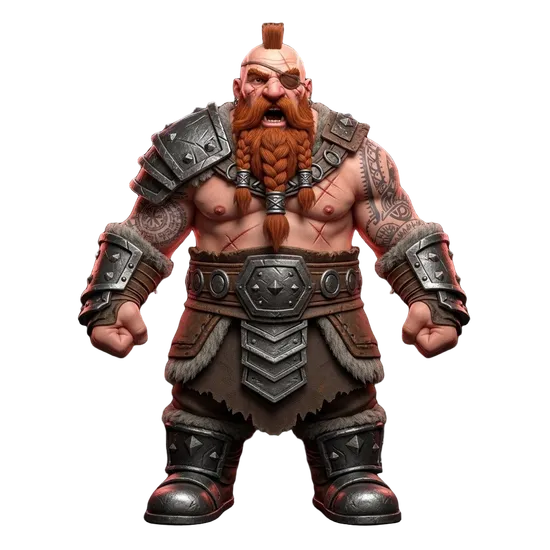
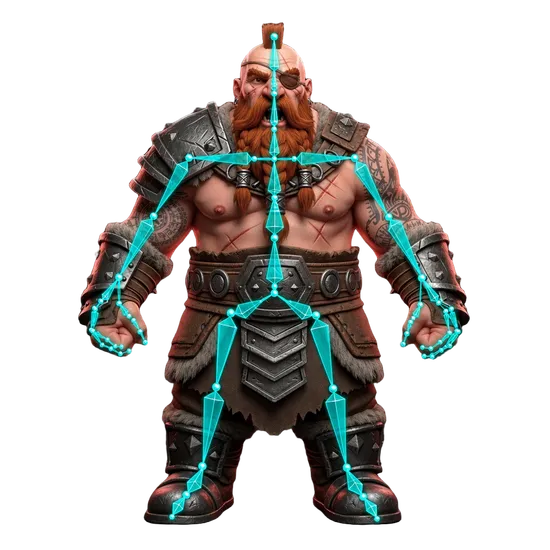
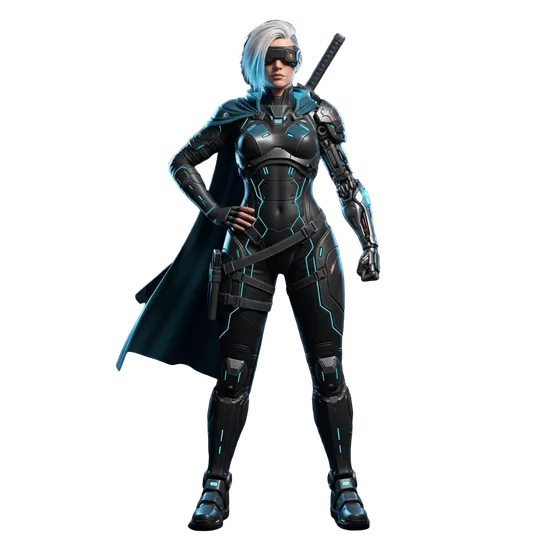
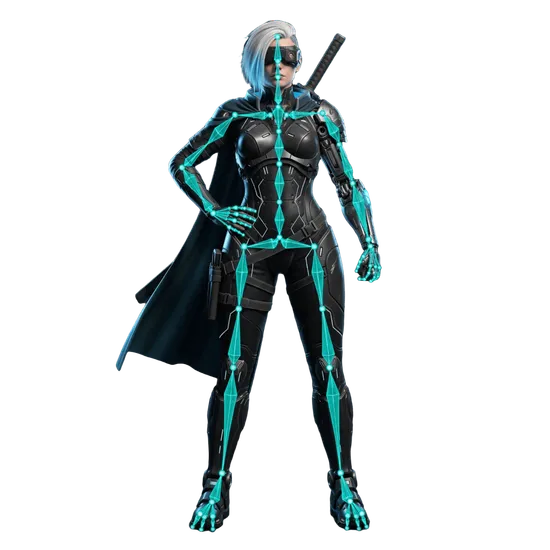
AI Auto-Rigging & Animation Retargeting Tool
Add a skeleton rig to any 3D model and apply animations using AI. Upload a GLB file and the tool automatically analyzes body structure, places bones, computes skin weights, and generates a Mixamo-compatible rig - all without manual bone placement or weight painting. Choose from multiple rig types including biped, quadruped, hexapod, avian, serpentine, and aquatic. After rigging, apply preset animations like walk, run, jump, dance, and combat moves with one-click retargeting. Export as GLB or FBX for Unity, Unreal Engine, and Blender. Models generated with Image to 3D or Text to 3D can be rigged directly from your Dashboard.
Built for Real Animation Workflows
Game Development
Rig characters for Unity and Unreal Engine with Mixamo-compatible skeletons. Apply preset animations or retarget custom motion capture data. Export as FBX with baked animations ready for game engine import and blend tree setup.
Animation & Film
Add production-quality rigs to AI-generated characters for animated shorts, cinematics, and motion graphics. The Mixamo-compatible skeleton works with industry-standard animation tools and retargeting pipelines in Blender, Maya, and MotionBuilder.
Rapid Prototyping
Test character designs with animation before committing to manual rigging. Generate a character with Text to 3D, rig it in minutes, and preview animations to validate proportions and silhouette before investing in production-quality manual rigs.
VR & AR Experiences
Rig characters for interactive VR applications and AR filters. The lightweight GLB export with embedded animations works directly in WebXR, three.js, and AR frameworks. Baked animations ensure consistent playback across devices and platforms.
How AI Rigging Works
The rigging workflow has three stages: analysis, rigging, and animation retargeting.
During analysis, the AI examines your model's geometry to determine if it can be rigged and what body type it matches. It checks for clear limb separation, appropriate proportions, and a recognizable body structure. The analysis is free and takes about 30 seconds.
If the model passes analysis, the rigging stage places a bone hierarchy inside the mesh based on the detected body type. For bipeds, this includes spine, hips, legs, arms, hands, and head bones following the Mixamo bone naming convention. The AI then computes skin weights that determine how each vertex deforms when bones move, ensuring natural bending at joints.
After rigging, you can optionally apply preset animations through retargeting. The tool maps standardized motion data onto your model's specific rig, adjusting for differences in proportions and bone lengths. Animations are baked into the export so they play back identically in any software that supports the output format.
For models created in 3D AI Studio, the Dashboard offers integrated rigging with optimized defaults. For external models from Blender, Maya, or other 3D software, use this upload tool.
Tips for Best Rigging Results
Model Preparation
Upload models with clean, closed geometry and reasonable polygon counts. Models from remeshing produce the most consistent rigs because they have uniform polygon distribution and proper edge flow at joints. Avoid uploading raw sculpts with millions of polygons.
Pose Requirements
Humanoid models should be in a T-pose or A-pose with arms extended away from the body and legs slightly apart. This gives the AI clear separation between limbs for accurate bone placement. Models with arms at their sides or in action poses may produce less accurate rigs.
What to Avoid
Models with merged limbs, missing geometry, or extreme proportions may not rig correctly. Very thin appendages like tails, antennae, and long hair strands are difficult to rig automatically. Loose accessories like capes and belts should ideally be part of the main mesh.
Get Started
Upload a GLB file using the upload area above and click Run Analysis to check rigging compatibility. If your model passes, configure the rig type and output format, then click Start Rigging. After rigging completes, select a preset animation and apply it with one click. Need a character model? Generate one with Image to 3D from a reference image or Text to 3D from a description. Use Image Studio to create the perfect character concept art. Before rigging, consider running your model through remeshing for optimized topology that deforms better at joints.
Frequently Asked Questions
What is AI rigging for 3D models?
AI rigging automatically adds a skeleton (armature) to a 3D model so it can be animated. Traditional rigging requires hours of manual bone placement, weight painting, and testing. AI rigging analyzes your model's geometry and places bones, assigns skin weights, and generates a control rig in minutes, making 3D animation accessible without specialized rigging knowledge.
How does the AI auto-rigging workflow work?
Upload a GLB file, and the tool first analyzes the model to check if it's suitable for rigging. It then automatically places bones based on the detected body type, computes skin weights for natural deformation, and generates a Mixamo-compatible rig. You can preview animations directly in the 3D viewer before exporting as GLB or FBX.
What types of characters and creatures can be rigged?
The tool supports multiple rig types including biped (humanoid characters), quadruped (four-legged animals), hexapod, octopod, avian (birds), serpentine (snakes), and aquatic creatures. Each rig type places bones appropriate for that body structure. For best results, models should have clear limbs and a recognizable body shape.
Does my model need to be in a specific pose?
For best results, humanoid models should be in a T-pose or A-pose with arms extended and legs slightly apart. This gives the AI clear limb separation for accurate bone placement. Models with arms at their sides or in complex poses may produce less accurate rigs. The analysis step will flag potential issues before rigging begins.
What file formats can I export after rigging?
Export rigged models as GLB or FBX. GLB works well for web applications, AR experiences, and three.js projects. FBX is the standard for Unity, Unreal Engine, and professional animation software like Blender and Maya. The exported rig is Mixamo-compatible, meaning you can apply Mixamo animations directly or retarget animations from other sources.
Is the AI rigging tool free to use?
AI rigging is available on paid plans. The tool uses credits from your 3D AI Studio subscription. The workflow includes model analysis, automatic rigging, and animation preview. You can rig models generated in 3D AI Studio or upload your own GLB files from external 3D software.