
The ComfyUI alternative built for 3D
Keep the node-based workflow you love. Drop the installs, the custom-node hunting, and the GPU. Flow is a visual node canvas for text-to-3D and image-to-3D that runs in your browser.
Coming from ComfyUI? Describe it instead.
Just describe the workflow you want to build and our AI agent wires it up for you, live on the canvas. No nodes to drag, no setup.
You will be asked to sign in if needed. Your prompt is kept and the build starts right after.
The same node graph, running in your browser
This is a live Flow graph. Drag a node and it snaps back, pan around, and follow the wires from prompt to 3D model. No install, no GPU, nothing to configure.
Why look for a ComfyUI alternative for 3D
ComfyUI made node-based generation popular, but using it for 3D means installing the app, matching Python and CUDA versions, hunting down community custom nodes, and owning a GPU with enough VRAM to run heavy mesh models. For many people that setup is the whole project before a single model is generated. A good ComfyUI alternative for 3D should keep the visual node graph and drop the overhead.
Flow is that alternative: a cloud ComfyUI for 3D that runs entirely in the browser. You build the same kind of graph, prompt to model to texture to export, but the 3D models are maintained for you, generation runs on our infrastructure, and there is nothing to install. It is node-based 3D without setup, so you can use ComfyUI-style workflows without a GPU and without a custom-node update quietly breaking your graph.
Flow vs ComfyUI for 3D workflows
Both give you a visual node graph. The difference is what it takes to run one for 3D.
| Capability | Flow | ComfyUI |
|---|---|---|
| Runs in the browser | ||
| No local GPU required | ||
| No install or Python setup | ||
| Visual node graph | ||
| 3D mesh and texture nodes built in | Partial | |
| Top 3D models maintained for you | Partial | |
| Custom node ecosystem | Partial | |
| Fully local and offline |
ComfyUI remains the better pick if you need a fully local, offline setup or the entire open custom-node ecosystem. Flow is built for fast, browser-based 3D work.
Why people look for a ComfyUI alternative for 3D
ComfyUI is powerful and flexible. For 3D specifically, the setup and hardware cost are where many people start looking for something simpler.
Setup takes over the project
Installing ComfyUI, matching Python and CUDA versions, and chasing custom nodes for 3D can eat a full day before you generate anything.
You need a strong local GPU
3D generation models are heavy. On a modest card you wait a long time or run out of VRAM. Flow runs generation on our infrastructure instead.
3D is an afterthought
ComfyUI started with images. For 3D you stitch together community nodes that break on updates. Flow treats mesh, texture, and export as first-class nodes.
Broken graphs after updates
A custom node or model update can break a working graph. Flow keeps the models and nodes maintained, so your workflow keeps running.
The same graphs, none of the setup
If you build node graphs in ComfyUI, these will feel familiar. The difference: they run in the browser, the 3D models are maintained for you, and you save each one as a reusable custom flow.
Image to 3D, no GPU
The graph you would assemble from custom nodes in ComfyUI, running in the browser with the models maintained for you and nothing to install.
Text to 3D pipeline
Wire it once, save it as a template, reuse it. No Python environment and no version conflicts to debug.
Multi-view to 3D
Feed several reference angles into one generation, the same way a multi-input ComfyUI graph would, without the node hunting.
Branch into variations
Fork a prompt to compare models or settings, then keep the branch you like. Save the whole thing as your own custom flow.
From ComfyUI to a 3D workflow in minutes
No migration project. Open the canvas and rebuild the part that matters: your 3D pipeline.
Open Flow in the browser
No download and no environment to configure. Sign in and the canvas is ready, with the node menu a click away.
Wire up a 3D workflow
Add a prompt or image node, connect a 3D generation node, then route the result to texturing and export. Watch each node run live.
Run and reuse
Run the whole graph with one click, collect the outputs, then save it as a template to reuse for the next asset.
Production-ready assets, start to finish
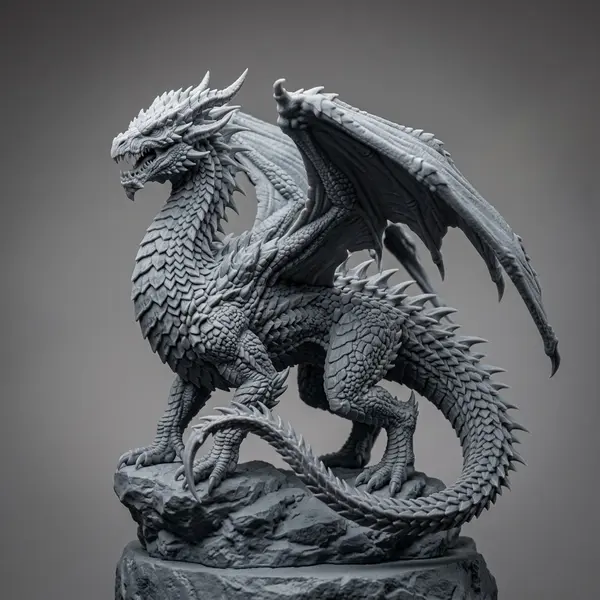
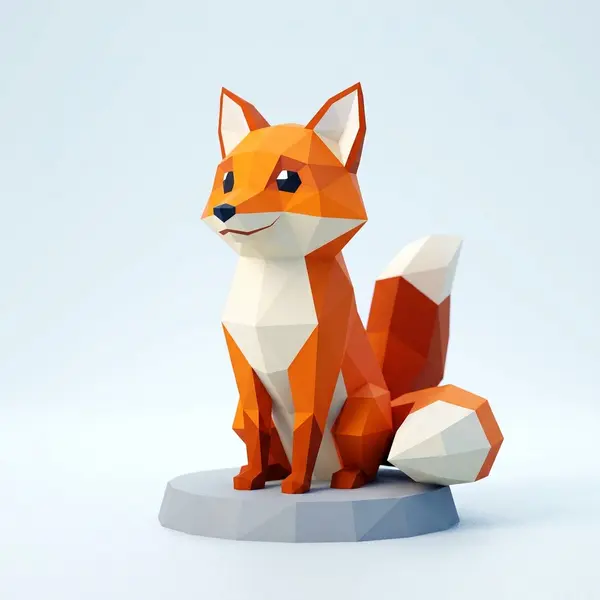
Flow chains the same generation models creators use every day. Here is a taste of what comes out the other end.










Related tools and guides
Try the node canvas for 3D
Build text-to-3D and image-to-3D workflows on a visual node graph, with no install and no GPU. Open Flow and run your first pipeline.