
Turn Any Sketch into a 3D Model
Photograph your drawing, render it into clean 3D-style art with Image Studio, and convert it to a textured 3D model. Pencil, pen, marker, or crayon - no modeling skills needed.
Updated July 2026
For everyone who draws first
Concept Artists
Character sheets to game-ready assets
Parents & Kids
Crayon monsters to printed toys
Tattoo & Logo Artists
Flat art to dimensional models
Product Ideas
Napkin sketches to prototypes
Trusted by creators at top game studios and tech companies

















How to turn a sketch into a 3D model
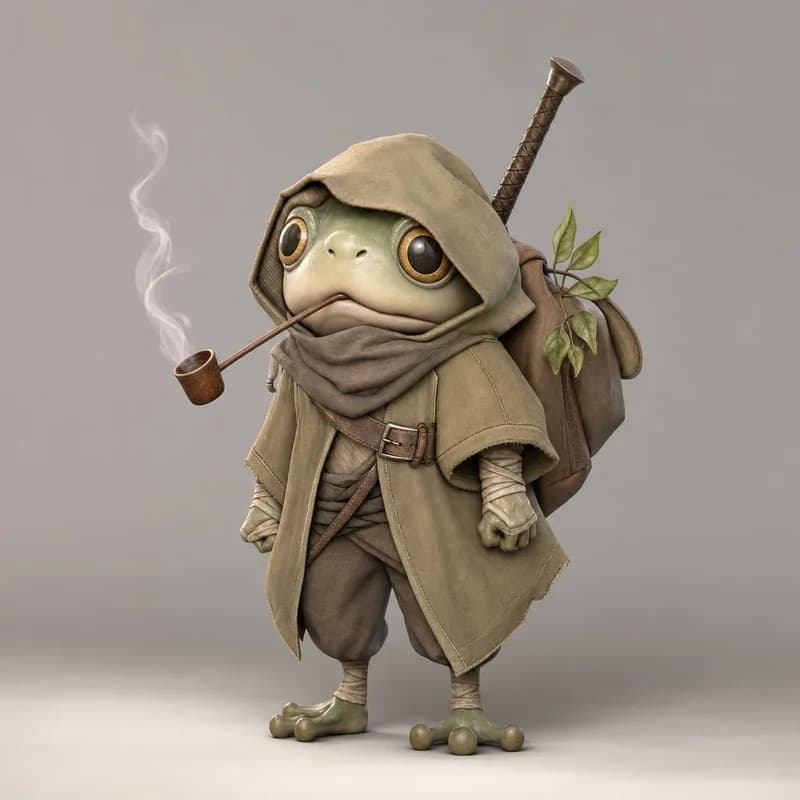
The one thing to learn: don’t feed the raw sketch to Image to 3D. Render it in Image Studio first - flat line art becomes shaded, dimensional source art, and the mesh comes out dramatically better.

01
Your sketch
a photo of paper is fine
02
Image Studio render
Edit Image + the prompt below
03
The 3D model
rotate it, then export
Pick a sketch to see its journey
Step 01
Start with your sketch
Photograph your drawing or upload the file. Pencil, pen, marker, crayon, and digital sketches all work - even rough ones.
Step 02
Render it in Image Studio
The crucial step: use Edit Image to transform the flat sketch into a clean 3D-style render that keeps your character's personality. Copy our prompt below.
Step 03
Convert to 3D and export
Feed the render into Image to 3D, pick an engine, and generate. Export GLB, OBJ, FBX, STL, or any of the 8 formats.
The exact Image Studio prompt we used
Every example on this page was rendered with this prompt in Edit Image. Copy it, paste it, done.
Transform this sketch/drawing into a polished rendered 3D character concept while preserving the original character's personality, silhouette, proportions, outfit/features, creature traits, attitude, and overall vibe. Make it look like a clean high-quality 3D model render: full subject visible, centered, clear readable forms, detailed materials, soft studio lighting, neutral simple background, suitable as source art for image-to-3D. Do not turn it into a different character; keep the essence of the sketch.
The tools, in order
Watch the full workflow
Sketch to Image Studio to Image to 3D, recorded in real time - about two minutes, cuts included.
~3 minSketch to 3D model
Both steps included
15+AI Models
Prism, Hunyuan, Meshy, Rodin…
8Export Formats
GLB, OBJ, FBX, STL…
100Free Credits / Month
No credit card
Every top image-to-3D model, in one studio
The conversion step runs on the same engines as Image to 3D. Switch engines per generation, no separate subscriptions.

Prism 3.1
Photo reconstruction champion
3D AI Studio · 3-5 min

Tripo P1
Game-ready topology
Tripo · 60-90s

Meshy 6
Quad topology & pose control
Meshy · 5-10 min

Hunyuan3D 3.1
Watertight meshes, 4K PBR
Tencent · 3-4 min

Rodin Gen-2.5
Five speed & quality tiers
Hyper3D · 30s-7 min

Hitem3D 2.1
1536³ print-grade detail
Hi3D · 7-8 min

Trellis 2
Affordable drafts with PBR
Microsoft · 4-8 min
Seed3D 1.0
PBR + RGB dual output
ByteDance · 8-12 min
That is 8 of 15+. See the full lineup on the Models page or run the same render through several at once in the live comparison tool.
What creators say
Rated 4.6/5 on Trustpilot
The speed in which I can generate 3D models is astonishing. Its simplified my workflow and given my applications an aesthetic uplift that impresses clients. I even 3D printed a few of those Models and they came out great

Tim Karlowitz
Website Developer
With the 3D AI STUDIO, Ive been able to create complex, high-quality 3D models in seconds, shaving hours off of my usual timescales and allowing me to focus more on getting creative. It has been a game-changer. This is the best AI 3D Model Generator i have ever used!

Noah Böhringer
Game Developer at BHR Studios
So cool! I just logged in and was very quickly able to make a 3D model from a prompt. Could see a lot of applications of this in video editing / animation. Cant wait for all the new Features!

Dillion Verma
Developer @Nvidia

The Best image to 3D Model generator out there. Un matched from my comparisons. Has saved me so much time and $$$. I am very picky about how the models look and 3D AI Studio is able to give you that REAL Detail that you need to be legit.

Junior Lopez
Canada
3D AI Studio is the best service I've found out there. They have a far superior output for highly detailed, realistic models and several amazing tools for source image generation, retexturing and model re-meshing/refining. The interface is clean, easy-to-use and intuitive.

Paul Hoover
United States
Mind blowing customer support. The results are pretty amazing, you generate cool game assets within minutes AND there's an option to make them pretty low poly. When I stopped using I asked a refund for the last month - got it within 30 seconds. Mind blown.

Yuri Shmorgun
Israel
I've tried several 3D modeling solutions, but 3D AI Studio stands out for its product and its support. Jan is amazing, he is constantly adding new features and improving on the experience, and extremely responsive to any support requests. Highly recommend!

Ian Chaplin
United States
3d models that wont break the bank. I made around 25 models rigged a few. It was able to use just my png 2d artwork to generate a 3d model which can be saved as glb, fbx, stl, which port over into game engines easy. Some of my characters have armor on an it made them look so AAA in thier armor.

Brad J Bigner
United States
Overall the best AI website I have tried. The team is amazing! They are really going with what the community wants, they listen and they go from our very own requests. I would say that you really get your money worth! highly recommend!

XshadowX
Canada
The speed in which I can generate 3D models is astonishing. Its simplified my workflow and given my applications an aesthetic uplift that impresses clients. I even 3D printed a few of those Models and they came out great
Tim Karlowitz
Website Developer
With the 3D AI STUDIO, Ive been able to create complex, high-quality 3D models in seconds, shaving hours off of my usual timescales and allowing me to focus more on getting creative. It has been a game-changer. This is the best AI 3D Model Generator i have ever used!
Noah Böhringer
Game Developer at BHR Studios
So cool! I just logged in and was very quickly able to make a 3D model from a prompt. Could see a lot of applications of this in video editing / animation. Cant wait for all the new Features!
Dillion Verma
Developer @Nvidia
The Best image to 3D Model generator out there. Un matched from my comparisons. Has saved me so much time and $$$. I am very picky about how the models look and 3D AI Studio is able to give you that REAL Detail that you need to be legit.
Junior Lopez
Canada
3D AI Studio is the best service I've found out there. They have a far superior output for highly detailed, realistic models and several amazing tools for source image generation, retexturing and model re-meshing/refining. The interface is clean, easy-to-use and intuitive.
Paul Hoover
United States
Mind blowing customer support. The results are pretty amazing, you generate cool game assets within minutes AND there's an option to make them pretty low poly. When I stopped using I asked a refund for the last month - got it within 30 seconds. Mind blown.
Yuri Shmorgun
Israel
I've tried several 3D modeling solutions, but 3D AI Studio stands out for its product and its support. Jan is amazing, he is constantly adding new features and improving on the experience, and extremely responsive to any support requests. Highly recommend!
Ian Chaplin
United States
3d models that wont break the bank. I made around 25 models rigged a few. It was able to use just my png 2d artwork to generate a 3d model which can be saved as glb, fbx, stl, which port over into game engines easy. Some of my characters have armor on an it made them look so AAA in thier armor.
Brad J Bigner
United States
Overall the best AI website I have tried. The team is amazing! They are really going with what the community wants, they listen and they go from our very own requests. I would say that you really get your money worth! highly recommend!
XshadowX
Canada
“I've watched thousands of head-to-head votes across every major 3D AI model. 3D AI Studio is the one place you can actually use the top models together - with a full toolkit around them.”
Stefan Vaskevich
Founder of Top3D.ai - the independent 3D AI leaderboard

Frequently asked questions
Everything people ask before converting their first sketch
Something else? Write us at support@3daistudio.com.
Draw it and watch it render live
Sketch to Image renders your drawing about half a second after every stroke, in ten styles - then hands the result straight to Image to 3D.
The render step, up close
Image Studio's Sketch tool turns an uploaded drawing into a finished image with the top image models.
The conversion step, up close
Image to 3D reconstructs any image into a textured mesh with 15+ engines. This is where your render becomes a model.
Consistent characters from one sketch
The Character Sheet Generator turns one drawing into a multi-view sheet - front, side, back - for even more accurate 3D conversion.