
Blender MCP: What It Is, What It Does Well, and Where It Falls Short
Blender MCP lets an AI assistant like Claude control Blender directly. It is genuinely impressive at some things and genuinely bad at others, and most guides only cover the first half. This one covers both.
Short answer
Blender MCP is a Model Context Protocol server that gives an AI assistant control of a running Blender instance. The assistant writes and executes Python against Blender's API, so it can add objects, assign materials, apply modifiers, and rearrange your scene while you watch. It does not generate meshes with AI. It operates Blender for you.
That distinction decides whether you will love it or be disappointed. For scene assembly, materials, lighting, and repetitive work it is excellent. For producing an actual character, creature, or anything organic it is weak, because it is building from primitives and modifiers rather than from a model trained on 3D shapes. The setup most people land on in the end is both: an AI generator for the assets, Blender MCP for the scene around them.










What is Blender MCP?
The Model Context Protocol is an open standard for letting AI assistants call tools in other software. A server advertises a list of tools, the assistant decides which to call and with what arguments, and the results come back into the conversation. Blender MCP is one of those servers, and the tools it exposes reach into Blender's Python API.
So when you type "add a table with four chairs around it and put a warm light above", the assistant is not producing a mesh. It is deciding which Blender operations would create that arrangement and then running them. Your viewport updates because Blender is being operated, remotely, by something that reads your sentences.
The original project is an open-source community effort that went viral in 2025 and put "Blender MCP" on the map. Since then the Blender Foundation has published its own MCP server through Blender Lab, along with an official Claude connector. If you are installing today, the official route is the safer bet, because it will be maintained against future Blender releases.
How do you set up Blender MCP?
Every variant of Blender MCP has the same two-part shape, which is worth understanding before you follow anyone's install steps:
An add-on inside Blender
You install a Python add-on and enable it in Preferences. It adds a panel to the sidebar with a button that opens a local connection and waits for commands. Nothing happens until you start it, and closing Blender ends it.
An MCP server your assistant launches
Your AI client is configured to run the server process and talk to it. Once registered, the Blender tools show up in the assistant's tool list and it can start calling them. This is the part that differs between clients, because each one has its own MCP configuration file.
We are deliberately not reprinting exact commands here. They change between the community project and the official Blender Lab server, and between Blender versions, and a stale command copied off a blog is the most common reason a setup fails. Take the steps from the project you actually installed.
What is Blender MCP good at?
Scene assembly and layout
Placing, duplicating, aligning, and arranging objects you already have. Describing a layout in a sentence is faster than clicking it into place, and the assistant does not get bored on the fortieth object.
Materials and lighting setups
Creating node setups, assigning materials across many objects, and building three-point lighting. These are procedural, rule-based tasks, which is exactly what scripted operators are for.
Bulk and repetitive operations
Rename 300 objects to a convention, apply the same modifier stack everywhere, batch-export a collection. The tasks you would otherwise write a script for, without writing the script.
Hard-surface and architectural shapes
Anything with clear geometric logic. Stairs, railings, modular walls, furniture with right angles. Primitives and booleans are the correct tool, so results are genuinely good.
Learning Blender's Python API
You can ask what it just did and get the actual bpy calls back. As a way to learn scripting through examples of your own scene, it is quietly one of the best uses.
Getting unstuck
Describing a problem in plain language and having something try five approaches in the time you would spend searching. Even when it fails, it usually surfaces the operator you had forgotten.
Can Blender MCP make good 3D models?
Search for Blender MCP and you will find a lot of enthusiasm, and then a layer of threads underneath asking whether anyone is actually getting usable results. Both are accurate. They are describing different tasks.
Organic geometry
Characters, creatures, plants, anything sculptural. The assistant has primitives, modifiers, and operators, so an organic form becomes an assembly of stretched spheres. No amount of prompting fixes this, because the tools it holds are the constraint.
Topology you would ship
Boolean-heavy results carry the mess booleans always carry: n-gons, poles, uneven density. Fine for a blockout, not something you would rig or subdivide without a retopology pass.
Textures and UVs
It can build procedural node setups, but it does not produce baked PBR maps or a sensible UV layout for a hand-modelled asset. That is a different kind of tool entirely.
Cost on complex scenes
Every operation and every scene inspection consumes context. Long sessions on a busy file get slow and expensive, and the assistant starts losing track of what it already did.
Blender MCP is an excellent operator of Blender and a poor modeller. Judge it on the first job and it looks like magic. Judge it on the second and it looks broken. It is the same tool.
Blender MCP vs an AI 3D generator
These get compared constantly and they are not really competitors. An AI 3D generator such as 3D AI Studio uses models trained on 3D data to create a mesh from a prompt or a single image, and hands you a textured asset with UVs that you import. Blender MCP automates the application you import it into. Here is the split, task by task.
| Task | Blender MCP | AI generator | Why |
|---|---|---|---|
| Add and arrange objects in your scene | Blender MCP: yes | AI generator: no | MCP drives Blender directly |
| Assign materials and set up lighting | Blender MCP: yes | AI generator: no | Scripted operators, no generation needed |
| Repeat a tedious operation 200 times | Blender MCP: yes | AI generator: no | This is what automation is for |
| Produce an organic character or creature | Blender MCP: no | AI generator: yes | Needs a model trained on 3D data |
| Deliver clean UVs and PBR textures | Blender MCP: no | AI generator: yes | Generators output these by default |
| Hit an exact triangle budget | Blender MCP: no | AI generator: yes | Retopology, not scripted decimation |
| Work without Blender open | Blender MCP: no | AI generator: yes | Generation runs in the browser |
What does the generator half actually produce?
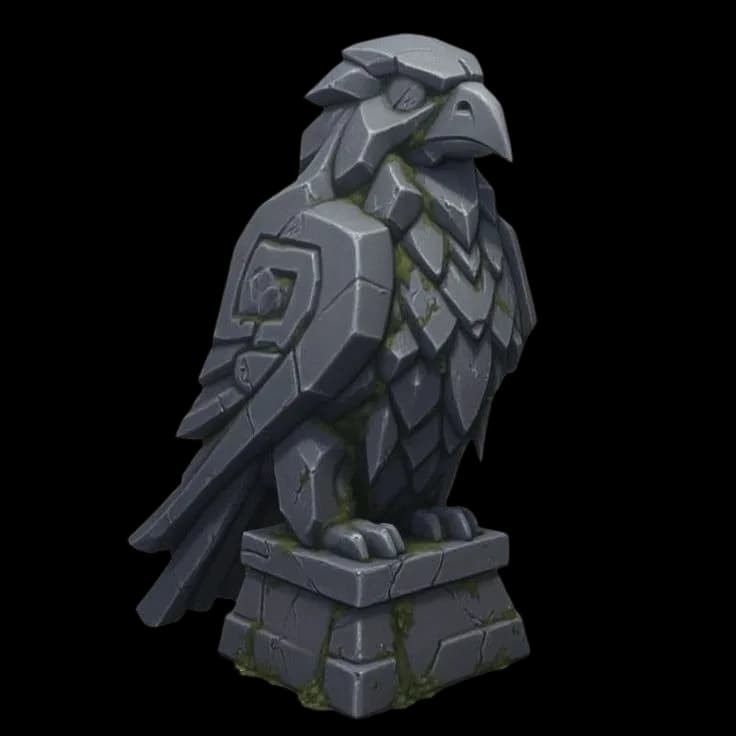
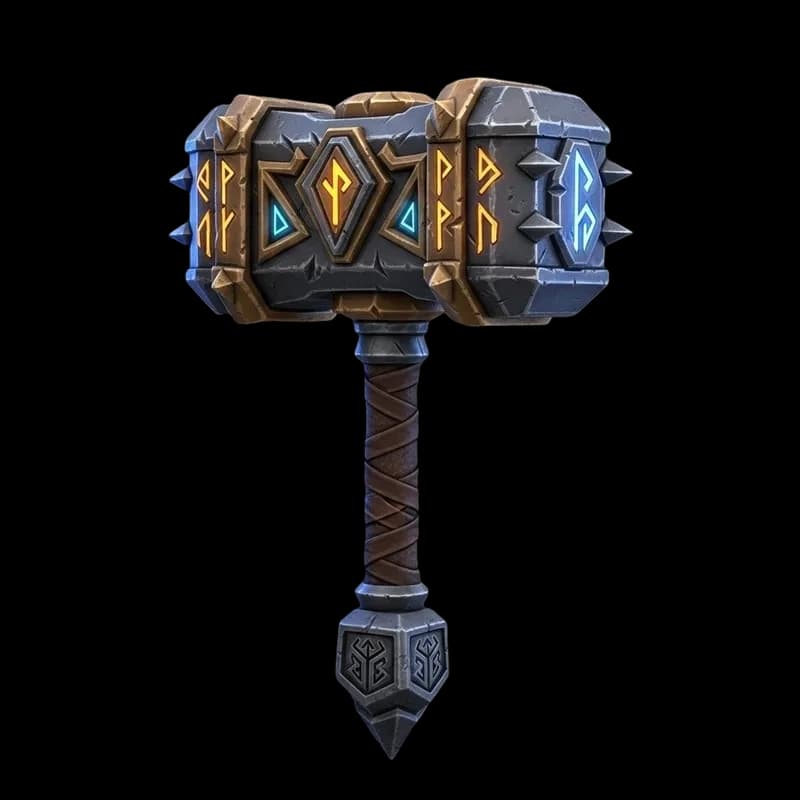
Rather than describe it, here are four. Each small card is the concept art that went in; the model on the stage is what came out. Drag it, or switch to clay to look at the mesh without textures getting in the way.
The blaster is the honest case: a hard-surface prop with clear geometric logic is exactly the kind of thing Blender MCP could get reasonably close to with primitives and booleans. The tiger warrior and the bear are not. That is the line this whole article is about, and it is easier to see than to argue.
How do you use Blender MCP with an AI generator?
Once you stop asking Blender MCP to model, it becomes much more useful. The pattern people settle into looks like this.
Generate the assets that need to look good
Characters, creatures, hero props, anything organic. A prompt or a single reference image produces a textured mesh with real UVs in a couple of minutes, and you can retopologize it to a target triangle count before it ever reaches Blender.
Import them
GLB keeps mesh, materials, and textures in one file. FBX if the asset is rigged. This is one menu item in Blender and nothing about it needs an AI.
Let the assistant build the scene around them
Placement, duplication, scattering, material assignment, lighting, camera setup, batch renaming, export. This is the part Blender MCP is genuinely good at, and it is also the part you least enjoy.
Try the generator half
3D AI Studio runs in the browser, so there is no add-on to install and no load on the GPU that Blender is already using. Generate from a prompt or an image, export GLB, FBX, or OBJ, and import. 100 free credits a month, no credit card.
AI 3D models for BlenderHow do you connect Claude to Blender?
Claude has an official route now. Blender Lab, the Blender developers' own lab, publishes a Blender connector for Claude Desktop alongside its MCP server. Three steps:
Add the Blender connector in Claude Desktop
Open Customize, then Connectors, search for Blender and add it. It is listed as made by Blender Lab and works on any Claude plan, including Free.
Install the Blender Lab add-on
Open the MCP Server page on blender.org and drag its install link into Blender. The first drag adds the Blender Lab extension repository, the second installs the add-on, and you get update notices from then on.
Start the MCP server from Blender
In Preferences, Add-ons, find the Blender MCP add-on and start its server. Do this each time you open Blender for a session, then ask Claude about your scene.
Once connected, Claude is good at the same things as any Blender MCP setup: explaining a node or modifier stack you inherited, batch changes across many objects, cleaning out unused data, and writing small Python tools for Blender's interface. It has the same blind spot too. It builds with operators, so it cannot sculpt a character.
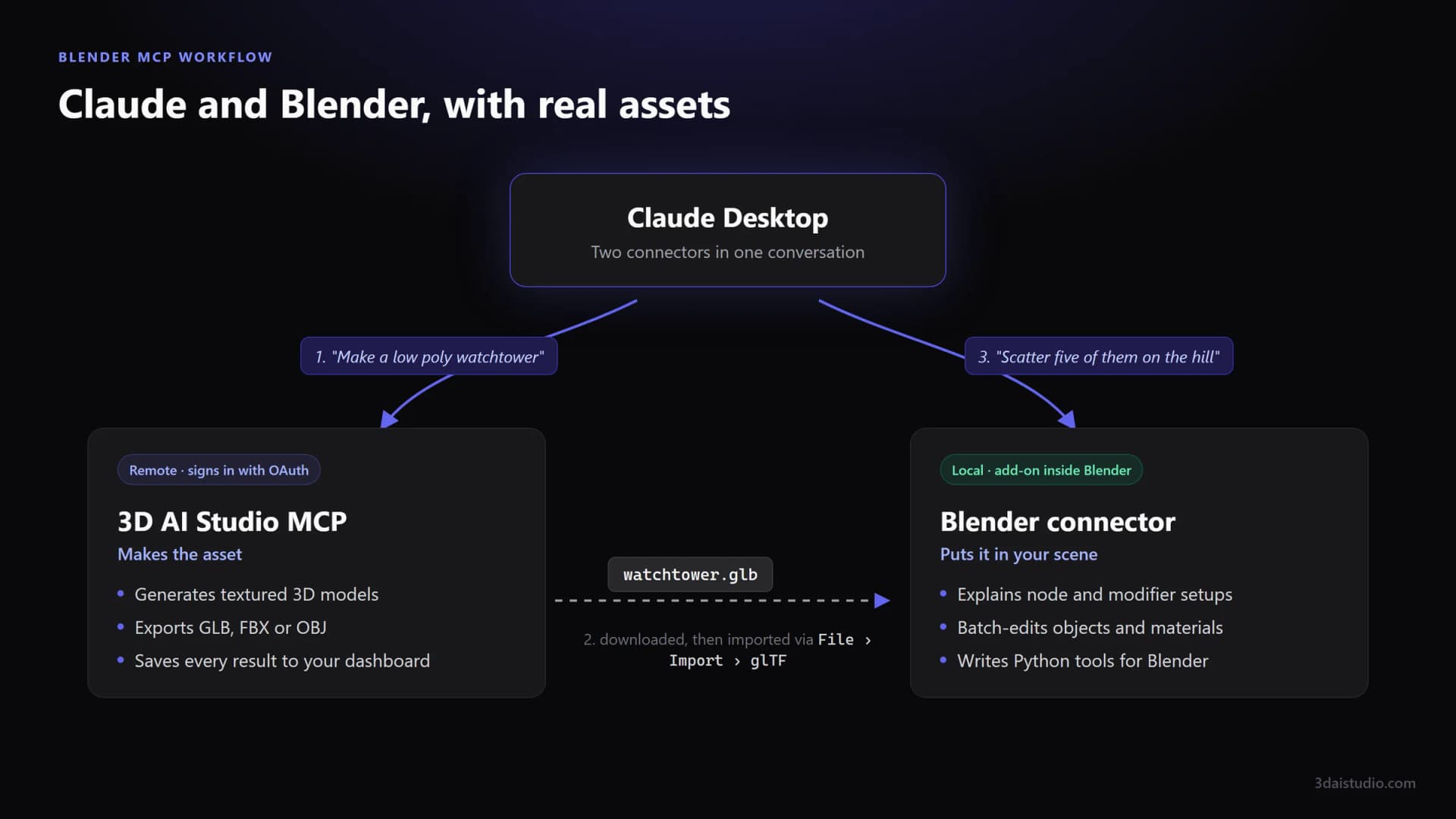
That gap closes the moment you add a second connector. Connect 3D AI Studio in the same Claude Desktop and Claude becomes a full 3D pipeline: it generates textured characters, props and environments in the chat, you import the GLB into Blender, and the Blender connector builds the scene around them. Real models from one side, scene automation from the other, all in one conversation.
Add 3D AI Studio to Claude
The connector that gives Claude real 3D models to work with. Textured characters, props and environments from a prompt or an image, ready to import into Blender as GLB, FBX or OBJ. One URL, sign in with your account, no API key.
Get the 3D model generation MCPWhich AI client should you use with Blender MCP?
MCP is client-agnostic, so anything that speaks the protocol can connect. The practical differences are about tooling and cost, not capability.
Claude Desktop
The most documented path, because the original project was demoed with it and Blender's official connector targets it. If you are following a tutorial, it was probably written for this.
Claude Code
Terminal-first and comfortable if you already live there. Handy when you want the generated Python written to a file you keep, rather than executed and forgotten.
Cursor and VS Code
Good when Blender scripting is part of a larger codebase, for example a studio pipeline or an add-on you are building. The scene becomes one more thing the editor can reach.
ChatGPT and Gemini clients
Workable, with less community documentation to lean on when something does not connect. Expect to read the server's own setup notes rather than a blog post.
Read next
- How to import and optimise AI models in Blender
The practical side of step two: formats, scale, and cleaning up what you import.
- AI for Blender
What the generator half looks like, including topology and export formats.
- Generate 3D models inside Claude and ChatGPT
The other kind of 3D MCP server: one that creates meshes rather than driving Blender.
- Godot MCP: which server to install
The same idea for Godot, with real editor screenshots.
- Unity MCP: official vs community servers
Unity's own server, its new CLI, and the community options.
- Best MCP servers in 2026
One server per job, including the best options for 3D and game dev.
Frequently asked questions
What is Blender MCP?
Blender MCP is a server that connects an AI assistant such as Claude to a running Blender instance using the Model Context Protocol. The assistant gets a set of tools it can call, which execute Python against Blender's API. In practice that means you can ask in chat for objects to be added, materials assigned, modifiers applied, or a scene rearranged, and watch it happen in your viewport. It does not generate meshes with a neural network. It writes and runs Blender commands.
How do you install Blender MCP?
Every version involves two pieces: an add-on installed inside Blender that opens a local connection, and an MCP server that your AI client launches and talks to. You enable the add-on in Blender's preferences, start the connection from a panel in the sidebar, then register the MCP server in your client's configuration so the assistant can see the tools. Exact commands differ between the original community project and Blender's own official server, so follow the setup instructions from whichever one you install rather than a third-party blog.
Is Blender MCP official?
There are now two things wearing the name. The original is an open-source community project that went viral in 2025. Since then the Blender Foundation has published its own MCP server through Blender Lab, alongside an official Claude connector. If you are choosing today, prefer the official one: it will track Blender releases, and the community project's API surface can drift.
Can Claude use Blender?
Yes. Blender Lab publishes an official Blender connector for Claude Desktop. You add the connector under Customize, Connectors, install the Blender Lab add-on, and start its MCP server from inside Blender. Claude can then read your open scene, explain node and modifier setups, batch-edit objects, and write Python tools. It needs Claude Desktop on the same computer as Blender, so it does not work on claude.ai in the browser. Claude Code can connect to the same server.
Does Blender MCP work with ChatGPT, Cursor, or Gemini?
Yes, in principle. MCP is a client-agnostic protocol, so anything that speaks it can connect: Claude Desktop, Claude Code, Cursor, VS Code, Codex, and Gemini-based clients among them. Claude has the most coverage in tutorials simply because the original project was demoed with it. The setup pattern is the same everywhere: register the server in your client's MCP configuration, then confirm the tools appear.
Can Blender MCP actually make good 3D models?
It can build things out of primitives, modifiers, and procedural operations, which works well for hard-surface and architectural shapes with clear geometric logic. It struggles with organic subjects. A character, a creature, or anything sculptural comes out as an assembly of stretched spheres and cubes, because that is genuinely what it has to work with. This is the single most common disappointment people report, and it is not a prompting problem. It is a limit of building geometry through scripted operators.
What is the difference between Blender MCP and an AI 3D generator?
They solve different halves of the job. Blender MCP automates Blender: it moves, assembles, assigns, and repeats. An AI 3D generator like 3D AI Studio creates the mesh itself from a prompt or an image, using models trained on 3D data, and hands you a textured asset with UVs. One is a hands-free operator for your scene. The other is a source of assets to put in it.
Can I use Blender MCP and an AI generator together?
That is the setup that actually works well. Generate the hero assets with a 3D generator, import them, then let the MCP assistant handle placement, duplication, material assignment, lighting setup, and the repetitive scene work. You get real geometry for the things that need to look good and automation for the things that are just tedious.
Is Blender MCP safe to use?
Understand what you are granting before you enable it. The assistant executes Python inside your Blender session, which means it can modify or delete anything in the open file. Work on a saved copy, keep incremental saves on, and read what it proposes before approving destructive operations. The risk is not malice, it is an assistant confidently running an operator on the wrong selection.
Does Blender MCP cost anything?
The server itself is free and open source, and Blender is free. What you pay for is the assistant driving it: a Claude, ChatGPT, or Cursor subscription, and complex scene work burns through context quickly. It runs entirely on your own machine, so there is no per-generation cost, but there is no cloud GPU doing the heavy lifting either.
Tim's Take
Real experience
"I ran Blender MCP for a week expecting it to replace modelling and that was the wrong expectation. What it actually replaced was the hour I spend every project placing things, naming things, and fixing materials across a scene. I generate the assets elsewhere now and let it do the boring half. That combination stuck."
Tim Karlowitz
Developer & Creative @ Karlowitz Studios
Tim is a creative technologist and developer at Karlowitz Studios in Germany. He specializes in interactive 3D web experiences and automated content pipelines, bringing a rigorous engineering perspective to AI tool evaluation.