
Can Claude Generate Images? Not on Its Own, but You Can Add an Image Model in Two Minutes
Claude reads images well and can draw diagrams in code, but it has no image generator. Below: exactly what it can and cannot do, how to plug a real image model into Claude, and what that looks like in a chat.
Short answer
No, Claude cannot generate images by itself. Anthropic's help center says Claude does not make photos or illustrations the way image tools do. It can look at images you upload, and it can build diagrams, charts and simple SVG graphics out of code.
To make real images inside Claude, connect an image model. With 3D AI Studio added as a connector, Claude can generate and edit images with GPT Image 2.5 and Nano Banana 2.1, remove backgrounds, and turn the result into a 3D model in the same chat. Setup takes about two minutes, there is no API key, and you can try it on a free account.
Sure, generating that now.

Mushroom house
Image · saved to your dashboard
Here it is. Want a version with a night sky, or should I turn it into a 3D model?
What it looks like once an image model is connected. The chat frame is an illustration; the image is a real output for this prompt.
What can Claude do with images today?
A lot of confusion comes from the fact that Claude is clearly good with images. It reads screenshots, describes photos, pulls numbers out of charts and spots problems in a UI mockup. It just cannot paint. Anthropic's developer docs put it plainly: Claude is an image understanding model and cannot generate, edit or manipulate images.
Claude can, out of the box
- Read and describe images you upload (up to 20 per message on claude.ai)
- Build diagrams, charts and interactive visuals from HTML and SVG (custom visuals, in beta on web and desktop)
- Write SVG code for simple icons, badges and flat shapes
- Write detailed prompts for an image model
Claude cannot, without a connector
- Generate a photo, illustration, character or product shot
- Edit a photo you upload, such as changing the background or the outfit
- Remove a background or give you a transparent PNG
- Turn an image into a 3D model
The custom visuals feature is useful and easy to mistake for image generation. When you ask for a flowchart or a comparison chart, Claude writes HTML and SVG and renders it in the reply. You can copy a snapshot or download the SVG. It is a whiteboard, though, not an image model, and it falls apart the moment you ask for a cat in a spacesuit.
How do you generate images in Claude?
Claude supports connectors, which are built on the Model Context Protocol. A connector gives Claude new tools. Add one that wraps an image model and Claude can call it whenever you ask for a picture, then show you the result in the chat.
We built the 3D AI Studio connector for exactly this, and for the step after it: the same connection also makes 3D models. Here is the setup in Claude on the web or desktop.
Open Settings and then Connectors
In Claude on the web or the desktop app. On Team and Enterprise plans an owner may have to add the connector for the organisation first.
Add a custom connector
Name it 3D AI Studio and paste https://mcp.3daistudio.com/mcp as the remote MCP server URL. Leave the advanced fields empty.
Connect and sign in
A 3D AI Studio page opens. Sign in, check what Claude will be allowed to do, and click Authorize. There is no API key to copy.
Ask for an image by name
Start a new chat and say "use 3D AI Studio to make an image of...". Naming the tool stops Claude from offering an SVG instead.
Add custom connector
Settings › Connectors
Name
Remote MCP server URL
Leave the advanced settings empty. Sign in happens in your browser.
Using Claude Code instead?
claude mcp add --transport http --scope user 3daistudio https://mcp.3daistudio.com/mcp
Then run /mcp, pick 3daistudio and sign in. Claude Code can save generated images straight into your project, which is handy for icons, textures and placeholder art.
Can Claude edit images and photos?
With a connector, yes, and this is where it gets more useful than a plain image generator. You attach an image, describe the change in normal words, and Claude passes both to the model. Two real edits:
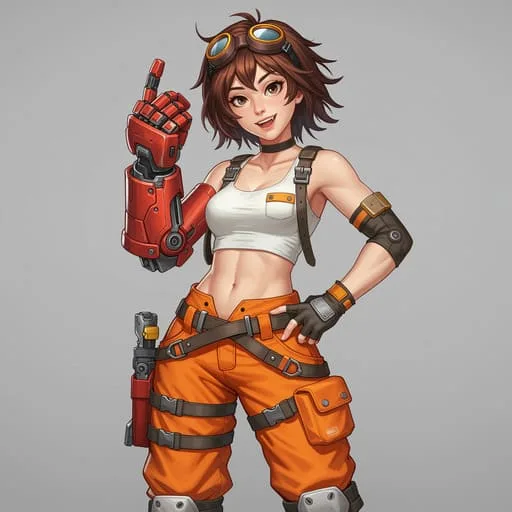
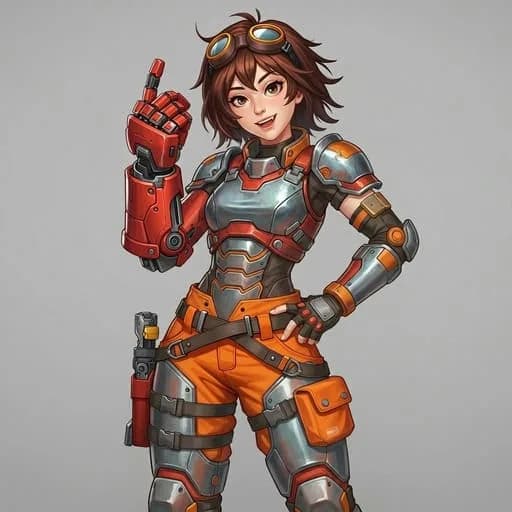
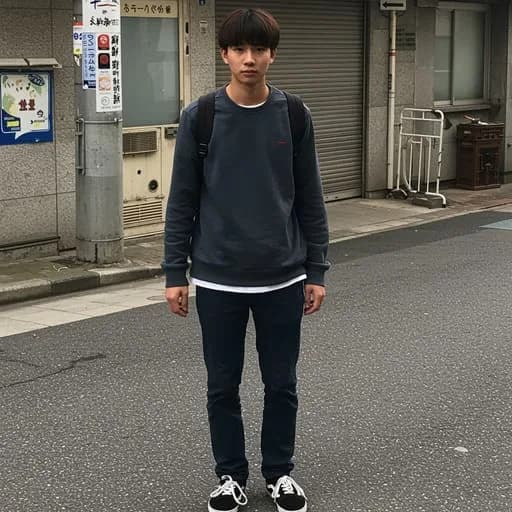
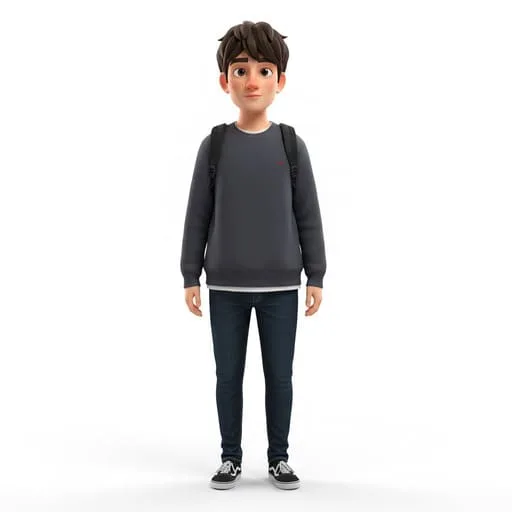
Current edit models keep the parts you did not mention, which is the thing older image tools got wrong. The face, pose and colours survive; only the requested change happens. You can also hand over several images at once, for example a character and a background, and ask Claude to combine them. GPT Image 2.5 takes up to 10 input images and Nano Banana 2.1 up to 14.
How Claude gets your image to the model
One quirk worth knowing: Claude can see an image you attach, but it cannot pass the file itself to a connector. So 3D AI Studio shows a small upload card in the chat. You drop the file in, say "done", and Claude carries on. In Claude Code you get a short upload link instead.
Which image model should Claude use?
You do not have to pick. If you just ask for an image, Claude chooses a sensible default. When you care about the result, these are the differences that matter:
| Model | Best at | Editing | On the free plan |
|---|---|---|---|
| GPT Image 2.5 | Following long instructions exactly, text inside images, product shots | Up to 10 input images, optional mask | Yes (Flare, standard settings) |
| Nano Banana 2.1 | Fast, consistent characters and styles, quick variations | Up to 14 input images | Paid plans |
| Nano Banana 2 Lite | The cheapest drafts when you need lots of options | No | Paid plans |
- Text in the image (a sign, a label, a poster headline): ask for GPT Image 2.5. It spells reliably.
- The same character in five poses: Nano Banana 2.1 is the one we reach for. It keeps a design steady across a long series of images.
- Reference art you will turn into 3D: either works. Ask for a plain background and even lighting, because shadows end up painted into the texture.
What are the other ways to get images in Claude?
3D AI Studio is not the only route, and depending on what you already pay for, another one might fit better. A fair comparison:
| Option | Setup | Works in | Good for |
|---|---|---|---|
| 3D AI Studio connector | Paste one URL, sign in | Claude web, desktop and mobile, Claude Code | Several image models in one place, editing, background removal, and 3D from the same chat |
| Hugging Face MCP server | Hugging Face account, pick image Spaces | Claude and Claude Code | Trying open models, if you do not mind queues and varying quality |
| Community Nano Banana servers | Install with npx, paste your own Gemini API key | Claude Desktop and Claude Code (local) | Developers who already pay for the Gemini API |
| Canva connector | Canva account | Claude | Filling Canva templates and layouts rather than generating new artwork |
| Copy and paste from another app | None | Anywhere | One-off images when you do not mind leaving the conversation |
Our view, with the obvious bias declared: for most people the connector route wins because it needs no API key, works in the Claude apps rather than only the desktop app, and keeps every image in a dashboard where you can find it later. The community servers are good if you are a developer with a Gemini key already, but they run locally, so they do not reach Claude on the web or on your phone.
Can Claude turn an image into a 3D model?
This is the part a plain image connector cannot do. Once Claude has made an image you like, ask it to "turn this into a 3D model". The connector sends the image to a 3D model, Prism 3.1 by default, and a couple of minutes later a textured mesh appears in an interactive viewer in the chat. You can export it as GLB, FBX, OBJ, STL, USDZ or 3MF.
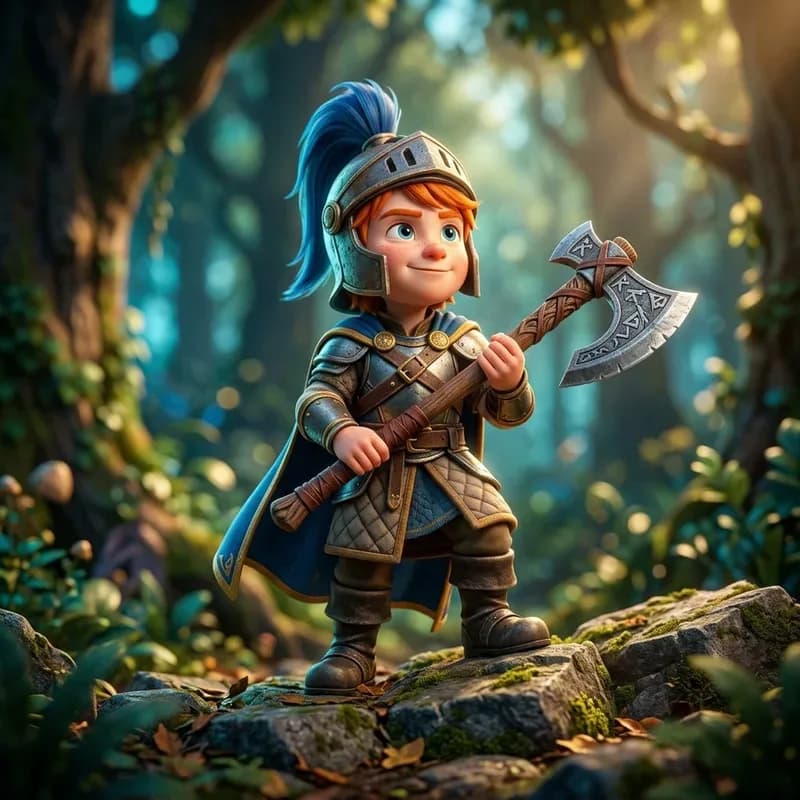
Step 1
Generate the image
"A young knight with a rune axe, Pixar style"
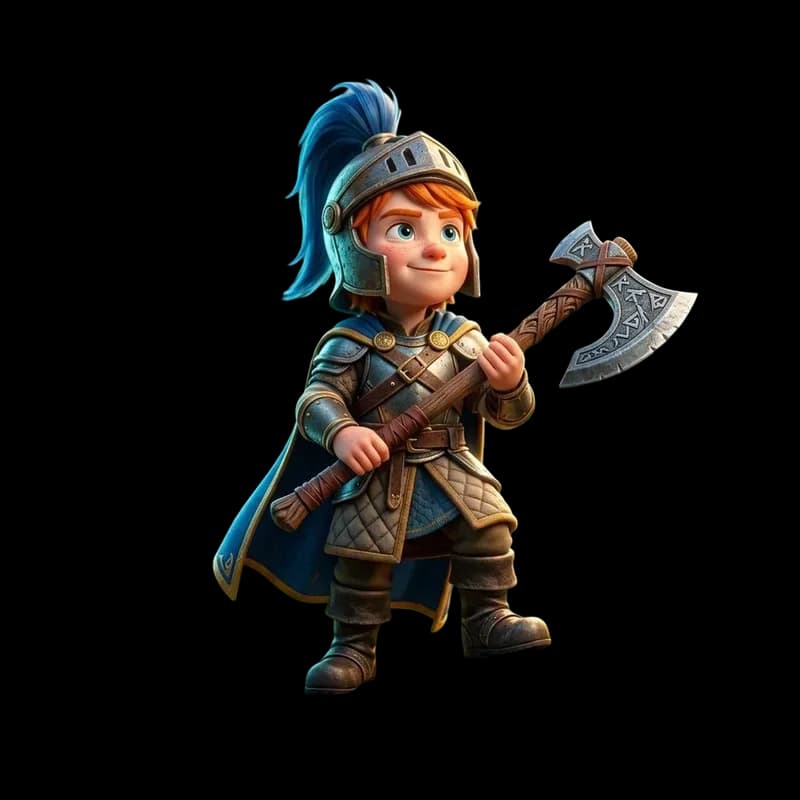
Step 2
Remove the background
Optional. Gives the 3D model a clean silhouette.
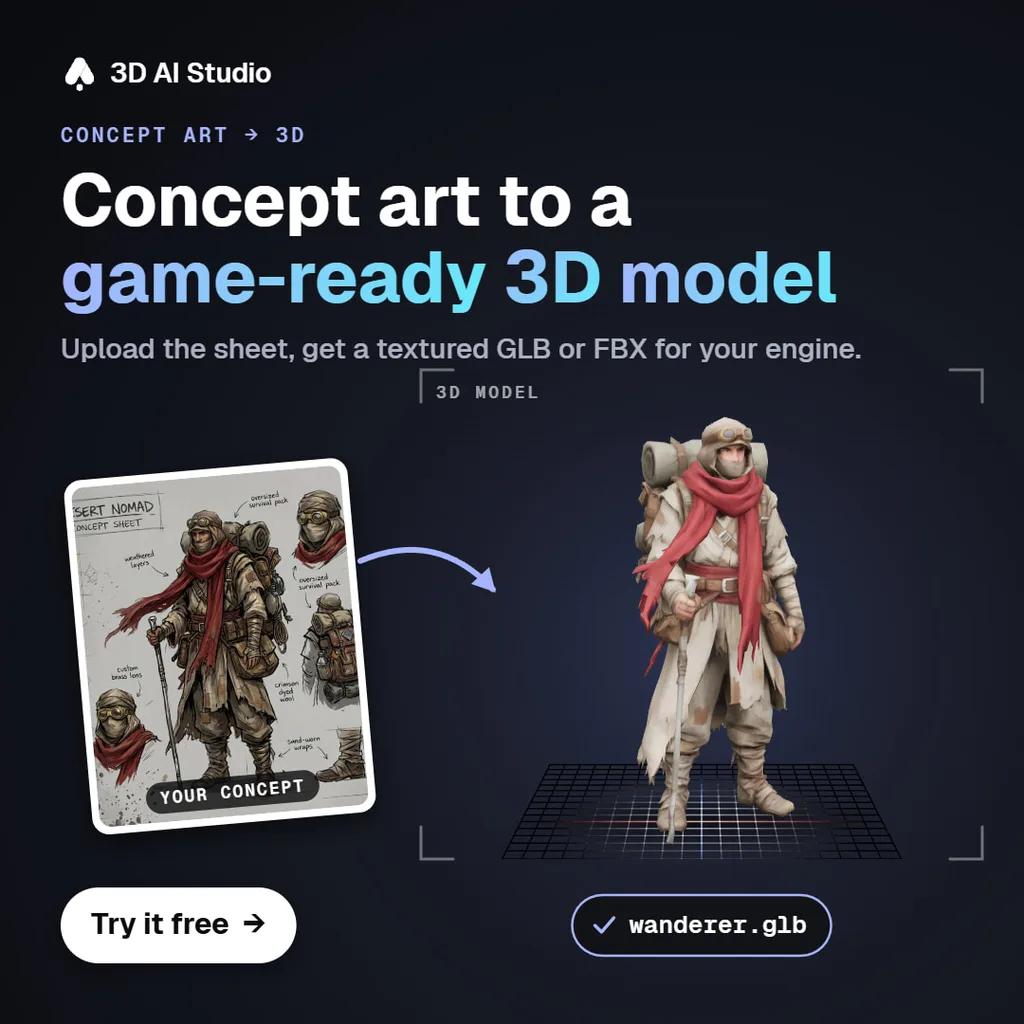
Step 3
Make it 3D
Shown here with another character: concept art in, textured GLB out.
The models below went through that exact process: an image in, a textured 3D model out. Pick an input and drag the model to look around it.
Give Claude an image model and a 3D model
Connect 3D AI Studio once and Claude can generate images, edit them, remove backgrounds and turn them into textured 3D models. Free to try, no API key.
Connect 3D AI Studio to ClaudePrompts to try in Claude
Real prompts and the images they produced. Start your message with "Use 3D AI Studio to..." so Claude reaches for the connector.
 Generate
“A magical sword with glowing runes, stylized 3D, Pixar style”
Generate“A mushroom house with tiny windows, stylized 3D style”
 Generate
“A cartoon fox wearing a scarf”
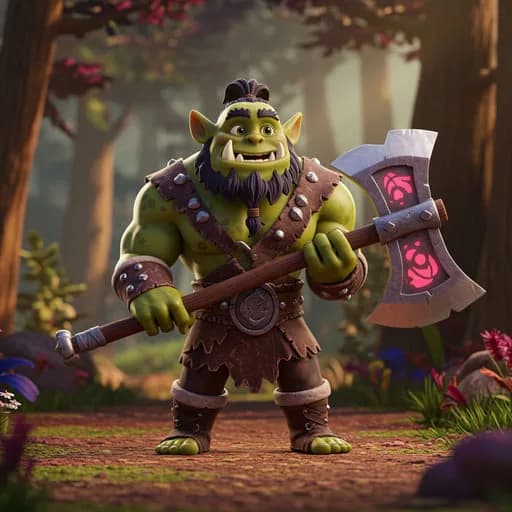 Generate
“Stylized orc warrior, Pixar style”
 Generate
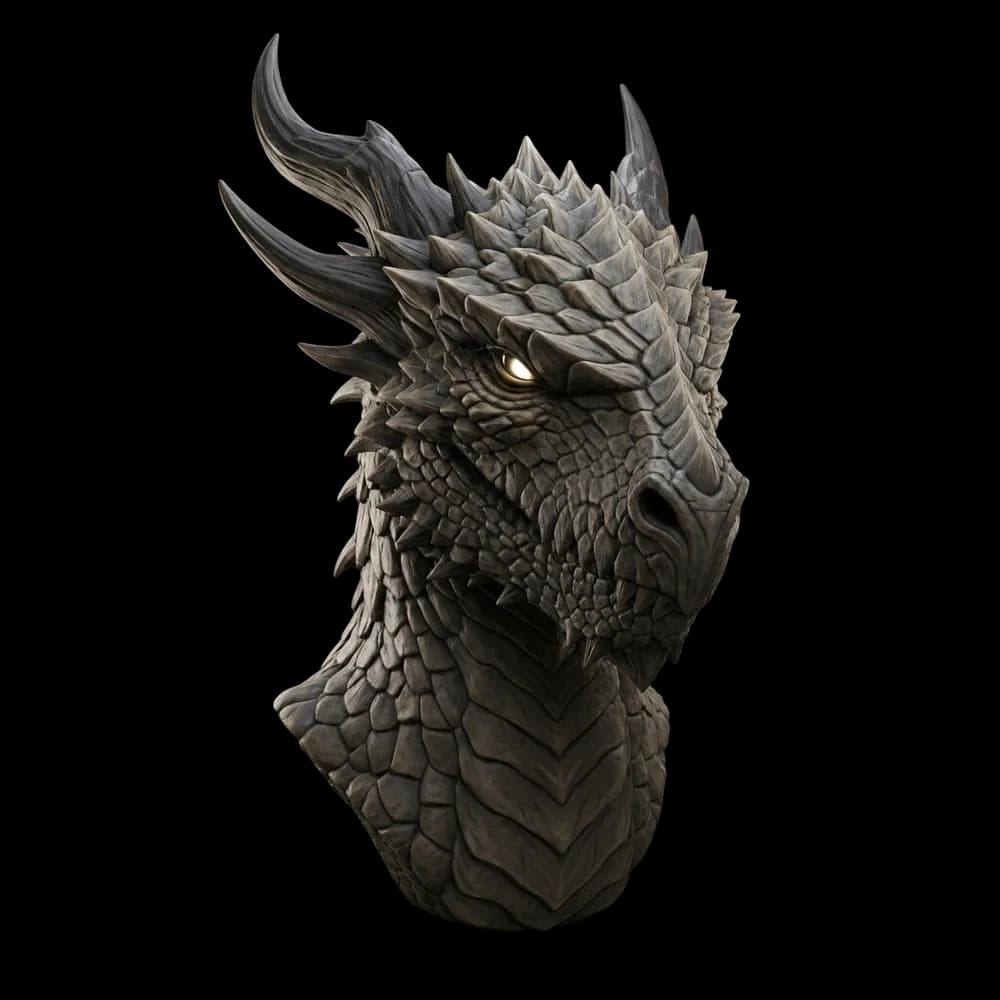
“A fantasy dragon, detailed, photorealistic”
 Edit
“Show me this image from a left perspective”
Getting better images out of Claude
- Describe the subject first, then the style, then the framing. "A red fox in a scarf, children's book illustration, centred, plain background" beats a paragraph of adjectives.
- Let Claude write the prompt. Describe what you want in your own words and ask it to expand that into a detailed image prompt before generating. It is very good at this.
- Iterate with edits instead of starting over. "Same image, but at night" keeps everything you liked.
- Say the aspect ratio when it matters: 16:9 for a banner, 9:16 for a phone wallpaper, 1:1 for an icon.
> make 4 item icons for the inventory: potion, key, scroll, gem. flat background, same style● 3daistudio · generate_image_gpt (4 prompts, 1:1)└ 4 images generatedSaved them to assets/icons/: potion.png, key.png, scroll.png, gem.png.Want transparent backgrounds? I can run remove_background on all four.
Read next
- Can Claude make 3D models?
The 3D half of the same question, with the Blender, SketchUp and Fusion connectors compared.
- Nano Banana MCP: use Google's image model in Claude and Cursor
Every way to connect Nano Banana, with and without an API key.
- Best Claude connectors for creative work
The connectors worth adding for images, design, 3D and video.
Frequently asked questions
Can Claude generate images?
Not on its own. Anthropic's help center says Claude does not generate photos or illustrations the way image generation tools do. It can read images you upload and build diagrams and charts in HTML and SVG. To make real images in Claude, connect an image model through a connector. The 3D AI Studio connector gives Claude GPT Image 2.5 and Nano Banana 2.1, and you can try it free.
Why can't Claude make images?
Claude models are built to understand images, not to produce them. Anthropic's developer docs describe Claude as an image understanding model that cannot generate, edit or manipulate images. Anthropic has not shipped a built-in image generator, so the way to get one is a connector that calls a separate image model.
Can Claude edit photos?
Not natively, but it can through a connector. With 3D AI Studio connected you can attach a photo and ask Claude to change it, for example to add armor to a character, change the background or turn a photo into a stylized character. GPT Image 2.5 edits with up to 10 input images and Nano Banana 2.1 with up to 14.
Can Claude Code generate images?
Yes, with an MCP server. Add 3D AI Studio with claude mcp add --transport http --scope user 3daistudio https://mcp.3daistudio.com/mcp, sign in when asked, and Claude Code can generate images and save them into your project, for example icons, textures or reference art.
Is there a free way to generate images in Claude?
Yes. A free 3D AI Studio account can use the connector with GPT Image 2.5 Flare and free credits, plus background removal. Full quality settings and the other image models are on the paid plans. Claude itself needs a plan that supports custom connectors.
Can Claude make logos or SVG graphics?
Partly. Claude can write SVG code for simple icons, badges and diagrams, which is fine for flat vector shapes. For anything painterly or photographic, such as an illustration, a product shot or a character, use a connected image model.
Can Claude turn an image into a 3D model?
With 3D AI Studio connected, yes. Claude can generate an image, then send it to a 3D model such as Prism 3.1, and show the textured model in an interactive viewer in the chat. You can export it as GLB, FBX, OBJ, STL, USDZ or 3MF.
Tim Karlowitz
Developer & Creative @ Karlowitz Studios
Tim is a creative technologist and developer at Karlowitz Studios in Germany. He specializes in interactive 3D web experiences and automated content pipelines, bringing a rigorous engineering perspective to AI tool evaluation.