
Nano Banana MCP: How to Use Google's Image Model in Claude, Cursor, Codex and ChatGPT
Nano Banana is the image model people reach for when an edit has to keep everything else intact. You can plug it into your AI assistant through MCP with or without an API key, and the two routes behave quite differently.
Short answer
A Nano Banana MCP server gives your AI assistant Google's Nano Banana image models, so Claude, Cursor, Codex or ChatGPT can generate and edit images in the conversation. There are two ways to get one.
The quickest is a hosted connector: 3D AI Studio includes Nano Banana 2.1, Nano Banana 2 and Nano Banana 2 Lite behind one URL, signs in without an API key, works in Claude on the web and on mobile, and can turn the images into 3D models. The alternative is a community server on GitHub that you run locally with your own Gemini API key.
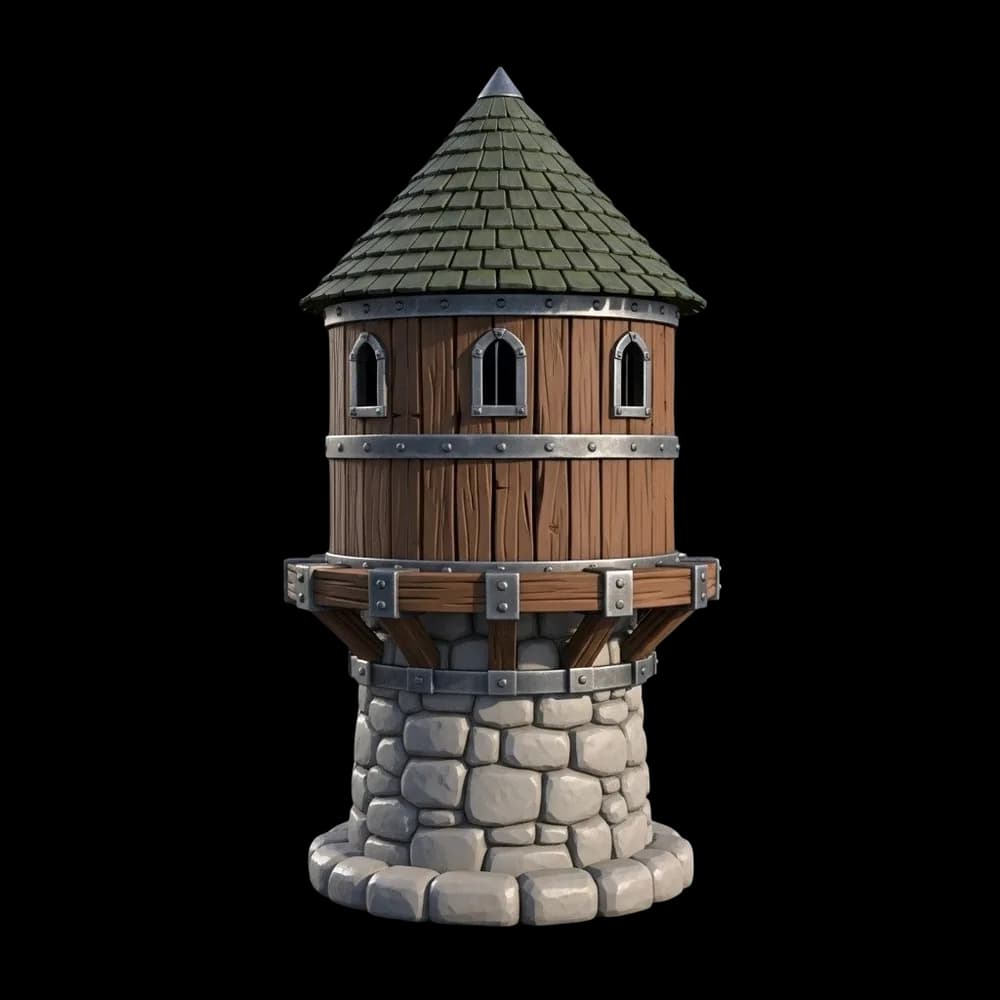 tower.png
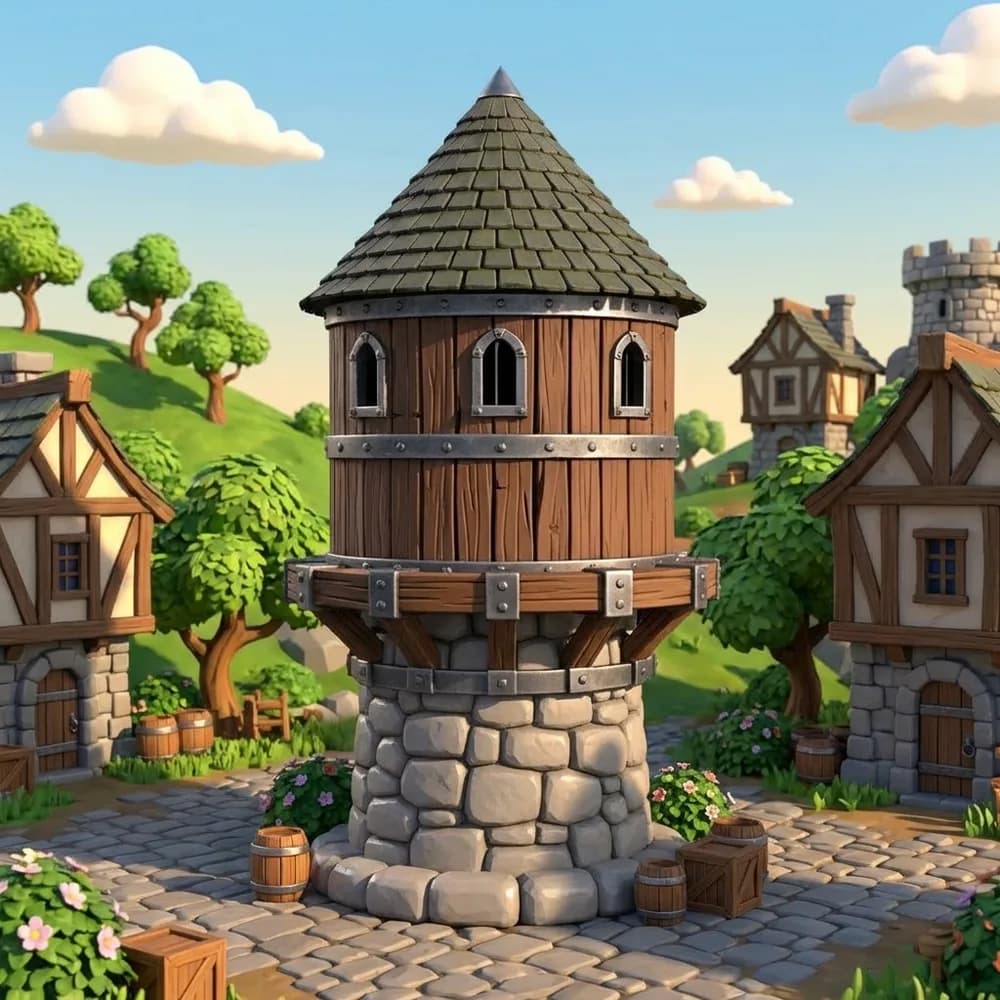
Watchtower in a village
Nano Banana edit · saved to your dashboard
Saved it to public/title-screen.webp as well. The tower itself is unchanged; only the surroundings are new.
The 3D AI Studio connector in Cursor, editing an image with Nano Banana.
What is Nano Banana MCP?
Nano Banana is the nickname for Google's Gemini image models. The original Nano Banana is Gemini 2.5 Flash Image. Nano Banana 2 runs on the Gemini 3.1 Flash image model, and Nano Banana Pro on Gemini 3 Pro. They became popular for one reason: when you ask for a change, they change that and leave the rest of the picture alone.
An MCP server wraps those models as tools that an assistant can call. Once it is connected you stop copying images between tabs. You ask Claude or Cursor for an image, or attach one and describe an edit, and the result comes back in the chat, or straight into your project folder in a coding agent.
Which Nano Banana MCP server should you use?
The big decision is hosted versus local. A hosted connector runs on the provider's servers behind a URL and signs you in. A local server runs on your computer through npx and uses your own Gemini API key, which means Google bills you directly.
| Server | Type | Key needed | Works in |
|---|---|---|---|
| 3D AI Studio connector | Remote, sign in with OAuth | None | Claude (web, desktop, mobile), ChatGPT, Cursor, Claude Code, Codex, VS Code |
| chrischall/gemini-mcp | Local (npx) | GEMINI_API_KEY | Claude Desktop, Claude Code and other local clients |
| YCSE/nanobanana-mcp | Local (npx) | GOOGLE_AI_API_KEY | Claude Desktop, Claude Code, Cursor |
| DevShiftTeam/nano-banana-mcp | Local (npx) | Google OAuth or API key | Claude Desktop, Claude Code |
| daveremy/nano-banana-2-mcp | Local (npx or Claude Code plugin) | GEMINI_API_KEY | Claude Code and other local clients |
A hosted connector with Nano Banana 2.1, Nano Banana 2 and Nano Banana 2 Lite, plus GPT Image 2.5, background removal and 3D generation behind one URL. Nothing to install, so it is the only option here that also works in Claude on the web and on your phone, and in ChatGPT.
- Sign in once, no API key, credits from your 3D AI Studio account
- Edits with up to 14 input images
- Every image is saved to your dashboard
- Nano Banana is on paid plans; the free plan includes GPT Image 2.5 Flare
The broadest local server: image generation and editing, consistent image sets, multi-turn refinement, plus Gemini video and Lyria music. Writes files to disk by default and estimates your API spend per session.
A small server with generate, edit and multi-turn chat for Nano Banana 2 and Nano Banana Pro. You set the aspect ratio with a tool call before generating.
Has a setup wizard that can sign you in with Google OAuth instead of pasting a key. Defaults to Nano Banana 2.
A rewrite focused on Nano Banana 2 with 1K, 2K and 4K output, one to four images per call, and a file-path-only mode that keeps big images out of Claude Code's context window.
How do you set up Nano Banana in Claude, Cursor and ChatGPT?
With 3D AI Studio (no API key)
- Claude: Settings, Connectors, Add custom connector. Paste
https://mcp.3daistudio.com/mcp, click Connect and sign in. - ChatGPT: Settings, Connectors (turn on Developer mode under Advanced if there is no Create button), create a connector with the same URL and OAuth.
- Claude Code:
claude mcp add --transport http --scope user 3daistudio https://mcp.3daistudio.com/mcp - Cursor: add the entry below to
~/.cursor/mcp.json.
{
  "mcpServers": {
    "3daistudio": {
      "url": "https://mcp.3daistudio.com/mcp"
    }
  }
}
Then ask for it by name: "use 3D AI Studio with Nano Banana to...". If you leave the model out, the assistant picks one, and for plain generation that is usually Nano Banana 2.1 anyway.
With a community server (your own key)
Get a key from Google AI Studio, then add the server to your client's config. This example uses nano-banana-2-mcp exactly as its README shows; the others follow the same pattern with a different package name and variable.
{
  "mcpServers": {
    "nano-banana-2": {
      "command": "npx",
      "args": ["-y", "nano-banana-2-mcp"],
      "env": {
        "GEMINI_API_KEY": "your-api-key-here"
      }
    }
  }
}What is Nano Banana good at?
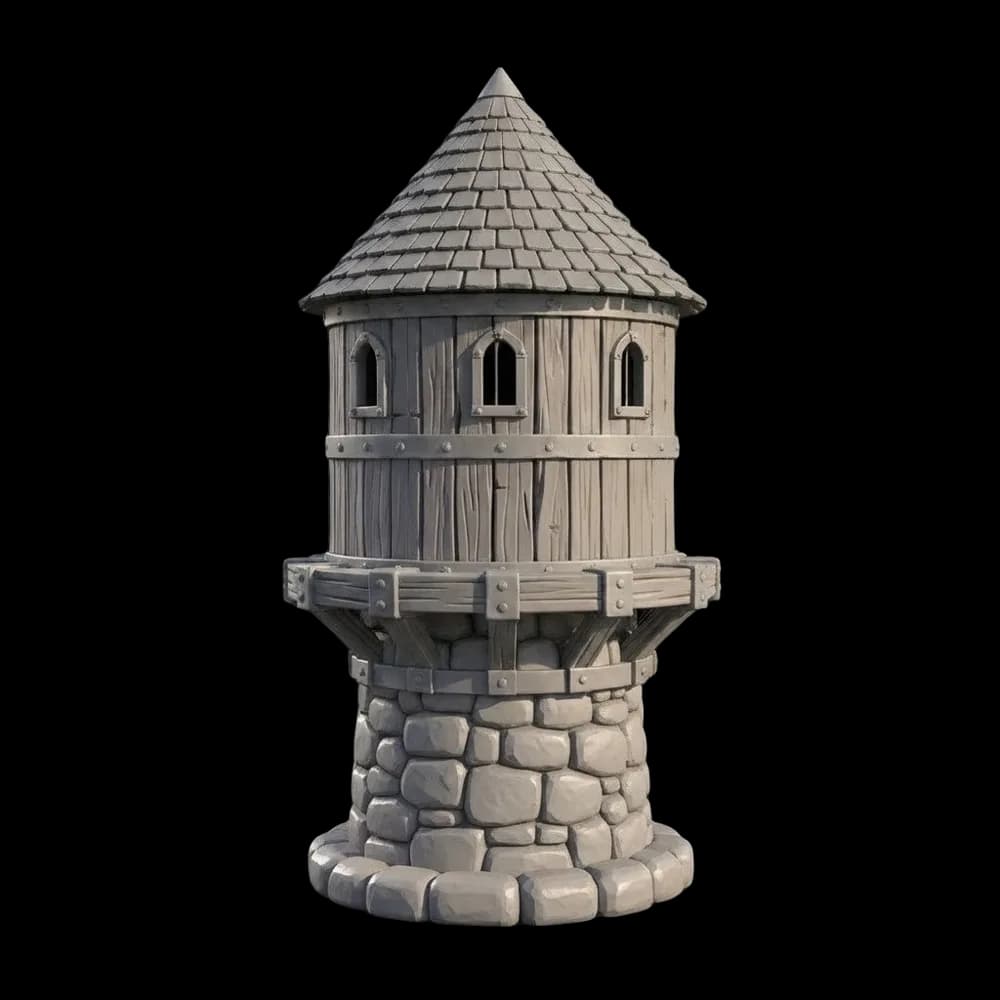
Editing. Generation is good too, but the edits are why people go looking for it. Here are three real ones made from the same kind of input: a single object on a white background.

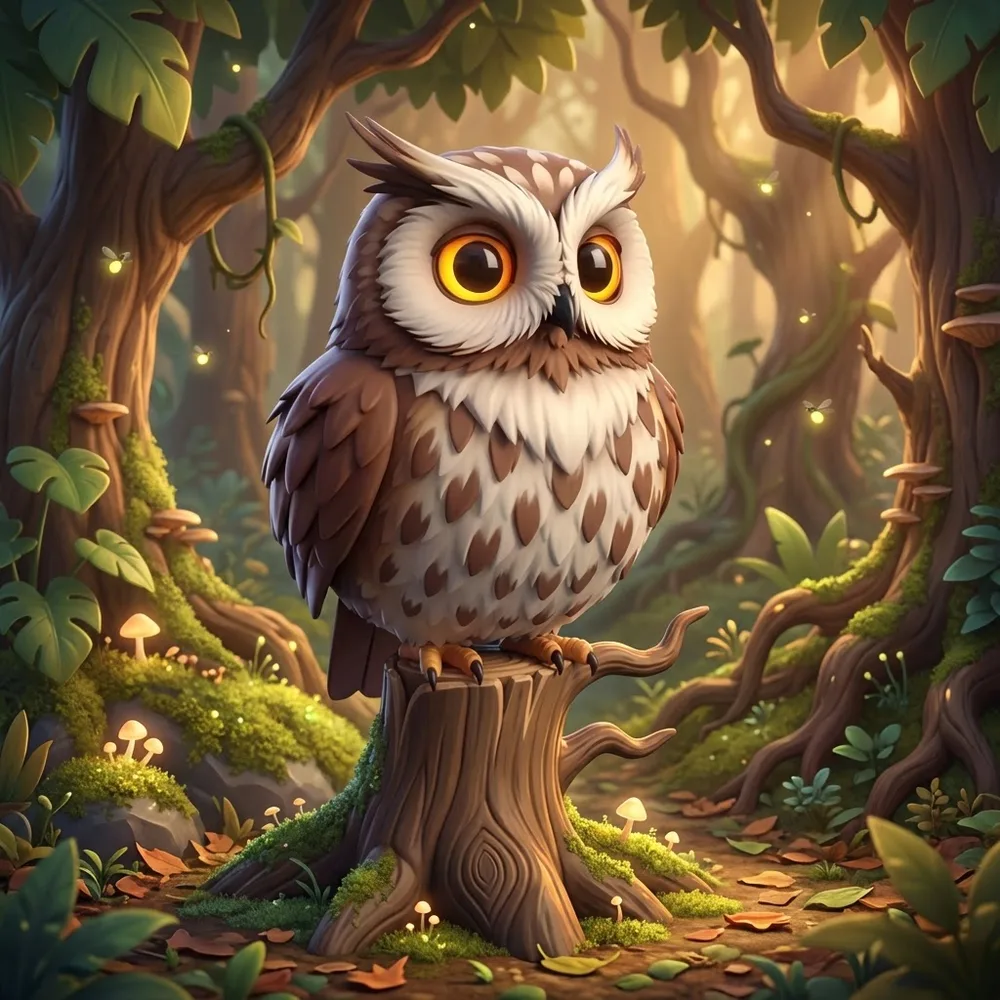
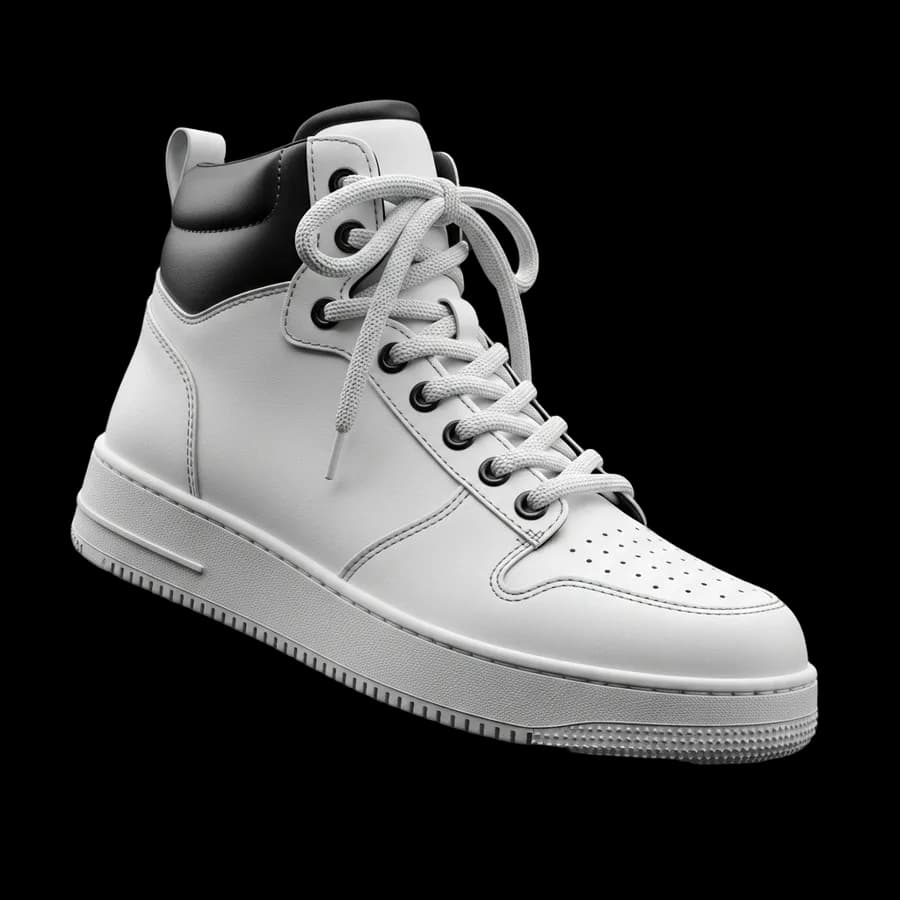
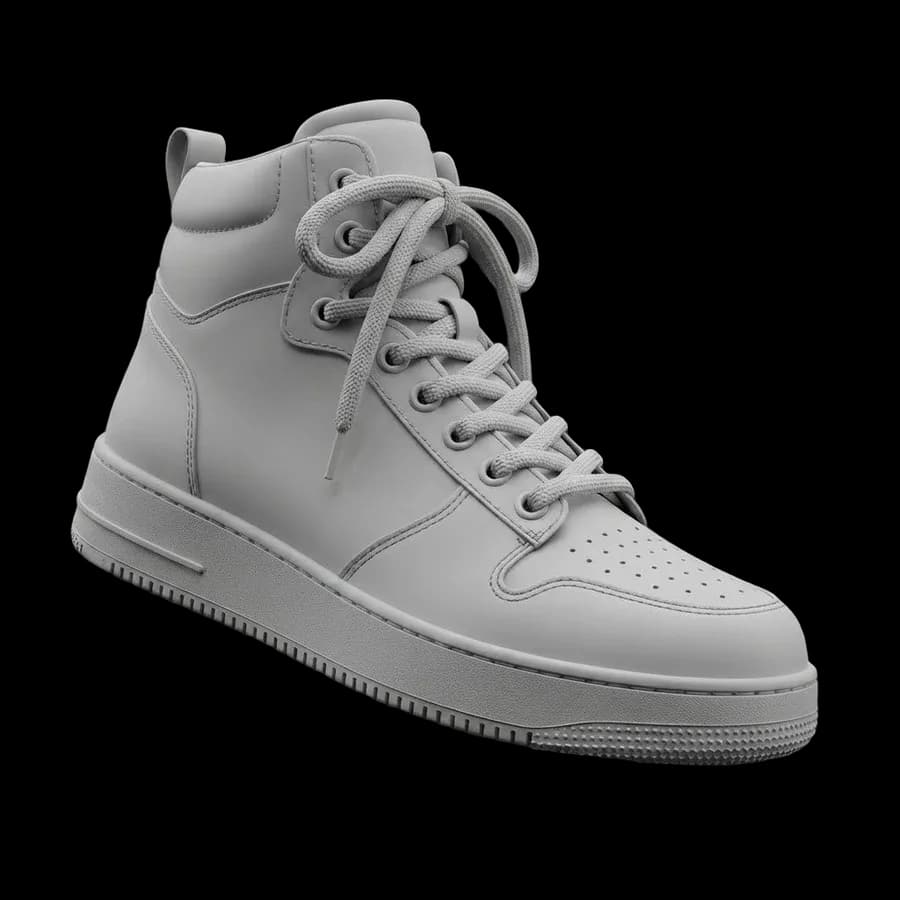
Look at the tower: the windows, the iron bands and the stone base are untouched. Only the world around it is new. That is the behaviour you want when an image is going into a game, a product page or a 3D model, where small drift means redoing work.
- Consistent characters. Generate a hero once, then ask for the same character running, sitting or from behind.
- Combining images. Nano Banana 2.1 accepts up to 14 input images through 3D AI Studio: a character, an outfit and a background in one request.
- Fast drafts. Nano Banana 2 Lite is the cheapest image model in the connector, which makes it good for trying ten ideas before you commit to one.
Can you turn Nano Banana images into 3D models?
Yes, and this is where an image model and a 3D generator in the same connector pays off. Nano Banana is very good at the boring images that make a 3D model work: one subject, plain background, even lighting, and extra angles of the same object.
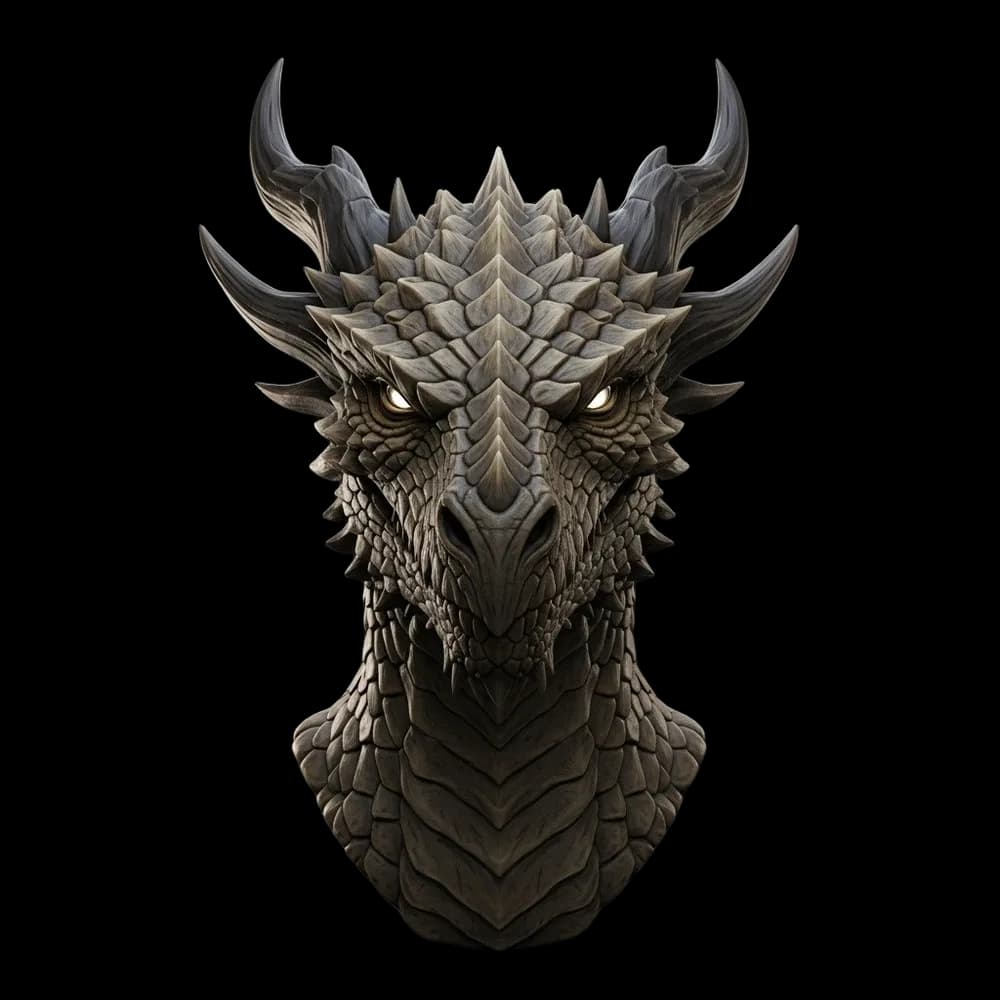
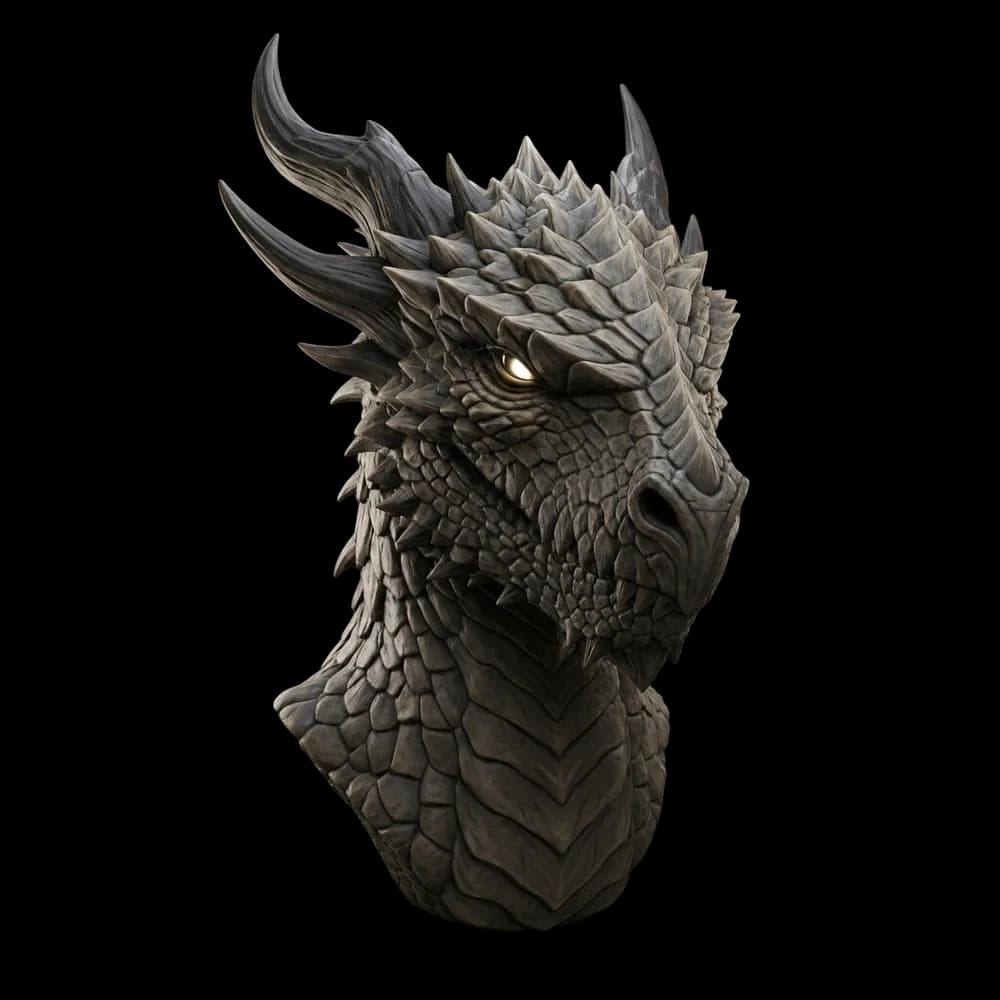
Ask for a front view, then "show me this from the left", and hand both to a 3D model as multi view input. Prism 3.1, P2 and Meshy 7.1 take two to four views of the same object, which gives a more accurate back side than a single image. Then ask the assistant to make it 3D.
Nano Banana, GPT Image and 3D in one connector
Connect 3D AI Studio to Claude, ChatGPT, Cursor or Codex once. Generate and edit images with Nano Banana or GPT Image 2.5, remove backgrounds, and turn the result into a textured 3D model. No API key.
Connect 3D AI StudioNano Banana prompts that work
Real edit prompts with their results. Short instructions work best; Nano Banana reads the image, so you do not have to describe what is already there.
Edit“Put the subject in a fitting environment”
Edit“Put the subject in a fitting environment”
 Edit
“Put the subject in a fitting environment”
Edit“Replace all materials with a single matte material”
Edit“Convert this 3D model to a uniform matte material”
Edit“Show me this image from a left perspective”
Read next
- Can Claude generate images?
What Claude can do natively, and how to add an image model.
- Gemini MCP and making 3D models with Gemini
Connect MCP servers to the Gemini app and Gemini CLI.
- Free MCP servers worth installing
What is actually free, and what only looks free.
Frequently asked questions
What is Nano Banana MCP?
Nano Banana MCP is any MCP server that gives an AI assistant access to Google's Nano Banana image models, so Claude, Cursor, Codex or ChatGPT can generate and edit images in the conversation. You can use a remote connector such as 3D AI Studio, which needs no API key, or run a community server locally with your own Gemini API key.
Is there an official Nano Banana MCP server from Google?
Google publishes MCP servers for some of its media models on Google Cloud's Vertex AI, aimed at developers with a Cloud project. Most people instead use community servers on GitHub that call the Gemini API with their own key, or a hosted connector such as 3D AI Studio that includes Nano Banana among several image models and needs no key.
Do I need a Gemini API key for Nano Banana MCP?
For the community servers, yes: they call the Gemini API with your key and Google bills you per image. With the 3D AI Studio connector you do not need a key. You sign in once and generations use your 3D AI Studio credits.
Can I use Nano Banana in Claude?
Yes. Add 3D AI Studio as a custom connector in Claude with the URL https://mcp.3daistudio.com/mcp, sign in, and ask Claude to generate or edit an image with Nano Banana. Local community servers also work, but only in Claude Desktop and Claude Code, not on the web or mobile.
Can I use Nano Banana in Cursor?
Yes. Add the 3D AI Studio URL to your Cursor mcp.json, or add a community server with npx and your Gemini key. Cursor can then generate images and save them into your project, for example for UI mockups or game art.
Which Nano Banana models are available through 3D AI Studio?
Nano Banana 2.1 for generating and editing (with up to 14 input images), Nano Banana 2 for editing, and Nano Banana 2 Lite for cheap drafts. They are on the paid plans. A free account can use GPT Image 2.5 Flare through the same connector.
Can Nano Banana make 3D models?
No, it makes images. But it is very good at the images a 3D model needs: a clean front view, a plain background, extra angles of the same object. With 3D AI Studio connected, your assistant can make that reference with Nano Banana and turn it into a textured 3D model in the same chat.
Tim Karlowitz
Developer & Creative @ Karlowitz Studios
Tim is a creative technologist and developer at Karlowitz Studios in Germany. He specializes in interactive 3D web experiences and automated content pipelines, bringing a rigorous engineering perspective to AI tool evaluation.