
Roblox MCP: Studio's Built-in Server, How to Connect It, and How to Add Real 3D Models
Roblox Studio now ships with its own MCP server, so Claude Code, Cursor, Codex and Gemini CLI can work inside your place. Setup takes a few minutes. The more interesting question is what an agent can actually do in Studio, and the one thing it cannot: make the 3D models.
Short answer
Roblox MCP is the Model Context Protocol server built into Roblox Studio. Turn it on under Assistant, then Manage MCP Servers, and an AI client can explore your place, write and run Luau, and start playtests. Quick connect sets up Claude Code, Claude Desktop, Cursor, Codex CLI, Gemini CLI, VS Code and Antigravity with one toggle.
It does not create meshes. For characters, weapons and buildings, add 3D AI Studio as a second server: your agent generates a textured model, exports it as FBX or glTF under Roblox's 20,000 triangle limit, and you import it with the 3D Importer.
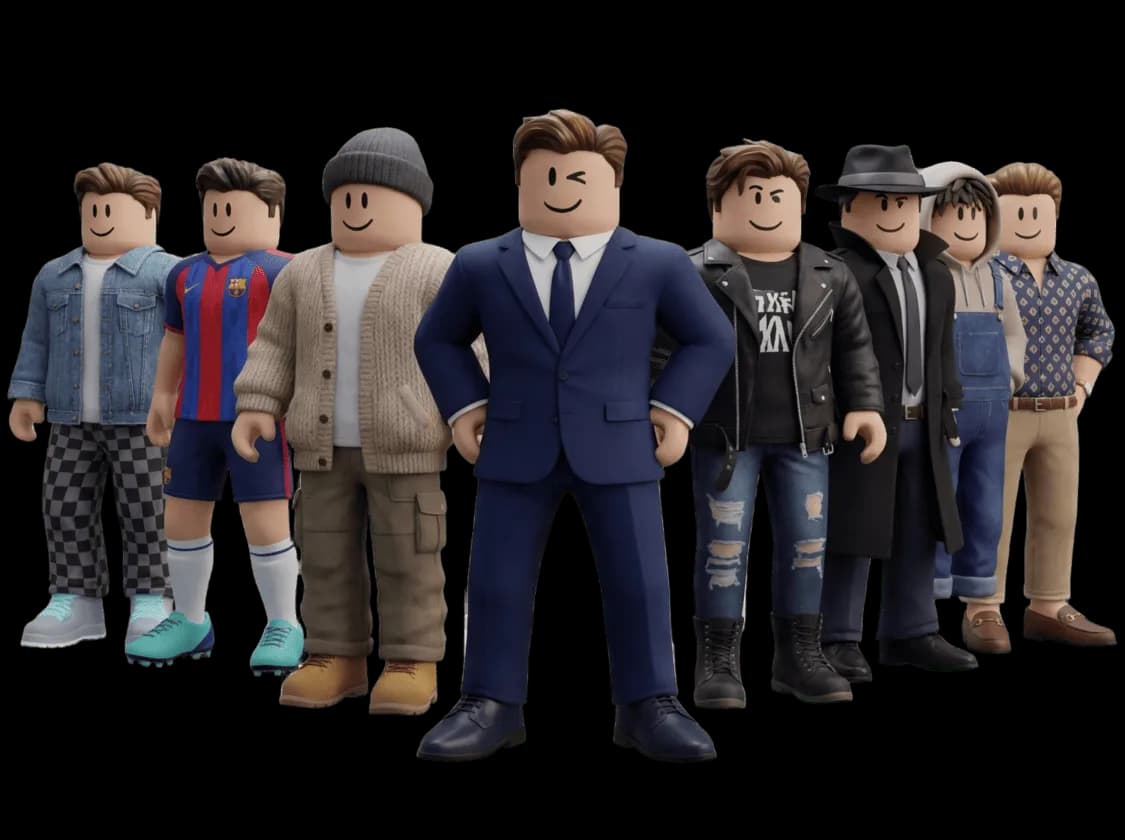
What is Roblox MCP?
The Model Context Protocol is an open standard that lets an AI assistant use tools in another program. Roblox built a server for it straight into Studio. Your AI client starts it as a local process and talks to your open Studio session over standard input and output.
Roblox announced the built-in server in March 2026 and made it the recommended way to connect outside AI tools. Its tools stay in step with the Studio Assistant: when Roblox adds a capability to the Assistant, the MCP server gets it too, with no update for you to install. The older open source server still exists for people who want to modify it.
How do you connect Claude Code or Cursor to Roblox Studio?
Four steps, and the third one writes the config for you.
Update Roblox Studio
The MCP server is built into current versions of Studio, so there is nothing to download. Install your AI client first so Studio can detect it.
Turn on the server
Open the Assistant, click the three dots, choose Manage MCP Servers and switch on Enable Studio as MCP server.
Quick connect your client
Expand Quick connect and flip the toggle next to your client. Studio writes the configuration for you.
Restart the client properly
Many clients keep running in the system tray after you close the window. Quit them fully, start again, and look for the green connected indicator in the Assistant settings.
MCP Servers
Assistant › Manage MCP Servers (illustration)
Enable Studio as MCP server
1 client connected
Claude Code
Quick connect
Cursor
Quick connect
Codex CLI
Quick connect
Gemini CLI
Quick connect
Manual setup, with 3D AI Studio added
{
  "mcpServers": {
    "Roblox_Studio": {
      "command": "cmd.exe",
      "args": ["/c", "%LOCALAPPDATA%\\Roblox\\mcp.bat"]
    },
    "3daistudio": {
      "url": "https://mcp.3daistudio.com/mcp"
    }
  }
}{
"mcpServers": {
"Roblox_Studio": {
"command": "/Applications/RobloxStudio.app/Contents/MacOS/StudioMCP"
},
"3daistudio": {
"url": "https://mcp.3daistudio.com/mcp"
}
}
}The Roblox entries above are copied from Roblox's documentation and work in any client that reads an mcpServers file. The second entry adds 3D AI Studio, which we will use below, in the URL format Cursor and most editors accept; it signs in through your browser the first time, so there is no key to paste. In Claude Code you add it with one command:
claude mcp add --transport http --scope user 3daistudio https://mcp.3daistudio.com/mcp
What can an AI agent do in Roblox Studio?
More than most engine integrations, because Roblox gave it the playtest loop. These are the jobs it handles well:
Exploring an unfamiliar place
The agent reads the data model, so "how does the round system work in this game?" gets an answer based on your actual Workspace and ServerScriptService, not a guess.
Writing and fixing Luau
It writes scripts, edits existing ones and runs Luau in the session to check its own work. Asking it to fix an error with the error in front of it is the best use of all.
Playtesting on its own
Since the March 2026 update, Studio can start and stop playtests and simulate player input, so an agent can reproduce a bug, apply a fix and check it again.
Building with parts
Greyboxing a level, laying out a lobby, placing spawn points or setting lighting. Anything you can make from Parts and properties, it can make from a sentence.
Working across several Studios
Every tool call names the Studio instance it targets, so one client can work in two places at once, and two agents can share a machine without stepping on each other.
Chores
Renaming instances, tidying folders, adding tags, batch changing properties. The jobs you would otherwise write a command bar snippet for.
What can't Roblox MCP do?
It cannot make meshes
It can stack Parts into a rough tree or a sword. It cannot model a detailed character, creature or prop. That needs a model trained on 3D data.
It works on the open place
The server talks to Studio sessions on your machine. Close Studio and the tools are gone. It does not publish to the Creator Store for you.
Big changes need review
An agent can rewrite a lot of scripts quickly. Use version history, keep a copy of the place, and read the diff before you publish.
Client restarts
After Studio updates itself, restart your AI client once so it picks up new tools. Most connection problems are a client that never really closed.
An agent in Studio is a fast scripter and a patient level builder. Ask it for a dragon and you get a dragon made of blocks.
How do you add real 3D models to a Roblox game with AI?
Give the agent a second MCP server that makes meshes. With 3D AI Studio connected next to Studio, one conversation covers the whole job: the model gets generated, exported in a format Roblox imports, and then placed and scripted by the Studio server.
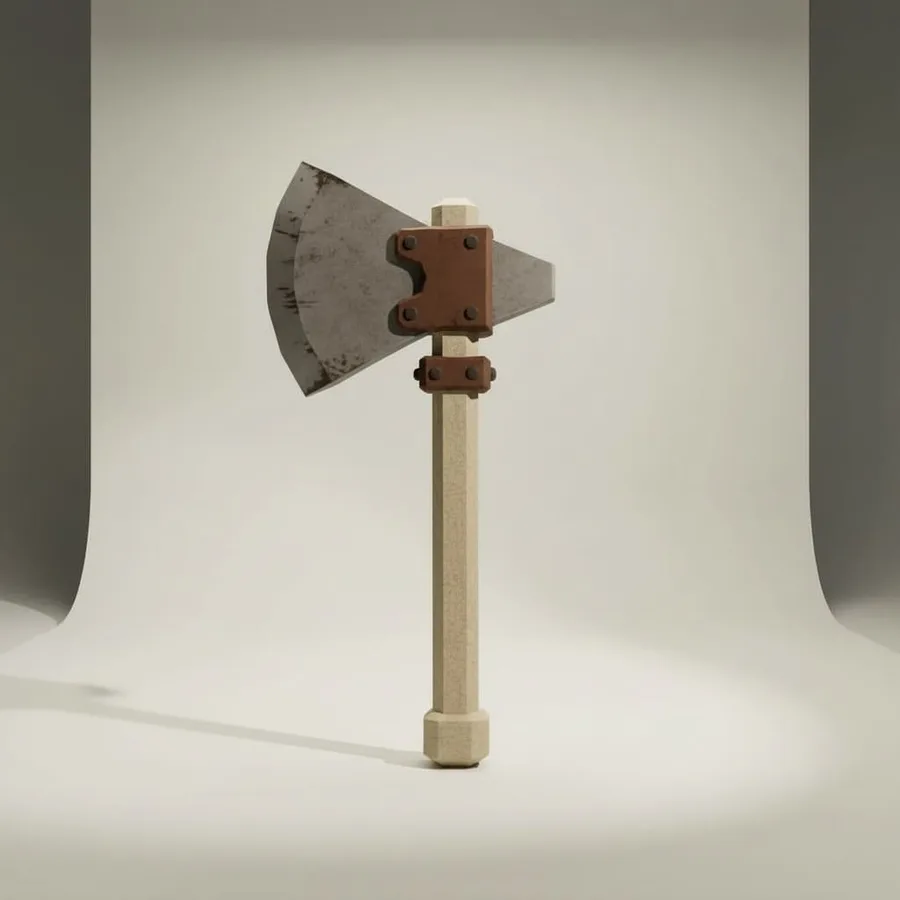
Step 1
Describe the asset
"Low poly wood axe with a rusty iron head, under 5,000 triangles"
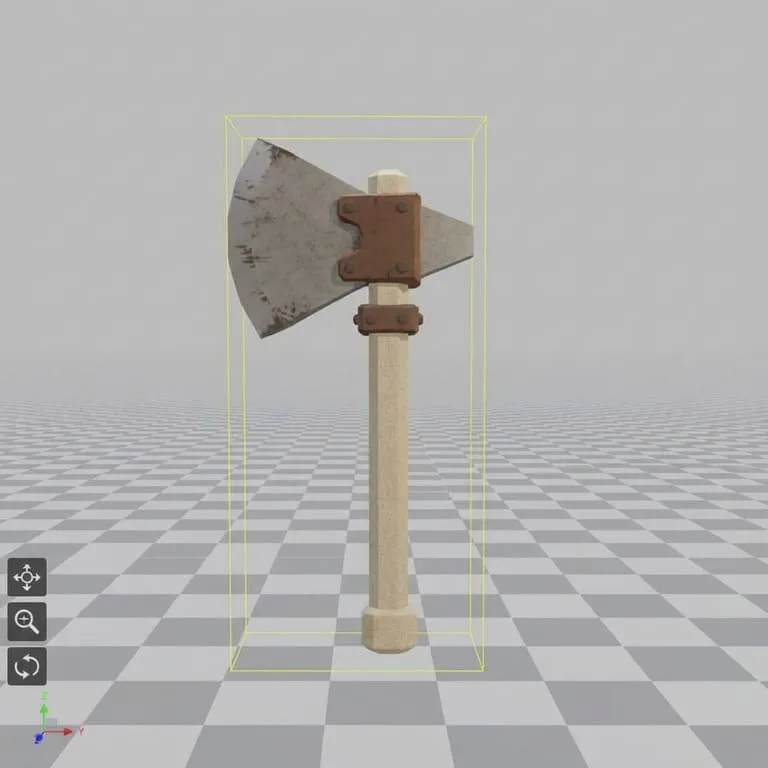
Step 2
Check it in 3D
The model comes back textured. Spin it, then ask for FBX.
Step 3
Import, then let the agent wire it up
File › Import 3D, then the Studio server adds the tool script.
> make a low poly treasure chest for the end of the obby, under 5k tris. FBX please● 3daistudio · generate_p2 (low poly, quad mesh, textured)└ done in 2m 41s · 4,812 triangles● 3daistudio · convert_model (fbx)Saved to assets/TreasureChest.fbx. Import it with File › Import 3D and tell me when it is in.> imported, it's in Workspace● Roblox_Studio · list_roblox_studios● Roblox_Studio · edits Workspace.TreasureChest, adds ProximityPrompt + ChestScriptAnchored it at the finish line and added a script that plays a sound and awards 50 coins when opened.
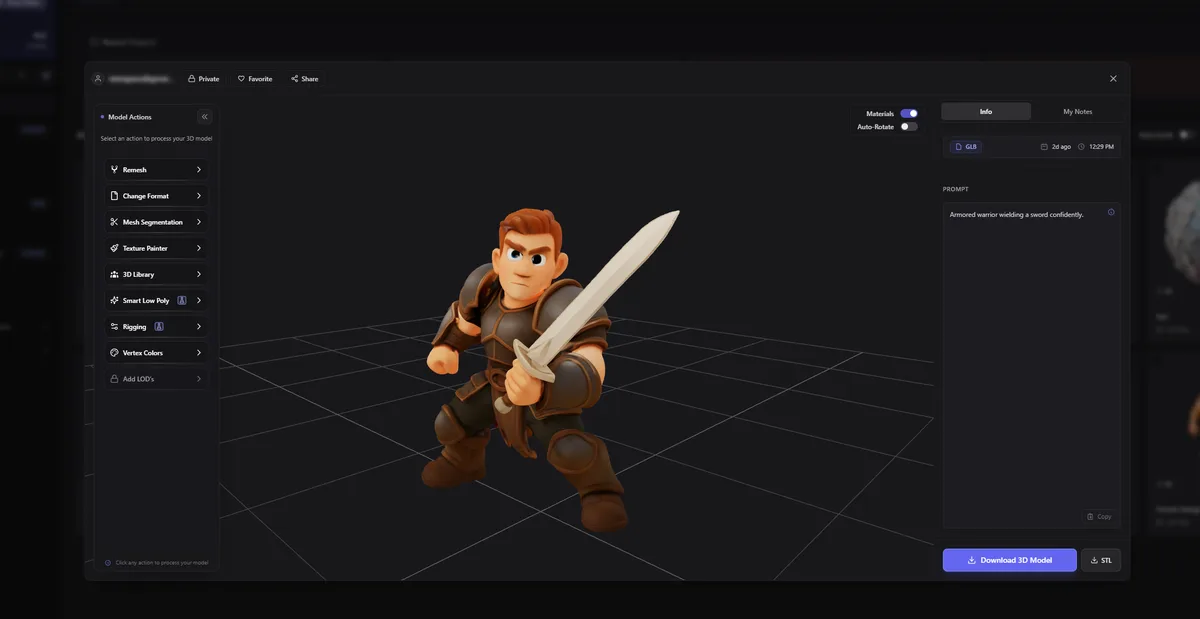
Below are real image-to-3D results from 3D AI Studio, the kind of props and armor a Roblox game needs. Pick an input image and drag the model; switch to clay to see the mesh without textures.
What are Roblox's limits for imported meshes?
Roblox rejects or degrades meshes that break its specifications, so ask for the right budget up front. From Roblox's current documentation:
| Rule | Limit | What to ask for |
|---|---|---|
| Mesh formats | .fbx, .obj, .gltf / .glb | FBX or glTF if you want textures and hierarchy |
| Triangles per mesh | 20,000 maximum | Split larger models into several MeshParts |
| Texture size | Up to 4096 × 4096 | Roblox recommends 256 to 1024 px for most props |
| Materials | One per MeshPart | PBR through SurfaceAppearance |
| Geometry | Watertight, with volume | No zero-thickness planes |
- Ask for low poly from the start. P2 generates game-ready low poly topology directly. For a model you already have, ask 3D AI Studio to make a low poly version with a triangle target.
- Ask for FBX or glTF, not OBJ. Both carry textures and hierarchy into Studio. OBJ is more limited.
- Check the scale in the Importer. Generated models arrive at an arbitrary size. Set the scale unit there, or ask the agent to resize the MeshPart afterwards.
Prompts that work for Roblox assets
A good asset prompt names the object, the style and the budget. Copy these into your agent and change the nouns.
Make a low poly treasure chest, stylized, under 5,000 triangles, and export it as FBX.

Turn this sketch into a 3D sword for my Roblox game. Keep it under 3,000 triangles.

Generate 5 matching props for a pirate island: barrel, crate, cannon, anchor, palm tree.
Same stylized look, low poly, FBX.

Make a cute blocky pet dragon, front view on a plain background first,
then turn that image into a 3D model.

After I import the chest, add a ProximityPrompt that opens it and gives the player 50 coins.
For a set that has to look consistent, generate one reference image first, then ask for the rest "in the same style as the first image". Generating 3D straight from text works too, but a shared reference keeps a pack of props from looking like five different games.
Add a 3D model generator next to Roblox Studio
3D AI Studio works as an MCP server in Claude Code, Cursor, Codex, Gemini CLI and Claude. Generate low poly props, characters and buildings, export FBX or glTF, and keep every model in your dashboard. Free to try.
Get the 3D model generation MCPRead next
- Make game assets with Claude Code and Cursor
The full asset workflow for coding agents, from first prompt to engine.
- Best AI tools for Roblox
Scripting, building and art tools for Roblox creators, compared.
- Unreal MCP: Epic's plugin and the community servers
The same setup for Unreal Engine 5.8.
Frequently asked questions
What is Roblox MCP?
Roblox MCP is the Model Context Protocol server built into Roblox Studio. Once it is enabled, an AI client such as Claude Code, Cursor, Codex CLI or Gemini CLI can explore your open place, write and edit scripts, run Luau code and start playtests. It works on the place you have open in Studio.
How do I enable the MCP server in Roblox Studio?
Update Studio, open the Assistant, click the three dots, choose Manage MCP Servers and turn on Enable Studio as MCP server. Then use Quick connect to switch on your AI client, and restart that client fully.
Which AI clients work with Roblox Studio MCP?
Quick connect supports Antigravity, Codex CLI, Claude Code, Claude Desktop, Cursor, Gemini CLI and Visual Studio Code. Any other client that supports stdio MCP servers works with the JSON configuration from Roblox's documentation.
Is the Roblox Studio MCP server free?
Yes. It ships with Roblox Studio and costs nothing. You pay for your AI client as usual, and if you add a 3D model generator such as 3D AI Studio, generations use that account's credits.
Can Roblox MCP create 3D models?
No. It can build with parts, change properties and write scripts, but it does not generate meshes. To get real 3D models, connect 3D AI Studio as a second MCP server, generate the model as FBX or glTF, and import it with Studio's 3D Importer.
What is the triangle limit for Roblox meshes?
Roblox's general specification says an individual mesh cannot exceed 20,000 triangles. Larger models must be split into several MeshParts. Avatar items have their own, smaller budgets.
Should I still use the open source Roblox MCP server?
Only if you want to modify it. Roblox recommends the built-in server, which stays in sync with the Assistant's tools automatically. The open source server remains available for people who want to contribute or customise it.
Is it safe to connect AI to Roblox Studio?
Roblox warns that MCP clients can read and modify content in your open places, so only connect clients you trust. Work in a copy of your place or use version history, and review script changes before you publish.
Tim Karlowitz
Developer & Creative @ Karlowitz Studios
Tim is a creative technologist and developer at Karlowitz Studios in Germany. He specializes in interactive 3D web experiences and automated content pipelines, bringing a rigorous engineering perspective to AI tool evaluation.