
Generate Game-Ready 3D Assets with AI
Turn concept art or a text prompt into a 3D model, remesh it to your polycount, and export GLB or FBX straight into Unity, Unreal, Godot, or Roblox. Characters, props, and environments, no modeling backlog.
Updated July 2026
Every asset type on the sprint board
Characters & NPCs
Heroes, enemies, background characters
Props & Weapons
Items, pickups, hard-surface gear
Environment Assets
Buildings, terrain features, set dressing
Prototyping
Greybox to playable vertical slice, fast
Trusted by creators at top game studios and tech companies

















Topology you don't have to hide
Four real outputs, live in the viewer. Pick a model, flip the view modes, drag to rotate - the wireframe speaks for itself.
Exact polycount targets
Remesh any generation to the budget you need - a 500-triangle mobile prop or a 100K hero asset, from the same source model.
Deforms like hand-modeled
Clean, even topology that rigs and animates without pinching or shading artifacts. Flip to Wireframe above and judge for yourself.
PBR maps included
Game-ready engines like Tripo P1 generate at budget natively, with base color, normal, and ORM maps that engines pick up on import.
From concept to engine import
Four steps in the browser, the fifth is dragging a file into your project
Start from concept art
Upload concept art or a reference image, or just describe the asset in a sentence.
Concept
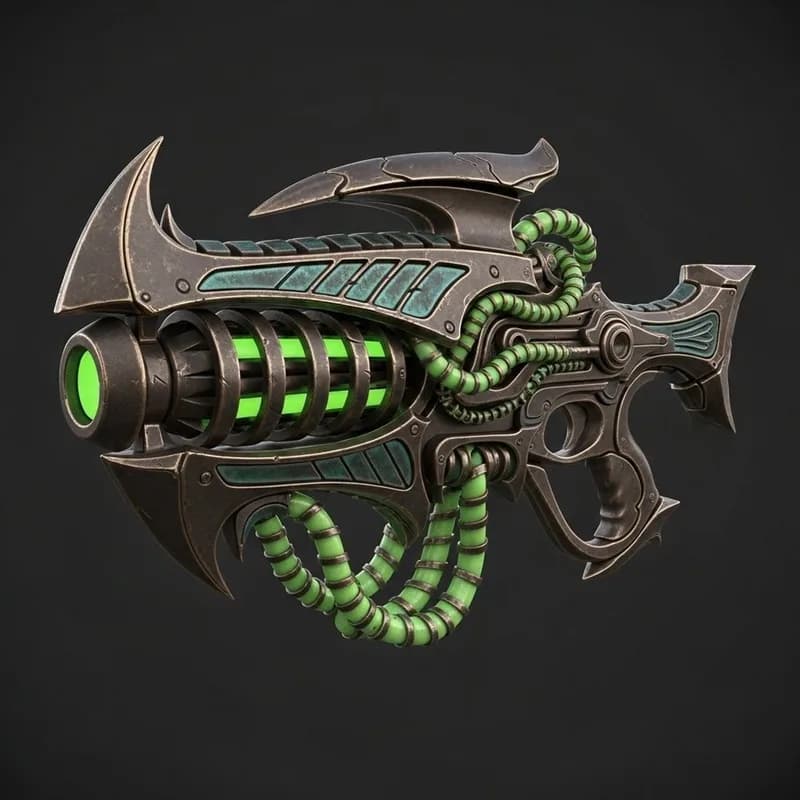
Generate and inspect
Pick an engine, generate, and check the mesh in the viewer - wireframe mode included.
My generations
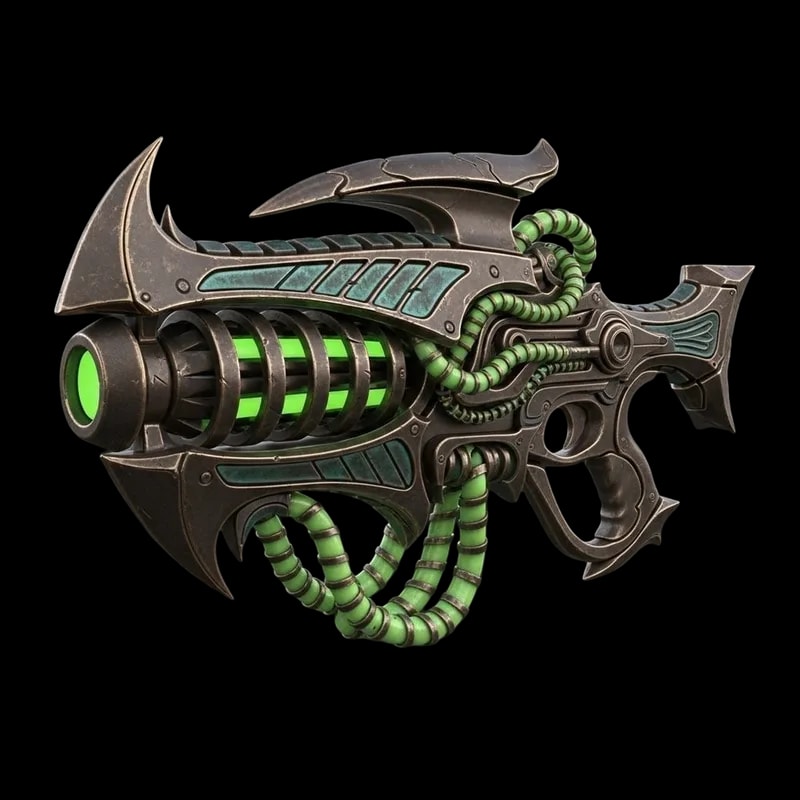
Remesh to your budget
AI retopology brings the mesh to your target polycount, from mobile prop to hero asset.
Remesh
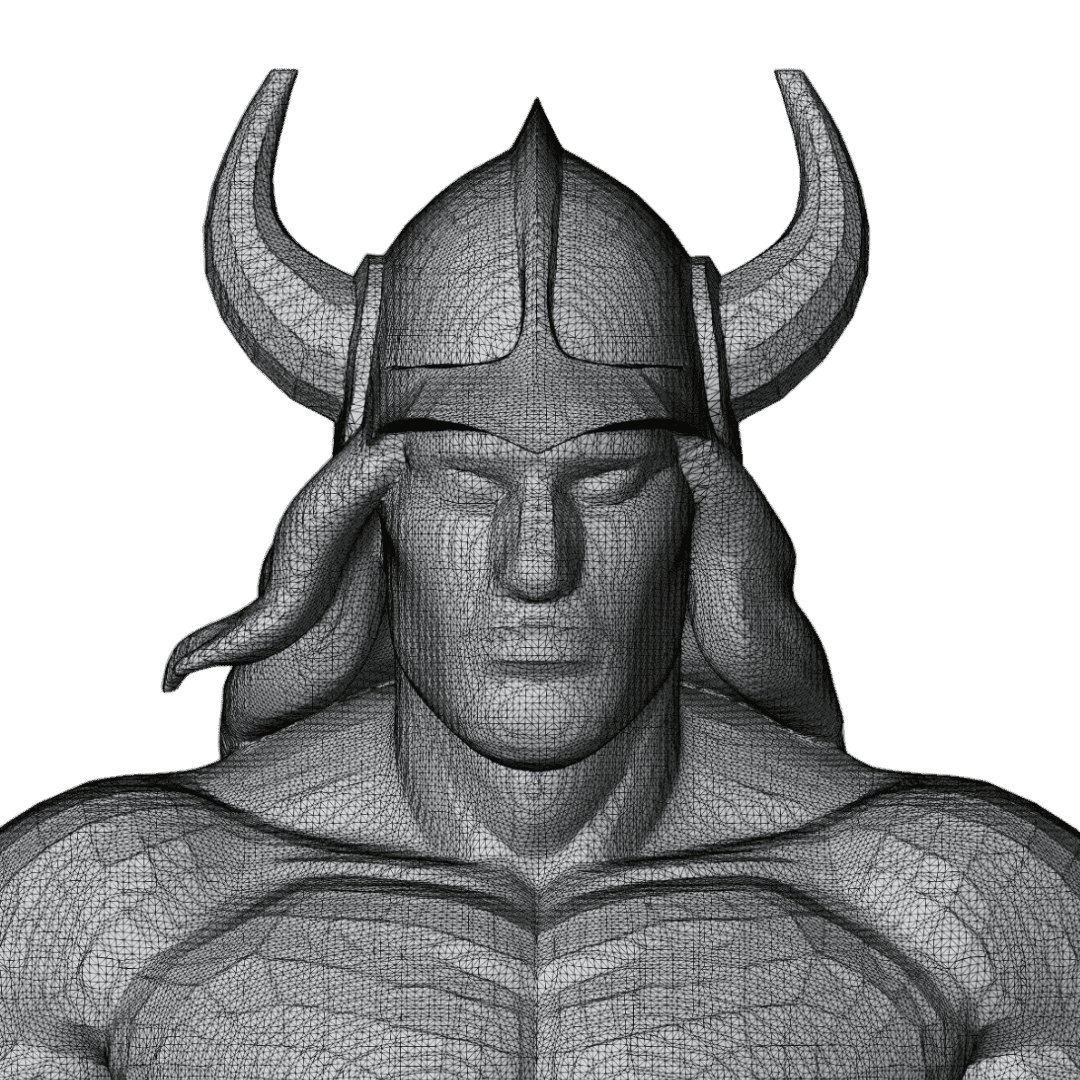 Raw · 1.2M tris
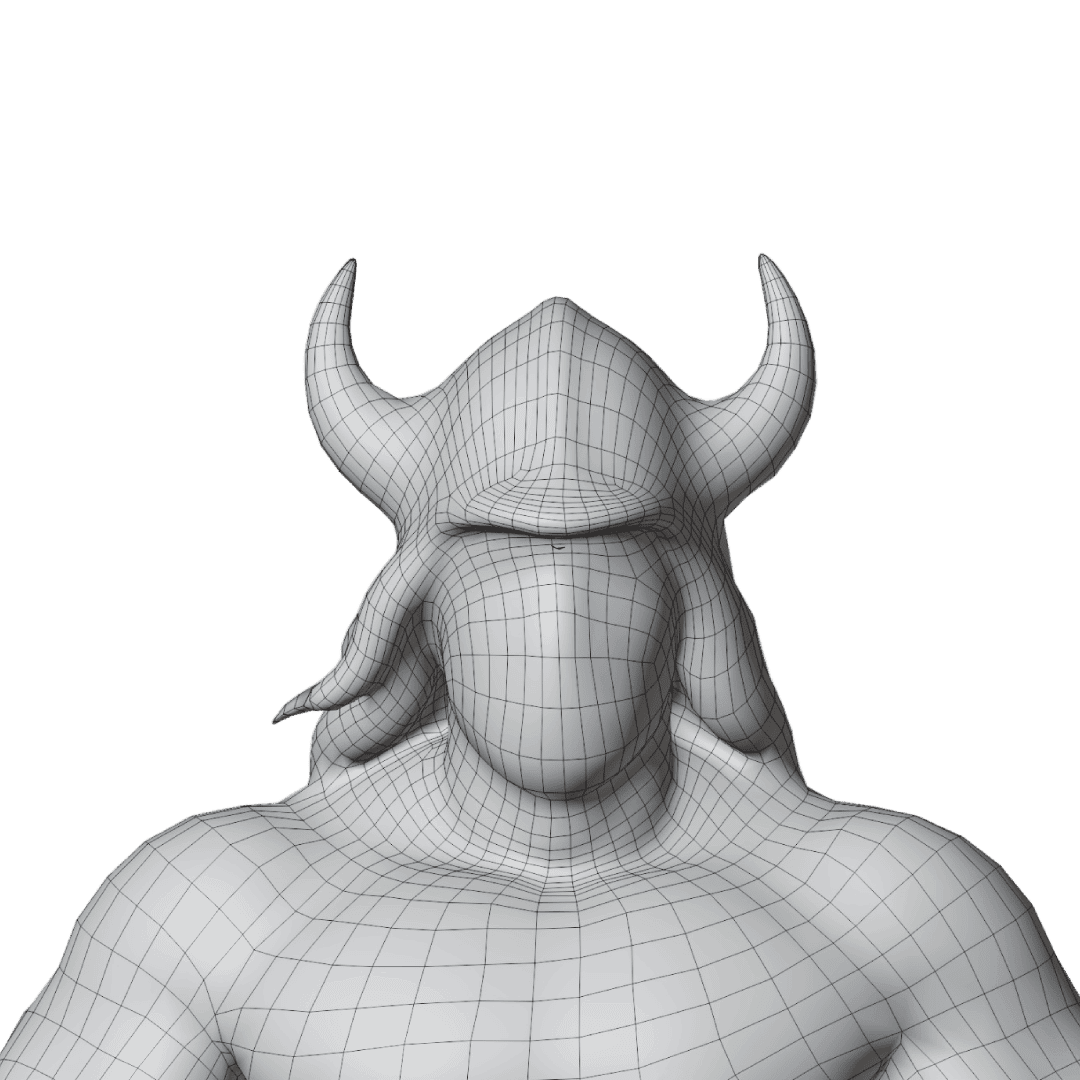 Remeshed · 20k
Drop it in your engine
Export GLB or FBX and import straight into Unity, Unreal, Godot, or Blender.
Export
~60sFastest Generation
Prism Turbo engine
15+AI Models
Tripo P1, Meshy, Hunyuan, Rodin…
GLBPlus FBX, OBJ & 5 more
Engine-ready exports
100Free Credits / Month
No credit card
No concept art? Make it in Image Studio
The recommended workflow: generate any image, edit it until it fits your game, then convert it to 3D - all in the same studio.
“stylized 3D marketplace scene, a knight standing at a stall”
01
Generate the image

02
The generated concept
 +“remove everything except the knight”
03
Edit it clean
Image to 3D04
Convert to 3D
Already have an art style? Keep it.
Upload one of your existing assets to Edit Image as a reference and describe the new asset - it comes back on the same visual language, ready to convert. That is how teams keep dozens of AI-generated props consistent with their hand-made ones.
Everything between concept art and the build
Generation is the start; the pipeline tools around it are what make the asset shippable
Concept art to 3D
One image becomes a full 3D model. Add up to four angles with multi-view engines when the silhouette is tricky.
Text to 3D
No concept art? Describe the asset in a sentence and generate it from the prompt. Same engines, same exports.
AI retopology
Remesh any generation to an exact polycount with clean, even topology. The step that turns AI output into a game asset.
PBR materials
Base color, normal, metallic, and roughness maps from PBR engines. Unity and Unreal pick them up automatically.
Auto-rigging
One click adds a skeleton with skin weights to humanoid models. Export rigged FBX ready for animation retargeting.
Style consistency
Restyle concepts in Image Studio with references from your existing assets, so every generation matches your art direction.
AI texturing
Retexture any model from a text description or style reference - one base mesh, endless skins and variants.
GLB, FBX & OBJ export
The formats every engine reads, plus STL, USDZ, and more. 8 formats total, no conversion detour through Blender.
Engine comparison
Run the same concept through several AI engines side by side and pick the winner before spending credits at scale.
What you can generate
Game assets by category, with the polygon budgets that make them usable in-engine
Characters & NPCs
Heroes, enemies, and background characters with riggable topology. Remesh to 5-20K triangles for real-time use, or keep full detail for hero characters.
Props & Items
Crates, furniture, pickups, and interactive objects. Fast generation for populating worlds - low poly game assets down to 500-2K triangles.
Weapons & Tools
Swords, guns, and gadgets with clean hard-surface topology and PBR material detail that holds up in first-person view.
Vehicles & Mounts
Cars, ships, and creature mounts at efficient polygon budgets for gameplay use, from concept art or a one-line description.
Environment Assets
Buildings, trees, rocks, and terrain features. Background set dressing at optimized poly counts, generated in batches for variety.
Collectibles & UI
Coins, gems, power-ups, and inventory items - small assets at minimal polygon cost that read clearly at icon size.
What game-ready actually means
Polygon and texture budgets vary by target platform - remesh to the one you ship on

Mobile / VR
500-2K triangles per prop, 5-10K per character. 1K textures. Every polygon counts, so remesh aggressively.

PC / Console
2K-50K triangles depending on asset importance. 2K-4K textures. Room for detail where the camera lingers.

Hero Assets
Up to 100K+ polygons for close-up key assets. 4K-8K textures. Generate at full detail and skip the remesh.
One generation serves all three: remesh copies at different budgets for your LOD chain.
Assets people ship
Each small card is the input; the model above it is the raw result, no retouching. Click any tile to spin the actual 3D model.
No concept art? Start from a sentence
The handwritten note on each tile is the entire input. Text to 3D uses the same engines and the same GLB / FBX exports.
The full pipeline, recorded
Generating assets, optimizing them, and importing into a game engine - about 3 minutes
Every top 3D model generator, in one studio
Tripo, Meshy, Hunyuan, Rodin, and the rest live here side by side. Use the game-ready engine for props and the detail engine for heroes - switch per generation.

Tripo P1
Game-ready topology, 48-20K faces
Tripo · 60-90s

Meshy 6
Quad topology & pose control
Meshy · 5-10 min

Hunyuan3D 3.1
Watertight meshes, 4K PBR
Tencent · 3-4 min

Prism 3.1
Photo reconstruction champion
3D AI Studio · 3-5 min

Rodin Gen-2.5
Five speed & quality tiers
Hyper3D · 30s-7 min

Trellis 2
Affordable drafts with PBR
Microsoft · 4-8 min
Seed3D 1.0
PBR + RGB dual output
ByteDance · 8-12 min

Hitem3D 2.1
1536³ hero-asset detail
Hi3D · 7-8 min
That is 8 of 15+. See the full lineup on the Models page or run the same concept through several at once in the live comparison tool.
Works with every engine you ship on
GLB and FBX import everywhere; these guides cover the specifics of each engine and platform

Unity
GLB and FBX with materials drop straight into the editor. Prefab-ready meshes at your budget.

Unreal Engine
FBX import with PBR maps that land in the material editor the way you expect.

Godot
Lightweight GLB assets for the engine that loves small files.

Roblox
Remesh to Roblox's strict budgets and import via the 3D importer.

Fortnite UEFN
Custom props and set dressing for your UEFN islands.

VRChat
Avatar props and world assets within VRChat's performance ranks.
Shipping games with it
Quick Turn Games needed 100+ magical artifacts for Whispers of Elenrod - with a team of mostly C++ programmers
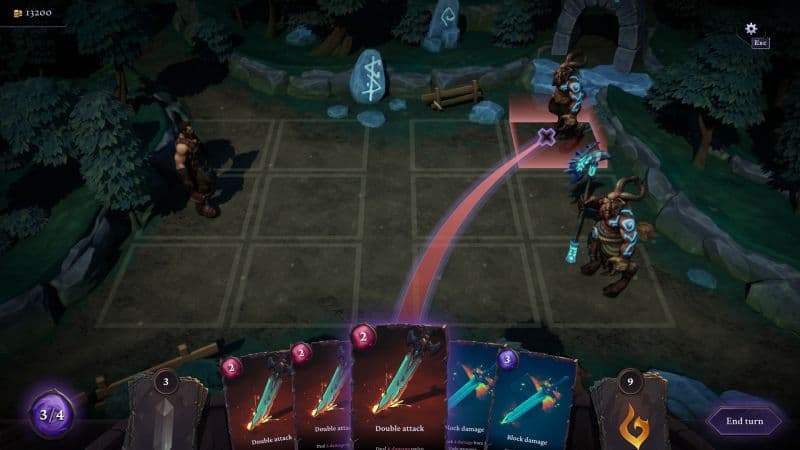
Case study · Indie studio
Quick Turn Games · Unreal Engine

What creators say
Rated 4.6/5 on Trustpilot
The speed in which I can generate 3D models is astonishing. Its simplified my workflow and given my applications an aesthetic uplift that impresses clients. I even 3D printed a few of those Models and they came out great

Tim Karlowitz
Website Developer
With the 3D AI STUDIO, Ive been able to create complex, high-quality 3D models in seconds, shaving hours off of my usual timescales and allowing me to focus more on getting creative. It has been a game-changer. This is the best AI 3D Model Generator i have ever used!

Noah Böhringer
Game Developer at BHR Studios
So cool! I just logged in and was very quickly able to make a 3D model from a prompt. Could see a lot of applications of this in video editing / animation. Cant wait for all the new Features!

Dillion Verma
Developer @Nvidia

The Best image to 3D Model generator out there. Un matched from my comparisons. Has saved me so much time and $$$. I am very picky about how the models look and 3D AI Studio is able to give you that REAL Detail that you need to be legit.

Junior Lopez
Canada
3D AI Studio is the best service I've found out there. They have a far superior output for highly detailed, realistic models and several amazing tools for source image generation, retexturing and model re-meshing/refining. The interface is clean, easy-to-use and intuitive.

Paul Hoover
United States
Mind blowing customer support. The results are pretty amazing, you generate cool game assets within minutes AND there's an option to make them pretty low poly. When I stopped using I asked a refund for the last month - got it within 30 seconds. Mind blown.

Yuri Shmorgun
Israel
I've tried several 3D modeling solutions, but 3D AI Studio stands out for its product and its support. Jan is amazing, he is constantly adding new features and improving on the experience, and extremely responsive to any support requests. Highly recommend!

Ian Chaplin
United States
3d models that wont break the bank. I made around 25 models rigged a few. It was able to use just my png 2d artwork to generate a 3d model which can be saved as glb, fbx, stl, which port over into game engines easy. Some of my characters have armor on an it made them look so AAA in thier armor.

Brad J Bigner
United States
Overall the best AI website I have tried. The team is amazing! They are really going with what the community wants, they listen and they go from our very own requests. I would say that you really get your money worth! highly recommend!

XshadowX
Canada
The speed in which I can generate 3D models is astonishing. Its simplified my workflow and given my applications an aesthetic uplift that impresses clients. I even 3D printed a few of those Models and they came out great
Tim Karlowitz
Website Developer
With the 3D AI STUDIO, Ive been able to create complex, high-quality 3D models in seconds, shaving hours off of my usual timescales and allowing me to focus more on getting creative. It has been a game-changer. This is the best AI 3D Model Generator i have ever used!
Noah Böhringer
Game Developer at BHR Studios
So cool! I just logged in and was very quickly able to make a 3D model from a prompt. Could see a lot of applications of this in video editing / animation. Cant wait for all the new Features!
Dillion Verma
Developer @Nvidia
The Best image to 3D Model generator out there. Un matched from my comparisons. Has saved me so much time and $$$. I am very picky about how the models look and 3D AI Studio is able to give you that REAL Detail that you need to be legit.
Junior Lopez
Canada
3D AI Studio is the best service I've found out there. They have a far superior output for highly detailed, realistic models and several amazing tools for source image generation, retexturing and model re-meshing/refining. The interface is clean, easy-to-use and intuitive.
Paul Hoover
United States
Mind blowing customer support. The results are pretty amazing, you generate cool game assets within minutes AND there's an option to make them pretty low poly. When I stopped using I asked a refund for the last month - got it within 30 seconds. Mind blown.
Yuri Shmorgun
Israel
I've tried several 3D modeling solutions, but 3D AI Studio stands out for its product and its support. Jan is amazing, he is constantly adding new features and improving on the experience, and extremely responsive to any support requests. Highly recommend!
Ian Chaplin
United States
3d models that wont break the bank. I made around 25 models rigged a few. It was able to use just my png 2d artwork to generate a 3d model which can be saved as glb, fbx, stl, which port over into game engines easy. Some of my characters have armor on an it made them look so AAA in thier armor.
Brad J Bigner
United States
Overall the best AI website I have tried. The team is amazing! They are really going with what the community wants, they listen and they go from our very own requests. I would say that you really get your money worth! highly recommend!
XshadowX
Canada
“I've watched thousands of head-to-head votes across every major 3D AI model. 3D AI Studio is the one place you can actually use the top models together - with a full toolkit around them.”
Stefan Vaskevich
Founder of Top3D.ai - the independent 3D AI leaderboard

Frequently asked questions
Everything game devs ask before their first import
Something else? Write us at support@3daistudio.com.
Remesh to your exact budget
The Remesh tool converts dense AI meshes into clean topology at the face count you choose - the LOD chain builder.
Rig it without leaving the browser
Auto-rigging adds a skeleton with skin weights to humanoid models in one step. Export rigged FBX for animation retargeting.
One mesh, endless skins
The Texture Generator retextures any model from a text description or style reference - variants without regenerating geometry.
Pick the right engine before you scale
The live comparison tool runs one concept through several AI engines side by side, so you spend credits on the winner.
Going for the low poly art style?
The dedicated low poly workflow: generate low poly style concept art, convert with Tripo P1, and get real ~5K-triangle faceted meshes with the prompt formula included.