
SAM 3D Online: Real Photos to 3D Models
SAM 3D is a pair of models Meta released on November 19, 2025. SAM 3D Objects rebuilds an object from one everyday photo, even when it is partly hidden or surrounded by clutter. SAM 3D Body does the same for people. On 3D AI Studio you can run SAM 3D Objects in the browser, with no GPU and no setup.
Updated November 2026
Trusted by creators at top game studios and tech companies


















Three ways to use SAM 3D
They are not equal. One is a demo, one needs a data-center GPU, one runs in your browser and exports real files.
Segment Anything Playground
Meta's free web demo
- Free, runs in the browser
- Upload your own photo
- Objects and people
- Made for viewing results
- No GLB for Blender, Unity or a slicer
Run it yourself
GitHub code + Hugging Face weights
- Full control and batch runs
- Splat (.ply) and textured mesh output
- Multi-object scenes
- Linux and an NVIDIA GPU with 32 GB+ VRAM
- Checkpoint access needs Meta's approval
How SAM 3D works: one object out of a messy photo
Most image-to-3D models want a single object on a clean background. SAM 3D starts from the kind of photo you actually have: a shelf, a floor, a room. Click the object to try the idea.
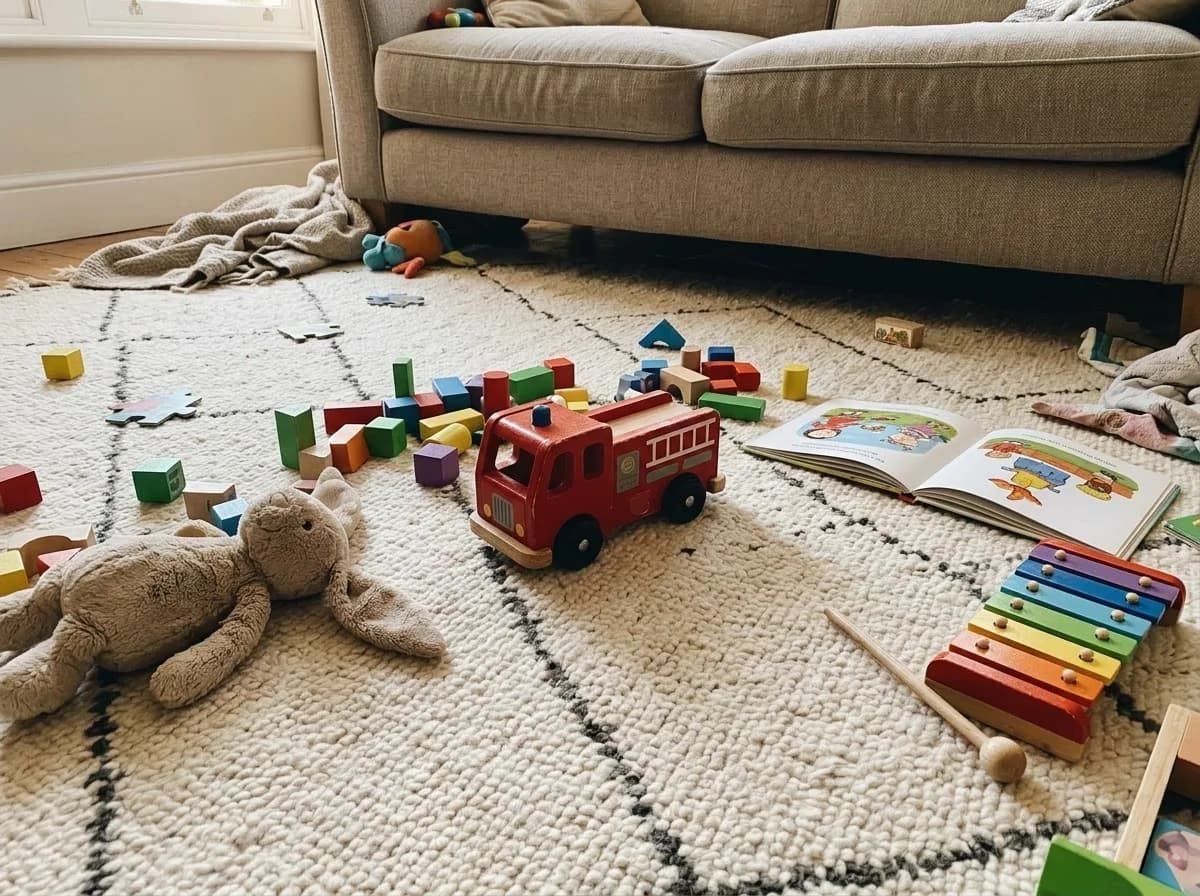 Tap the glowing dot
Select the object
Click the fire truck in the photo. SAM-style models take a click, a box or a text prompt.
Isolate it
Everything else in the frame is ignored. Hidden parts get filled in from context.
Reconstruct in 3D
A textured model you can rotate, export and use.
Nov 2025Released
Meta, Segment Anything team
5:1Preference win rate
Meta's head-to-head tests
~1MReal photos annotated
~3.14M candidate meshes
32 GBVRAM to self-host
None needed in the browser
SAM 3D Objects vs SAM 3D Body
Same family, two different jobs. Most people searching for SAM 3D want Objects.
SAM 3D Objects
Things and scenes
- What it builds
- Shape, texture and position of objects from one image
- Input
- A photo plus a mask of the object (from a click, a box or a SAM 3 text prompt)
- Output
- Gaussian splat (.ply) or textured mesh, placed where the object sits in the scene
- Trained on
- Almost 1 million real photos, ranked by people and fixed by 3D artists
- Good for
- Products, furniture, props, toys, rebuilding a room object by object
SAM 3D Body
People
- What it builds
- Full-body 3D pose and body shape of a person
- Input
- A photo, optionally a mask or 2D keypoints to guide it
- Output
- A mesh in Meta's Momentum Human Rig (MHR) format, skeleton and soft tissue kept separate
- Trained on
- About 8 million curated images, picked for unusual poses and hard conditions
- Good for
- Pose capture from photos, sports and motion analysis, a starting point for avatars
Meta also publishes a notebook that lines up the output of both models in one frame of reference, so people and the objects around them can share one 3D scene. SAM 3D is also not the same as SAM 3, which only segments: SAM 3 finds and outlines objects, and SAM 3D turns them into 3D.
What SAM 3D does differently
Most 3D generators learned from synthetic assets on empty backgrounds. Meta went after real photos instead.
Trained on real photos
Annotators ranked meshes that several models proposed for each photo, and the hardest cases went to 3D artists. That produced 3D labels for almost a million everyday images.
Copes with clutter and occlusion
Small objects, odd angles and things half behind other things are the normal case for SAM 3D. Context in the photo fills the gaps the pixels leave.
Knows where the object sits
SAM 3D Objects predicts each object's pose and position, so several objects from one photo can be put back together as a 3D scene you can walk the camera around.
Promptable like the rest of SAM
Pick the object with a click, a box or a mask from SAM 3. SAM 3D Body also accepts 2D keypoints when a pose is ambiguous.
Fast at inference
Meta says shortcuts in the diffusion step bring full textured reconstructions down to a few seconds on its hardware, quick enough for robotics use.
Open and benchmarked
Code, weights, the SA-3DAO artist dataset and a public leaderboard are all out. Encoder weights and the leaderboard followed in June 2026.
Where SAM 3D falls short
Most of these come straight from Meta's own release notes.
Moderate resolution
Fine detail gets lost on complex objects. Meta's example: a whole person rebuilt with Objects can come out distorted.
One object at a time
Objects are predicted separately. The model does not reason about contact, so objects in a rebuilt scene can float or overlap.
Body handles one person at a time
Groups and person-object interaction are not modelled together, and hands trail specialised hand-pose models.
Heavy to self-host
Linux, 32 GB of VRAM, a fiddly CUDA environment and an approval step before you can download the weights.
The practical upshot: SAM 3D is the right tool when the photo is messy and you cannot reshoot it. When you have a clean shot and need maximum detail, a dedicated image-to-3D model still wins.
SAM 3D vs Prism 3.1 vs Hunyuan3D 3.1 vs TRELLIS 2
All four run on 3D AI Studio. Pick per photo, not per brand.
| Feature | SAM 3D Objects | Prism 3.1 | Hunyuan3D 3.1 | TRELLIS 2 |
|---|---|---|---|---|
| Made by | Meta | 3D AI Studio | Tencent | Microsoft |
| Best input | Object inside a real, busy photo | Clean photo of one object | Clean image or text | Clean image |
| Clutter and occlusion | Main strength | Cut it out first | Cut it out first | Cut it out first |
| Scene layout | Yes, pose and position | No | No | No |
| Detail | Moderate (Meta's words) | High | High, watertight | Good, fast drafts |
| Output | Textured GLB | Textured GLB | GLB, 4K PBR | GLB, PBR |
| Pick it when | The photo is messy and can't be reshot | You have a clean photo | You need a print-ready mesh | You want cheap, fast drafts |
Model pages: Prism 3.1, Hunyuan3D 3.1, TRELLIS 2. Prices for every model are in the pricing comparison.
Which model should you use?
Start from the photo you have and what the model is for.
How to use SAM 3D on 3D AI Studio
Four steps, a few minutes, nothing to install.
- 01
- 02
Upload your photo
Use a photo that shows the object, even a busy everyday one. If several objects compete for attention, crop around the one you want.
- 03
Generate
SAM 3D rebuilds the object in 3D, including the parts that other things hide in the photo. Rotate it in the viewer to check it.
- 04
Export
Download the GLB, or convert it to FBX, OBJ, STL or USDZ for Blender, Unity, Unreal, a slicer or AR.
Optional: isolate the object first
When the object is tiny in the frame or mostly covered, cutting it out first gives the model more to work with. Use Remove Background for clear subjects, or Nano Banana 2.1 Edit when parts are hidden.
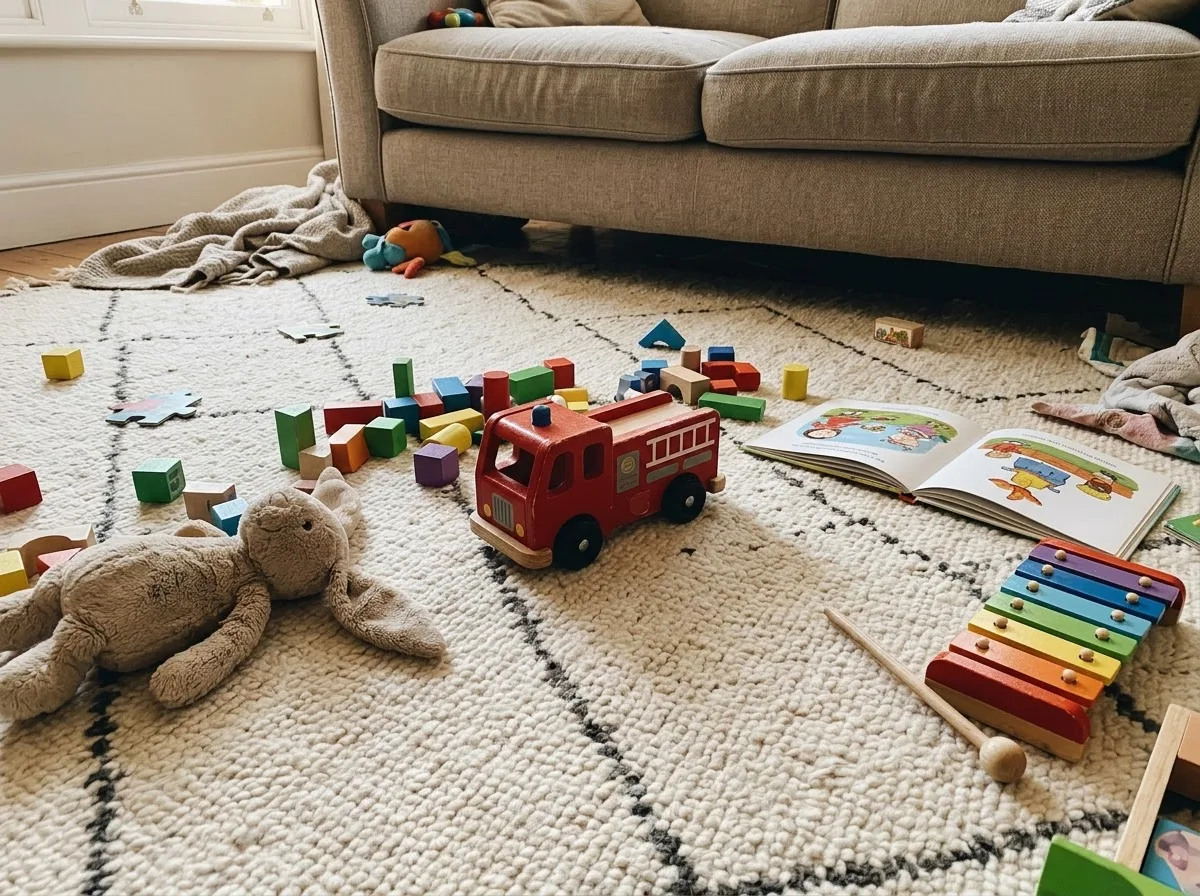
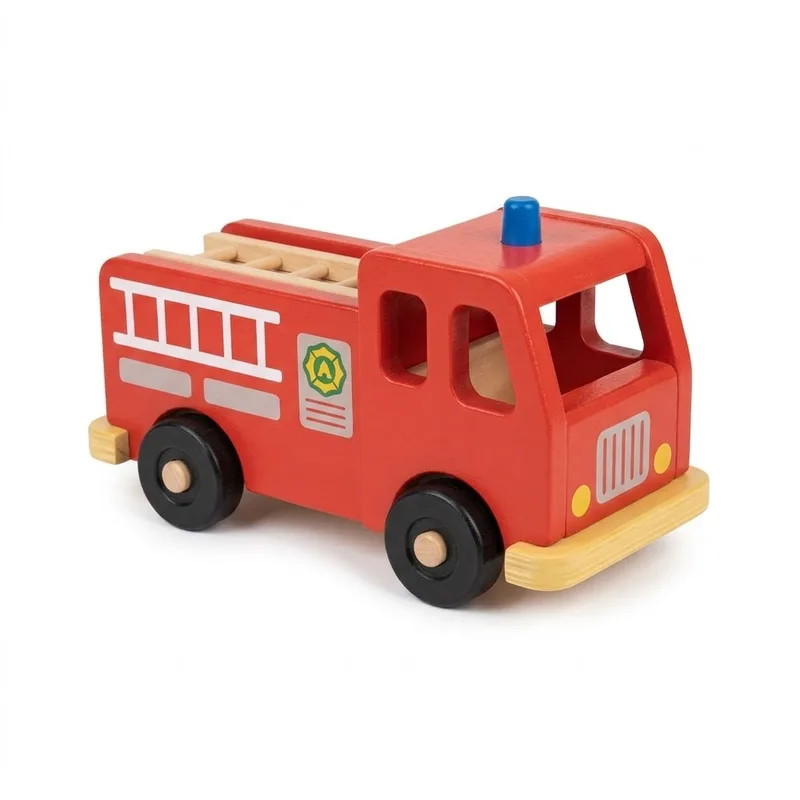
Isolate only the red wooden toy fire truck from this photo. Show the complete fire truck alone, centered, on a plain pure white background, same three-quarter view, same colors, ladder and wheels. Reconstruct any hidden parts.
Ask the edit model to keep the same view. The 3D model reads the angle from the image, so a cut-out that matches the original photo gives you a model that matches it too.
License and commercial use
SAM 3D code and weights
Released under Meta's SAM License. Commercial use is allowed, with conditions that include export and trade-control rules. Read the license before you ship.
MHR body model
The Momentum Human Rig that SAM 3D Body outputs is released under a permissive commercial license.
Models you make on 3D AI Studio
Paid plans include commercial usage rights for every model you generate, whichever engine made it.
Sources: Meta's announcement, SAM 3D Objects and SAM 3D Body on GitHub, Hugging Face, the paper.
SAM 3D next to every other top model
One credit balance covers SAM 3D and all of these. Switch models per generation.

Prism 3.1
Photo reconstruction champion
3D AI Studio · 3-5 min

Hunyuan3D 3.1
Watertight meshes, 4K PBR
Tencent · 3-4 min

Hitem3D 2.1
Print-grade detail
Math Magic · 7-8 min

Tripo P2
Game-ready, quad output
Tripo · 2-5 min

Meshy 6
Quad topology & pose control
Meshy · 5-10 min

Rodin Gen-2.5
Five speed & quality tiers
Hyper3D · 30s-7 min
Tripo P1
Game-ready topology
Tripo · 60-90s

Trellis 2
Affordable drafts with PBR
Microsoft · 4-8 min
The full lineup is on the Models page.
Frequently asked questions
What people ask about SAM 3D
Want splats instead of meshes?
Image to Gaussian Splat turns a single image into a splat scene in the browser, the same kind of output SAM 3D saves locally.