
Lucy 14B AI Video Generator
Near-instant image to video. Lucy 14B by Decart is built for speed - it turns an image into a short, cinematic clip in seconds, making it perfect for motion sketches, style tests, and rapid ideation. Use it free in 3D AI Studio's Video Studio.

“An origami crane soars and glides through soft clouds”
What Lucy 14B can do
Decart's speed-first model - made for exploring ideas fast.
Near real-time speed
Lucy 14B is built for blazing-fast generation, turning an image into a moving clip in seconds so you can explore ideas without waiting.
Rapid ideation
Sketch motion, test poses, and try compositions quickly. Lucy is the model for getting an idea on screen and iterating fast.
Creative & artistic
Built on a modern diffusion-transformer architecture, Lucy leans into stylized, creative motion for exploration and concepting.
Flexible aspect ratios
Generate in 16:9, 9:16, or 1:1 to sketch ideas for any platform, from widescreen to vertical.
Affordable
At a low credit cost per clip, Lucy lets you run many quick experiments before committing to a premium render.
Interactive workflow
Because it's so fast, Lucy fits an interactive loop - generate, glance, tweak, and go again in moments.
Sketch motion from an image in seconds
Drop in an image and a short prompt, and Lucy returns a moving clip almost immediately. Ideal for testing an idea before a final render. These clips each started from a single still image.


motion“Quick motion sketch: she bobs and blinks while fireflies drift around her in the glow.”


motion“Fast test: the knight shifts his weight and lifts his axe, leaves drifting past.”


motion“Rapid idea: the wizard raises a hand as the runes flicker - ready to refine in a premium model.”
Made with Lucy 14B
Quick, stylized clips that show off Lucy's speed.
“Origami crane soaring through clouds”

“Paper crane turning in a blue studio”

“Origami crane gliding on a breeze”
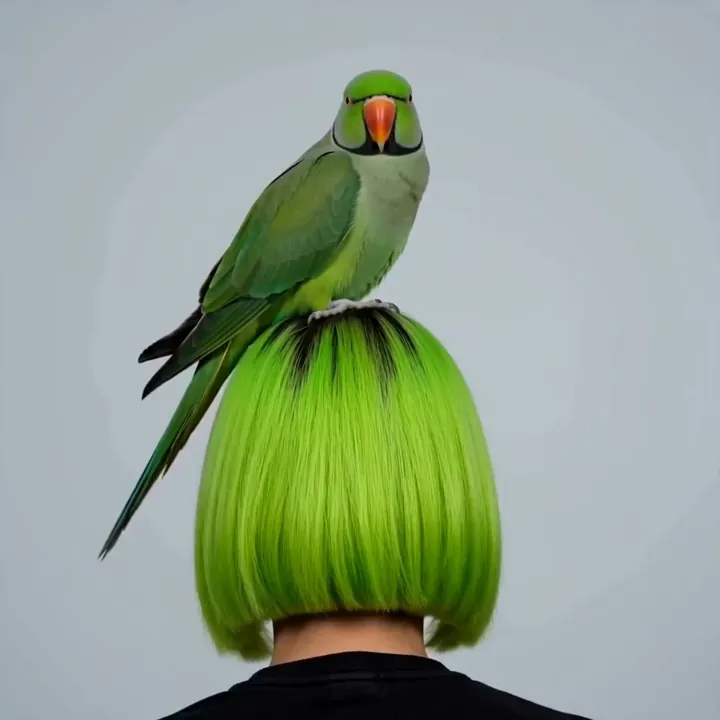
“Parrot tilts its head, gentle sway”

“Felt bat nibbling watermelon”
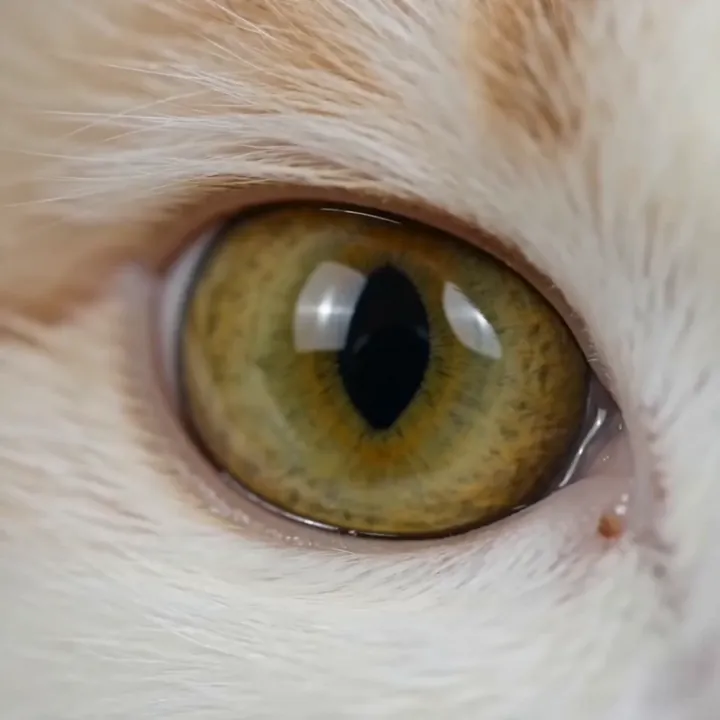
“Slow blink, macro dolly-in”
How to use Lucy 14B for fast ideation
A five-step loop for exploring motion quickly and finishing elsewhere.
Open Lucy 14B in Video Studio
Select Lucy 14B and choose Image to Video. It's the model to reach for when speed and iteration matter most.
Upload an image and a short prompt
Add your image and write one simple action. Lucy responds best to a single clear idea, like one motion and one camera cue.
Pick an aspect ratio
Choose 16:9, 9:16, or 1:1 to match the platform you're sketching for.
Generate in seconds and review
Lucy returns a clip almost immediately. Glance at it, change one thing, and run again - perfect for fast exploration.
Promote the winners
When an idea clicks, re-create it on a premium model like Kling 3.0 or Veo 3.1 for the polished, final version. Then download.
How to write great Lucy 14B prompts
Lucy is a sketching tool - keep prompts short and the action simple for the fastest, cleanest results.
One simple action
Give Lucy a single, clear movement rather than a sequence.
“the crane glides gently to the left”
One camera cue
A single camera instruction keeps the motion readable.
“slow zoom out”
Lean into style
Lucy is great for stylized, artistic looks - say so.
“dreamy, painterly motion”
Iterate fast
Change one element between runs instead of rewriting everything.
“same prompt, now drifting right instead”
Lucy 14B specs
Everything you can control when you generate.
Lucy 14B vs premium models
Lucy is a speed-first sketching tool. Move to a premium model when a clip needs to be final.
| Feature | Lucy 14B | Kling 3.0 / Veo 3.1 |
|---|---|---|
| Best for | Drafts & ideation | Final, polished clips |
| Speed | Near real-time | Slower |
| Cost | Low (60 cr) | Higher |
| Audio | No | Yes, native |
| Consistency | Looser | Stronger |
| Use it to | Explore fast | Render the keeper |
What people make with Lucy 14B
Motion sketches
Get an idea moving on screen in seconds.
Style scouting
Try different looks for a scene quickly.
Storyboarding
Rough animated beats to plan a sequence.
A/B pose tests
Compare two poses or compositions fast.
Social drafts
Quick clips to test an idea for a feed.
Concept loops
Fast looping visuals for brainstorming.
Interactive demos
Live, fast iteration in a working session.
Idea validation
Check if a concept works before investing.
Sketch with Lucy, finish in the studio
Explore motion fast with Lucy, render the winners on a premium model, generate inputs in Image Studio, or take a frame into 3D - all on one account.

What is Lucy 14B?
Lucy 14B is an image-to-video model from Decart, built for one thing above all: speed. Where premium models take a minute or more, Lucy can turn an image into a short, moving clip in seconds. That makes it a fantastic tool for exploration - motion sketches, style tests, storyboards, and rapid ideation.
Under the hood, Lucy 14B is a roughly 14-billion-parameter diffusion-transformer model based on Wan 2.2 technology. In 3D AI Studio it runs as an image-to-video model with a low credit cost, supporting 16:9, 9:16, and 1:1 aspect ratios. Think of it as your fast sketchpad: explore on Lucy, then finish the keepers on a premium model.
Why a fast model is worth having
Great AI video usually takes several attempts. Iterating on premium models is slow and uses more credits, which discourages experimentation. Lucy flips that: because it's so fast and affordable, you can try many ideas, learn what works, and only spend premium credits on the shots you've already validated.
Lucy is intentionally a draft tool. Motion can be looser and less consistent than a premium model, and it's silent by design. That's the trade for near-instant speed - and it's exactly what you want when you're brainstorming or scouting a look rather than rendering a final.
How to use Lucy 14B in a real workflow
Start every idea on Lucy. Generate quickly, glance at the motion, and adjust one thing at a time - the action, the camera, or the style. Because each run takes seconds, you can explore far more options than you could on a slower model.
Once a clip feels right, re-create it on Kling 3.0 or Veo 3.1 for the final, higher-fidelity version with cleaner motion and, if you need it, sound. For the steadiest single clips at a budget, Seedance 1.5 and Kling 2.5 Turbo are also great next steps. Everything lives in the same Video Studio, so moving up is one click.
Tips for better Lucy 14B videos
Keep prompts short and the action simple - one movement and one camera cue. Lucy is a sketching tool, so a single clear idea generates faster and cleaner than a long, layered description. Lean into stylized, artistic looks, which play to Lucy's strengths.
Treat each generation as a cheap experiment and change one variable between runs. When an idea clicks, promote it to a premium model for the final. And remember Lucy is silent and draft-quality by design - for clean, final motion or audio, finish on Kling 3.0, Veo 3.1, or Seedance.
Explore other video models
Every plan includes access to all of them. Pick the right tool for each shot.