
Make Your Own D&D Miniatures, Mimics, Dice Trays and Tokens With AI
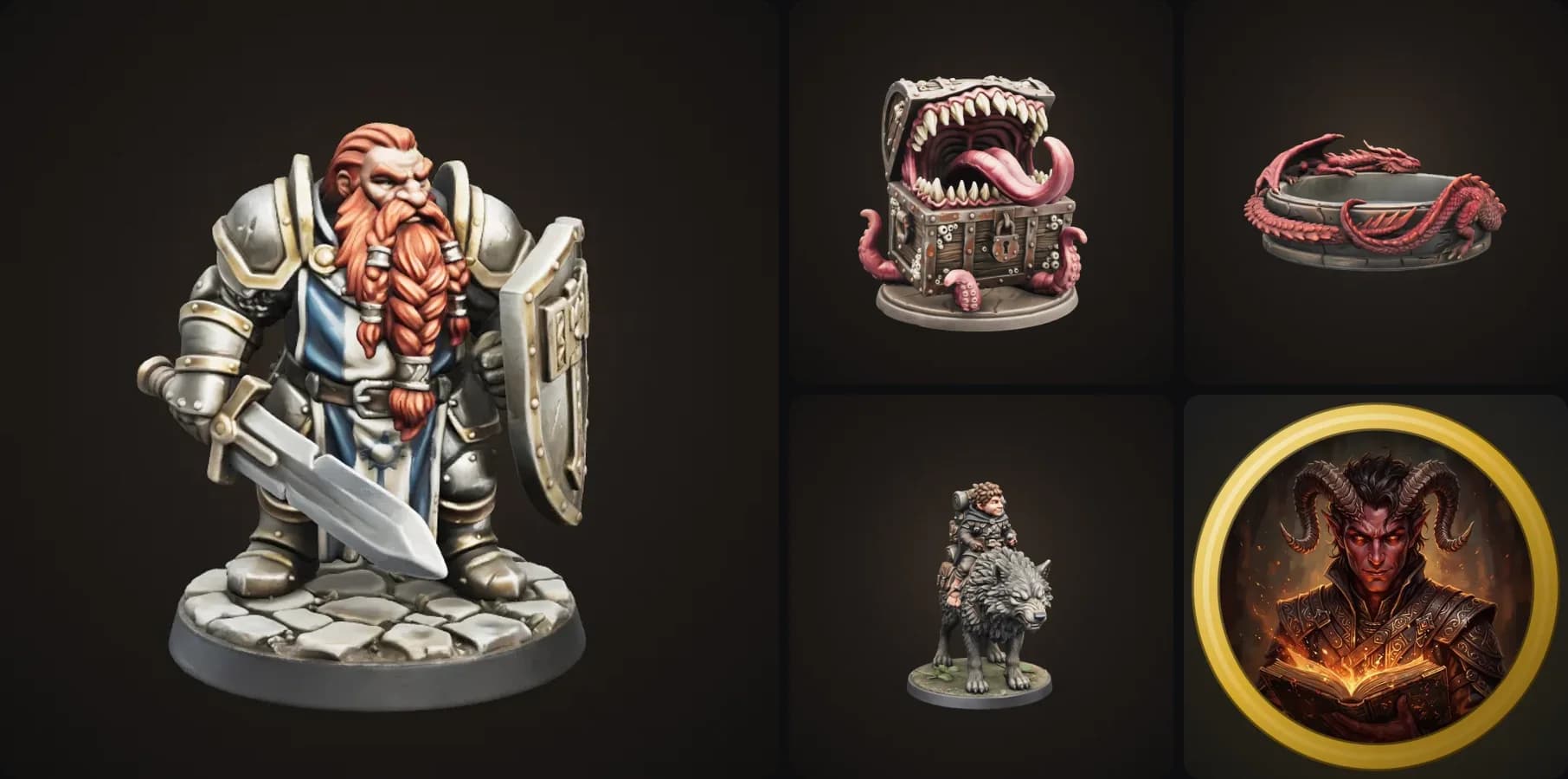
We just added a bunch of D&D templates to 3D AI Studio, and honestly they turned out way better than I expected. You describe a character, a chest or a theme, pick a few settings, and a couple of minutes later you have a model you can print. The token maker gives you a finished token for your virtual tabletop in under a minute.
Here is what's new, what each one is good for, and a few tips I picked up while making the examples.
- The D&D Character Miniature turns your character into a printable mini on a 25 mm base. You pick the race, class, pose, mount and base.
- The Mimic Chest makes the classic chest monster, attacking, peeking or still disguised.
- The D&D Dice Tray makes a themed tray with a flat floor you can actually roll on.
- The D&D Token Maker gives you a round token for Roll20, Foundry or Owlbear Rodeo.
- And the Monster Miniature now has real D&D sizes, from Medium to Gargantuan.
Why D&D?
When we looked at what people search for, the tabletop crowd stood out. Lots of people want a miniature of their character, not a generic one. Mimic chests get searched thousands of times a month. Same for dice trays and tokens. And most of the tools out there are either a parts library or a marketplace of files someone else made.
So the idea was simple: let people describe exactly what they want and get a model that's ready to print.
1. D&D Character Miniature
This is the big one. You pick a race, a class, and optionally a pose, a mount and a base. Then you write one sentence about what makes your character yours, and that's all the template needs.
The template first designs the miniature as an image, so you can see if it looks right before anything is built in 3D. Then Image to 3D turns that design into a model.
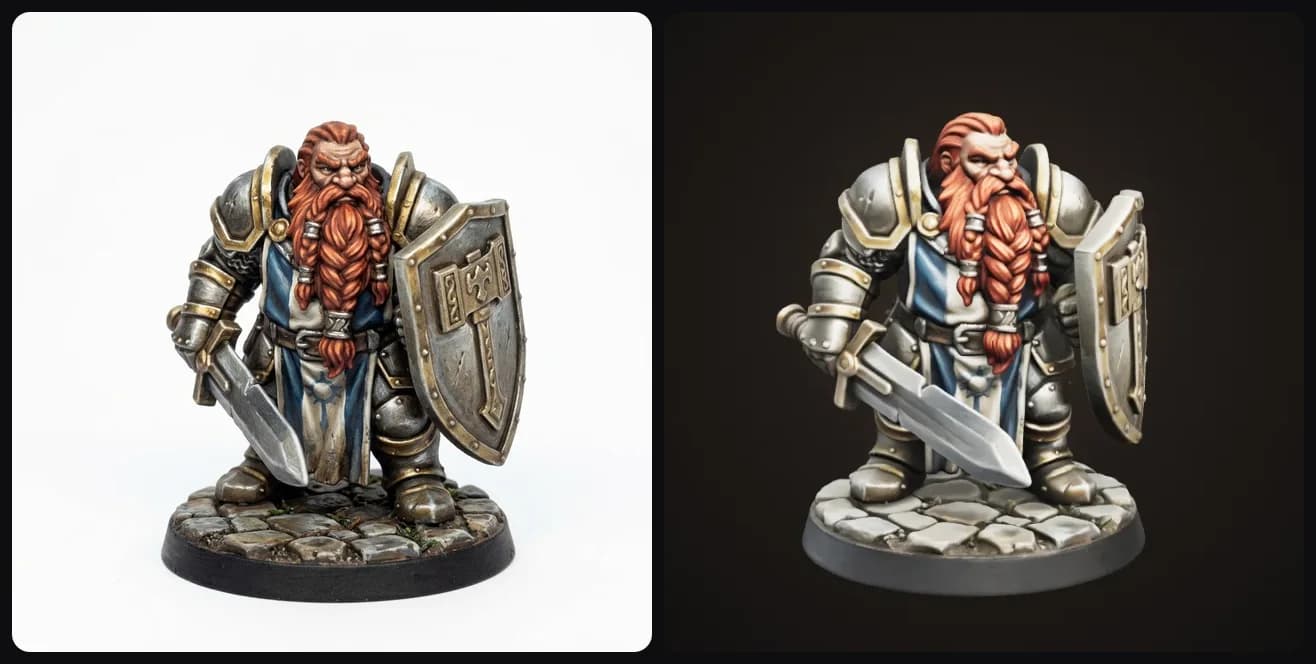
Left: the design. Right: the 3D model it turned into. "A grizzled dwarf with a braided red beard", Paladin, Cobblestone base.
There are eight races to start from. Each one is built so you can tell it apart from the silhouette alone (ears, horns, height, tail), because at 32 mm you can't rely on small details.
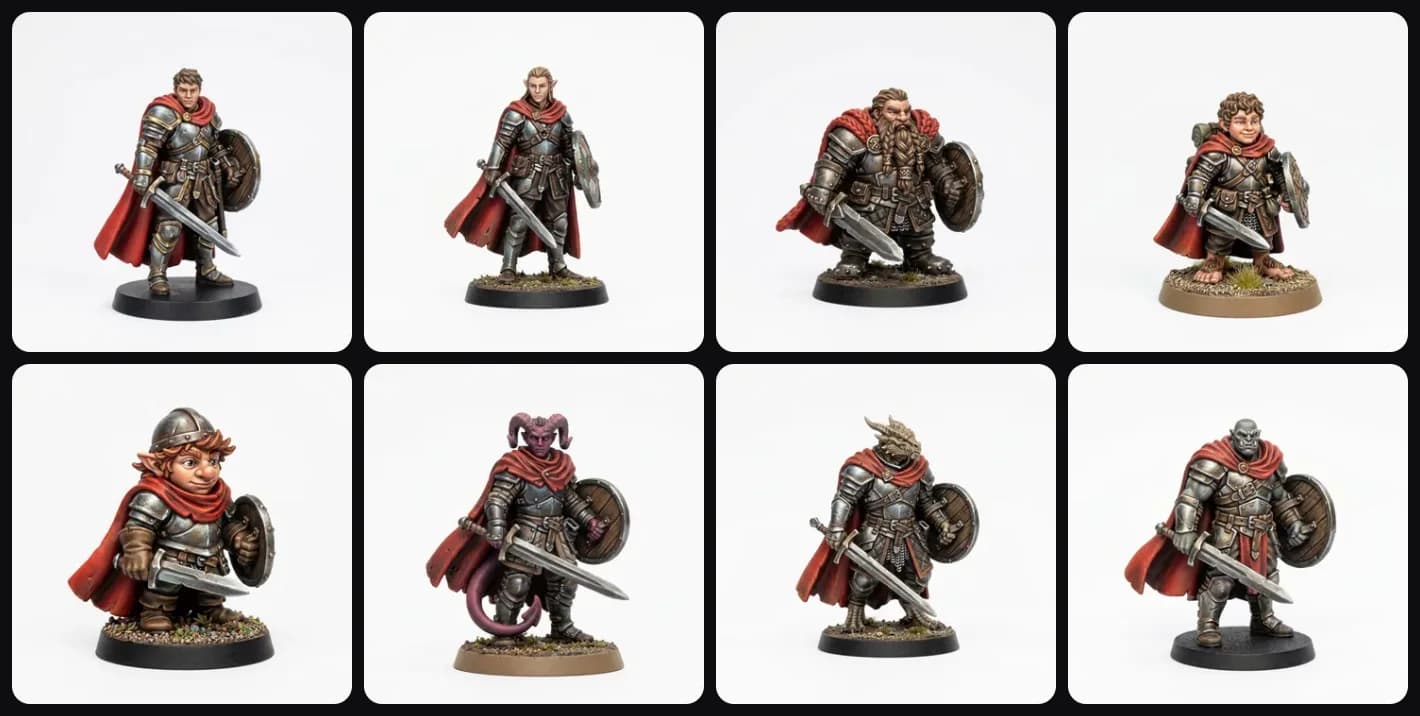
Same sentence, eight races. "A young adventurer with a red cloak".
The settings that make the biggest difference:
- Class: all twelve, from Fighter to Warlock. The class decides the gear, so a Ranger gets a bow and a hooded cloak, a Cleric gets a holy symbol.
- Pose: Ready, Casting, Charging or Kneeling. Casting gives you a solid burst of magic attached to the hand, so it doesn't snap off.
- Mount: Warhorse, Dire wolf, Giant lizard or Griffon. The mini moves to a 50 mm base automatically.
- Base: Cobblestone, Forest floor, Dungeon or Rocky ledge, if you don't want a plain one.
- Finish: Painted, or Grey primer if you want to paint it yourself.
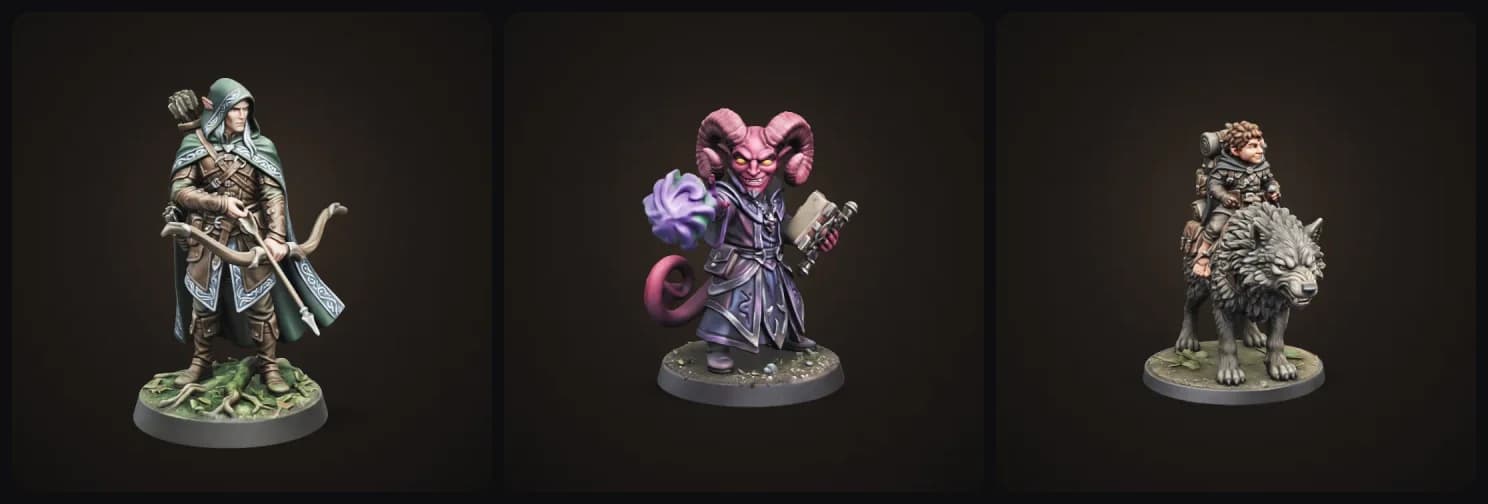
Here's my favorite example. A halfling rogue on a dire wolf, from one sentence:
And a few more from the same template:
Tips:
- Describe one or two things that make the character yours. "A scar over one eye and a raven on the shoulder" works better than a whole backstory.
- Got character art already? Upload it instead of typing. It keeps the look much closer.
- Want to play as yourself? There's a separate Hero Miniature of You template that starts from your photo.
- In your slicer, scale it so the base is 25 mm (50 mm with a mount). Resin is best for the face and gear at this size.
2. Mimic Chest
Every party has been eaten by a mimic at least once. Now you can put one on the table.
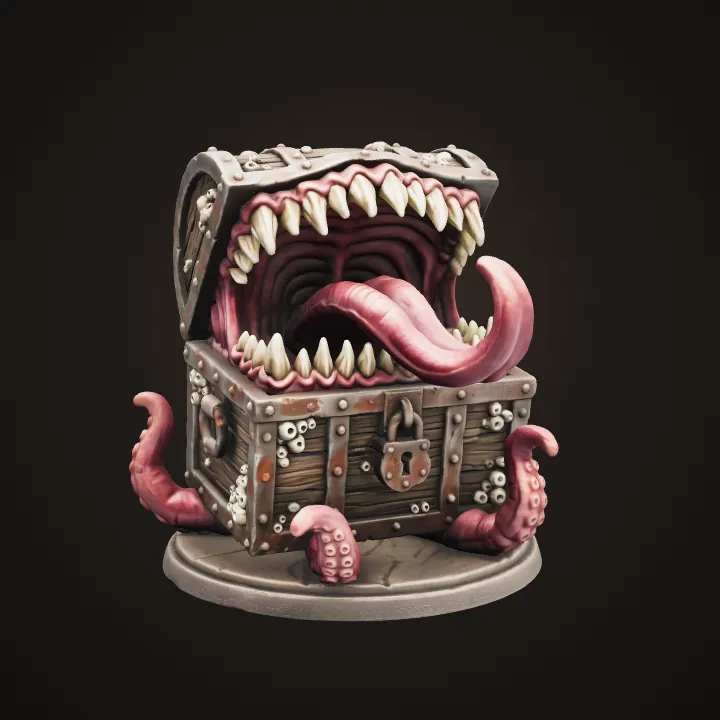
"An old pirate chest covered in barnacles", Attacking.
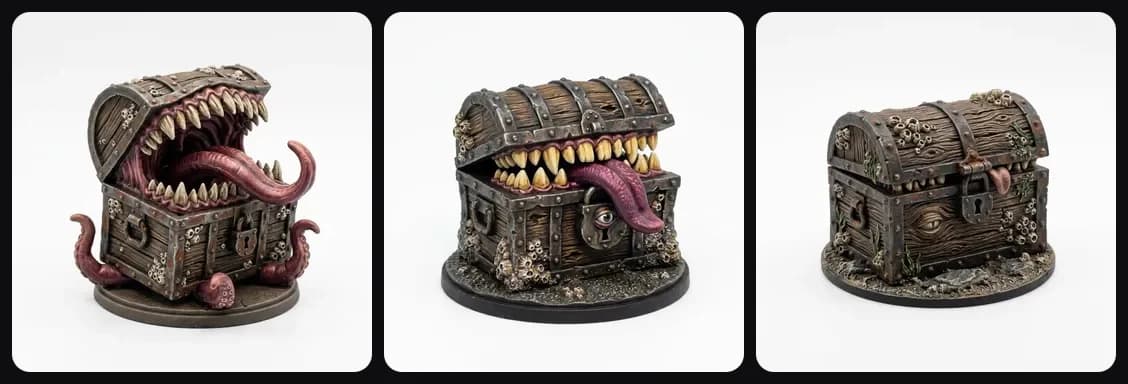
The mood is the fun part. Attacking has the lid flung open with rows of teeth. Peeking is open a crack with an eye looking out of the keyhole. Disguised looks almost like a normal chest, which is perfect for actually hiding it in a pile of loot on the table.
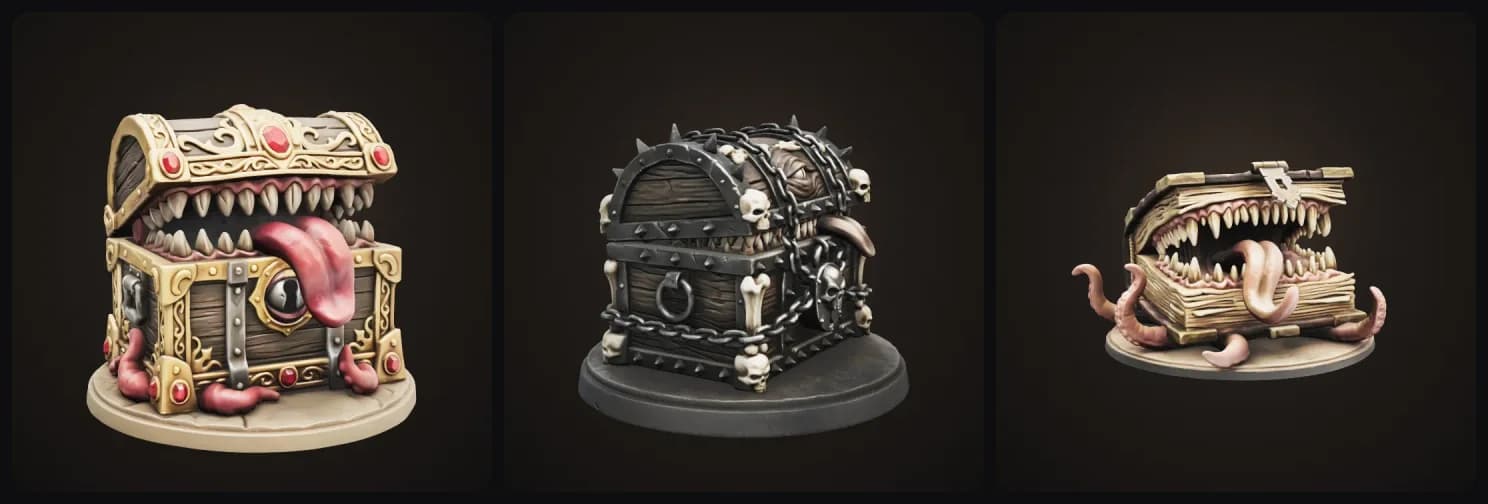
You can also pick the chest itself: Wooden, Gilded, Iron & bone, or a Book (yes, a spellbook mimic). And a size: Game miniature for the table or Display piece for the shelf.
Tips:
- The template keeps teeth, tongue and tentacles thick and attached, so they survive printing. You don't need to ask for that.
- The Disguised mood is great to print twice: one as real loot, one as the mimic. Your players won't know which is which.
3. D&D Dice Tray
This one I was nervous about. A dice tray only works if the floor is flat and empty, and AI loves to put stuff everywhere. So the template puts the whole theme on the walls and the rim and keeps the floor clear.
It works in two steps, like the miniatures. First it designs the tray as an image so you can see the theme, then it builds it in 3D.
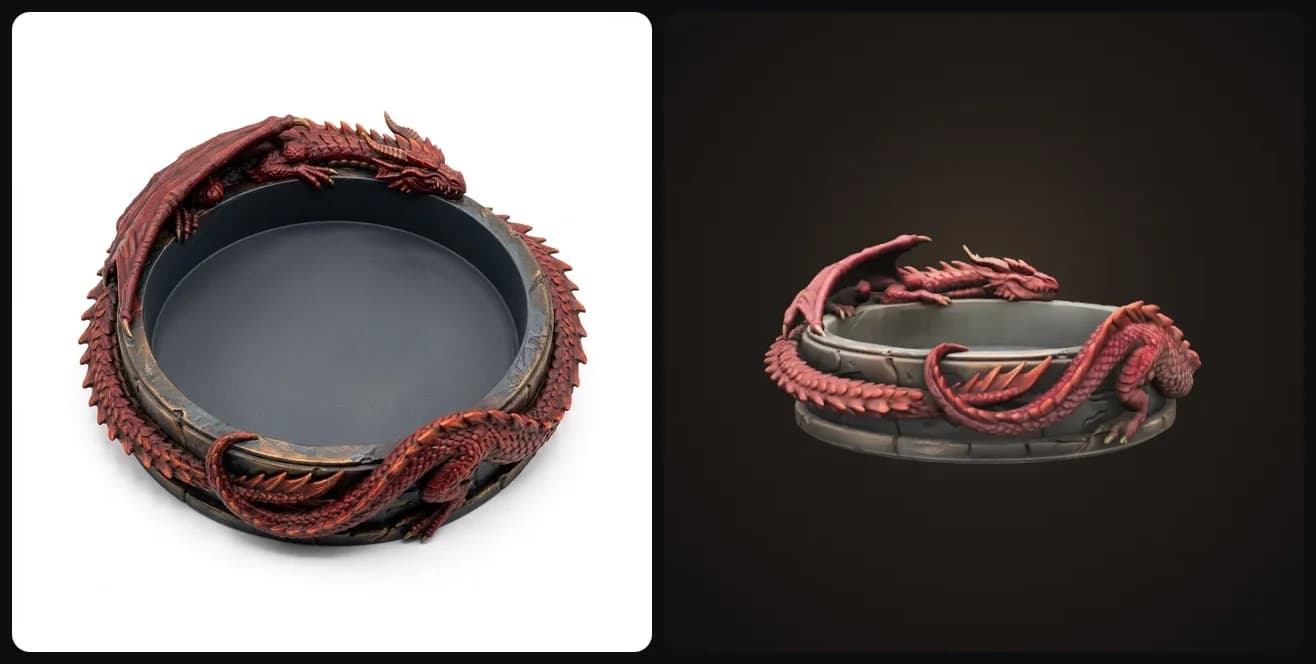
"A red dragon coiled around the rim", Round. The floor stays open and flat in the 3D model too.
You pick the shape (Round, Hexagon or Square), the rim (Sculpted, Low & clean, or a big Centerpiece on one side) and the floor (Smooth or a Felt recess for a liner).
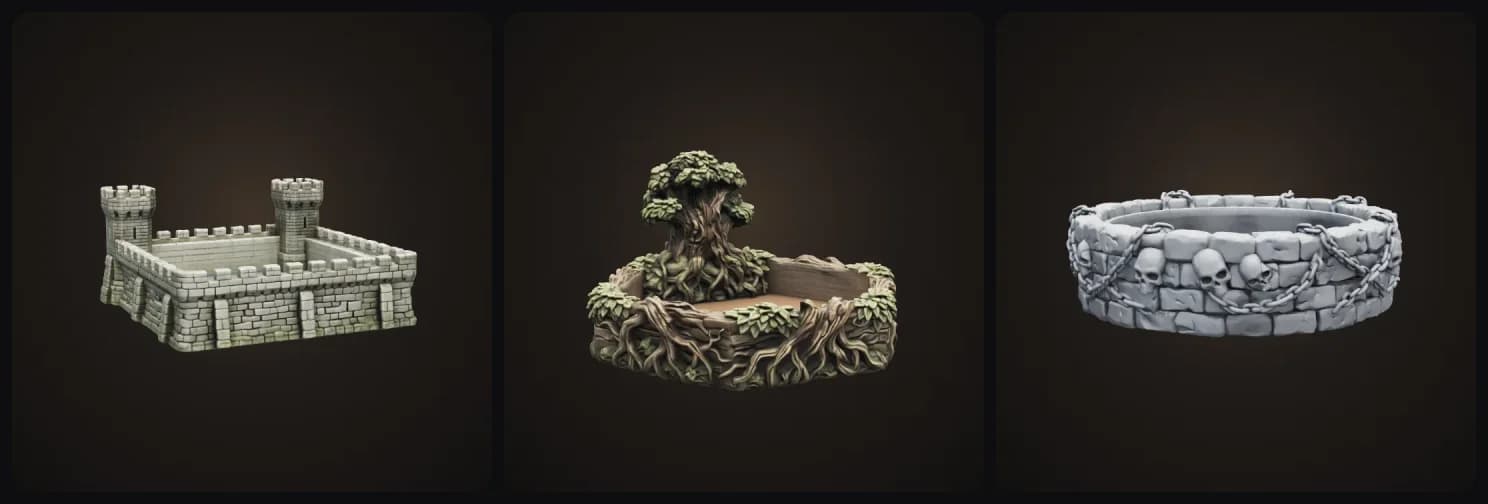
Castle walls (Square), an ancient tree (Hexagon, Centerpiece rim) and a dungeon wall in Grey primer.
Tips:
- Pick Felt recess and glue in a piece of felt. Your dice get way quieter.
- Trays print fine on FDM. Print it flat on the bed, the floor is the bottom.
- The round tray is about 20 cm across. Scale it up or down in your slicer to fit your table.
4. D&D Token Maker
Not everyone plays in person. If you play on Roll20, Foundry or Owlbear Rodeo, you need tokens, and making a good one by hand is annoying.
Describe your character (or upload their art), pick an art style, and you get a round token with a ring around it. The outside is transparent, so it drops straight onto the map.
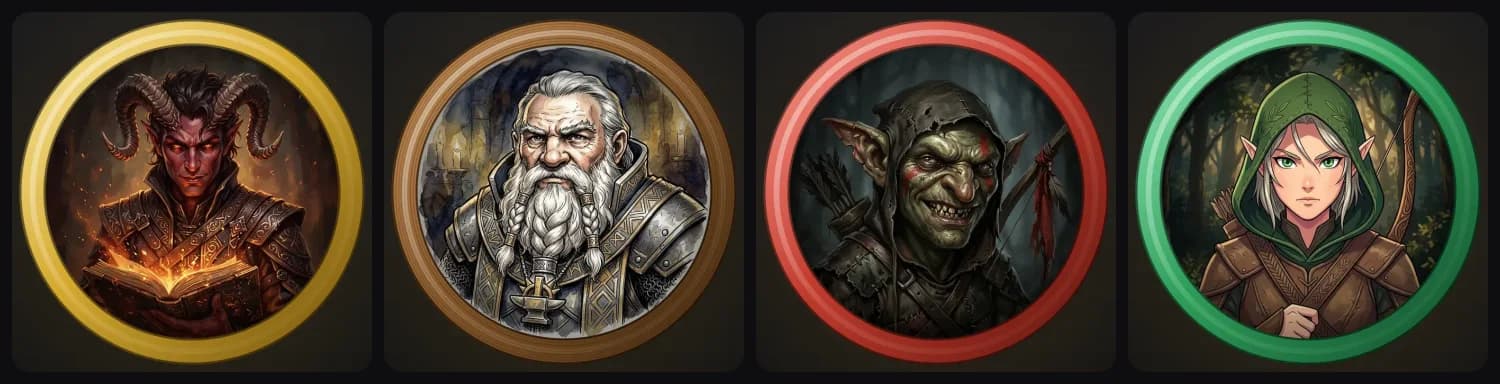
A tiefling warlock (Gold), a dwarf cleric in ink & wash (Wood), a goblin archer (Enemy) and an elf ranger in anime style (Ally).
There are four art styles: Painted, Ink & wash, Dark & gritty and Anime. Here's the same tiefling in all four:
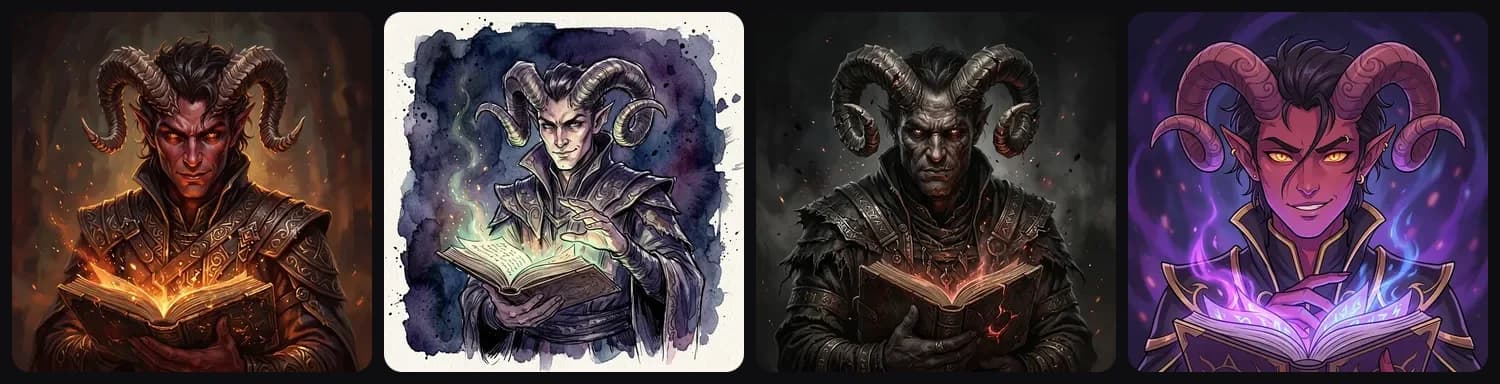
The ring is my favorite detail. Ally is green and Enemy is red, so everyone sees at a glance who's who on the map. And the ring is drawn right in your browser, so if you change your mind after the token is done, switching it takes a second and costs nothing.
Tips:
- Make the whole party in one style so the tokens match.
- Use Top-down framing if your map is drawn from above.
- Need a 3D version of the same character? The token page links straight to the miniature template.
5. Monster Miniature, now with D&D sizes
The Monster Miniature template already existed, but it had one problem for D&D players: the base size was a guess. Now you can pick the actual size category, Medium (25 mm), Large (50 mm), Huge (75 mm) or Gargantuan (100 mm), so your owlbear takes up the right number of squares.
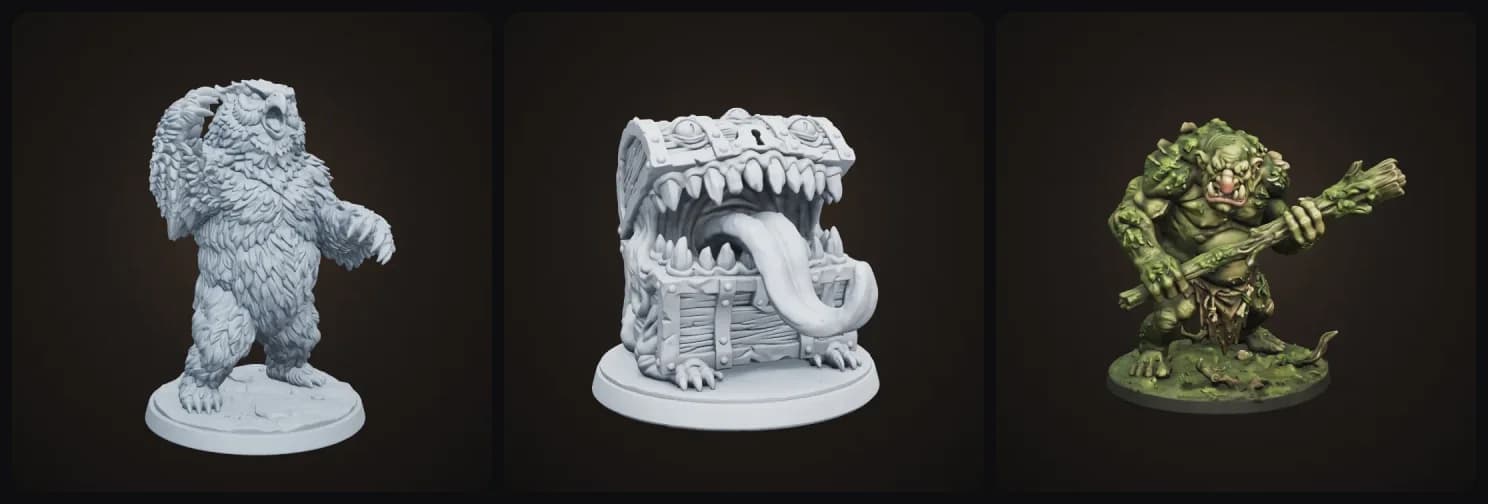
There's also a pose setting now (Menacing, Attacking or Roaring) and a bunch of ideas to start from if you're stuck: beholder, owlbear, lich, displacer beast, goblin war chief, gelatinous cube.
What it costs
You can try all of these for free when you sign up and see your result right in the browser. Downloading the files (STL and 3MF for prints, PNG for tokens) is part of the paid plans.
What's next
A dice tower is on my list. It's a lot harder to get right because the ramps inside have to actually work, and I'd like to take my time on it so it doesn't jam. If there's a D&D thing you'd love to print, let me know and it might be next.
In the meantime, go make your party. Start with the D&D Character Miniature, or browse all our templates.
More guides
More for your table: how to 3D print a dragon (the boss fight deserves a real one) and how to make a custom chess set in a fantasy theme. Want to play as yourself? Here's how to make a 3D printed figurine of yourself.
Stuck on who to play? Here are 50 D&D character ideas for every class. Once your mini is printed, my guide on how to paint 3D prints takes you from grey primer to finished, and if you're shopping for someone else, here are gifts for D&D players.

Generate 3D models with AI
Easily generate custom 3d models in seconds. Try it now and see your creativity come to life effortlessly!
FAQ
Can I make a miniature of my own D&D character?
Yes. Open the D&D Character Miniature template, pick your race and class, and describe what makes your character yours, like a scar, a pet raven or a weird hat. You can also upload your character art or a photo of yourself instead of typing. The template designs the miniature first and then builds it in 3D, so you get an STL or 3MF you can slice and print.
What scale are the miniatures?
Heroic 28 to 32 mm proportions on a 25 mm round base, or a 50 mm base when your character rides a mount. Check the base in your slicer and scale it so it matches your grid. Resin printers show the face and gear best at that size. On an FDM printer, a 50 to 75 mm display version works better.
Is this a Hero Forge alternative?
It works differently. Hero Forge gives you a library of parts to build from. Here you describe your character in your own words, or upload their art, and AI designs and builds it. That makes odd ideas easy, like a gnome riding a giant lizard. Hero Forge gives you more precise control over every part. If you want something nobody has a part for, this is the faster way.
Do the dice trays actually work for rolling dice?
Yes. The template keeps the floor flat and empty and puts all the theme on the walls and the rim, so dice roll and settle normally. You can pick a felt recess floor if you want to glue in a liner, which makes rolls much quieter.
How do I use the tokens in Roll20, Foundry or Owlbear Rodeo?
Download the PNG. The outside of the ring is transparent, so it drops straight onto any virtual tabletop as a token. Use the Ally and Enemy rings so everyone at the table can see who is who at a glance.
Is it free?
You can try every template for free when you sign up and see your result in the browser. Downloading the files (STL, 3MF and the token PNG) is part of the paid plans.