
How to 3D Print a Dragon: Designs, Settings and Making Your Own
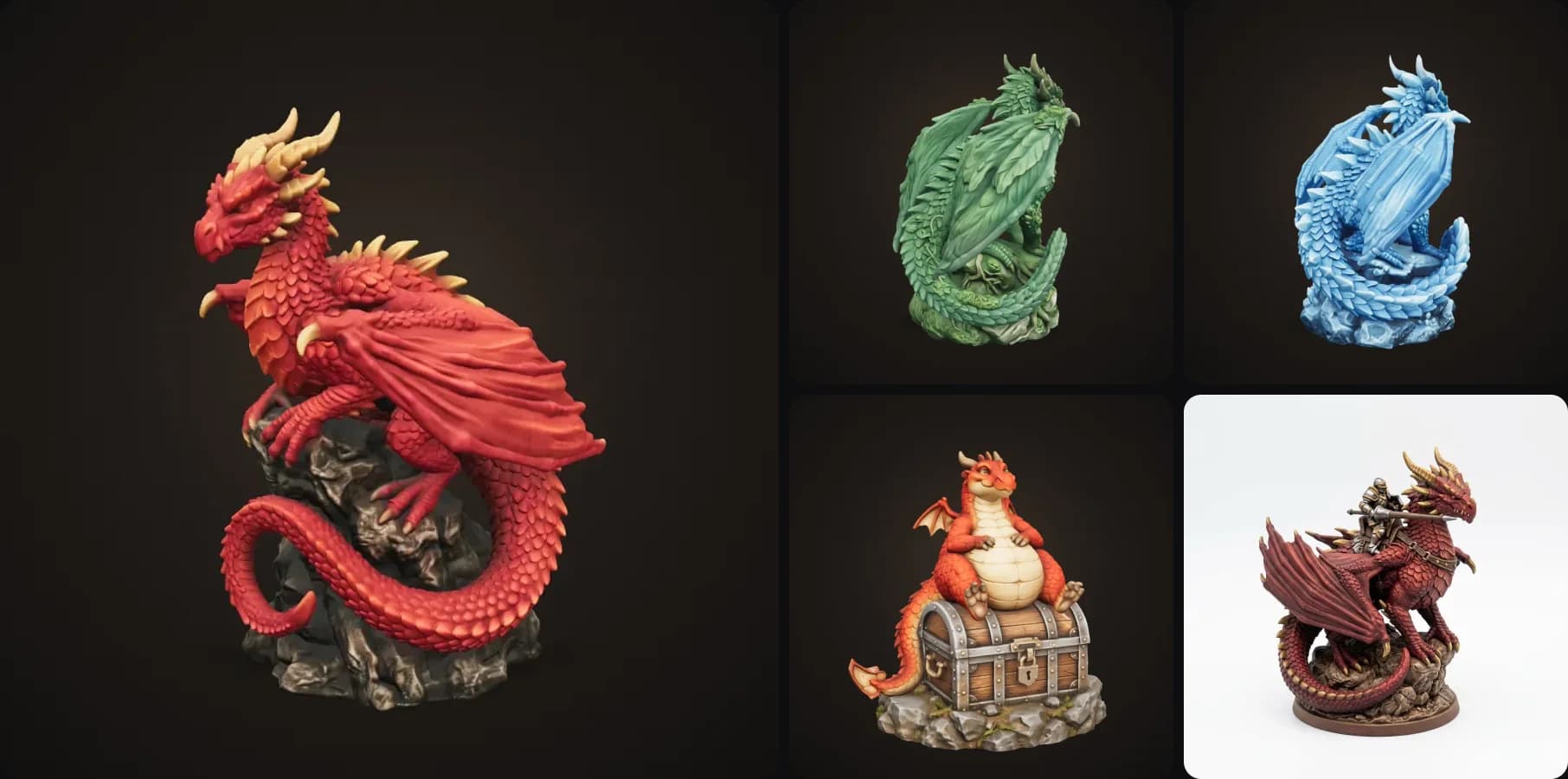
Dragons are probably the most 3D printed thing on the planet, right after Benchies. Everyone has printed a flexi dragon at some point, and then the next question is always: how do I print a really nice one? Or better, my own one?
In this guide I'll explain the difference between the two kinds of dragon prints, which settings work, why wings and horns snap so often and how to avoid it. And I'll show you how to design your own dragon in a couple of minutes without touching Blender.
- Flexi dragons are wiggly, print-in-place toys. Dragon sculptures are solid display pieces with a pose and a base.
- For sculptures on FDM: print 15 cm or larger, 0.12 to 0.16 mm layers, supports under the wings and chin.
- Most breakage comes from designs with thin, outstretched wings. Pick (or make) a pose with wings close to the body.
- To make your own, describe it in the Dragon Sculpture template and download the STL about 2 to 3 minutes later.
Flexi dragon vs dragon sculpture
Flexi dragons are articulated designs that print in place. They're made of lots of little linked segments, so the dragon wiggles straight off the bed. They print quickly and kids love them, and you'll find hundreds on Printables, Thingiverse and Cults3D, many from independent designers.
Dragon sculptures are solid display pieces, like a dragon perched on a rock or sitting on its hoard with its wings spread. They have a lot more detail and look much better on a shelf, which is why most people move on to them after a few flexi dragons.
This guide is mostly about sculptures, because that's where printing gets tricky and where a design of your own makes the biggest difference.
How to 3D print a dragon sculpture (settings)
| Setting | FDM | Resin |
|---|---|---|
| Size | 15 cm or larger | 6 to 15 cm |
| Layer height | 0.12 to 0.16 mm | 0.03 to 0.05 mm |
| Supports | Tree supports under wings, chin and tail | Light supports, angle the model 30 to 45° |
| Infill | 10 to 15% (gyroid) | Hollow with drain holes |
| Wall loops | 3 to 4 | n/a |
| Material | Matte PLA (hides layer lines) | Standard or ABS-like resin |
Matte PLA is underrated for dragons. It hides layer lines and makes scales read much better than glossy filament. Silk filaments look amazing on bronze and gold dragons.
Why dragon wings and horns break
Almost every failed dragon print breaks in the same places: thin wing membranes, long horns and tail spikes sticking out into the air. Anything under about 1.5 mm is fragile on FDM, and parts that stick out need supports, which are really hard to remove from a thin wing without breaking it. Thin parts that are printed across the layers also tend to snap along a layer line.
So the fix is mostly in the design. Wings folded or close to the body, horns that sweep back and a tail that curls around the base all print a lot more reliably. Dragons designed for printing look a bit more compact than concept art because of this, but they survive.
How to design your own dragon to 3D print
You don't need ZBrush or Blender for this anymore. Here's the easy way:
- Open the Dragon Sculpture template.
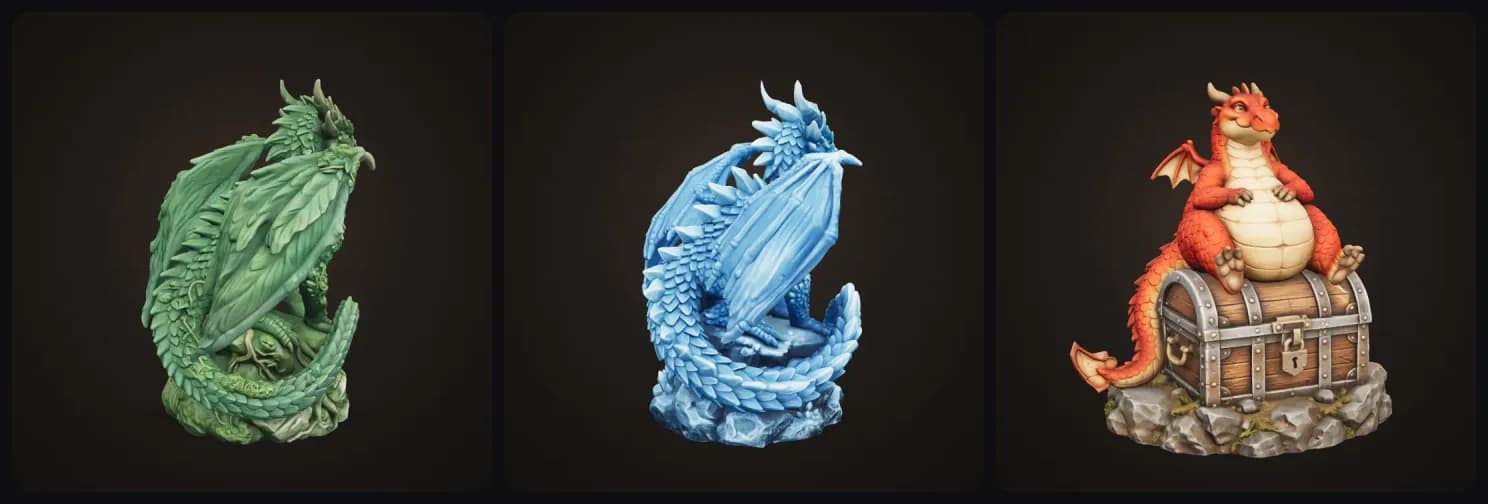
- Describe your dragon in one sentence. Colour, horns and one standout feature work best: "A crimson fire dragon with golden horns", "an icy blue frost dragon with crystal spikes". Or upload a drawing (your kid's dragon drawing works great).
- Pick a finish, a pose and a scene (more on those below).
- About 2 to 3 minutes later you get a 3D model. The template designs your dragon in a compact, sturdy pose on a base first, so wings and spikes don't snap, then builds the 3D model from that design.
- Download the STL or 3MF and print it.
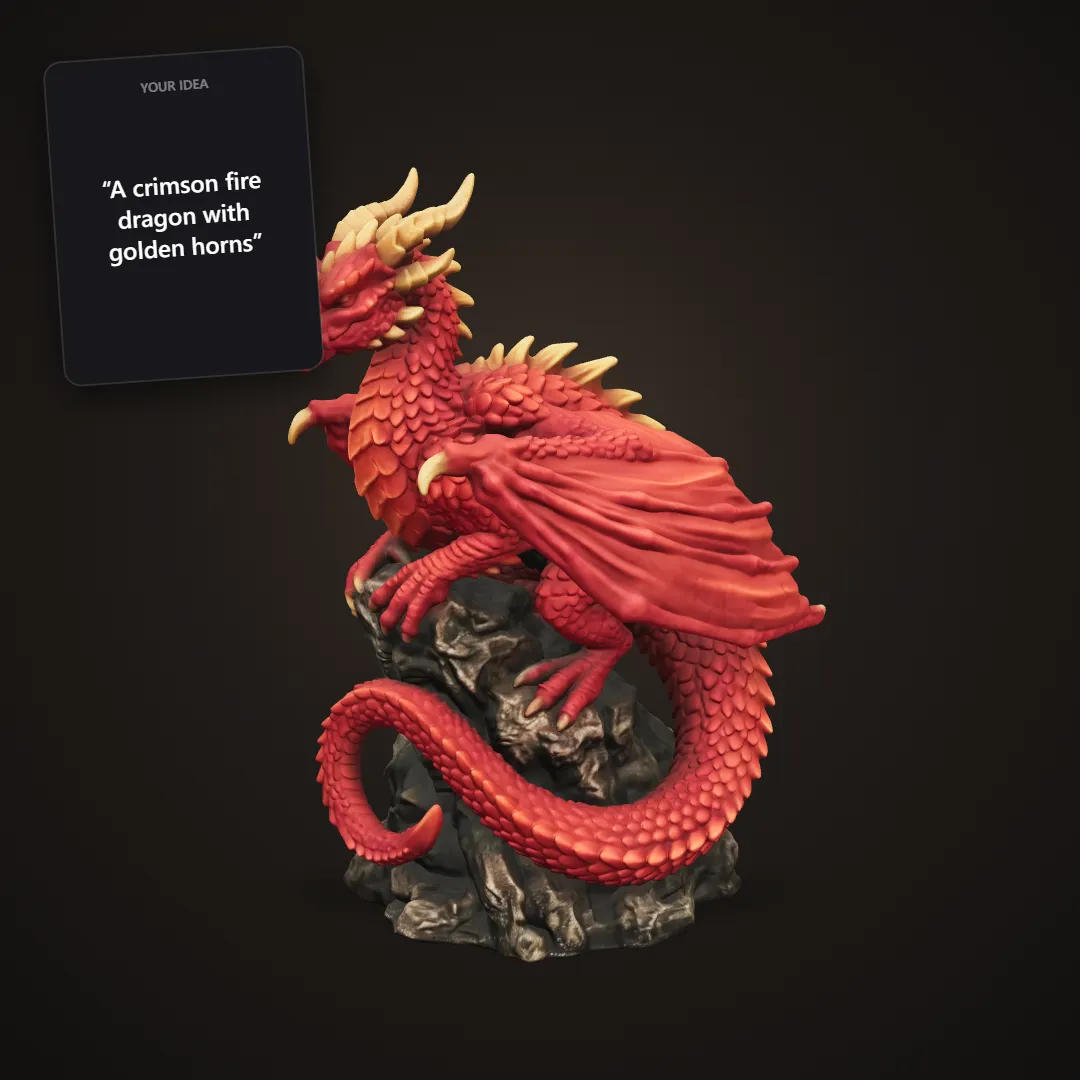
The card shows what was typed. The dragon is the 3D model that came out.
A few more from the same template, including one made from a pencil sketch:
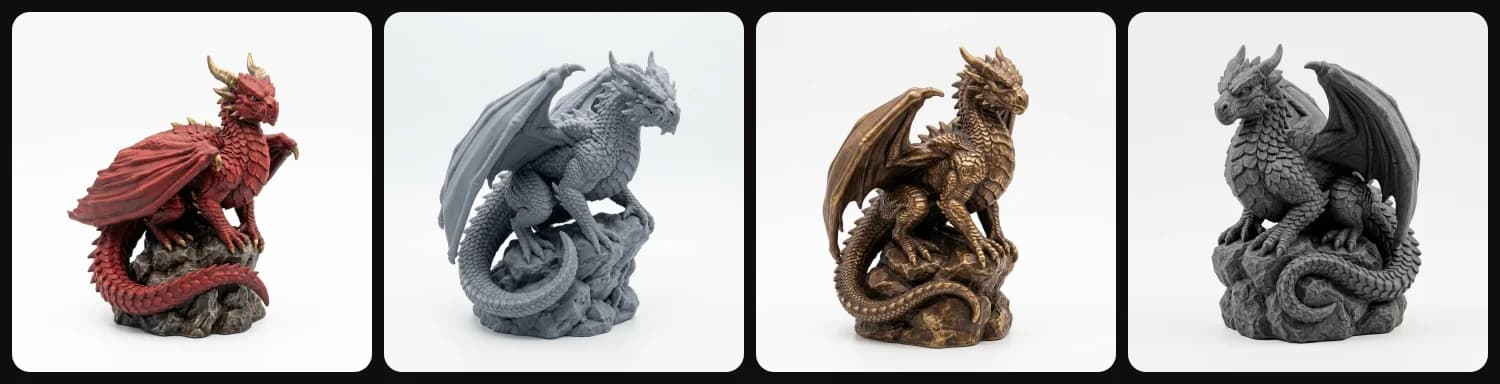
Finish
Painted gives you a full colour display piece, and grey primer is ready for you to paint. Bronze and Stone look like a cast statue, which works really well with silk or stone fill filament.
Pose
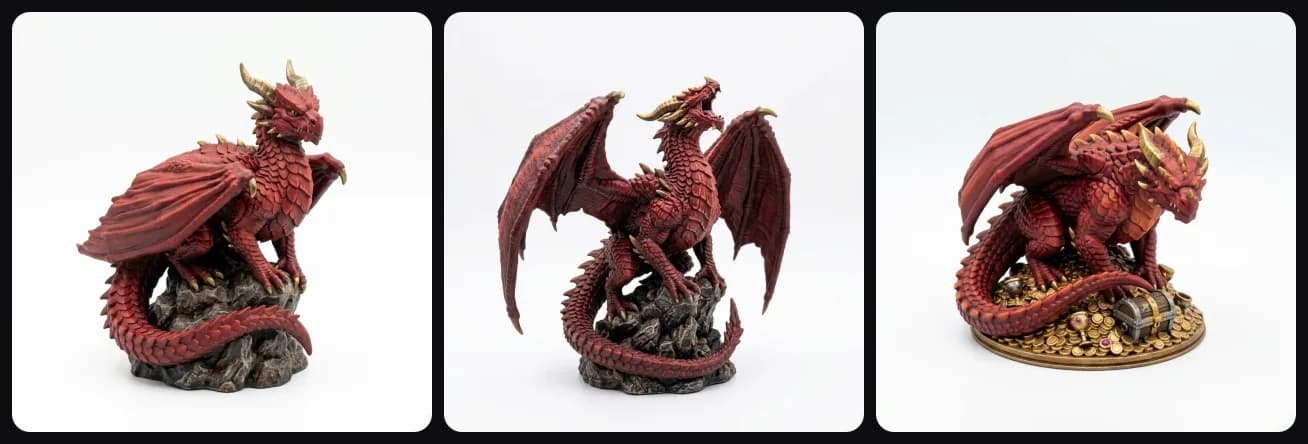
Perched on a rock, wings spread and roaring, or lying on a treasure hoard:
Scene
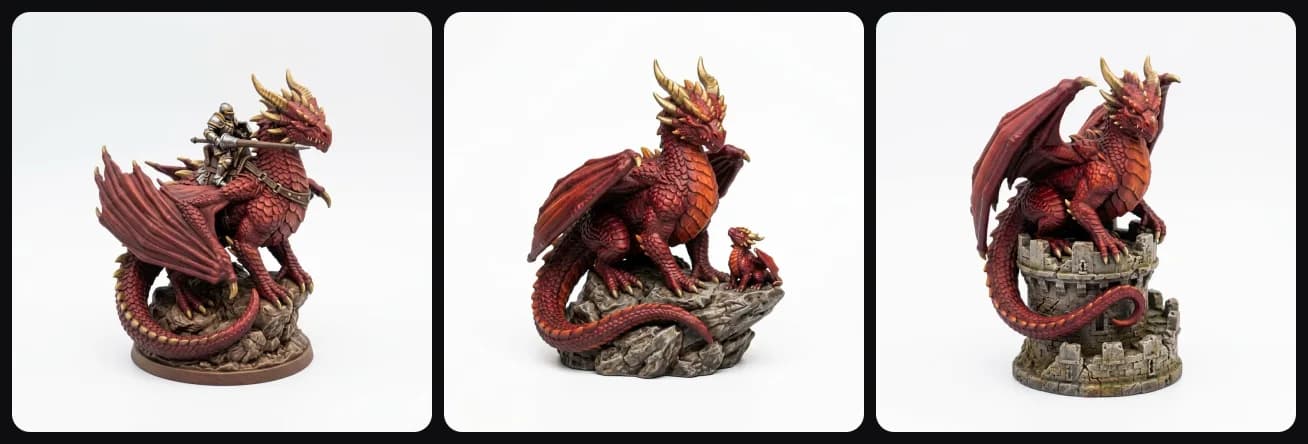
Add a knight riding it, a baby dragon next to it, or put it on top of a castle tower:
Painting a 3D printed dragon
If you print in grey primer, here's the classic order: a black or dark brown base coat, a mid tone, a dry brush of a lighter colour over the scales, then details (eyes, claws, horns) and a matte varnish. Dry brushing works really well on dragons because it picks out every scale.
Common mistakes
The most common one is printing too small on FDM. Below 10 cm the scales turn into mush, so go for 15 cm or bigger, or use resin. Normal supports under the wings are another one, since tree or organic supports come off a lot cleaner. Glossy filament shows every layer line on the scales, and wings that stick straight out look amazing in concept art but usually break during printing.
Getting started
Describe your dragon (or upload that sketch you've had in a drawer for years) in the Dragon Sculpture template. If you play D&D, the Monster Miniature template makes tabletop-scale dragons on a proper sized base too.
More guides
Dragon fan and D&D player? Here's how to make your own D&D miniatures, mimics, dice trays and tokens. Or give your dragons something to guard and make a custom 3D printed chess set in a fantasy theme.
Printed it in grey? Here's how to paint 3D prints step by step. And for more showpiece ideas, check out my list of cool things to 3D print.
Happy printing!

Generate 3D models with AI
Easily generate custom 3d models in seconds. Try it now and see your creativity come to life effortlessly!
FAQ
How long does it take to 3D print a dragon?
A 15 cm dragon sculpture takes about 6 to 12 hours on an FDM printer at 0.16 to 0.2 mm layers, depending on supports and detail. Small flexi dragons print in 2 to 5 hours. Resin prints are faster for small sizes because the whole layer cures at once.
What is the difference between a flexi dragon and a dragon sculpture?
A flexi dragon is an articulated print-in-place design whose segments wiggle when it comes off the bed. A dragon sculpture is a solid display piece with a pose, a base and much more detail. Flexi dragons are toys; sculptures are for the shelf.
How do I stop the wings and horns from breaking?
Use a design with wings and horns close to the body, print at 15 cm or larger on FDM, add supports under the wings and chin, and avoid paper-thin wing membranes. Resin prints handle fine detail better, but thin parts are still fragile.
Can I design my own dragon to 3D print?
Yes. In 3D AI Studio you describe your dragon or upload a drawing, and the Dragon Sculpture template designs it in a sturdy, printable pose on a base and builds the 3D model in about 2 to 3 minutes. You download it as STL or 3MF.
Should I print a dragon in resin or FDM?
Resin brings out the scales at small sizes (under 10 cm). FDM is great at 15 cm and up, especially for painted display pieces. For FDM, pick a design made for printing, with a wide base and solid wings.
Is it free?
You can try the dragon template for free when you sign up and see your dragon in 3D in the browser. Downloading the STL or 3MF is part of the paid plans.