
3D Printed Christmas Ornaments: Make a Custom One From a Photo
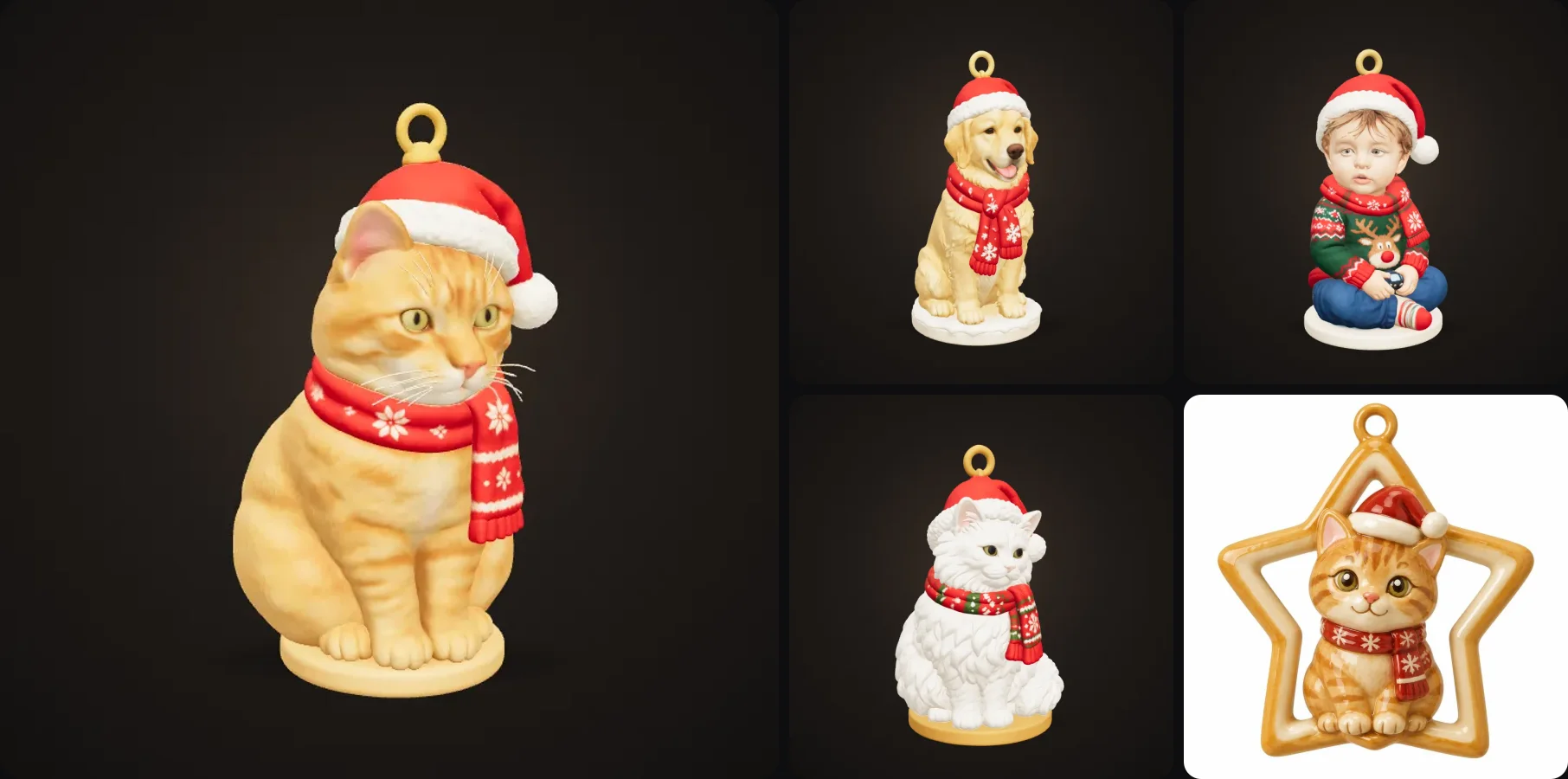
Every year I see the same thing: people want an ornament of their dog, their cat or their kid, and the only options are a generic shop ornament or a custom sculpt that costs a fortune and takes weeks. If you have a 3D printer (or know someone who does), there's a much better way.
You can turn one photo into a 3D printed Christmas ornament in a few minutes. In this post I'll show you how it works and what size to print, plus how to keep the hanging loop from snapping and some gift ideas.
- Upload a clear photo of your pet, your child or yourself to the Holiday Ornament template.
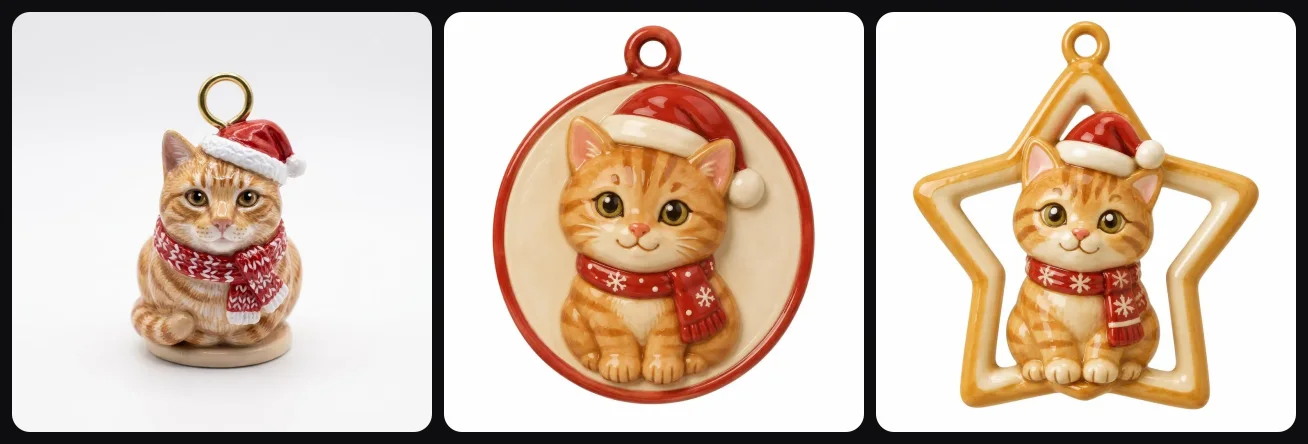
- Pick a style (Christmas, Winter or Halloween) and a shape (Little figure, Medallion or Star frame).
- About 2 to 3 minutes later you get an STL or 3MF with a hanging loop built in.
- Print it 6 to 8 cm tall in PLA with a small brim.
Can you 3D print a Christmas ornament from a photo?
Yes. AI image-to-3D tools can take a normal phone photo and turn it into a printable 3D model. For ornaments it works best to redraw the subject as a small, chunky figure first. Thin legs, whiskers and loose hair don't survive at 7 cm, and a realistic 3D scan of your dog would look a bit strange on a tree anyway.
The template does this for you. It redraws your subject as a cute, sturdy figure with a Santa hat, a scarf and a hanging loop on top, and then builds the 3D model from that design.
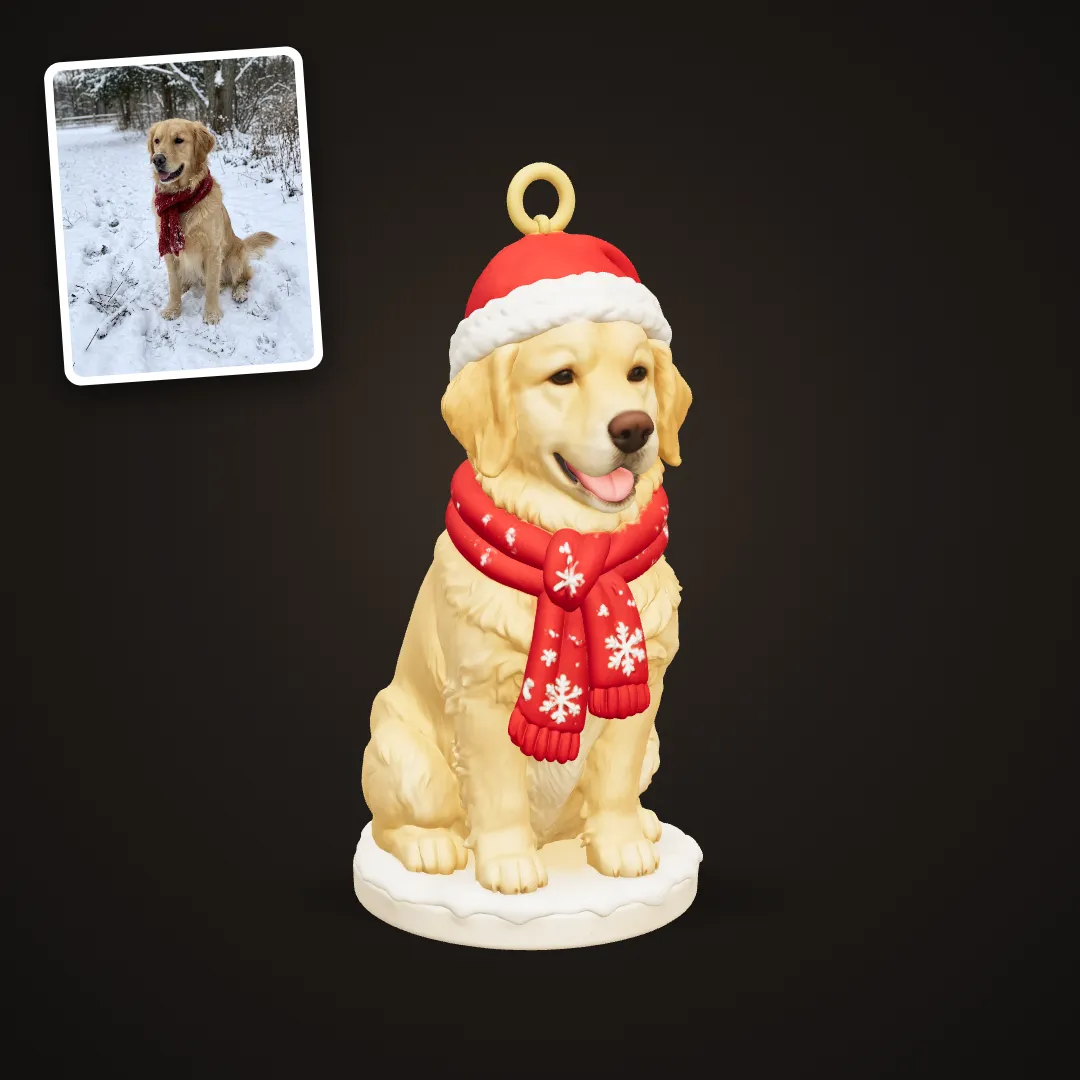
The photo in the corner is what went in. The ornament is what came out.
How to make a custom 3D printed ornament, step by step
- Pick the photo. A close-up where the face is clear and well lit works best. Pets and kids make the cutest ornaments. Blurry photos or photos where the face is tiny make it harder.
- Upload it to the Holiday Ornament template. A free account is all you need to start.
- Pick a style and a shape (more on those below).
- Wait about 2 to 3 minutes. First the AI draws the ornament design, then it builds the 3D model.
- Download the STL or 3MF and open it in your slicer (Bambu Studio, PrusaSlicer, Cura, Orca). Or send it to a print service.
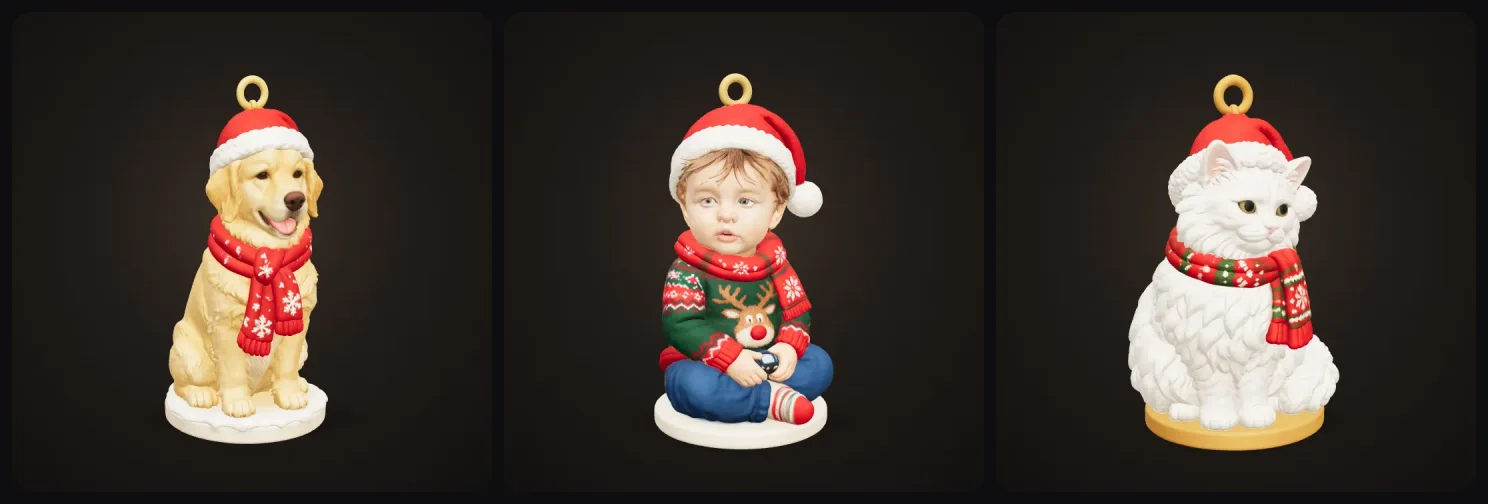
Here are a few more that came out of the same template:
Styles and shapes
The style sets the mood. Christmas gives you the Santa hat and red scarf, Winter goes for a cosy knitted look, and Halloween turns the same photo into a spooky ornament (yes, people hang those too, and it's a great October gift).
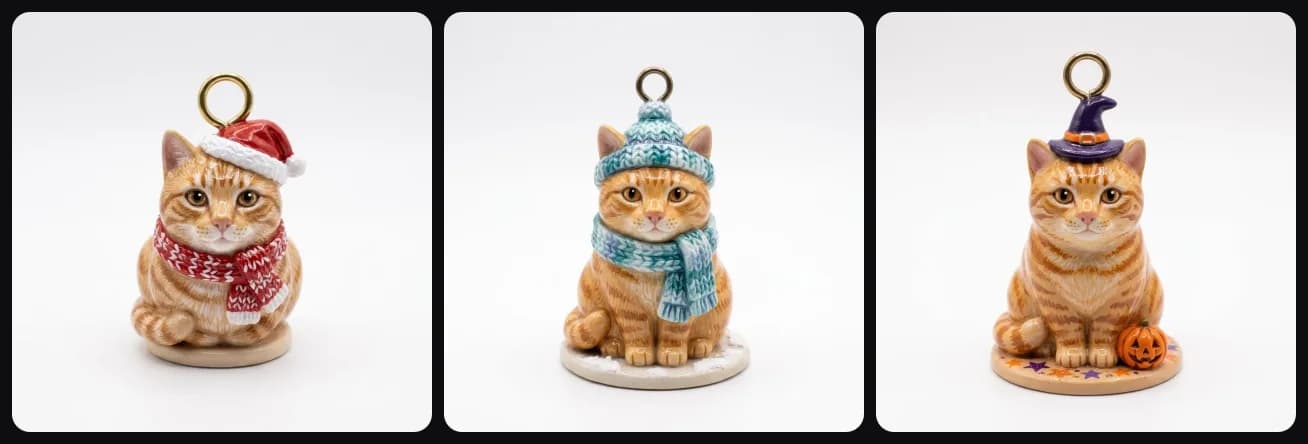
The shape decides how it hangs. Little figure is a full 3D mini figure on a small base. Medallion is a flat round ornament with your subject in relief, which hangs nicely and prints fast. And Star frame puts your pet inside a star, which is my favourite for the top branches.
What size should a 3D printed ornament be?
I'd go for 6 to 8 cm tall, which is about the size of a normal glass bauble. The face is still clear at that size and it won't bend the branch. You set the size in Print Export (or just scale it in your slicer).
| Recommendation | |
|---|---|
| Height | 6 to 8 cm |
| Hanging loop | at least 2 mm thick |
| Material | PLA (silk PLA for star frames) |
| Layer height | 0.12 to 0.16 mm for the face |
| Bed adhesion | a small brim, ornaments have small bases |
| Supports | only under the hat brim or chin if your slicer asks |
How to make sure the loop doesn't break
The hanging loop is part of the design, so it prints together with the ornament. Make sure it's at least 2 mm thick, and if the slicer preview shows a thin ring, scale the whole ornament up a little. Print it upright too, so the layers go around the ring and it doesn't snap along a layer line.
If the loop still ends up too thin, you can drill a 1.5 mm hole and glue in a small metal eye pin instead. A lot of ornament makers do that anyway.
Painting and colour
The classic way is to print in white or grey PLA and paint it with acrylics and a matte varnish, which looks the most like a handmade ornament. If you have a multi colour printer, you can colour the hat, scarf and loop in your slicer and let the AMS do the rest. And if you don't own a printer, a print service can print it in full colour for you.
Gift ideas that work really well
- Pet ornaments with the year on the base. Add a small text plate in your slicer.
- A set for the whole family. Everyone uploads one photo, same style, and they look like a matching set on the tree.
- First Christmas ornaments for new parents, from a baby photo.
- Memorial ornaments for a pet that passed away, which mean a lot to the people who get them.
- Halloween ornaments if you're one of those people who decorates in October.
- An elf version of someone, for the mantel instead of the tree. The Christmas Elf of You template turns a photo of a person or pet into a full Christmas elf figurine, and Elf Head of You makes only the head and neck as a little bust.
Common mistakes
The most common mistake is a photo where the face is tiny, so crop it first until the subject fills most of the frame. Printing too small is another one, because below 5 cm the face loses its details. Small bases also like to tip over during the print, so use a brim, and print the ornament upright so the loop doesn't break.
Getting started
Grab your favourite photo and try the Holiday Ornament template. If you'd rather make a full-size figurine instead of an ornament, the Photo to Figurine and Pet Figurine templates work the same way.
November is when everyone starts printing ornaments, so it's worth starting a bit early if you want to make a few.
More guides
Making more gifts this year? A photo lithophane glows like a little night light and takes seconds to make, and custom cookie cutters turn any drawing into Christmas cookies. If you want a bigger keepsake than an ornament, here's how to make a 3D printed figurine of yourself or your pet.
Need presents to go under the tree as well? Here are 20 3D printed gift ideas for partners, parents, kids and pet lovers.
Merry Christmas and happy printing!

Generate 3D models with AI
Easily generate custom 3d models in seconds. Try it now and see your creativity come to life effortlessly!
FAQ
Can I 3D print a Christmas ornament of my pet?
Yes. Upload a clear photo of your pet to the Holiday Ornament template in 3D AI Studio. It redraws your pet as a small, chunky figure with a Santa hat, a scarf and a hanging loop, then builds a 3D model you can download as STL or 3MF and print at home.
What size should a 3D printed Christmas ornament be?
6 to 8 cm tall is the typical size for a tree ornament. It's big enough to show the face and small enough to hang on a normal branch without bending it.
How thick should the hanging loop be?
At least 2 mm. Thinner loops snap when you put a hook through them. If yours comes out thin, drill a small hole and glue in a metal eye pin instead.
What filament is best for Christmas ornaments?
PLA is perfect. Ornaments hang indoors and don't need heat or impact resistance. Silk PLA in gold or silver looks great for star frames, and a white PLA print is easy to paint.
Do I need a 3D printer?
No. You can upload the STL to an online print service or a local print shop and have it printed and shipped. Many shops also print in full colour.
Is it free?
You can try the template for free when you sign up and see your ornament in 3D in the browser. Downloading the STL or 3MF is part of the paid plans.