
How to Make a Custom Cookie Cutter From Any Drawing or Shape
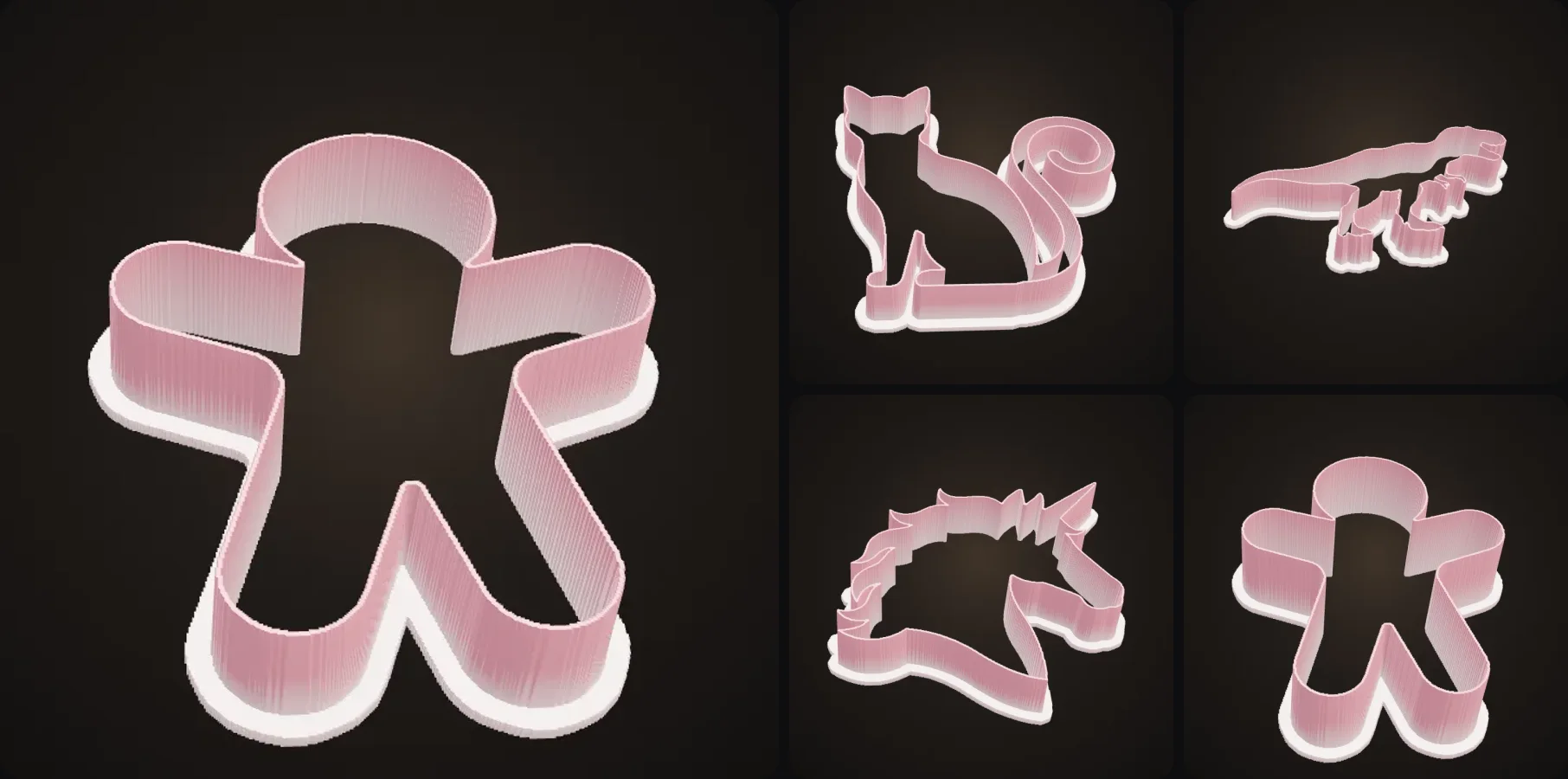
Custom cookie cutters are such an underrated 3D print. They print in minutes, cost a few cents of filament, and you can turn pretty much any drawing or logo into cookies, like your kid's drawing of the family dog or your company logo for the office party.
In this guide I'll show you how to make one from any shape. I'll cover which image to start with, the right wall thickness and depth, how to print it and what you should know about food safety.
- Start from a dark, filled silhouette on a white background.
- Upload it to the Cookie Cutter Maker. It builds the cutter right in your browser, instantly.
- Pick a size (60, 80 or 100 mm) and a depth (12, 15 or 20 mm).
- Print lip-down in food-safe PLA or PETG at 100% infill. Wash by hand in cool water.
How does a cookie cutter generator work?
A cookie cutter is just the outline of a shape, raised into a thin wall, with a wider lip on top so it doesn't hurt your hand. A generator finds the outline of the dark shape in your image, offsets it into a thin cutting wall, adds the lip, and gives you an STL.
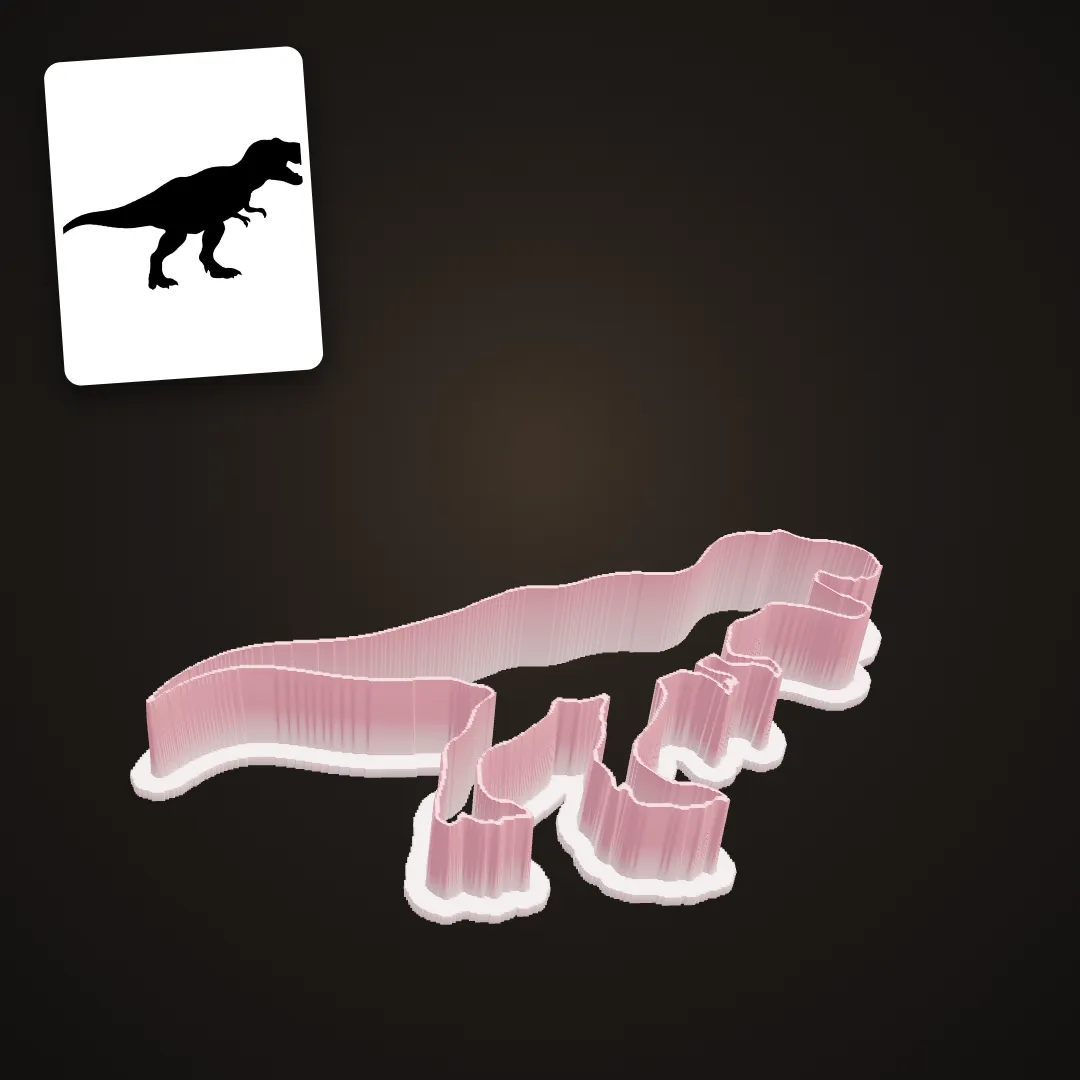
The silhouette in the corner went in, the cutter is what came out.
Step by step: how to make a custom cookie cutter
- Get a silhouette. You can draw one, trace a photo or use a logo. It needs to be a filled dark shape on white, so if you only have an outline, close every gap and fill it in.
- Upload it to the Cookie Cutter Maker. It runs in your browser, so the cutter appears in seconds and uses no credits.
- Pick the size (60, 80 or 100 mm across) and the depth (12, 15 or 20 mm).
- Check the preview for parts that are too thin.
- Download the STL and print it.
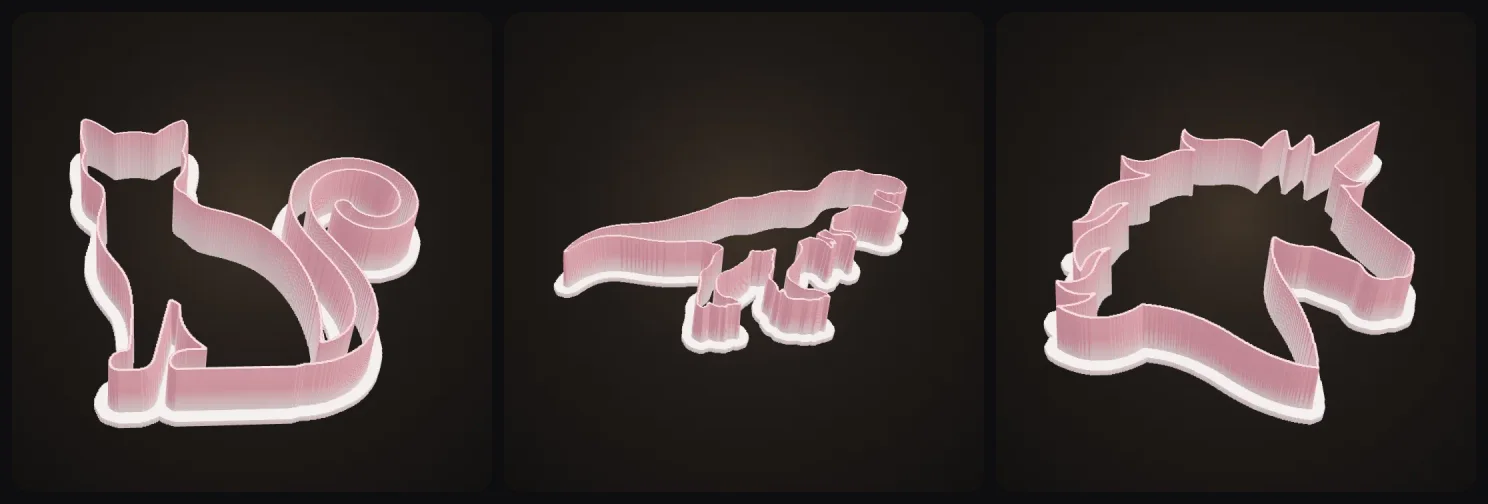
A few more made the same way:
Wall thickness and depth
| Recommendation | |
|---|---|
| Cutting edge | about 0.8 to 1 mm |
| Pressing lip | about 3 mm wide |
| Depth for thin cookies | 12 mm |
| All-round depth | 15 mm |
| Thick cookies, fondant, play dough | 20 mm |
| Smallest feature | about 3 mm wide |
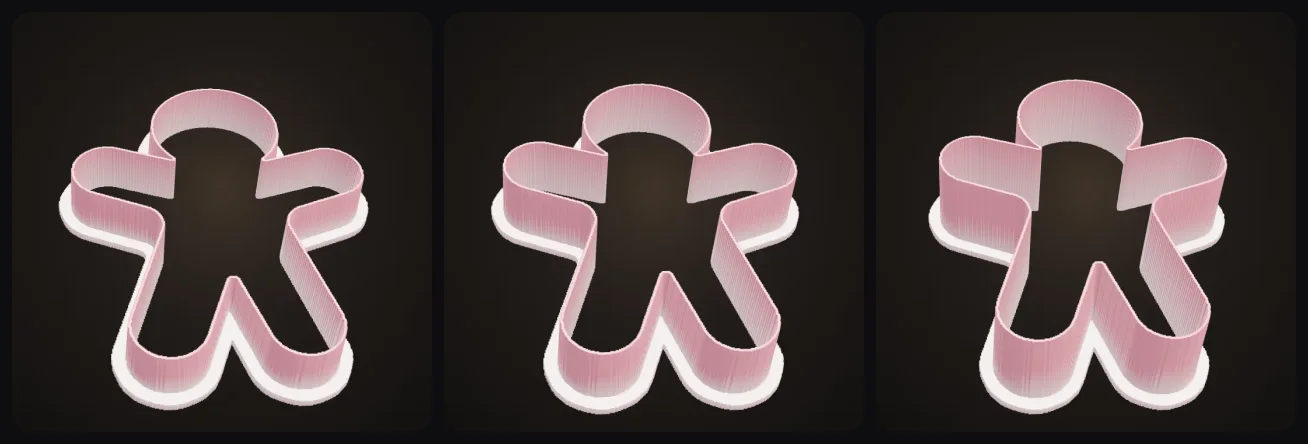
The Cookie Cutter Maker uses a 0.9 mm cutting wall and a 3 mm lip, so you can print it as is. Depth is your choice:
How to print a cookie cutter
| Setting | Value |
|---|---|
| Material | Food-safe PLA or PETG |
| Orientation | Lip down on the bed |
| Infill | 100% (it's mostly walls anyway) |
| Layer height | 0.2 mm |
| Supports | none |
| Nozzle | a clean one, ideally stainless steel |
Printing lip-down means the thin cutting edge is the last thing printed, so it ends up crisp and slightly sharper.
Are 3D printed cookie cutters food safe?
They're safe enough for short contact with dough if you're a bit careful, but they're not the same as a metal cutter.
Use a food safe filament. Many PLA and PETG brands are made from food safe materials, but stay away from filaments with glitter or metal fill. Dough gets stuck in the layer lines, so wash the cutter by hand in cool water right after using it. Hot water and the dishwasher will warp PLA. If you want to be extra careful, wrap the cutting edge in cling film, or just reprint your cutters every season.
Which shapes work best?
Chunky silhouettes work best, like animals, stars, hearts, gingerbread people or logos. Keep the outline simple without thin necks or tails, and make sure you can still tell what it is from the outline alone, because only the outer outline is used.
Photos of real objects don't work well (draw a silhouette first), and neither do parts thinner than about 3 mm, since the dough won't come out. Inner lines get ignored, so if you want details pressed into the dough, you'd need a cookie stamp. And for perfectly sharp outlines from a vector file (an SVG logo), use SVG to 3D.
Fun ideas
- Your kid's drawing as cookies. Take a photo, fill in the shape and print it. Kids love this one.
- Pet-shaped cookies from a silhouette of your dog.
- Logo cookies for a company event or a product launch.
- Holiday sets: trees, stars and gingerbread people for Christmas, pumpkins and bats for Halloween.
Getting started
Draw a shape, take a photo of it and drop it into the Cookie Cutter Maker. The cutter is ready in seconds, so it can be printing while you make the dough.
More guides
Baking for the holidays? Pair your cookies with 3D printed Christmas ornaments of your pet or kids. More fast, useful prints: planters and vases you design yourself and photo lithophanes.
I also have a list of useful things to 3D print. And if you're baking with kids, you can turn their drawing into a real toy too, here are my favourite 3D printed toys.
Happy baking!

Generate 3D models with AI
Easily generate custom 3d models in seconds. Try it now and see your creativity come to life effortlessly!
FAQ
How do I make a custom cookie cutter?
Start from a dark, filled silhouette on a white background, like a drawing, a logo or a shape. Upload it to a cookie cutter generator such as the Cookie Cutter Maker in 3D AI Studio, which finds the outline and builds a cutter with a thin cutting edge and a wider pressing lip, right in your browser. Then print it lip-down in PLA or PETG.
Are 3D printed cookie cutters food safe?
They can be used safely for short contact with dough if you print in a food-safe PLA or PETG, use a clean nozzle, and wash them by hand in cool water. Layer lines can trap dough and bacteria, so many bakers treat printed cutters as single-season tools or line them with cling film.
How thick should a cookie cutter wall be?
About 0.8 to 1 mm at the cutting edge, with a wider lip of about 3 mm at the top so it's comfortable to press. Thinner walls cut better but flex; thicker walls are sturdy but squash the dough.
How deep should a cookie cutter be?
12 to 20 mm. 12 mm is fine for thin sugar cookies, 15 mm is a good all-round depth, and 20 mm suits thick cookies, fondant and play dough.
What image works best for a cookie cutter?
A dark, filled shape on a white background with a clear outline. Photos of objects don't work well; draw or find a silhouette first. Avoid parts thinner than about 3 mm, like tails and legs, because dough won't release from them.
Is the cookie cutter maker free?
Making and previewing the cutter in 3D AI Studio is free: it's built in your browser and uses no credits. Downloading the STL is part of the paid plans.