
Best All-in-One AI 3D Platforms in 2026 (Multiple Models, One Place)
Quick answer: The best all-in-one AI 3D platform in 2026 is 3D AI Studio, because it runs multiple 3D engines (Rodin, Tripo, Hunyuan3D, Trellis, and more) plus texturing, remeshing, image generation, and video in one workspace and one subscription. For developers who want API access to many models, fal.ai and Replicate lead, and ComfyUI is the best free, self-hosted route.
Most "AI 3D tools" give you exactly one generation model. But the best results come from using the right model for each job - which means the smartest platforms are the ones that bundle many models together. These all-in-one, multi-model platforms are still rare, so this guide compares the genuine options honestly, for both creators and developers.
- Best all-in-one for creators: 3D AI Studio - many 3D engines + texture + image + video, one subscription.
- Best aggregators for developers: fal.ai and Replicate (API access to many models).
- Best free / self-hosted: ComfyUI (run multiple open models locally).
- All-in-one pipelines (single engine): Meshy and Tripo - full pipeline, but one generation model each.
- Why it matters: no single model wins everything, so multi-model beats single-model.
Best All-in-One AI 3D Platforms at a Glance
| Platform | Type | Models | Beyond 3D | Best for |
|---|---|---|---|---|
| 3D AI Studio | Multi-model suite | Many (Rodin, Tripo, Hunyuan3D, Trellis...) | Image + video + tools | Creators who want everything |
| fal.ai | Developer aggregator | Many (via API) | Image + video | Developers |
| Replicate | Developer aggregator | Many (via API) | Broad ML | Developers |
| ComfyUI | Self-hosted aggregator | Many open models | Image + more | Technical / free |
| Meshy | All-in-one pipeline | One engine | Texture + rig | Single-tool game assets |
| Tripo | All-in-one pipeline | One engine | Texture + rig | Single-tool fast assets |
What Makes a Platform Truly "All-in-One"
There are two different meanings of all-in-one, and it is worth separating them:
- Multi-model - runs several different generation engines, so you can pick the best one per job and compare results.
- Full-pipeline - covers the steps (generate, texture, rig, export) but with a single generation model.
The best platforms do both. When comparing, look for:
- How many generation models you can actually choose between.
- Breadth beyond 3D - texturing, image generation, and video in the same place.
- Workflow integration - remesh, texture, and rig without exporting elsewhere.
- Ease of access - no-code for creators vs API/setup for developers.
- One subscription instead of several.
Pro tip: A tool that does generation, texturing, and rigging is full-pipeline - useful, but it still uses one model. If you want to choose between engines (fast vs detailed vs image-to-3D), you specifically need a multi-model platform.
1. 3D AI Studio - Best All-in-One for Creators
3D AI Studio is the most complete all-in-one for end users because it is both multi-model and full-pipeline. Run several 3D engines - Rodin, Tripo, Hunyuan3D, Trellis 2, and more - then texture, remesh, and rig the result, plus generate images and video, all in one workspace.
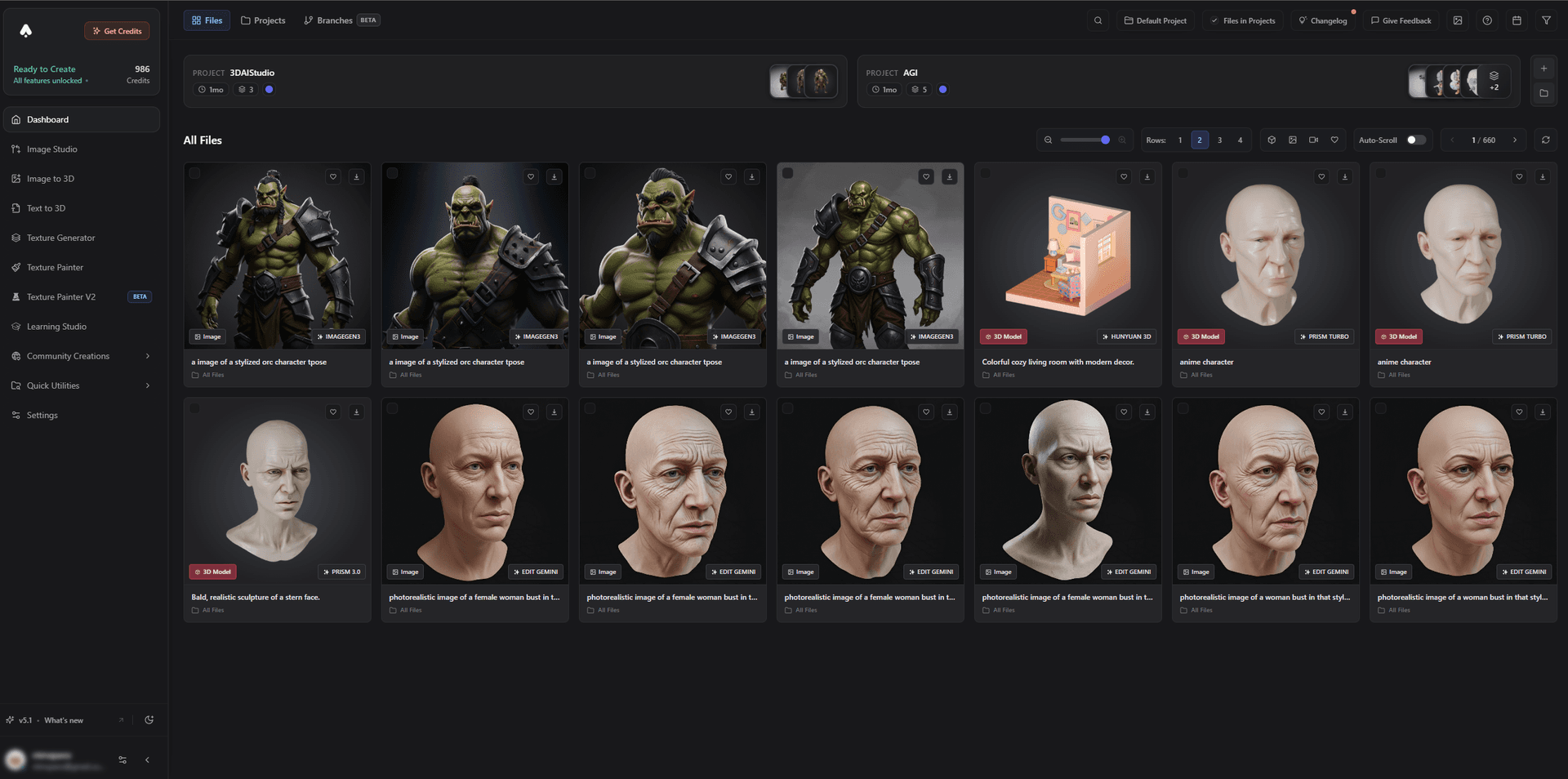
The practical payoff is the multi-model workflow done right: run the same input across engines, compare, and finish the winner without leaving the app.
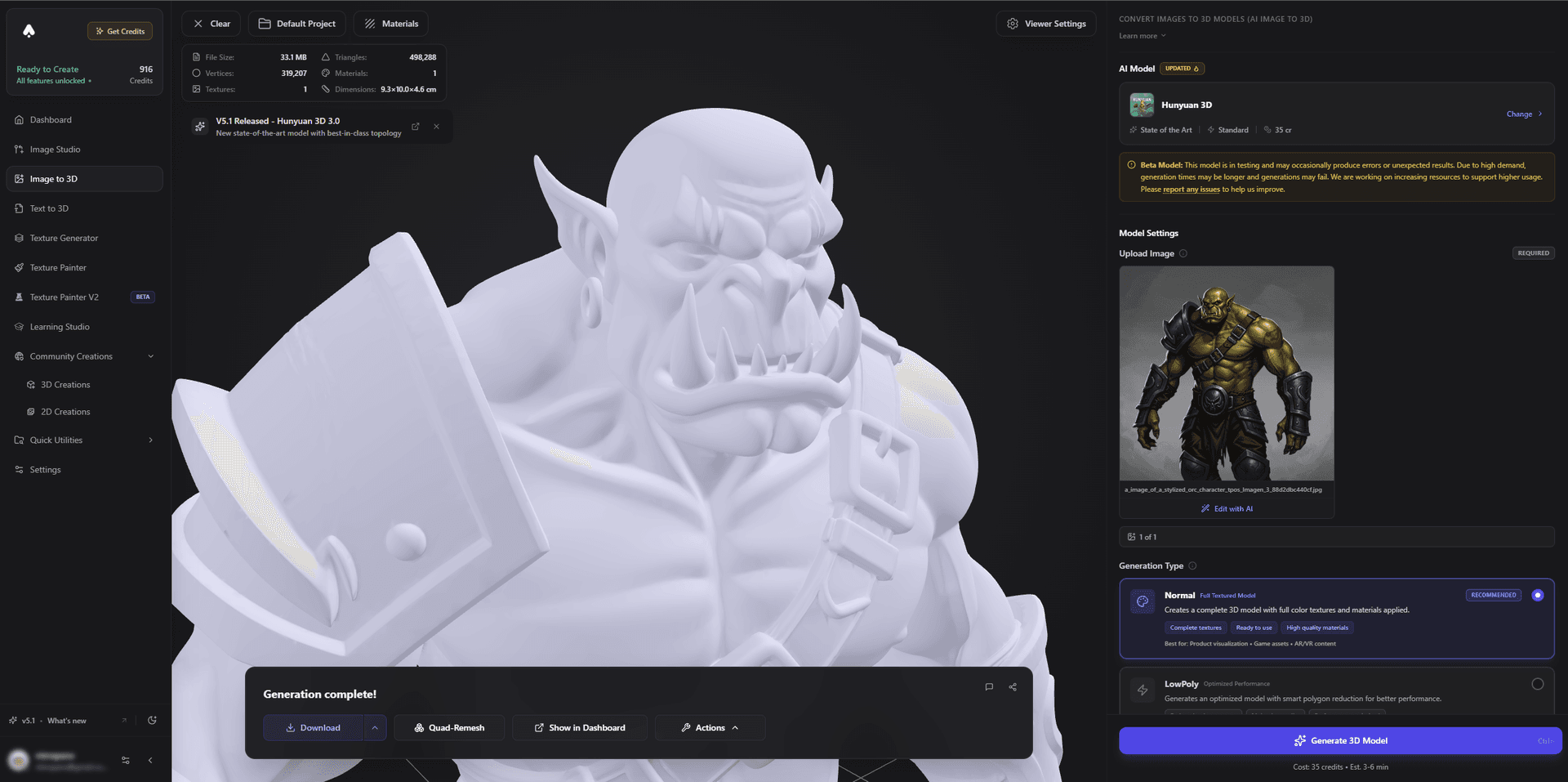
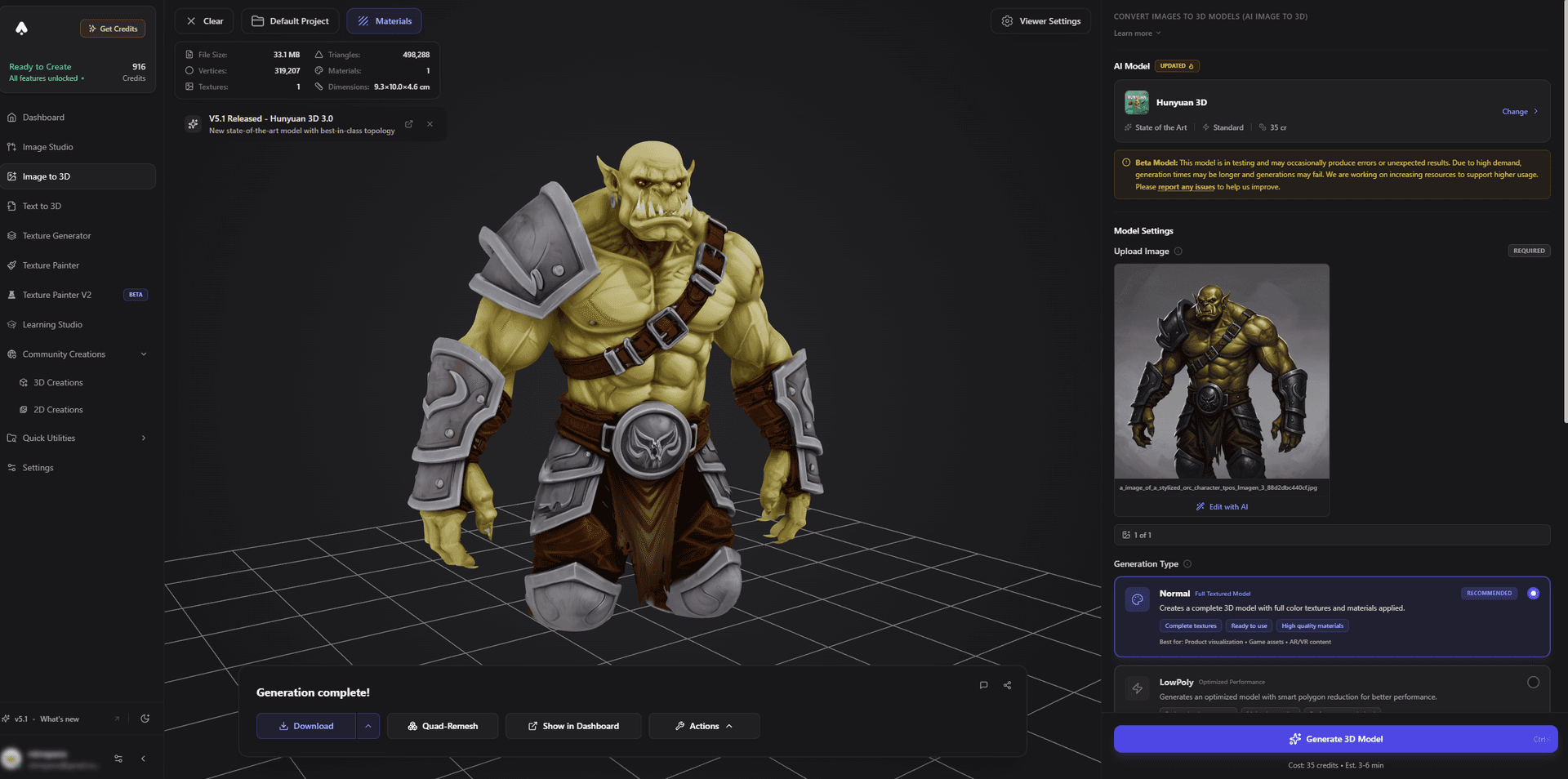
Best for: Creators, game devs, and makers who want many models and a full pipeline without juggling tools.
Pros:
- Multiple generation engines plus texturing, remeshing, and rigging
- Image generation and video in the same workspace
- No-code and beginner-friendly; one subscription covers it all
- Models, image, and video tools share one library; an API is available too
- Free tier and affordable pricing
Cons:
- The breadth means a short learning curve to discover your favorite per-job workflow
2. fal.ai - Best Aggregator for Developers
fal.ai gives developers fast API access to many 3D and image models behind one interface, with tuning controls. It is built for integrating model choice into your own product or pipeline.
Best for: Developers who want many models via API.
Pros: Many models, fast inference, developer-focused tooling.
Cons: API-first - not a no-code creator app.
3. Replicate - Best Broad ML Aggregator
Replicate hosts a huge range of models, including 3D and image generators, all callable via API. It is a flexible backbone for developers who want to mix and match.
Best for: Developers wanting broad model access.
Pros: Enormous model catalog, simple API, pay-as-you-go.
Cons: Developer tool; you build the experience around it.
4. ComfyUI - Best Free, Self-Hosted Aggregator
ComfyUI lets technical users run many open 3D and image models in node-based graphs on their own hardware - effectively a free, self-hosted aggregator with total control.
Best for: Technical users who want free, local, multi-model control.
Pros: Free, open, runs many open models, fully customizable.
Cons: Setup, a capable GPU, and a learning curve.
5. Meshy and Tripo - Best All-in-One Pipelines (Single Engine)
Meshy and Tripo are excellent full-pipeline tools - generation, texturing, and rigging in one flow - but each runs its own single generation model. They are all-in-one in the pipeline sense, not the multi-model sense.
Best for: Users happy with one engine who want a smooth pipeline.
Pros: Polished, integrated, beginner-friendly.
Cons: One generation model, so you cannot switch engines per job.
How to Choose a Multi-Model Platform
- Decide your role. Creator (no-code) or developer (API)?
- Count the models. How many generation engines can you actually choose between?
- Check the breadth. Do you also need texturing, image, and video in the same place?
- Check the workflow. Can you remesh, texture, and rig without exporting?
- Compare cost. One subscription is usually cheaper than several single-model tools.
- Test the per-job workflow. Run one input across engines and see how easily you can compare and finish.
Pro tip: The real value of an aggregator is not "more models" for its own sake - it is being able to pick the right model for each object and finish the asset in one place. Judge a platform by how smoothly it supports that loop.
The Bottom Line
True multi-model AI 3D platforms are still rare, which is exactly why they are valuable: no single model wins everything. For creators, 3D AI Studio is the best all-in-one because it pairs many generation engines with a full texture, image, and video pipeline in one subscription. For developers, fal.ai and Replicate lead, and ComfyUI is the best free, self-hosted route.
Start by running a model in one workspace, and read our guide on how to use multiple AI 3D models and pick the right one for each job.

Generate 3D models with AI
Easily generate custom 3d models in seconds. Try it now and see your creativity come to life effortlessly!
FAQ
What is an all-in-one AI 3D platform?
An all-in-one (or multi-model) AI 3D platform runs several different 3D generation models in one workspace, often alongside texturing, remeshing, rigging, image, and video tools. Instead of subscribing to one single-model tool, you can pick the best engine for each job in one place. 3D AI Studio is the leading example for end users.
What is the best multi-model AI 3D platform in 2026?
For end users, 3D AI Studio is the best because it runs multiple 3D engines (Rodin, Tripo, Hunyuan3D, Trellis, and more) plus texturing, image, and video tools in one subscription, and it also offers a multi-model API for developers. fal.ai and Replicate are options for pure API access, and ComfyUI is a free self-hosted route.
Why use a multi-model platform instead of a single AI 3D tool?
No single model is best at everything - one is fastest, another has the best geometry, another excels at image-to-3D. A multi-model platform lets you choose the right engine per object, compare results side by side, and finish the asset without juggling several accounts and subscriptions.
Are Meshy and Tripo all-in-one platforms?
Meshy and Tripo are all-in-one pipelines in the sense that they cover generation, texturing, and rigging, but each uses its own single generation model. A multi-model platform like 3D AI Studio additionally lets you switch between several different generation engines, which a single-model tool cannot.
What is the best AI 3D model aggregator for developers?
3D AI Studio offers a multi-model API, so developers get many engines (Hunyuan3D, TRELLIS.2, Tripo, and more) behind one managed integration, with texturing and mesh tools included. Pure model aggregators like fal.ai and Replicate also expose many models via API, and ComfyUI is a free self-hosted route for running open models locally.
Is it cheaper to use one multi-model platform than several tools?
Usually yes. Paying for several single-model tools adds up fast, and you still have to move files between them. A multi-model platform consolidates the models and the workflow into one subscription, which is typically more cost-effective and far less hassle.