
Trellis 2 vs Hunyuan 3D: Key Differences Explained
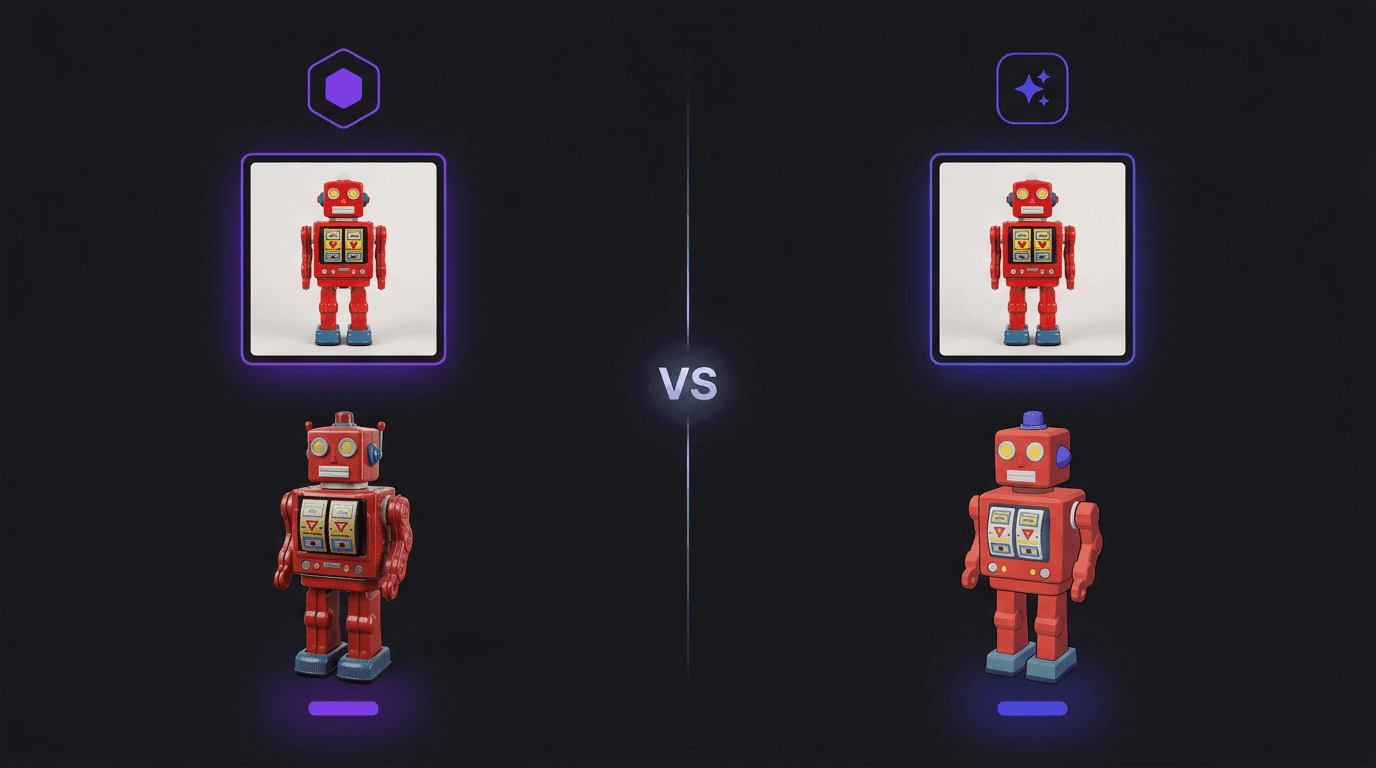
Both Trellis 2 and Hunyuan 3D are solid AI models for generating 3D assets, and both are available on 3D AI Studio. But they're built for different situations. Here's an honest look at how they compare and when to use each one.
Quick Comparison
| Trellis 2 | Hunyuan 3D | |
|---|---|---|
| Built by | Microsoft Research | Tencent |
| Input types | Single image only | Text, image, or multi view |
| Generation speed | 1 to 3 minutes | 2 to 6 minutes |
| Cost on 3D AI Studio | 10 credits | 35 to 100 credits |
| PBR textures | Always included | Optional (extra credits) |
| Polygon control | Automatic | 40K to 1.5M adjustable |
| Text to 3D | No | Yes |
| Commercial use | Yes | Yes |
Where Hunyuan 3D is Better
Let's start with where Hunyuan 3D wins, because being upfront about this matters.
More input options. Hunyuan 3D accepts text prompts, images, and multi view input. Trellis 2 only works with a single image. If you don't have a reference image and want to describe what you need in words, Hunyuan 3D is the only option.
Adjustable polygon count. With Hunyuan 3D you can set the polygon count anywhere from 40K to 1.5M faces. That's a big deal for game developers who need to hit specific performance targets, or for 3D printing where higher polygon counts mean smoother surfaces.
Higher ceiling for quality. When you push Hunyuan 3D to its maximum settings with the right input, it can produce slightly more detailed and refined output. For hero assets where quality matters more than speed or cost, Hunyuan 3D is the stronger choice. The latest version, Hunyuan3D 3.5, pushes this further with 2x faster generation and up to 8K PBR textures.
Where Trellis 2 is Better
Much faster. Trellis 2 generates a model in 1 to 3 minutes. Hunyuan 3D takes 2 to 6 minutes. When you're generating a lot of models or iterating quickly, that time difference adds up.
Much cheaper. At 10 credits per generation vs 35 to 100 credits, Trellis 2 costs a fraction of what Hunyuan 3D does. If you're working through a batch of assets, this makes a real difference.
PBR textures are always included. With Trellis 2, every model comes with full PBR materials (base color, metallic, roughness, alpha) at no extra cost. With Hunyuan 3D, PBR textures are an optional add on that costs additional credits.
Strong geometry on complex shapes. Trellis 2 uses a novel voxel representation that handles tricky topology well. Objects with hollow interiors, thin walls, or internal structures tend to come out cleaner.
When to Use Trellis 2
Trellis 2 is the right pick when:
- You have a reference photo and want a quick 3D model
- You're prototyping and need to generate many assets fast
- Budget matters and you want the most models per credit
- You need PBR textures without paying extra
- The object has a straightforward shape (products, props, furniture, characters)
It's great for the "I need a 3D version of this thing in my hand" workflow. Snap a photo, upload it, done.
When to Use Hunyuan 3D
Hunyuan 3D is the right pick when:
- You want to generate from a text description, not an image
- You need precise control over polygon count (important for game engines)
- You're creating a hero asset where maximum quality justifies the extra cost and time
- You want to use multi view input for more accurate results
It's better for production assets where you'll invest time in getting the settings just right.
Can You Use Both?
Yes, and we actually recommend it for some workflows:
- Start with Trellis 2 to quickly test whether your image produces a good 3D model. At 10 credits, it's cheap to experiment.
- If you like the result, you're done. Download and use it.
- If you want higher quality, take the same image to Hunyuan 3D and generate at higher settings. You already know the concept works, so you're not wasting credits on experiments.
This way you spend 10 credits to validate your idea and only spend 35 to 100 credits on the final production version when you know it's worth it.
Try Both for Free
Both models are available on 3D AI Studio. New accounts get free credits, so you can try both without paying anything and see which one fits your workflow better.
For a step by step walkthrough of Trellis 2, check out our Trellis 2 tutorial. And if you're wondering about pricing, here's our breakdown of whether Trellis 2 is free.

Generate 3D models with AI
Easily generate custom 3d models in seconds. Try it now and see your creativity come to life effortlessly!