
Best AI Game Asset Generators in 2026 (Tested for Game-Ready Output)
Quick answer: The best AI game asset generator in 2026 is 3D AI Studio, because it takes you from a prompt or image to a clean, game-ready asset - multiple engines, quad remesh for sane topology, texturing, rigging, and FBX/GLB export into Unity, Unreal, Godot, and Roblox. If you want one specialized tool, Meshy is the strongest full pipeline with auto-rigging, and Tripo is the fastest for rapid iteration.
AI has changed how games get made. Instead of modeling every prop and character by hand, indie devs and studios now generate base assets in seconds and spend their time on design and polish. But "looks good in a render" is not the same as "drops into my engine and animates." This guide compares the best AI game asset generators on what actually matters for games: topology, rigging, texturing, and clean engine export.
- Best all-in-one: 3D AI Studio - generate, remesh, texture, rig, and export to any engine in one place.
- Best full single-tool pipeline: Meshy - auto-rig plus animation presets and engine plugins.
- Fastest iteration: Tripo - clean topology in seconds.
- Best hero-asset quality: Rodin (Hyper3D).
- Best free for prototyping: Luma Genie.
Best AI Game Asset Generators at a Glance
| Tool | Best for | Auto-rig | Engine export | Strength |
|---|---|---|---|---|
| 3D AI Studio | Full game pipeline | Yes | Unity, Unreal, Godot, Roblox | Multi-engine + remesh + texture + rig |
| Meshy | All-round pipeline | Yes | Unity, Unreal, Godot | Animation presets, plugins |
| Tripo | Speed and iteration | Yes | Unity, Unreal | Fast, clean topology |
| Rodin (Hyper3D) | Hero assets | No | Major formats | Top quality and detail |
| Luma Genie | Free prototyping | No | GLB | Generous free text-to-3D |
| Open (Hunyuan3D, Trellis) | Free / self-hosted | No | Via export | No per-model cost |
What Makes an AI Tool Good for Game Assets
- Topology and polycount - clean quads and a controllable polygon budget so assets perform in real time.
- Rigging and animation - auto-rig and animation support if your characters need to move.
- PBR texturing - materials that look right under your engine's lighting.
- Engine export - FBX/GLB and ideally direct plugins for Unity, Unreal, Godot, and Roblox.
- Iteration speed and cost - fast generation and fair pricing so you can fill a whole asset library.
Pro tip: Raw AI meshes are often dense and triangulated. A quad remesh pass is the single best habit for game assets - it gives you clean topology and a sane polycount before the model ever touches your engine.
1. 3D AI Studio - Best All-in-One for Game Assets
3D AI Studio covers the entire game-asset pipeline in one workspace. Generate a prop, weapon, or character from text or an image, switch engines (Rodin, Tripo, Hunyuan3D, Trellis) to get the best result, then remesh to clean game-ready topology, texture it, rig it, and export FBX or GLB straight into your engine.
The remesh step is the differentiator for games: it converts a dense generated mesh into clean quads at a polycount you control.
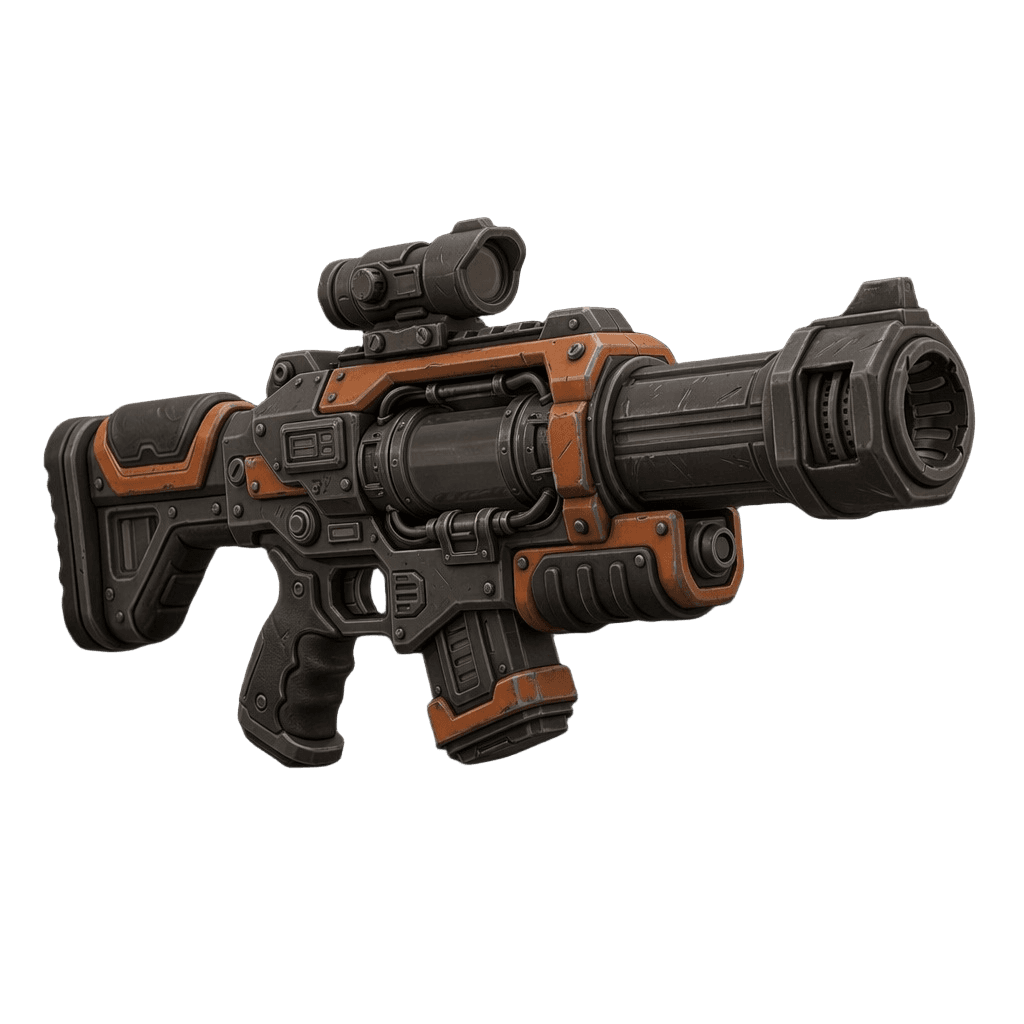
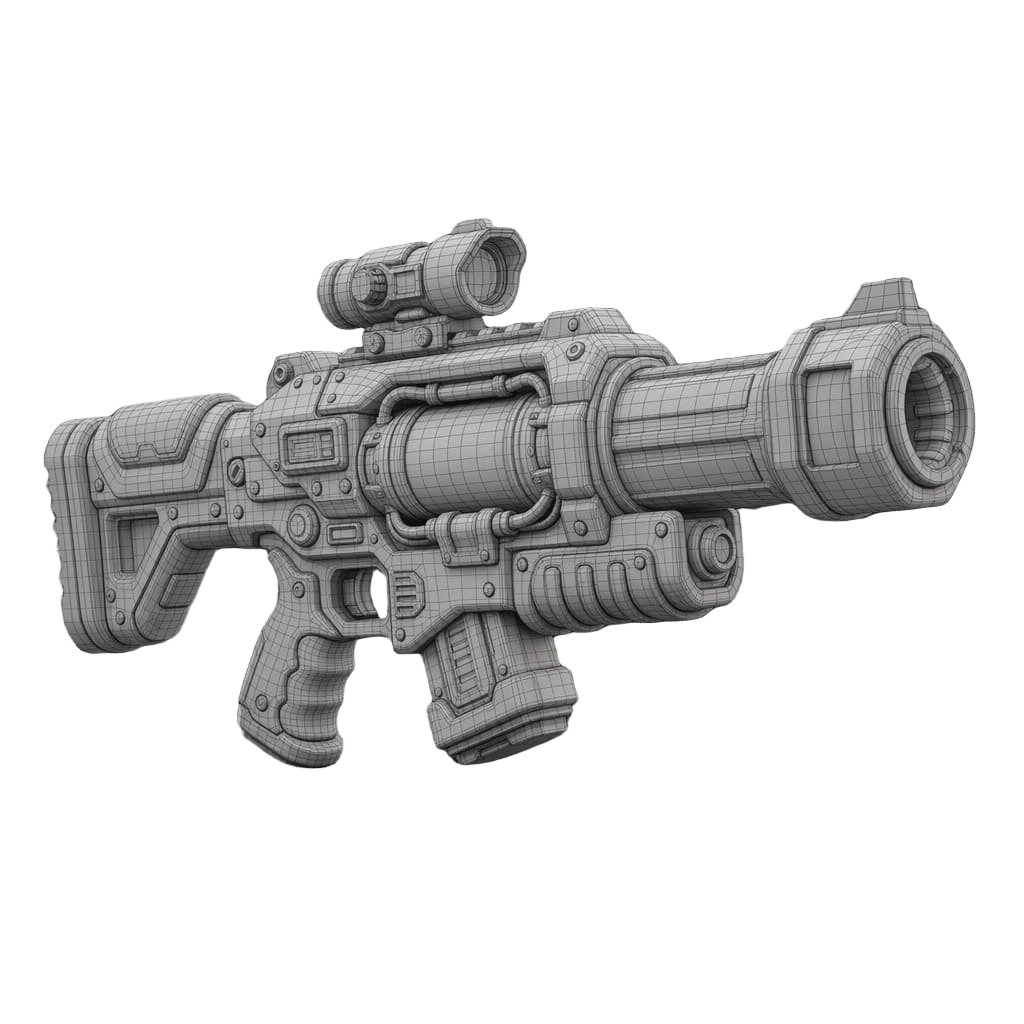
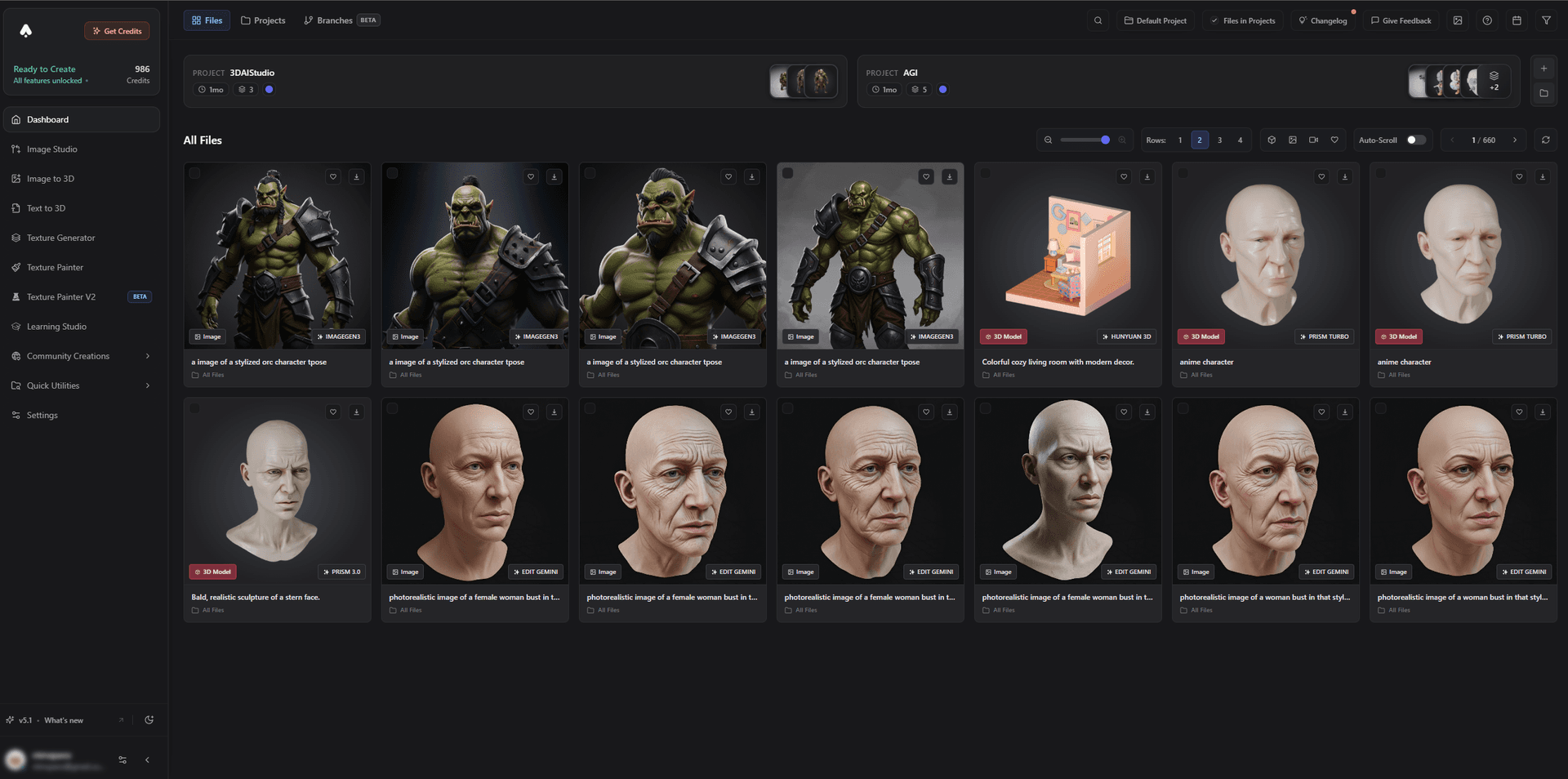
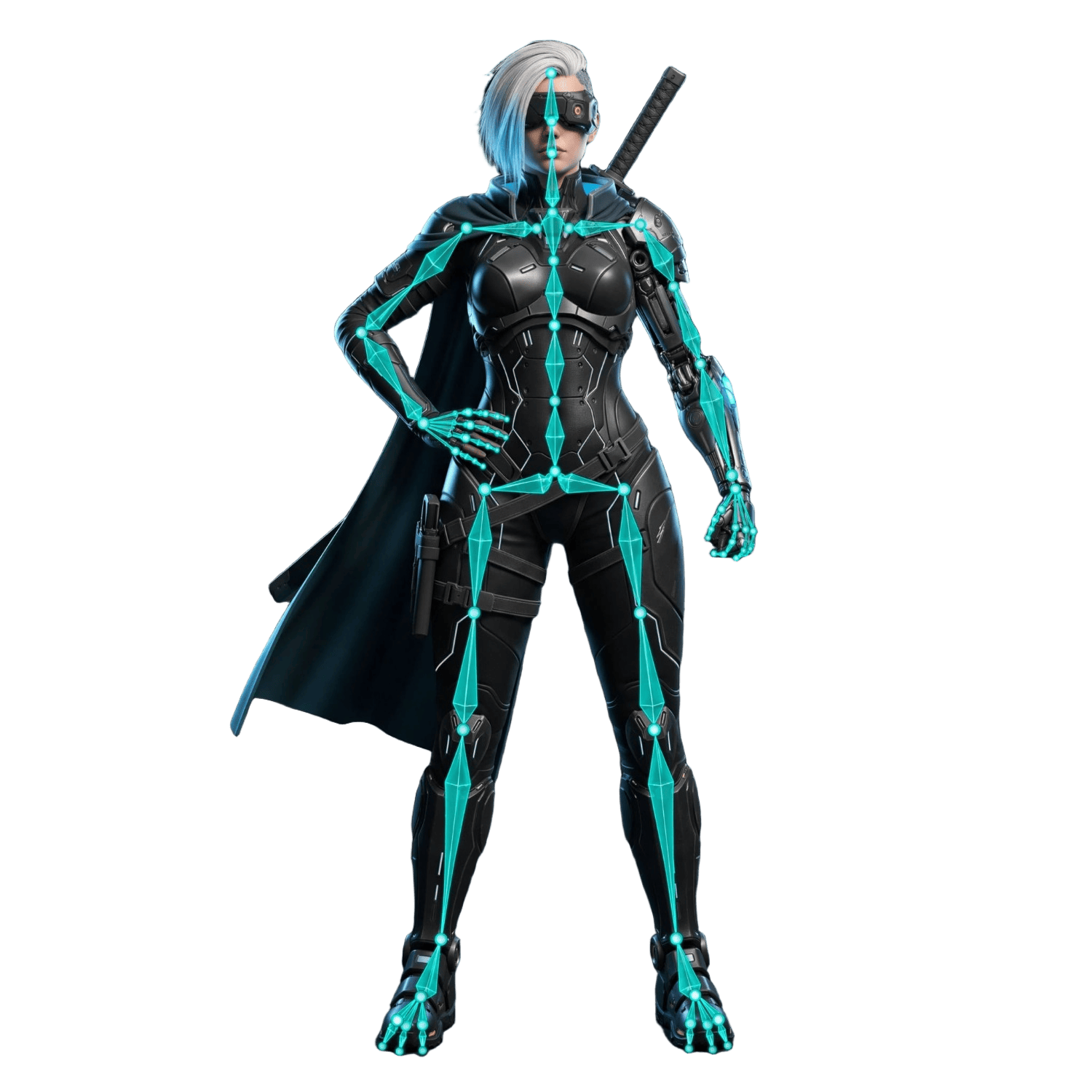
Characters can be rigged and animated, so they are ready to move the moment they hit your engine.
Best for: Indie devs and studios who want one tool from idea to engine-ready asset.
Pros:
- Multiple engines, plus remesh for clean topology and polycount control
- Texturing and rigging/animation, with Mixamo compatibility
- Exports FBX/GLB; dedicated guides for Unity, Unreal, Godot, and Roblox
- A dedicated game-dev model tuned for assets
- Free tier and affordable plans
Cons:
- So many engines and tools that it takes a little exploring to settle on your favorite workflow
2. Meshy - Best Full Single-Tool Pipeline
Meshy is the strongest single-tool pipeline for games: text/image-to-3D, PBR texturing, auto-rigging, a large library of animation presets, and mature plugins for Unity, Unreal, and Godot. If you want one tool that does most of the pipeline natively, Meshy is excellent.
Best for: Developers who want a complete generate-to-animate pipeline in one app.
Pros: Auto-rig plus hundreds of animation presets, strong engine plugins, generous free tier.
Cons: Single-engine generation; you re-roll rather than switch engines when a result misses.
3. Tripo - Fastest Iteration
Tripo generates usable meshes in seconds with clean, quad-friendly topology and built-in rigging. For a "generate, reject, regenerate" loop where speed wins, Tripo keeps up better than anything.
Best for: Rapid blockouts and high-volume prototyping.
Pros: Extremely fast, clean topology, auto-rig, affordable.
Cons: Very fine detail and texturing trail the premium engines.
4. Rodin (Hyper3D) - Best Hero-Asset Quality
Rodin delivers the most detailed, photoreal output in the category, ideal for hero characters and showcase props. It lacks native auto-rigging, and high-detail meshes usually need a remesh before they are engine-friendly.
Best for: Hero assets where surface quality is the priority.
Pros: Outstanding detail and PBR textures.
Cons: No auto-rig; dense meshes need remeshing for real-time use.
5. Luma Genie - Best Free for Prototyping
Luma Genie offers generous free text-to-3D that is great for quickly prototyping shapes and ideas. Quality is concept-grade rather than final, and you should check commercial terms before shipping.
Best for: Free prototyping and idea exploration.
Pros: Generous free tier, fast, easy.
Cons: Concept-level output; commercial use may be limited.
6. Open Models (Hunyuan3D, Trellis) - Free / Self-Hosted
Hunyuan3D and Trellis 2 are open-source and free to run yourself, giving unlimited generation if you have the GPU and patience for setup. The simplest way to use their quality without configuration is through 3D AI Studio, which runs them for you.
How to Make a Game-Ready Asset With AI
- Generate. Use image-to-3D for a specific design or text-to-3D to invent new assets.
- Remesh for topology. Run a quad remesh and set a polycount that fits your platform (mobile vs. PC).
- Texture. Apply PBR materials so the asset reads correctly under your engine's lighting.
- Rig if it animates. Add a rig and animations for characters and creatures.
- Export FBX/GLB. Import into Unity, Unreal, Godot, or Roblox.
- Set up LODs. For environment-heavy scenes, create level-of-detail versions to keep performance high.
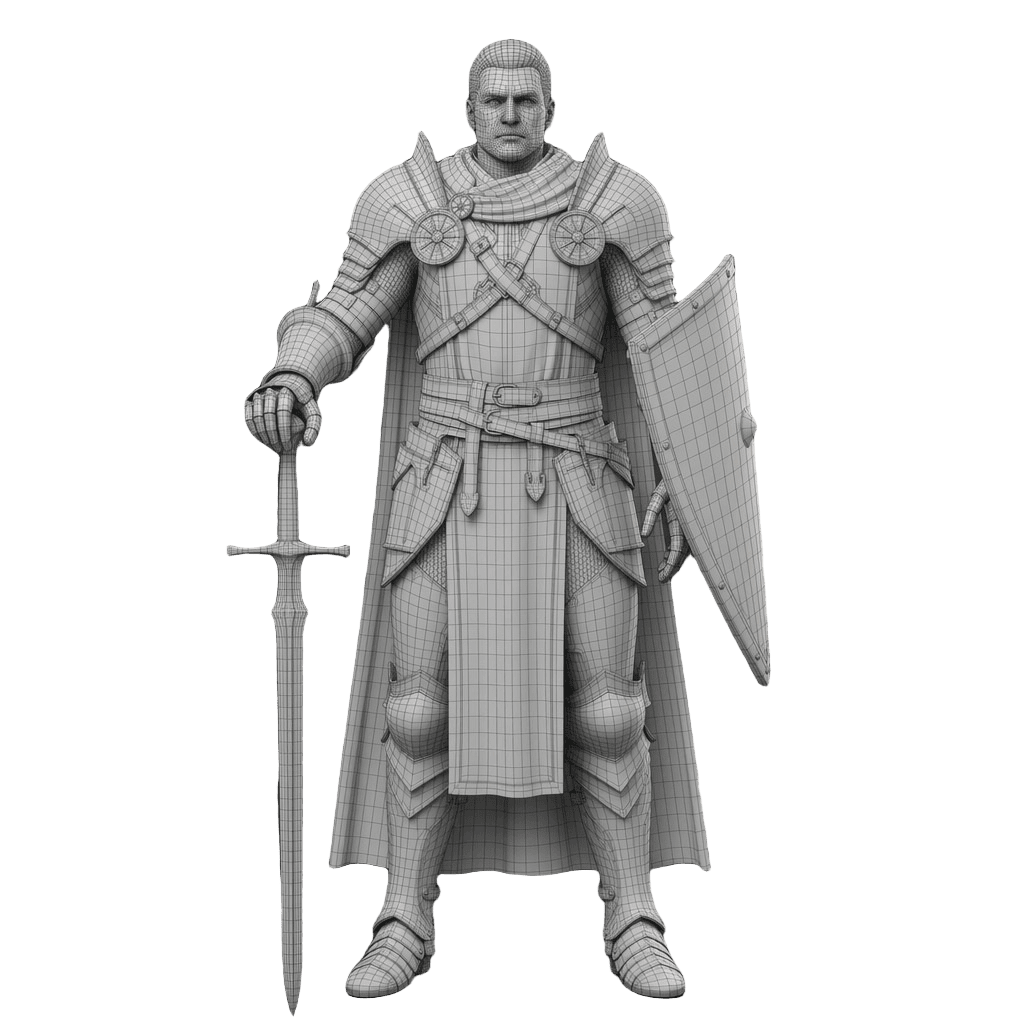
Pro tip: Budget your polycount by asset role. Background props can be very low-poly, interactive props mid-range, and only hero assets need high detail. Generating once and remeshing to different polycounts lets you reuse the same model across LODs.
The Bottom Line
For most game developers, 3D AI Studio is the best AI game asset generator in 2026 because it handles the entire pipeline - generate, remesh, texture, rig, and export to any engine - without bouncing between tools. Meshy is the best single-tool pipeline thanks to auto-rig and animations, Tripo is unbeatable for iteration speed, and Rodin wins for hero-asset quality.
Start with image-to-3D or text-to-3D, then read our ultimate indie game development toolkit and our guide to choosing game 3D assets.

Generate 3D models with AI
Easily generate custom 3d models in seconds. Try it now and see your creativity come to life effortlessly!
FAQ
What is the best AI game asset generator in 2026?
3D AI Studio is the best all-in-one game asset generator because it generates from text or images across multiple engines, then quad-remeshes for clean game-ready topology, textures, rigs, and exports FBX/GLB straight into Unity, Unreal, Godot, and Roblox. Meshy is the strongest single-tool pipeline with auto-rigging and animation presets, and Tripo is the fastest for iteration.
Can AI generate game-ready 3D models?
Yes. Modern AI tools produce models with PBR textures and exportable formats (FBX, GLB, OBJ). The key for games is topology and polycount, so the best results come from generating, then remeshing to clean quads and an appropriate polygon budget before importing into your engine.
Which AI tool is best for rigged, animatable game characters?
For animatable characters, choose a tool with auto-rigging. 3D AI Studio includes rigging and animation and works with Mixamo, Meshy offers auto-rig with hundreds of animation presets, and Tripo includes built-in rigging. Generate the character, rig it, then export to your engine.
Are AI-generated game assets good enough for a real game?
For props, environment pieces, weapons, and many characters, yes - especially after a remesh pass for clean topology. Hero assets sometimes get hand-polished, but AI is excellent for prototyping, indie projects, and filling out asset libraries quickly and affordably.
How do I get AI 3D models into Unity or Unreal?
Export the model as FBX or GLB, then import it into your engine like any other asset. 3D AI Studio exports engine-ready formats and has dedicated guides for Unity, Unreal, Godot, and Roblox. A remesh pass first keeps polycount and topology engine-friendly.
Can I use AI game assets commercially?
Most platforms grant commercial rights on paid (and often free) tiers, but terms vary by tool and model. Always confirm the license for the specific tool and plan before shipping a commercial game. 3D AI Studio is clear about commercial usage across its plans.