
How to Turn a Sketch into an Image with AI (Free Tools, 2026)
A rough sketch plus a few words is all you need for a finished image now. It takes about a minute, and you do not need to be good at drawing. Flat colors and big shapes actually work best.
Here is how it works, which free tools are worth your time and what to do when the result looks off.
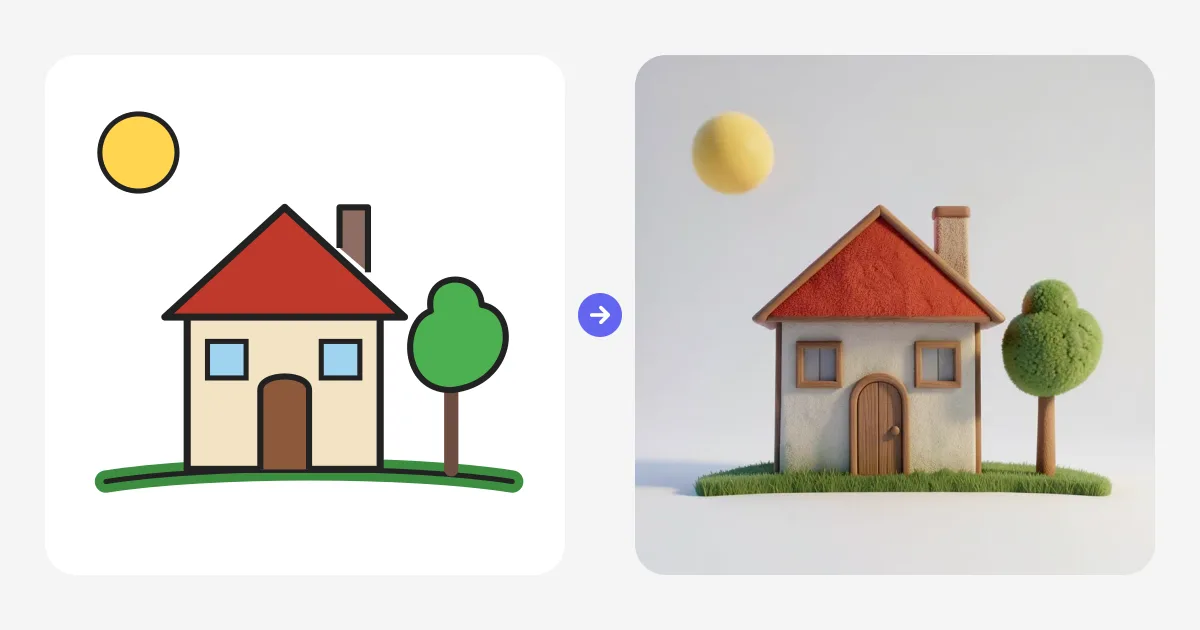
The basic workflow
I will use Sketch to Image as the example since it runs in the browser and needs no install. Most other tools follow the same pattern.
Start by drawing. Use the brush, fill and shape tools right on the canvas, or paste in a photo of a paper sketch with Ctrl+V. Do not overthink it. Rough shapes are fine.
Then type what you drew. Something like a cozy cottage with a red roof and a wooden door is enough. Pick one of the styles, anything from photo and product shot to anime or claymation. When you switch on Live, the image updates a moment after every stroke, so you just keep drawing until it looks right.
Two settings make the biggest difference. The style decides the whole mood, and the AI strength decides how much freedom the model gets. Low strength sticks close to your lines. High strength reinvents more. When you like what you see, save it or send it to Image to 3D to get you a textured model.
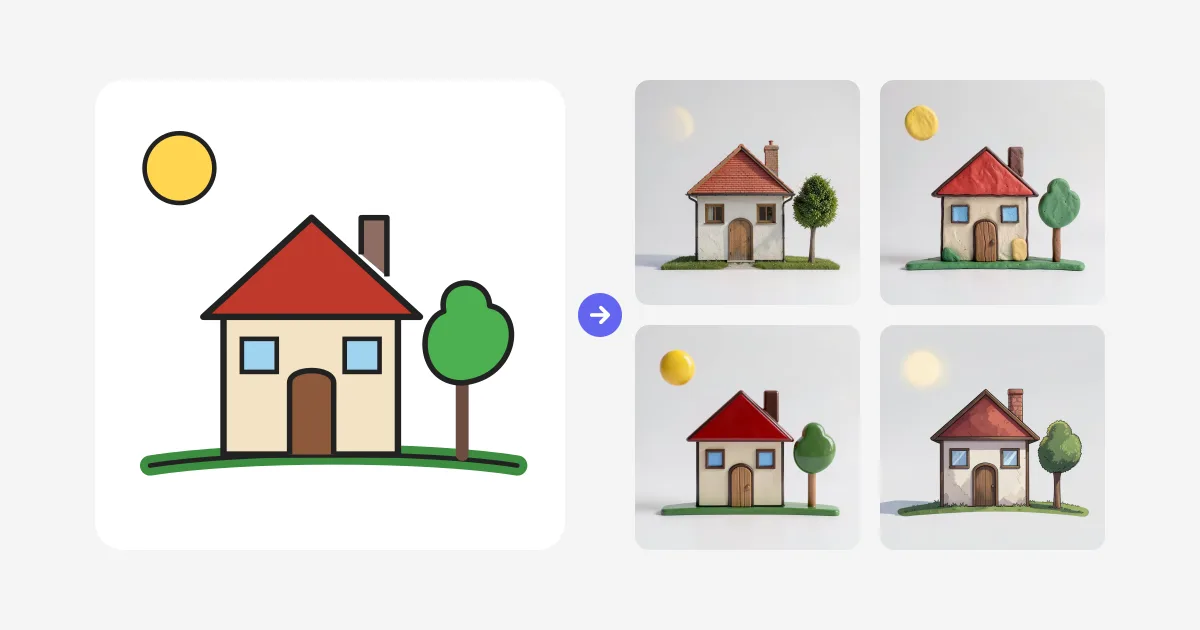
The same drawing can go in totally different directions just by changing style:
Which free tool should you use?
Sketch to Image is the one I recommend to most people. You draw with proper tools, pen pressure, layers, fill, shapes, templates, and the render keeps up with you live. There are 10 styles, and the strength slider actually does something noticeable. The part other tools do not have is the next step. Any render can become a 3D model with one click, so a doodle can end up as a print or a game asset. Free renders are watermarked previews, and paid plans unlock HD, downloads and style references.
Krea Realtime is the closest live alternative. Its canvas also updates while you draw, at 512 px on the fast models, and the free plan gives you 100 compute units a day. It is more of a general creative playground than a drawing app though, and there is no path from sketch to 3D.
Adobe Firefly is a good pick for polished one offs. Upload a drawing, get back a photo or illustration. Free accounts get a limited number of daily generations. It feels slower if you like to iterate, since every change is a fresh generate, and heavier use needs a paid plan.
Canva Sketch to Life lives inside Canva. Sketch, describe, generate. You get 7 free credits a day, or 20 with a business email. Perfectly fine if you already work in Canva and need a quick image for a design. You get less controls over style and likeness than in a dedicated tool.
OpenArt is useful when you want to compare models. Upload one sketch and render it through several different image models side by side. There is a free trial with limited credits, then it is credit based. Not live, but handy for testing.
Vizcom leans professional. It turns concept sketches into high fidelity product renders, and the starter plan is free without a credit card. If you design products for a living, look at it. For casual sketching it is probably more than you need.
And yes, you can upload a sketch to ChatGPT or Gemini and ask for a finished image. It works fine for a one off. The annoyance is iteration. Every tweak is a new chat request, and you cannot really steer how closely it follows your lines.
| Tool | Free plan | Live while you draw |
|---|---|---|
| Sketch to Image | Free daily live renders | Yes |
| Krea Realtime | 100 units per day | Yes |
| Adobe Firefly | Limited daily generations | No |
| Canva Sketch to Life | 7 credits per day | No |
| OpenArt | Free trial credits | No |
| Vizcom | Free starter plan | No |
| ChatGPT / Gemini | Free tier with limits | No |
Two examples from real sketches
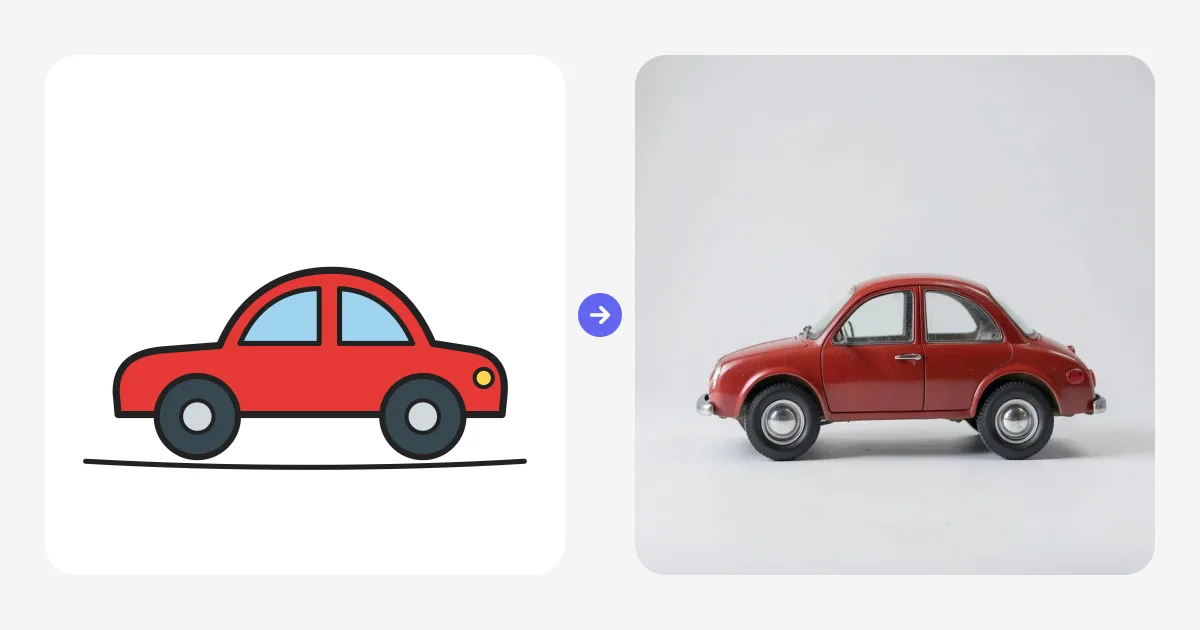
Line art does not have to be tidy. This little car is a few wobbly outlines, and it still renders into a believable retro photo:
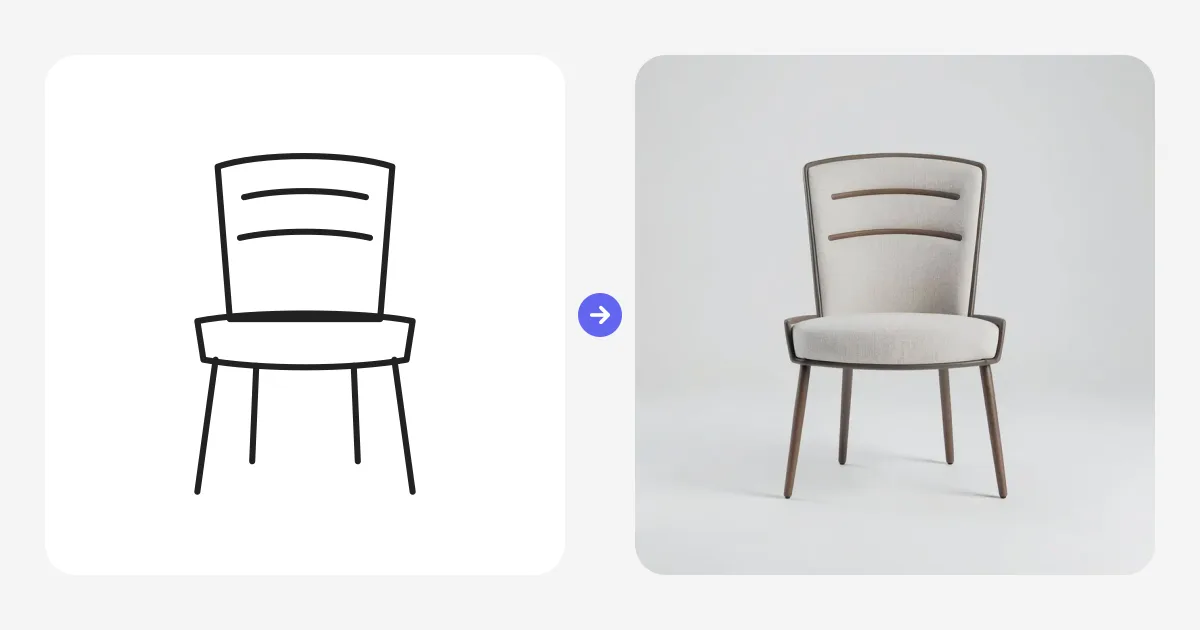
Same with this chair. Plain lines on white become a clean studio product shot:
What actually improves your results
After a lot of testing, these are the things that matter.
Fill each part with the color it should end up. The model keeps your colors, so flat fills beat shading. Say what you drew in plain words, and name materials when you want realism. Glossy ceramic, weathered wood, brushed metal. Those phrases change the output a lot.
Keep shapes big and simple. Tiny fiddly details tend to get lost or misread. If two objects touch in your sketch, the model may fuse them, so leave a little gap between things that should stay separate.
And match the strength to your goal. Low strength for a faithful sketch to photo conversion. High strength when you want the AI to reinterpret and surprise you.
If you like this kind of workflow, you will feel at home in Sculpt to 3D. It is the same idea with clay instead of pen. You stack simple shapes and the AI renders them live. Or take any finished drawing straight into 3D with Sketch to 3D.
Want to try it? Open Sketch to Image for free and scribble something. You will know within a minute whether it clicks for you.

Generate 3D models with AI
Easily generate custom 3d models in seconds. Try it now and see your creativity come to life effortlessly!
FAQ
How do I turn a sketch into an image with AI?
Draw your sketch or upload a photo of a drawing, describe it in a few words, pick a style and let the AI render it. In Sketch to Image by 3D AI Studio you can switch on Live, and the AI updates your image a moment after every stroke.
Is sketch to image AI free?
Yes, several tools have free tiers. Sketch to Image by 3D AI Studio includes free daily live renders, Canva Sketch to Life gives 7 free credits per day, Adobe Firefly offers limited free daily generations, and Krea has a free plan with daily compute units.
Can AI turn a sketch into a realistic photo?
Yes. Pick a photo style, keep the AI strength low so your shapes stay intact, and name the materials in your prompt, for example a red ceramic mug with a glossy glaze. The AI adds realistic lighting, texture and detail.
Can ChatGPT turn a sketch into an image?
Yes, ChatGPT and Gemini can turn an uploaded sketch into an image when you ask them to. Each change is a new request though, so iterating is slow. Dedicated tools like Sketch to Image re render live while you draw and give you style and strength controls.
What is the best free sketch to image AI?
Sketch to Image by 3D AI Studio is the best free option for most people because it renders live while you draw, includes 10 styles and can turn the result into a 3D model. Krea Realtime is another live option, and Adobe Firefly and Canva are good for one off conversions.
Do I need to be good at drawing?
No. The AI only uses your sketch as a guide for layout, shapes and colors. Simple outlines with flat colors work best, and the AI takes care of detail, lighting and materials.