
How to Build AI 3D Workflows Without ComfyUI (No GPU, No Setup)
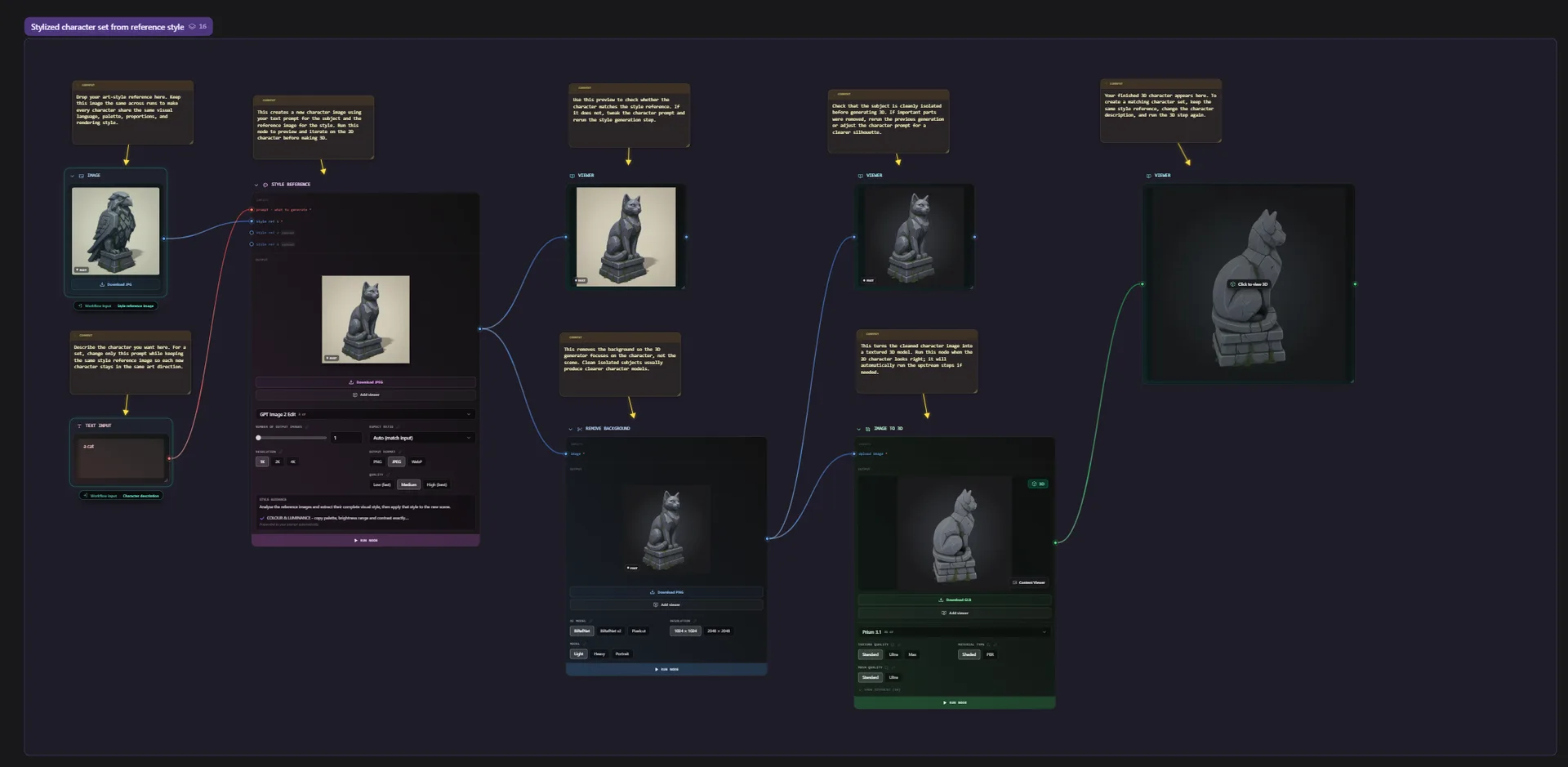
ComfyUI made node-based generation popular, and plenty of people now want that same visual, graph-driven approach for 3D. The problem is that getting ComfyUI ready for 3D is a project in itself: installing the app, matching Python and CUDA versions, hunting down community custom nodes, and owning a GPU with enough VRAM to run heavy mesh models. For a lot of creators, that setup is the whole afternoon before a single model is generated.
The good news: you can keep the node graph and drop the overhead. This guide walks through how to build AI 3D workflows without ComfyUI, with no install and no GPU, using Flow, the node-based canvas in 3D AI Studio.

What people actually use ComfyUI for in 3D
Most 3D use cases come down to a few connected steps:
- Start from a text prompt or a reference image.
- Generate a 3D model.
- Clean up the mesh (remesh, reduce polygons).
- Apply PBR textures.
- Export to GLB, FBX, or OBJ.
In ComfyUI you wire these together as nodes and run the graph. That visual, reusable structure is the real value. It is more powerful than a single generate button because you can see every step, branch a graph into variations, and reuse the same pipeline for the next asset.
The hidden cost of using ComfyUI for 3D
The node graph is great. The path to running one for 3D is where people get stuck:
- Install and environment. ComfyUI, Python, CUDA, and the right driver versions all have to line up.
- Custom nodes. 3D support comes from community nodes that you have to find, install, and keep updated. An update can quietly break a working graph.
- A capable GPU. Mesh models are heavy. On a modest card you wait a long time or run out of VRAM.
- Maintenance. Every model or node update is a chance for something to stop working right before a deadline.
If that overhead is the part you want to skip, a ComfyUI alternative for 3D should keep the visual node graph and lose everything else.
A node-based alternative that runs in the browser
Flow is a node-based 3D generator that runs entirely in the browser. You build the same kind of graph you would in ComfyUI, but:
- The 3D models (Hunyuan3D, Tripo, and more) are built in as nodes and maintained for you.
- Generation runs on our infrastructure, so there is no local GPU requirement.
- There is nothing to install and no Python environment to manage.
- Your graph does not break because a custom node updated overnight.
It is node-based 3D without setup, so you can use ComfyUI-style workflows without a GPU.
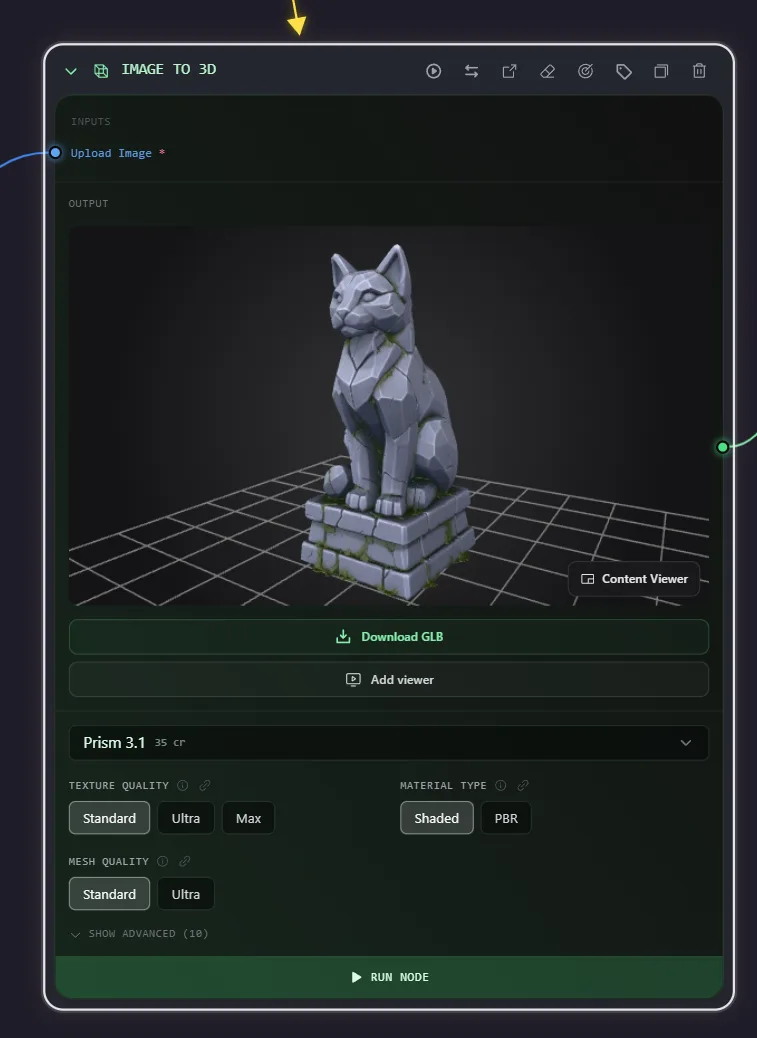
A sample 3D workflow, node by node
Here is a simple image-to-3D pipeline you can build on the canvas:
Reference image to Remove background to Image to 3D to Remesh to Texture to Export GLB
Each node feeds the next. Drop in a product photo, strip the background so the generator gets a clean subject, generate the model, remesh it to a clean polygon budget, apply PBR materials, and export a file your engine can read. Save that graph as a template and the next product shot is one click away.
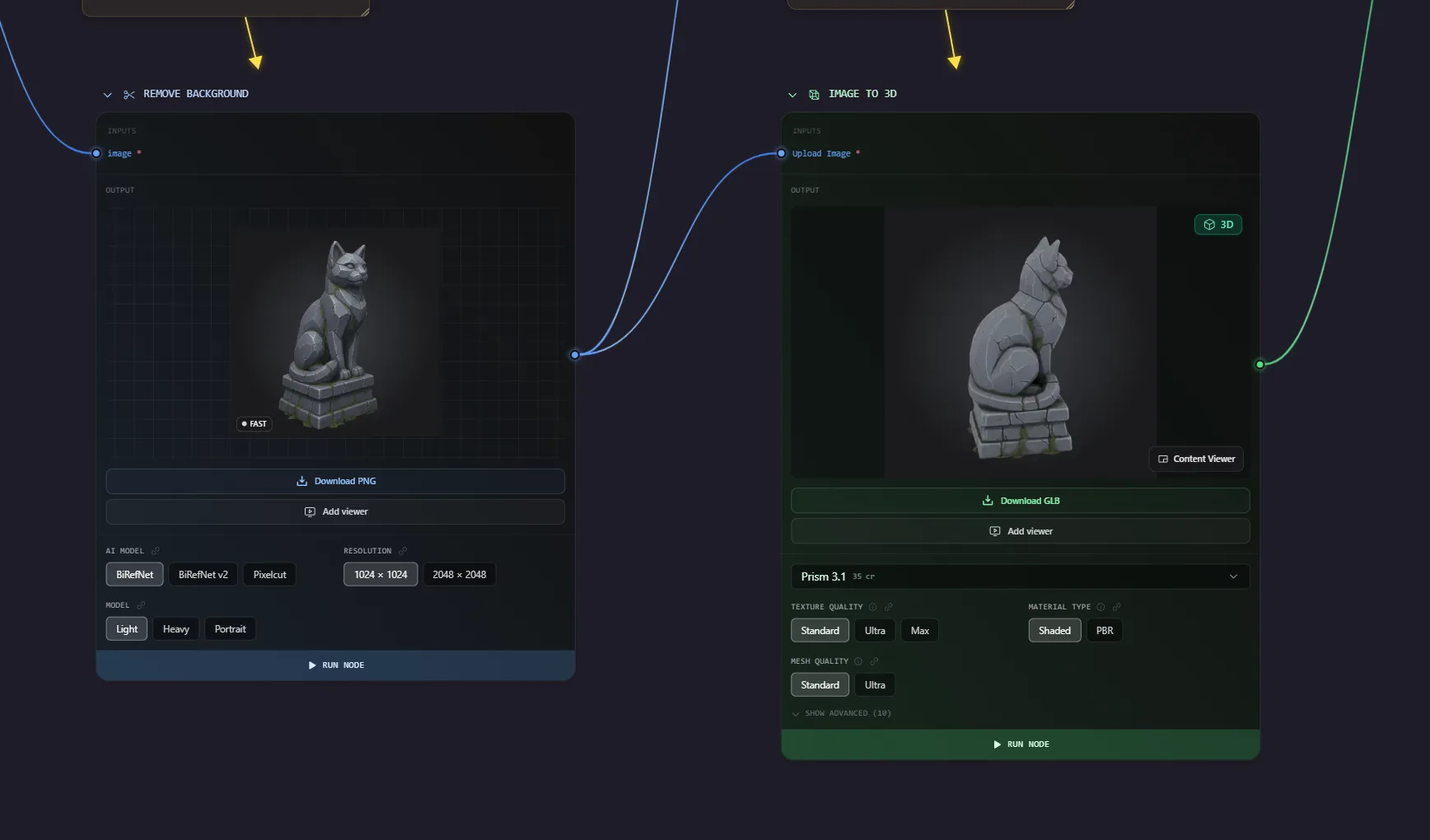
Prefer to start from text? Swap the first nodes for a Prompt and a Generate 3D node and you have a text-to-3D workflow instead. Working from photos? The image-to-3D workflow is built for exactly that.
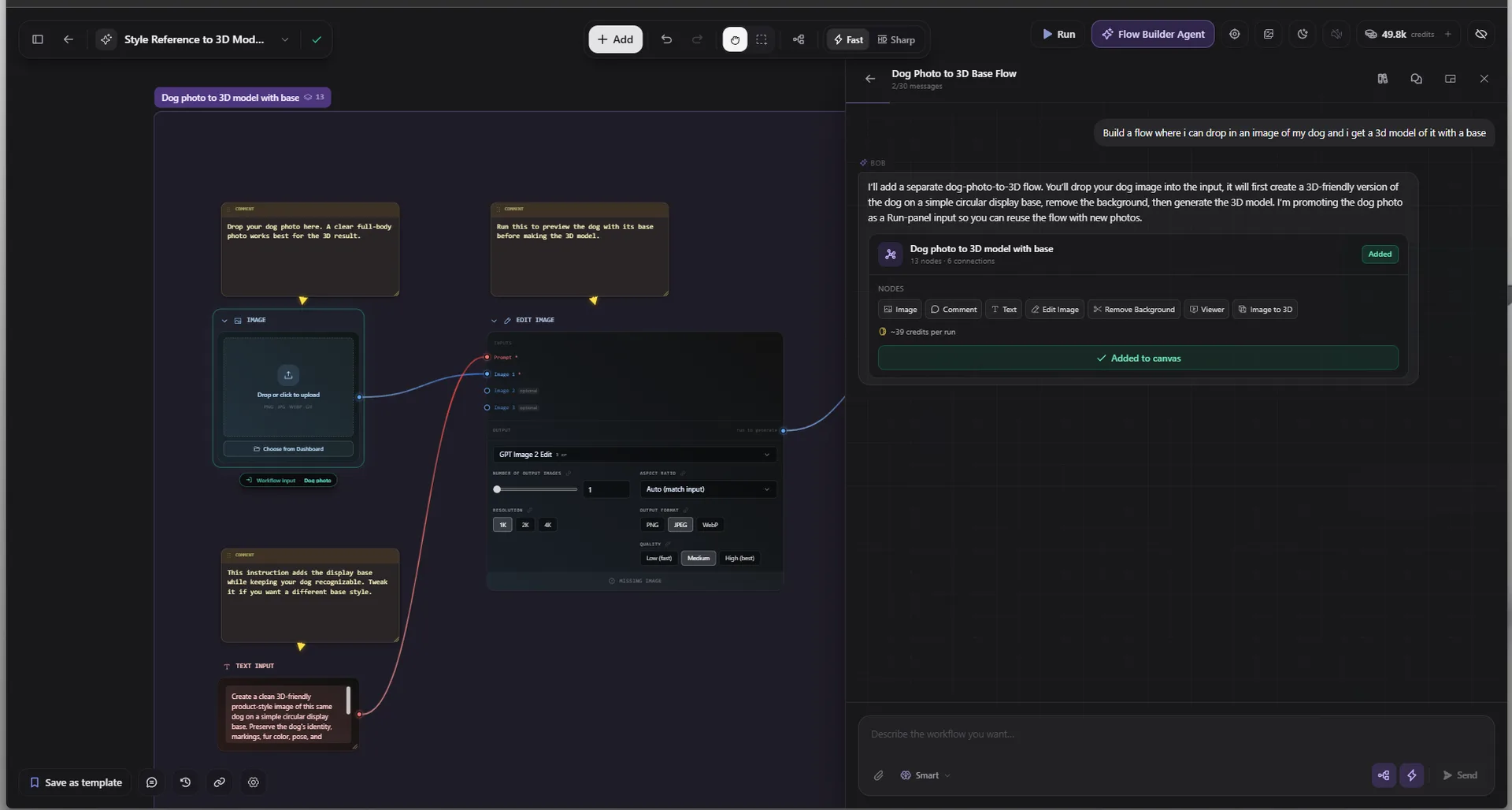
You do not even have to wire it by hand. Open the canvas and describe what you want to make, and the Flow Builder Agent lays out the connected nodes for you, ready to run.
When ComfyUI still makes sense
To be fair, ComfyUI is still the better pick if you specifically need a fully local, offline setup, or if you depend on the entire open custom-node ecosystem and do not mind maintaining it. Flow is built for fast, browser-based 3D work with maintained models. Pick the one that matches how you want to spend your time.
Just need a single model?
If you only need one model from a prompt or an image and do not need a whole pipeline, the dedicated tools are quicker: Text to 3D and Image to 3D each turn one input into a model in a click. Reach for a node workflow when you want a repeatable, reusable process.
Try it free
You can build your first node-based 3D workflow in a few minutes, with no install and no GPU.
- Explore the canvas: Flow
- Open it and start building: Flow App
- Coming from ComfyUI: ComfyUI alternative for 3D
Describe the workflow you want, and let the agent build it for you.

Generate 3D models with AI
Easily generate custom 3d models in seconds. Try it now and see your creativity come to life effortlessly!