
Best AI 3D Tools for Architecture and Interior Design in 2026
Quick answer: The best AI 3D tool for architecture and interior design in 2026 is 3D AI Studio, because it generates the 3D assets you actually place in a scene - furniture, decor, fixtures, and building elements - from text or photos, textures them, and exports to Blender, SketchUp, and engines. For AI rendering of an existing model, Veras and D5 lead, and for restyling a room from a photo, InteriorAI and RoomGPT are the popular picks.
Architecture and interior design have a content problem: every visualization needs furniture, decor, and fixtures, and sourcing or modeling them eats hours. AI now solves three jobs - generating 3D assets, rendering your scene, and restyling concepts from a photo. This guide compares the best tools for each, and where they fit together.
- Best for 3D assets (furniture, decor, fixtures): 3D AI Studio.
- Best AI rendering of an existing model: Veras and D5.
- Best room restyling from a photo: InteriorAI and RoomGPT.
- Best for turning a product photo into a 3D asset: image-to-3D in 3D AI Studio.
- Best for fast concept assets: Meshy and Tripo.
Best AI 3D Tools for Arch and Interior at a Glance
| Tool | Job | Output | Best for |
|---|---|---|---|
| 3D AI Studio | Generate 3D assets | 3D models (GLB/FBX/OBJ) | Furniture, decor, fixtures, massing |
| Veras | AI rendering | Rendered images | Photoreal/stylized renders of CAD |
| D5 / Lumion | AI-assisted rendering | Rendered scenes | Real-time arch viz |
| InteriorAI / RoomGPT | Concept restyling | Styled images | Mood-boarding from a photo |
| Meshy / Tripo | Generate assets | 3D models | Fast concept props |
| Spline | Interactive 3D | Web 3D | Presentations and embeds |
Three Jobs AI Does for Architecture and Interiors
It helps to separate the tools by job, because they are not interchangeable:
- Generate 3D assets - the actual models you place in a scene (3D AI Studio, Meshy, Tripo).
- Render a scene - turn an existing 3D/CAD model into photoreal or stylized images (Veras, D5, Lumion).
- Restyle a concept - reimagine a room from a photo for client mood-boards (InteriorAI, RoomGPT).
Pro tip: Asset generation and rendering are complementary, not competing. Generate the furniture and decor with one tool, place them in your scene, then render with another. Tools that only restyle a photo cannot give you editable 3D assets.
1. 3D AI Studio - Best for 3D Assets
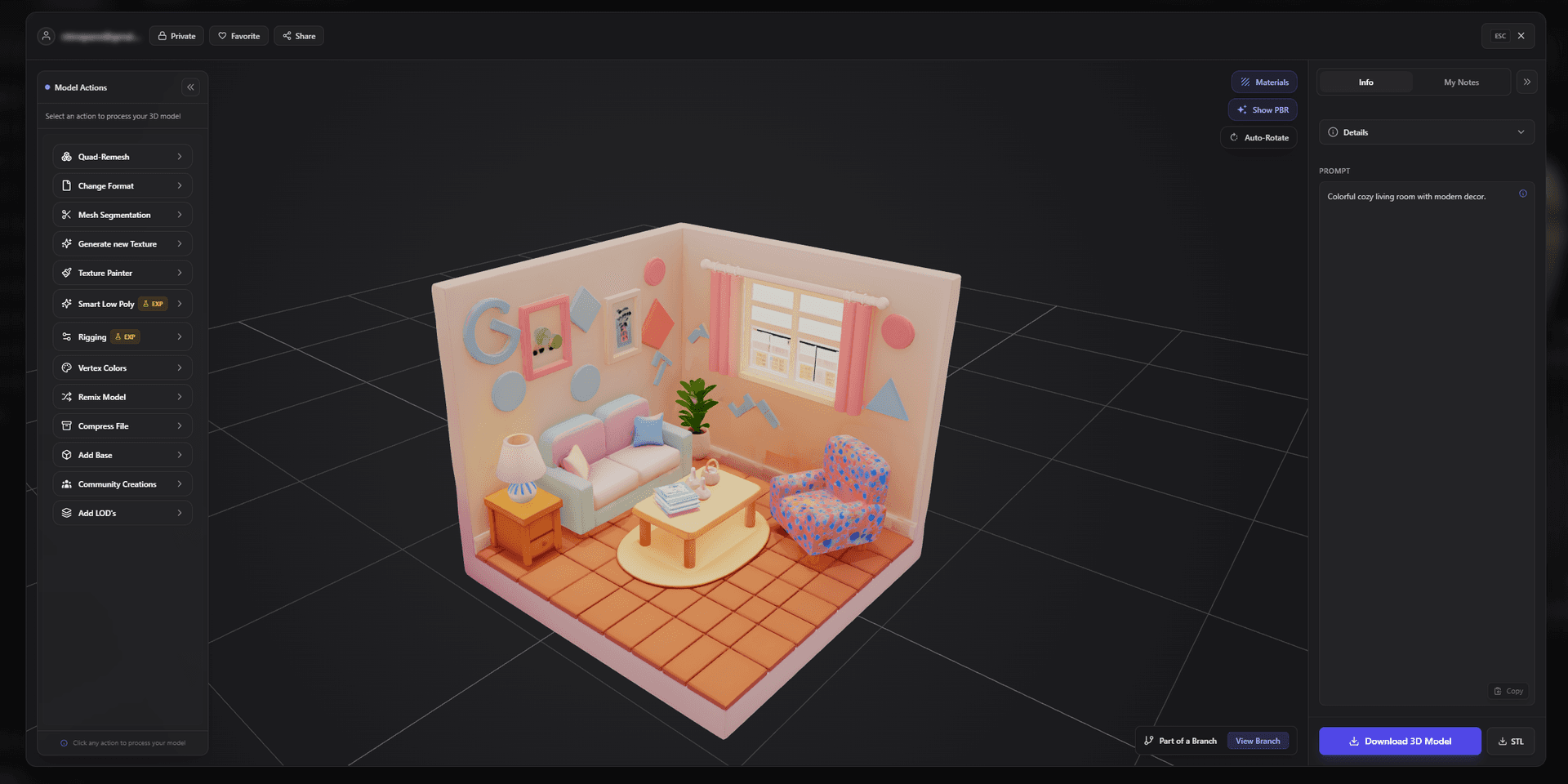
3D AI Studio is the all-rounder for design work because it generates the editable 3D models a scene needs. Describe a piece - "mid-century walnut armchair," "industrial pendant light" - with text-to-3D, or turn a catalog photo into a 3D asset, then texture and export to Blender, SketchUp, or a real-time engine.
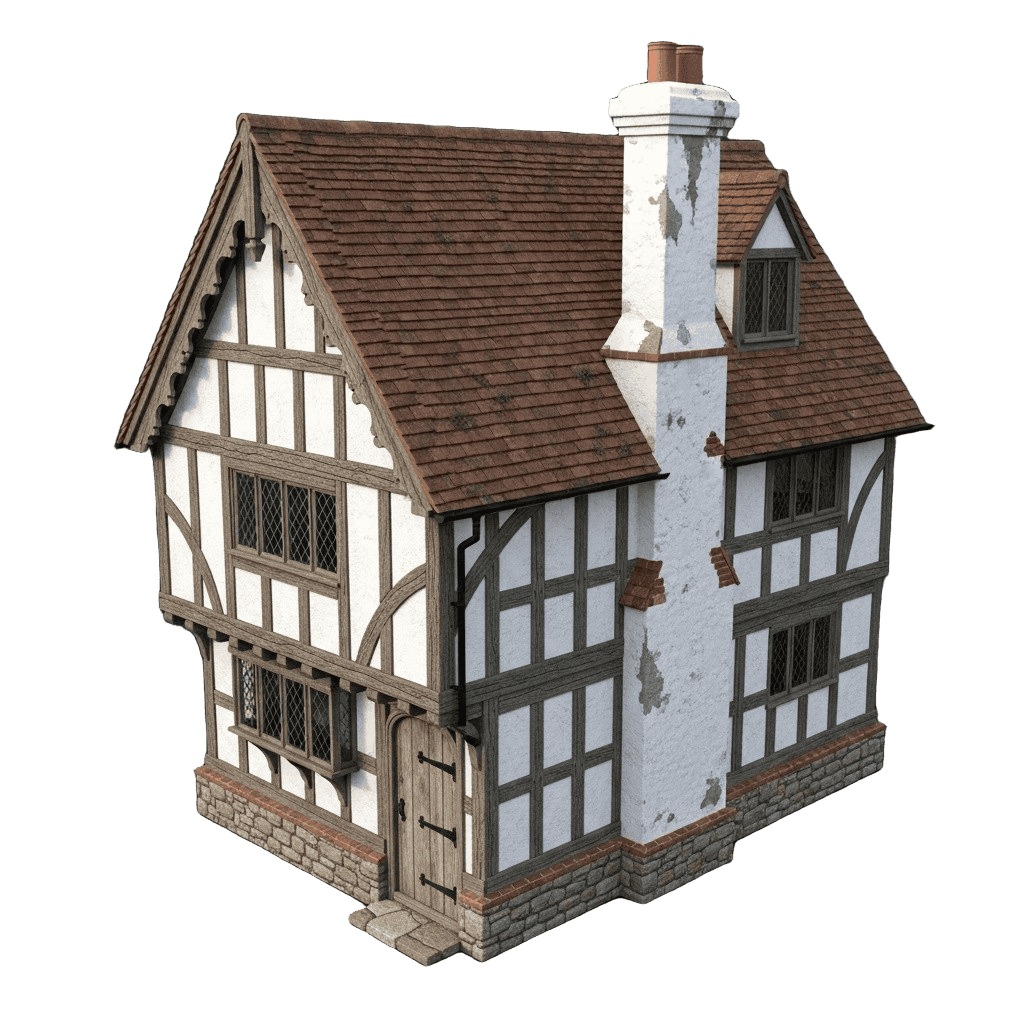
It also handles architectural elements and massing - buildings, facades, and props - which you can remesh for clean geometry before bringing them into your visualization pipeline.

Best for: Architects, interior designers, and visualizers who need custom 3D assets fast.
Pros:
- Text-to-3D and photo-to-3D for furniture, decor, fixtures, and building elements
- Texturing plus remesh for clean, editable geometry
- Exports to Blender, SketchUp, and engines; guides for architecture, interior design, and furniture
- Turn real products into 3D assets via image-to-3D
- Free tier and affordable plans
Cons:
- It generates assets, not final renders - pair it with a renderer for hero client images
2. Veras - Best AI Rendering of an Existing Model
Veras layers AI rendering onto your existing SketchUp, Revit, Rhino, or other CAD models, generating photoreal or stylized images from a prompt while respecting your geometry. It is a favorite for fast design exploration.
Best for: Rendering and restyling a model you already built.
Pros: Works on your real geometry, fast iterations, multiple styles.
Cons: Renders existing models - it does not generate new 3D assets.
3. D5 and Lumion - Best Real-Time Arch Viz
D5 Render and Lumion bring AI-assisted, real-time rendering to architecture - fast lighting, materials, and atmosphere for walkthroughs and stills.
Best for: Real-time visualization and animated walkthroughs.
Pros: Real-time quality, big asset libraries, AI-assisted features.
Cons: Rendering tools, not asset generators; learning curve and cost.
4. InteriorAI and RoomGPT - Best Room Restyling From a Photo
InteriorAI and RoomGPT take a photo of a room and reimagine it in different styles, which is excellent for client mood-boarding and quick concepts. The output is 2D imagery, so you still need 3D assets to build a real scene.
Best for: Fast interior concepts and style exploration from a photo.
Pros: Instant restyling, great for client conversations.
Cons: 2D output only; not editable 3D.
5. Meshy and Tripo - Best Fast Concept Assets
Meshy and Tripo quickly generate 3D props and furniture for filling scenes during concept stages, with engine export.
Best for: Rapidly generating concept-stage props.
Pros: Fast, affordable, engine-ready.
Cons: Single-engine output; detail varies by prompt.
How to Build a Visualization With AI
- Generate your assets. Use text-to-3D for custom furniture and fixtures, or image-to-3D to turn a real product photo into a 3D model.
- Clean and texture. Remesh for editable geometry and apply realistic materials.
- Assemble the scene. Bring assets into Blender, SketchUp, or your viz tool and lay out the space.
- Render. Use Veras, D5, or Lumion for photoreal or stylized hero images.
- Explore concepts. Use InteriorAI or RoomGPT for quick style variations to discuss with clients.
Pro tip: For client-ready interiors, generate a small kit of matching assets in one style first - sofa, table, lighting, decor - so the scene reads as a coherent design rather than a collection of mismatched models.
The Bottom Line
For architecture and interior design in 2026, 3D AI Studio is the best AI tool for the part that eats the most time: generating editable 3D assets. Pair it with a renderer like Veras or D5 for final images, and a restyling tool like InteriorAI for quick concepts, and you have a fast, modern visualization pipeline.
Start by generating a furniture or decor asset, and explore our guides for architecture, interior design, and furniture.

Generate 3D models with AI
Easily generate custom 3d models in seconds. Try it now and see your creativity come to life effortlessly!
FAQ
What is the best AI 3D tool for architecture and interior design in 2026?
3D AI Studio is the best all-rounder because it generates 3D furniture, decor, fixtures, and building elements from text or images, textures them, and exports formats that drop into Blender, SketchUp, and game engines. For AI rendering of an existing CAD model, Veras and D5 lead, and for restyling a room from a photo, InteriorAI and RoomGPT are popular.
Can AI create 3D models of furniture and decor?
Yes. AI tools generate 3D furniture, lighting, decor, and fixtures from a text description or a product photo. This is ideal for quickly filling an interior scene or arch-viz render with custom assets instead of hunting through model libraries.
Can I turn a product photo into a 3D model for a design project?
Yes. Image-to-3D reconstructs a 3D model from a catalog photo or reference image, which is perfect for placing a specific sofa, lamp, or fixture into your visualization. Use a clear photo with one object and a plain background for the best result.
What is the difference between AI 3D asset tools and AI rendering tools?
AI 3D asset tools (like 3D AI Studio) generate the actual 3D models you place in a scene. AI rendering tools (like Veras, D5, or Lumion) take an existing 3D or CAD model and produce photorealistic or stylized renders. Many workflows use both - generate assets with one, render the scene with the other.
Are AI-generated 3D assets accurate enough for architecture?
For decor, furniture, props, massing studies, and concept work, yes - they speed up visualization dramatically. For precise construction documentation you still rely on CAD/BIM, but AI is excellent for populating scenes, exploring concepts, and producing client-facing visuals quickly.
Can AI help with interior design concepts from a room photo?
Yes. AI restyling tools take a photo of a room and reimagine it in different styles, which is great for client mood-boarding. To make those concepts into real 3D scenes, pair them with a 3D asset generator so you can model and place the actual furniture and decor.