
MAI-Image-2.5: Microsoft's New Image Model, Explained (2026)
Quick answer: MAI-Image-2.5, launched June 2, 2026, is Microsoft's strongest image model. It ranks No. 2 on Arena's image-editing leaderboard (ahead of Nano Banana 2.1) and No. 3 for text-to-image, surpassing GPT-Image-1.5 and Nano Banana Pro 2K. It is built for both high-quality generation and precise, localized editing, and it ships in two versions: full-fidelity MAI-Image-2.5 and faster MAI-Image-2.5-Flash. It is a proprietary model (Azure AI Foundry, MAI Playground, OpenRouter), not open weights. For 3D creators, it is great for generating and cleaning up reference images you can turn into 3D models with 3D AI Studio's Image to 3D.
Microsoft is not usually the first name people mention in AI image generation, but MAI-Image-2.5 changes that. It launched at No. 2 for editing on Arena and is already powering PowerPoint and OneDrive. Here is what it does, how it compares, what it costs, and how it fits a 3D workflow.
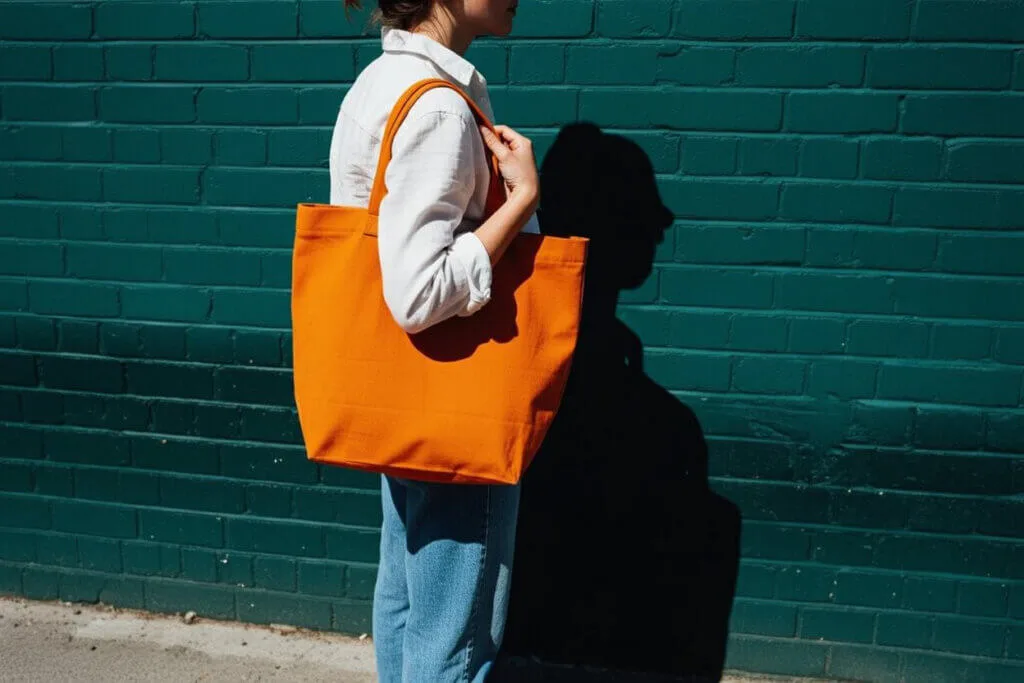
- What: MAI-Image-2.5 - Microsoft's strongest image model, launched June 2, 2026.
- Strengths: precise editing (No. 2 on Arena), strong text rendering, product imagery, visual reasoning, identity consistency.
- Ranking: No. 2 image editing, No. 3 text-to-image; beats GPT-Image-1.5 and Nano Banana Pro 2K.
- Two versions: MAI-Image-2.5 (max fidelity) and MAI-Image-2.5-Flash (fast, lower cost).
- Access: proprietary - Azure AI Foundry, MAI Playground, OpenRouter; live in PowerPoint and OneDrive. Not open weights.
What Is MAI-Image-2.5?
MAI-Image-2.5 is a text-to-image and image-editing model from the Microsoft AI (MAI) team. "MAI" is Microsoft's in-house model family, and 2.5 is the strongest image model they have shipped so far. It is designed for two jobs at once: generating high-quality images from prompts, and making precise, controllable edits to existing images.
It comes in two flavors:
- MAI-Image-2.5 - maximum fidelity, for the highest quality.
- MAI-Image-2.5-Flash - faster and cheaper, for scalable production workloads.
Why MAI-Image-2.5 Matters
Editing is the headline
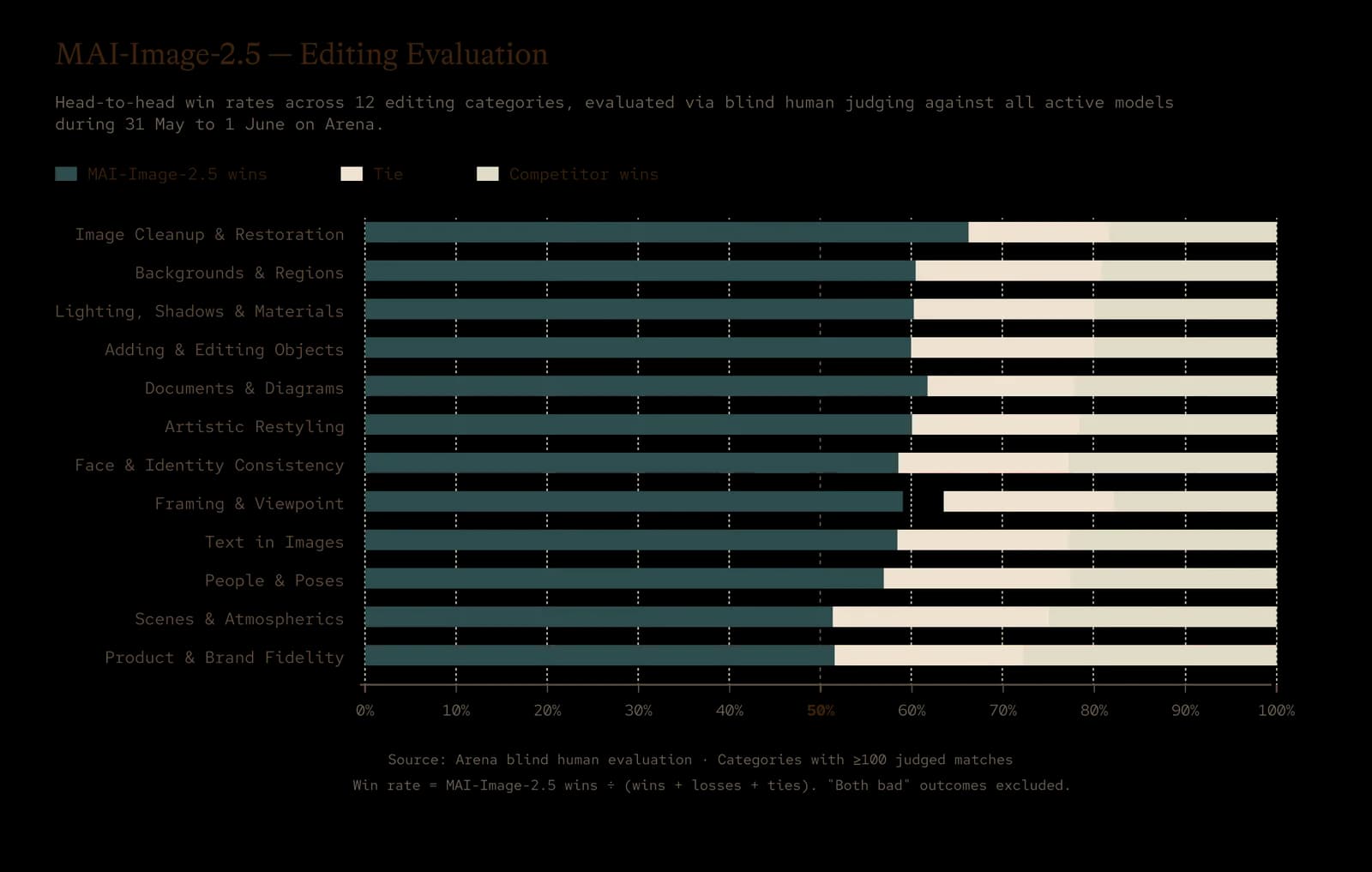
Most image models are judged on generation; MAI-Image-2.5 is unusually strong at editing. It launched at No. 2 on Arena's image-editing leaderboard, ahead of Nano Banana 2.1, winning most editing categories in blind human-preference judging - cleanup, backgrounds, shadows, and text among them. If your workflow is "fix this image," that is a big deal.
It reasons about the scene
Microsoft highlights MAI-Image-2.5's visual reasoning: it understands scene structure, lighting, scale, and spatial relationships. In practice that means when you add an object, it lands with the right perspective and shadows, instead of looking pasted on.
Fine-grained, localized control
You can replace an object, update text, or remove motion blur without changing the rest of the image. And it preserves facial identity across edits, keeping a recognizable likeness even through changes in pose, expression, or viewpoint.
Strong generation too
On text-to-image it ranks No. 3 on Arena, with a +75-point overall jump over MAI-Image-2 and the biggest gains in text rendering (+107) and cartoon/anime/fantasy (+90). It is also competitive in Arena's "3D Imaging & Modeling" category, which makes it a solid source of 3D-style reference images.
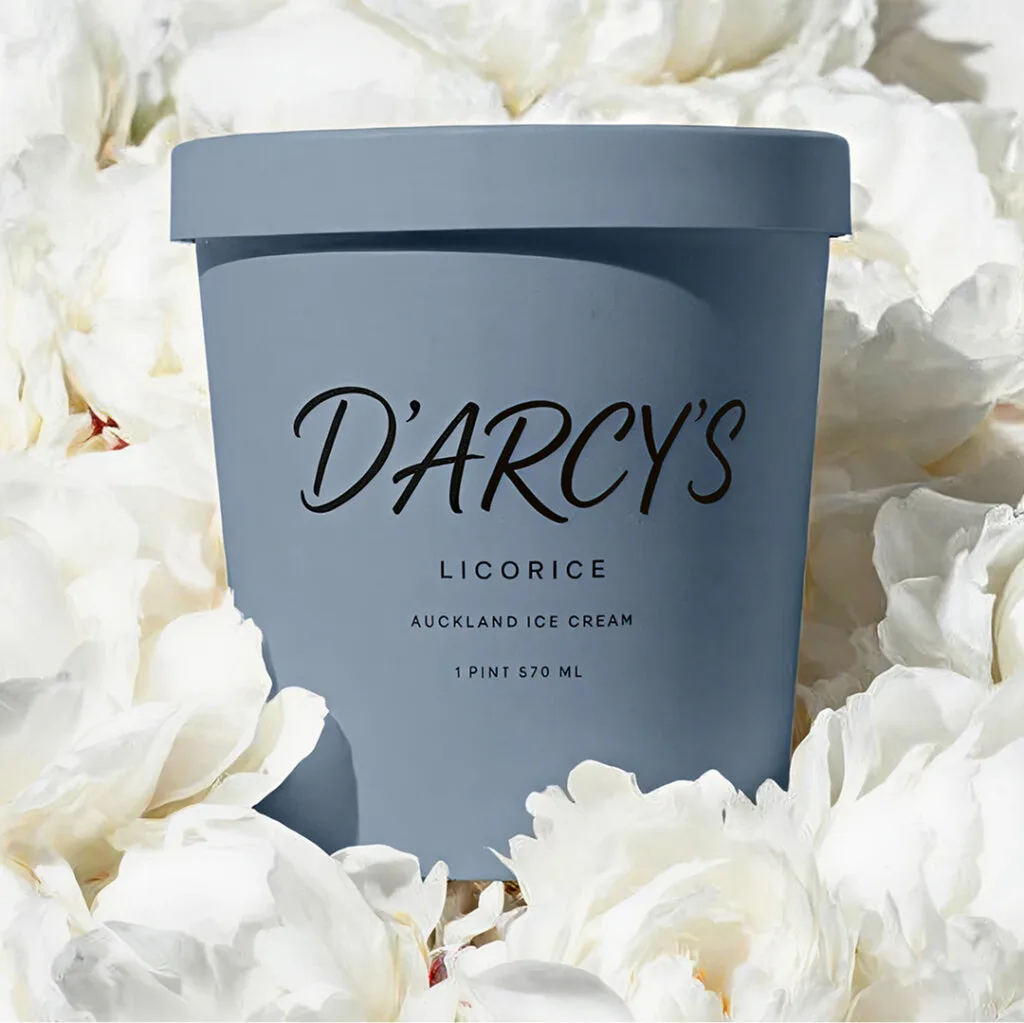
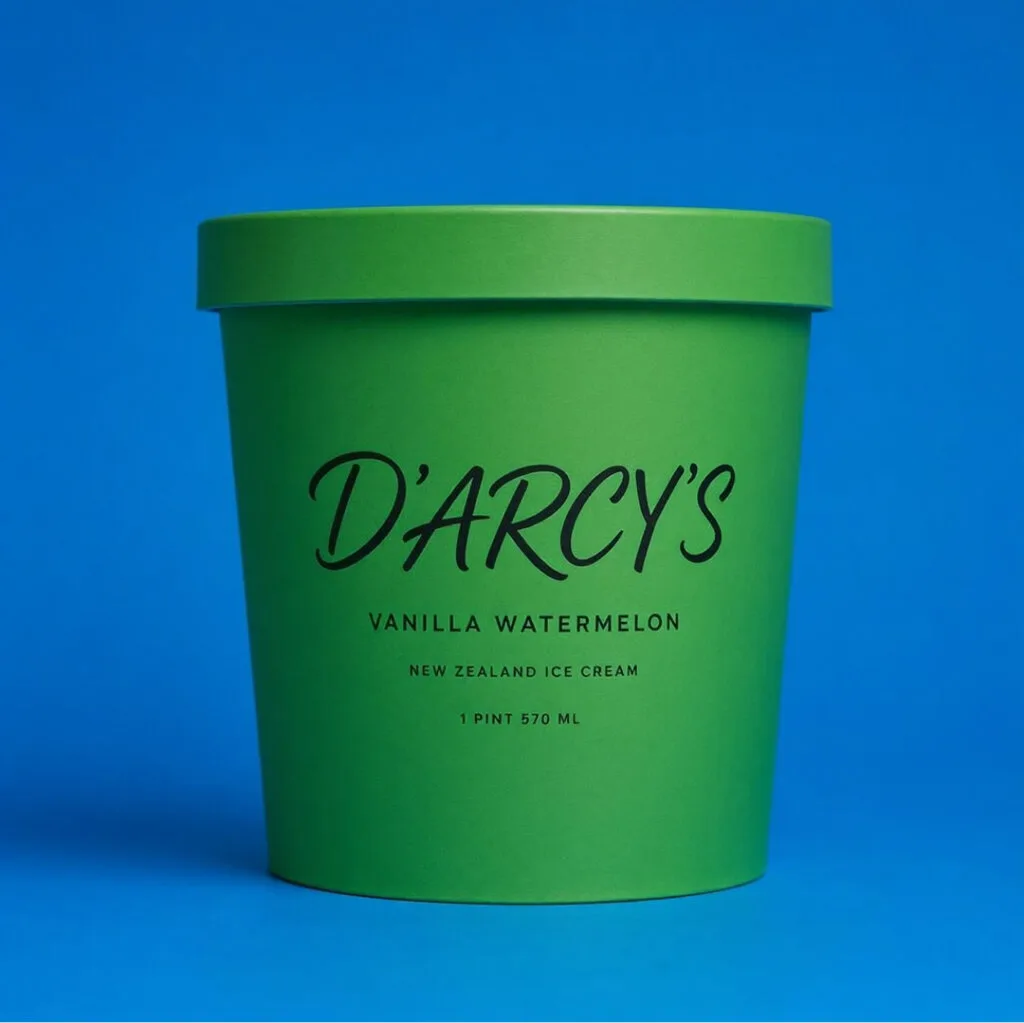
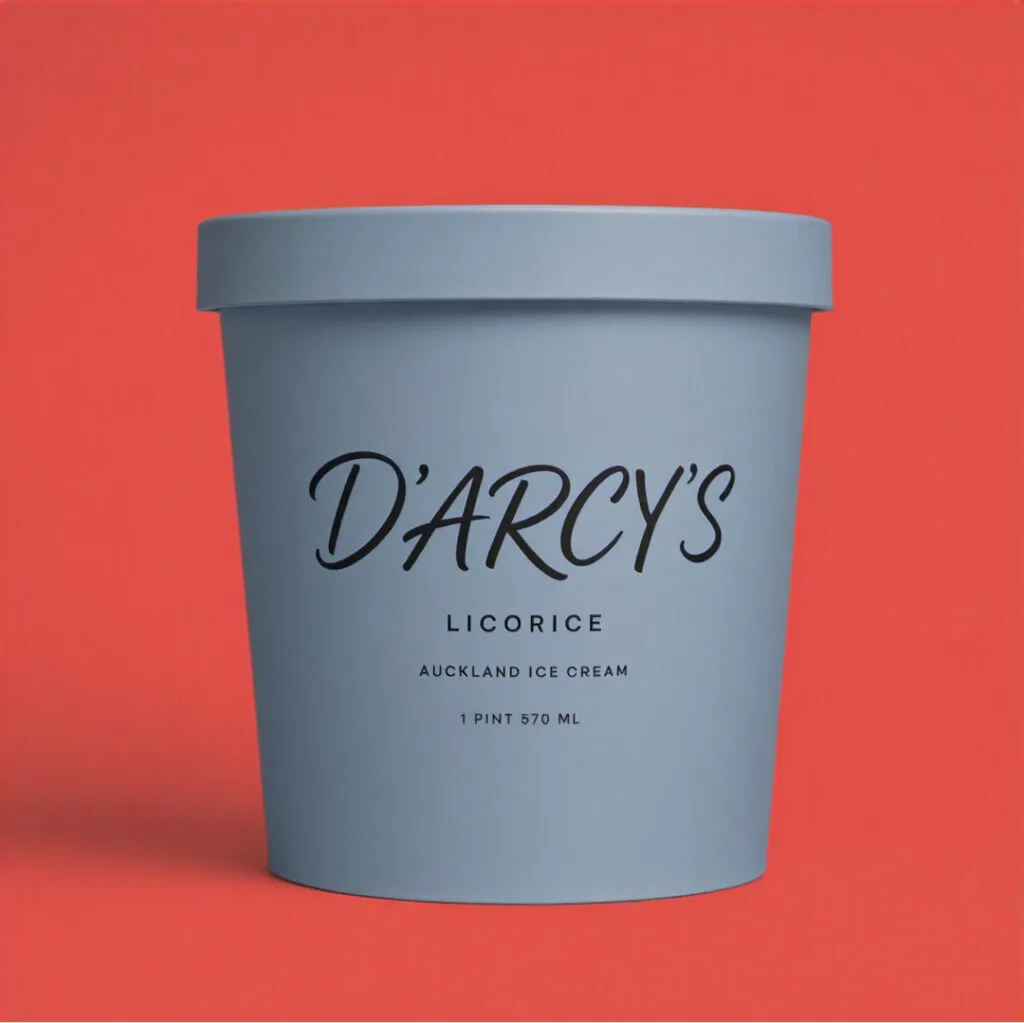
Product and commercial imagery is a clear strength - clean labels, accurate text, and consistent branding across variants:
 |  |  |
Be accurate about access: MAI-Image-2.5 is a proprietary model used through Azure AI Foundry, the MAI Playground, and OpenRouter - not a downloadable checkpoint. If open weights matter to you (local runs, fine-tuning, data privacy), Ideogram 4.0 is the leading open-weight option.
MAI-Image-2.5 at a Glance
| Attribute | Detail |
|---|---|
| Released | June 2, 2026 |
| Maker | Microsoft AI (MAI) |
| Type | Text-to-image + image editing |
| Versions | MAI-Image-2.5 (max fidelity), MAI-Image-2.5-Flash (fast) |
| Arena rank | No. 2 image editing, No. 3 text-to-image |
| Beats | GPT-Image-1.5, Nano Banana Pro 2K, Nano Banana 2.1 (editing) |
| Standout | Localized editing, visual reasoning, identity consistency |
| Access | Azure AI Foundry, MAI Playground, OpenRouter (proprietary) |
Pricing
Both versions are priced per token in Azure AI Foundry:
| Model | Text input (1M) | Image input (1M) | Image output (1M) |
|---|---|---|---|
| MAI-Image-2.5 | $5 | $8 | $47 |
| MAI-Image-2.5-Flash | $1.75 | $1.75 | $19.50 |
The full model is for maximum quality; Flash is for speed and volume at roughly a third of the image-output cost. Microsoft positions both as leading price-to-performance for their Arena scores.
Key Capabilities
- Step-change text-to-image quality - more detailed, coherent images with stronger text and product imagery.
- Complex visual reasoning - edits that fit the scene with correct perspective, scale, and shadows.
- Fine-grained editing - replace objects, update text, remove motion blur, all localized.
- Identity consistency - preserves facial likeness across pose, expression, and viewpoint.
- Two tiers - full fidelity or fast Flash, so you can tune for quality, speed, or cost.
How to Use MAI-Image-2.5
- 3D AI Studio - use MAI-Image-2.5 in Image Studio, the best place to generate and edit images online, alongside 15+ other models and a full set of AI edit tools, then convert to 3D in the same workspace.
- Azure AI Foundry - generate and edit programmatically in production.
- MAI Playground - try the models directly in the browser.
- OpenRouter - access MAI-Image-2.5 through the same API millions of developers already use.
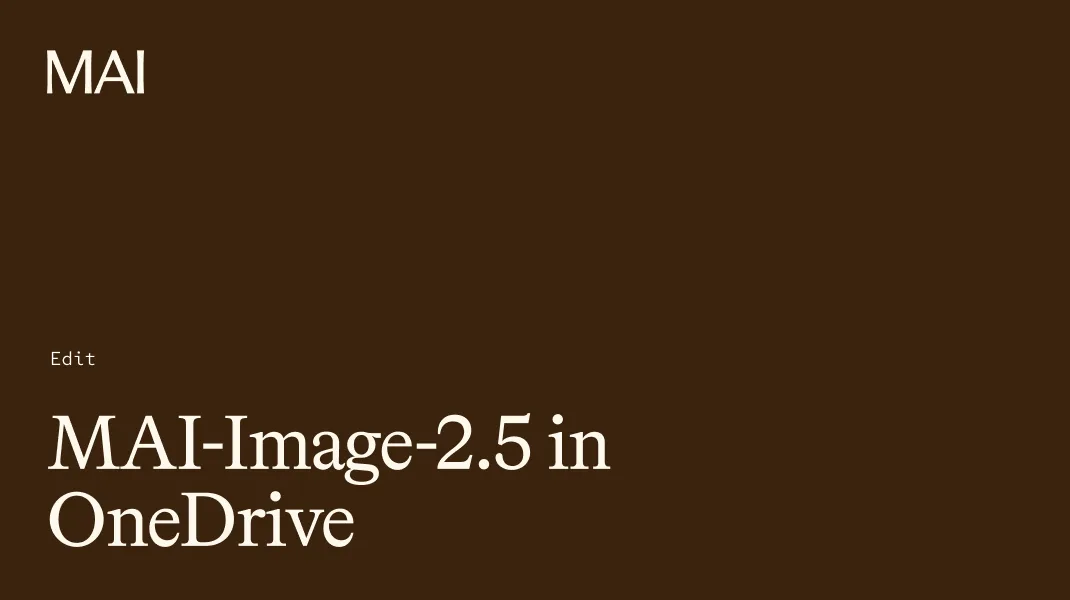
- Microsoft products - live in PowerPoint (generation) and rolling out to OneDrive (editing).
Want to get more from it? See our best MAI-Image-2.5 prompts guide.
From MAI Image to 3D Model
MAI-Image-2.5's editing strength is genuinely useful for 3D. A great 3D model starts with a clean reference image, and MAI is excellent at making one clean - removing distractions, cleaning up backgrounds, and isolating a single subject while keeping it photorealistic. The workflow:
- Generate or edit a clean reference image - one main subject, simple or white background, clear front or three-quarter view. Use MAI's editing to remove clutter and tidy the background.
- Open Image to 3D in 3D AI Studio and upload the image.
- Generate the 3D model with an engine like Prism 3.1, then remesh, texture, and export GLB, OBJ, FBX, STL, or USDZ.
3D AI Studio's Image Studio is the best place to generate and edit images online - MAI-Image-2.5 and 15+ other models plus a full set of AI edit tools in one workspace - and it runs the whole image-to-3D pipeline in the browser too. So you can generate or clean up a reference image and convert it to 3D without switching tools. In about two minutes you go from a flat image to a textured model you can export as GLB, OBJ, FBX, STL, or USDZ.
Pro tip: For image-to-3D, the cleaner the reference image, the better the model. Use one subject, a plain background, and a three-quarter angle that shows front and side shape. MAI-Image-2.5's localized editing makes it easy to remove background clutter without touching the subject.
The Bottom Line
MAI-Image-2.5 is Microsoft's most serious image model yet, and its editing is what sets it apart - No. 2 on Arena, with scene-aware reasoning and identity consistency that make edits actually fit. It is strong at generation too (No. 3 text-to-image), and the Flash variant makes it cheap to run at scale. It is a closed model, so for open weights you would look to Ideogram 4.0 instead.
For 3D, MAI is great for producing and cleaning up the reference image that starts your model. Generate or fix an image, then bring it into 3D AI Studio's Image to 3D to turn it into a textured, export-ready 3D asset. Want to prompt it well first? Read our best MAI-Image-2.5 prompts.

Generate 3D models with AI
Easily generate custom 3d models in seconds. Try it now and see your creativity come to life effortlessly!
FAQ
What is MAI-Image-2.5?
MAI-Image-2.5 is Microsoft's strongest image model, launched on June 2, 2026 by the Microsoft AI (MAI) team. It is built for both high-quality text-to-image generation and precise, controllable editing. At launch it ranked No. 2 on Arena's image-editing leaderboard (ahead of Nano Banana 2.1) and No. 3 for text-to-image. It ships in two versions: MAI-Image-2.5 for maximum fidelity and MAI-Image-2.5-Flash for fast, lower-cost production.
Is MAI-Image-2.5 free or open source?
No. MAI-Image-2.5 is a proprietary Microsoft model available to developers through Azure AI Foundry, the MAI Playground, and OpenRouter, with usage priced per token. It is not an open-weight download. If you specifically want open weights you can run yourself, Ideogram 4.0 is the leading open option right now.
What is MAI-Image-2.5 best at?
Editing is its standout strength - it ranked No. 2 on Arena's image-editing leaderboard and wins most editing categories like cleanup, backgrounds, shadows, and text. It is also strong at text rendering, product imagery, and prompt adherence, and it preserves facial identity across edits. Microsoft highlights its visual reasoning: it understands lighting, scale, and perspective, so edits fit the scene with correct shadows and angles.
How does MAI-Image-2.5 compare to GPT-Image and Nano Banana?
On Arena, MAI-Image-2.5 surpasses GPT-Image-1.5 and Nano Banana Pro 2K, ranking No. 3 for text-to-image and No. 2 for image editing (ahead of Nano Banana 2.1). It posts strong results across prompt adherence, visual quality, and controlled editing, and Microsoft positions it as a leading price-to-performance option for production workflows.
What is the difference between MAI-Image-2.5 and MAI-Image-2.5-Flash?
MAI-Image-2.5 is the maximum-fidelity version for the highest quality. MAI-Image-2.5-Flash is a faster, lower-cost version for scalable production workloads. Flash is roughly a third of the price on image output ($19.50 vs $47 per 1M image output tokens), so you pick fidelity, speed, or cost depending on the job.
Can I turn MAI-Image-2.5 images into 3D models?
Yes. Generate or edit a clean reference image (one subject, simple background), then upload it to 3D AI Studio's Image to 3D to convert it into a fully textured 3D model you can export as GLB, OBJ, FBX, STL, or USDZ. MAI-Image-2.5's precise editing is great for cleaning up a reference image - removing distractions and backgrounds - before converting it to 3D.
How much does MAI-Image-2.5 cost?
In Azure AI Foundry, MAI-Image-2.5 is $5 per 1M text input tokens, $8 per 1M image input tokens, and $47 per 1M image output tokens. MAI-Image-2.5-Flash is $1.75 per 1M text input tokens, $1.75 per 1M image input tokens, and $19.50 per 1M image output tokens. Microsoft positions both as leading price-to-performance for Arena score.
Where can I use MAI-Image-2.5?
Developers can use it in Azure AI Foundry and via OpenRouter, and try it directly in the MAI Playground. It is also being built into Microsoft products: live in PowerPoint for image generation and rolling out to OneDrive for precise photo editing. To turn its images into 3D, bring them into 3D AI Studio's Image to 3D.