

Turn an idea into a stylized hand-painted game prop
Describe it or add a sketch to start
How this template works
Image Studio designs the asset in a fixed style, then Image to 3D builds it within a 5,000-face polygon budget. The export presets set format, scale and texture size for your engine.
 1Open Image StudioStep 1 · Image Studio
Design the asset
Image Studio turns your text or sketch into a clean concept render. The hand-painted style asks for chunky fantasy proportions and painterly textures with warm highlights. The object is isolated on white so the 3D step sees one clear shape.
Nano Banana 2.1 (text) or GPT Image 2.5 Flare (sketch) · 1K
 2Open Image to 3DStep 2 · Image to 3D
Build the 3D model
Image to 3D (Prism 3.1) builds the mesh with a 5,000-face face limit and Fast textures, so it's light enough for real-time use.
Prism 3.1 · Fast textures · Standard mesh · 5,000 face limit · Baked lighting
Tips for the best result
- Describe one object, not a scene: "a wooden barrel with iron rings".
- A rough sketch is enough; notes and arrows on the paper are ignored.
- Make several assets with the same template to build a matching set.
Do it yourself for more control
- Change the style text in the Image Studio prompt to match your game's art direction.
- Use Remesh to hit an exact triangle count or get quad topology.
- Use LOD to generate lighter versions for distant objects.
Good to know
Hand-painted detail lives in the texture; export at 2048 px to keep it crisp.
Made with this template
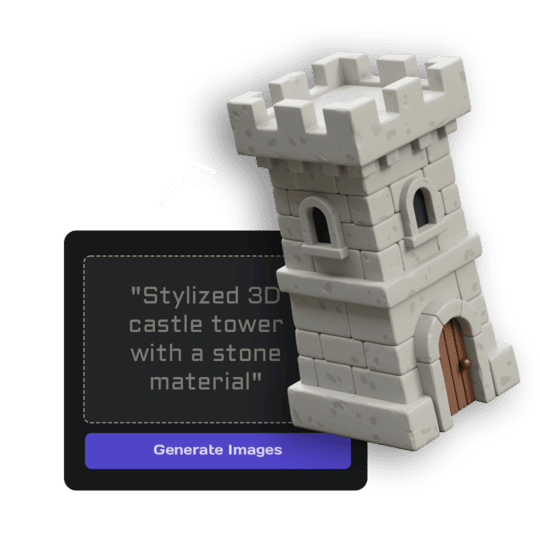
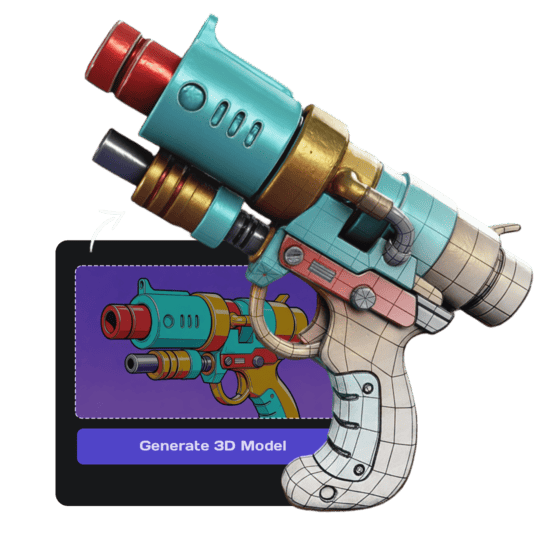
The card in the corner shows what went in.


Each example is an actual run of this template at Standard quality, made from a typed idea or a sketch.
Run this template from Claude, ChatGPT or Cursor
Connect the 3D AI Studio MCP to your AI assistant and paste the brief into the chat. It runs the same steps with the same prompts and settings, shows you the result in the conversation and saves it to your library.
- Connect the MCP once in your account settings. It's included in every paid plan.
- Copy the brief and swap the example in the first line for your own.
- Paste it into a new chat. Your assistant runs every step and shows you each result.
generate_image_nano_2_1upload_imageedit_image_gptgenerate_prism_3_1generate_p2convert_modelget_generationshow_generationUse the 3D AI Studio MCP to run the "Stylized Hand-Painted Prop" template (https://www.3daistudio.com/templates/stylized-3d-model) for me.
My idea: A glowing potion bottle with a cork
Colours: Warm
Condition: New
Follow these steps in order. The prompts and settings are the template's own, so use them word for word and only put my idea where it says {MY IDEA}.
1. Design the asset
Call generate_image_nano_2_1 with aspect_ratio "1:1", resolution "1K", output_format "png" and this prompt:
"""
A finished 3D game asset render of {MY IDEA}. Style: stylized hand-painted 3D game asset like a fantasy RPG prop, exaggerated chunky proportions, painterly hand-painted textures with soft gradients and warm highlights. One single isolated object only, centered, shown in a three-quarter front view from slightly above, the entire object visible with generous empty margin. Seamless pure white (#FFFFFF) background, soft even studio lighting, no cast shadows, no ground plane, no text, no labels, no annotations, no arrows. Surface and light: soft, even, diffuse studio light. Metal, gems, glass-like and wet or glossy materials show what they are through colour and a soft satin sheen, never through mirror reflections, bright specular hot spots or reflections of the surroundings. Glowing parts (eyes, runes, lava, neon, gems) are painted as bright, flat emissive colour on the surface itself, with no light spilling onto nearby surfaces, no halo, bloom or glow around the object, and no light rays, sparkles or particles in the air.
"""
If I want to start from a sketch or reference image instead, call upload_image so I can hand it over, then call edit_image_gpt with the upload in images, quality "low", output_format "png" and this prompt:
"""
This is a rough sketch. Recreate the object it shows as a finished 3D game asset render, keeping the sketch's design, proportions and key details, and ignore any handwritten notes, arrows and paper. Style: stylized hand-painted 3D game asset like a fantasy RPG prop, exaggerated chunky proportions, painterly hand-painted textures with soft gradients and warm highlights. One single isolated object only, centered, shown in a three-quarter front view from slightly above, the entire object visible with generous empty margin. Seamless pure white (#FFFFFF) background, soft even studio lighting, no cast shadows, no ground plane, no text, no labels, no annotations, no arrows. Surface and light: soft, even, diffuse studio light. Metal, gems, glass-like and wet or glossy materials show what they are through colour and a soft satin sheen, never through mirror reflections, bright specular hot spots or reflections of the surroundings. Glowing parts (eyes, runes, lava, neon, gems) are painted as bright, flat emissive colour on the surface itself, with no light spilling onto nearby surfaces, no halo, bloom or glow around the object, and no light rays, sparkles or particles in the air.
"""
2. Build the 3D model
Call generate_prism_3_1 with the task_id of the image from step 1 in images, texture_model "3.5", texture_quality "fast", geometry_quality "standard", pbr false, face_limit 5000, lighting_removal false.
For a lighter, game-optimized mesh with clean low-poly topology, call generate_p2 instead with texture_model "3.5", texture_quality "standard", pbr false, lighting_removal false and no face_limit.
3. Export
Export it for Unity unless I name another target: call convert_model on the 3D model with output_format "fbx_zip" (FBX with its textures) for Unity, Unreal / UEFN or Roblox Studio. Godot or Blender take the generated GLB as it is, no conversion needed.
After each generation call, keep polling get_generation with its task_id until it completes, then show me the result with show_generation before you start the next step.Or automate it with the API
The same tools are available through the 3D AI Studio API. Call them from your own code to make hundreds at once, build them into your app or run them in your pipeline.
Similar templates
More templates like Stylized Hand-Painted Prop, ready to use the same way.


