
PS1 Graphics: What Makes the Look and How to Make PS1-Style 3D Models
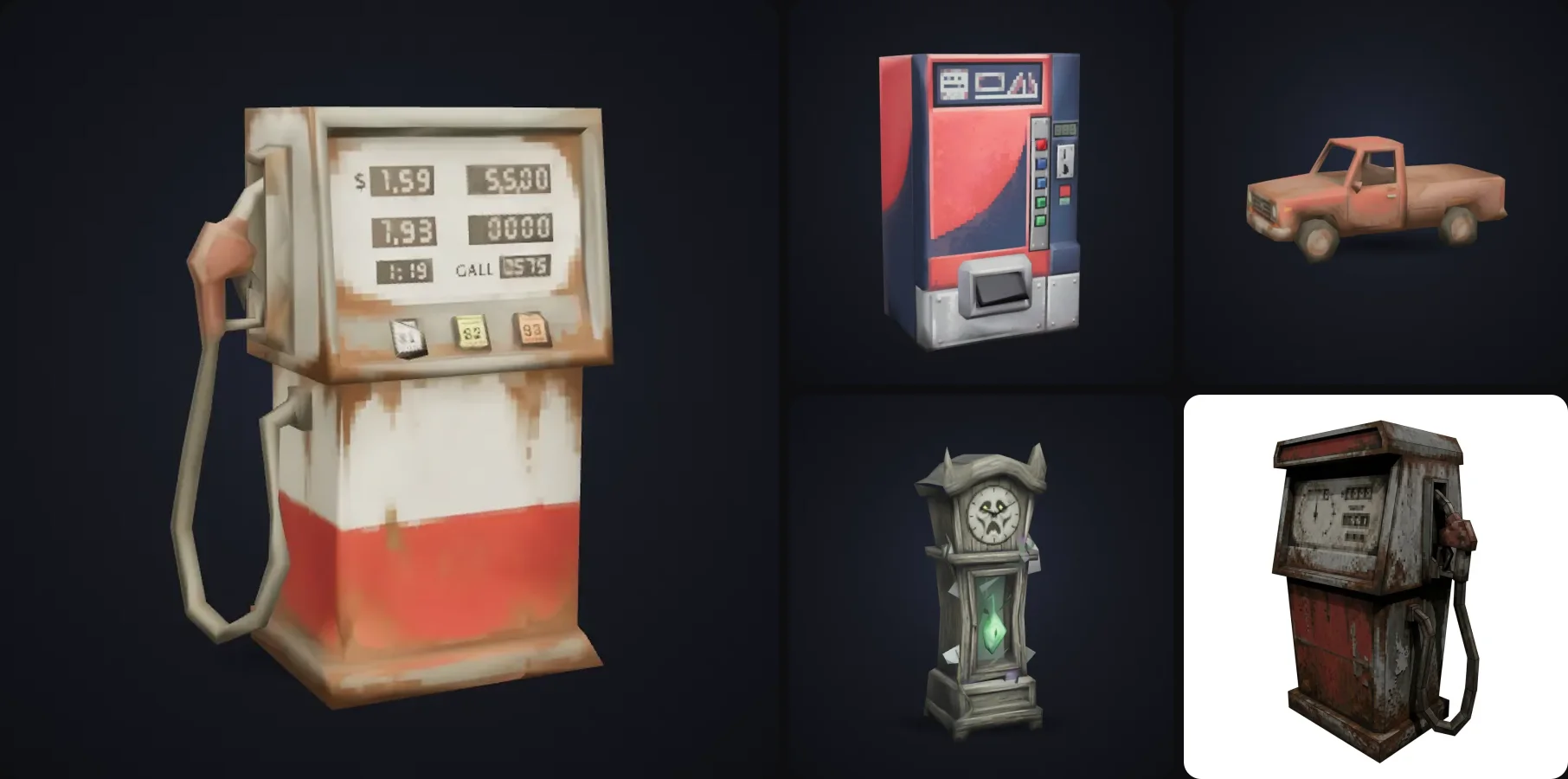
PS1 graphics are back! A whole wave of indie horror and retro games uses the PlayStation 1 look on purpose, with chunky models, crunchy textures, wobbly vertices and thick fog. If you're making one of those games, you need a lot of props in that style.
In this post I'll go through what actually makes the PS1 look (there's more to it than low poly), how to recreate it in a modern engine, and how to make PS1 style 3D models in a few minutes each.
- The PS1 look comes from hardware limits: very low poly models, tiny textures without smoothing, wobbly vertices and warped textures.
- For assets: about 1,000 triangles or less, 64 to 512 px textures, lighting baked into the texture.
- In the engine: Point/Nearest filtering, a low render resolution, plus a vertex snapping and affine texture shader.
- Make props fast with the PS1 Retro Prop template: type an idea, get an FBX or GLB about 2 to 3 minutes later.
What are PS1 graphics?
PS1 graphics are the look of 3D games on the original PlayStation (1994). It's defined by the console's hardware limits, which is why it's so recognisable:
- Low poly models. Characters had a few hundred to about 1,000 triangles, props often much less.
- Tiny textures. Often 64 to 256 px, stretched over large surfaces.
- No texture smoothing. Textures were sampled with nearest-neighbour filtering, so you see crisp pixels up close.
- Wobbly vertices. The PS1 had no floating point for vertex positions, so vertices snapped to whole pixels and jittered as the camera moved.
- Warped textures. No perspective-correct texture mapping (it used affine mapping), so textures bent and swam on big polygons.
- Low resolution. Usually 320 by 240 pixels, with dithering to fake more colours.
- Fog everywhere. Partly style, mostly to hide how short the draw distance was.
Most "PS1 style" games today only copy the first three and skip the wobble and warping, but if you add those too, it feels a lot more like the real thing.
How to make PS1-style 3D models
You need the right assets, and then the right rendering settings in your engine.
1. The assets
PS1-style assets follow a few rules:
| Rule | Target |
|---|---|
| Triangle count | about 1,000 or less per prop |
| Texture size | 64 to 512 px |
| Lighting | baked into the texture, not real-time |
| Detail | painted in the texture, not modelled |
| Shapes | chunky silhouettes that read at low resolution |
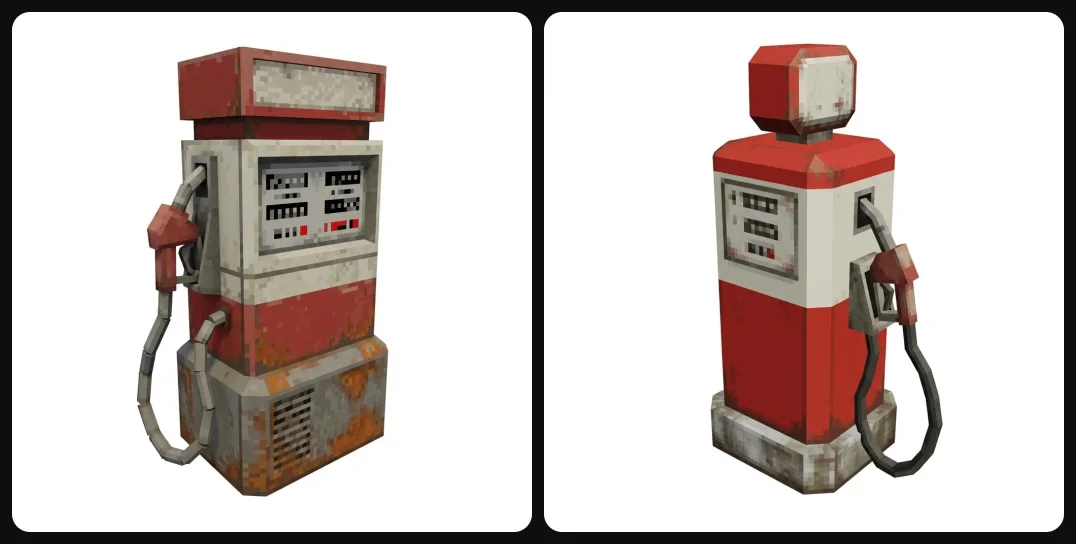
Modelling these by hand is very doable, but it's slow when you need fifty props for a level. That's where the PS1 Retro Prop template helps: you describe one object ("a retro gas station fuel pump"), it designs it in a fixed retro style, then builds a 3D model within a 1,000-face budget with 512 px textures. Export presets set the format, scale and texture size for Unity, Unreal or Godot.
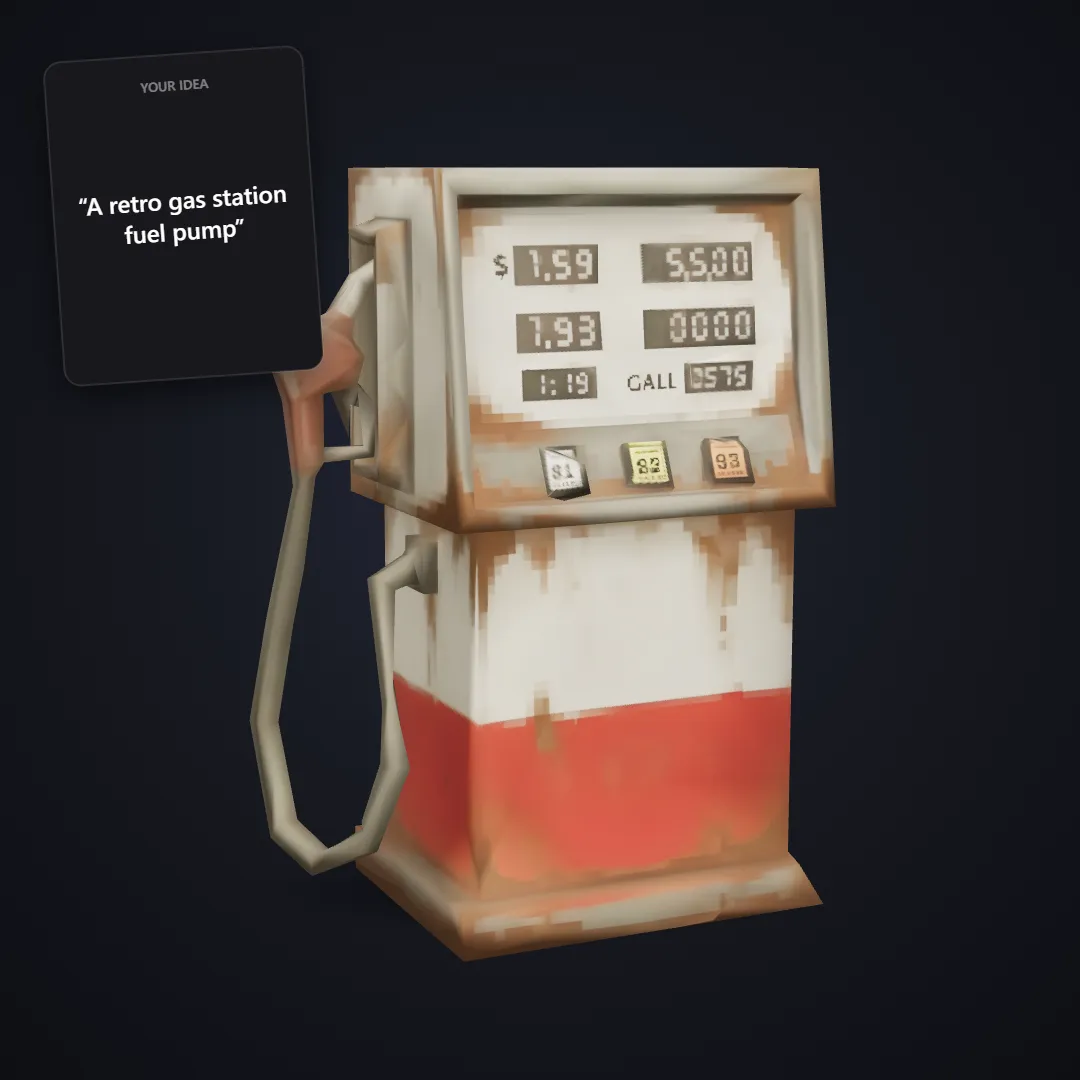
The card is what was typed, the model is what came out.
A few more props from the same template:
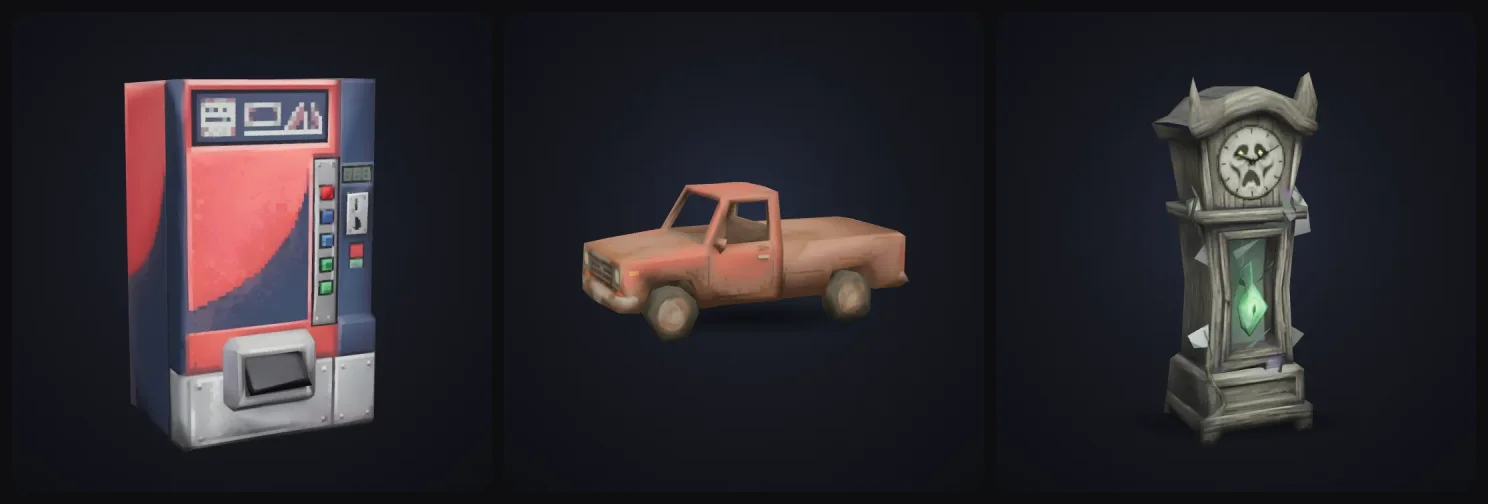
Because the style is locked, everything you make with it matches, so a whole level built from it looks like one game.
Mood
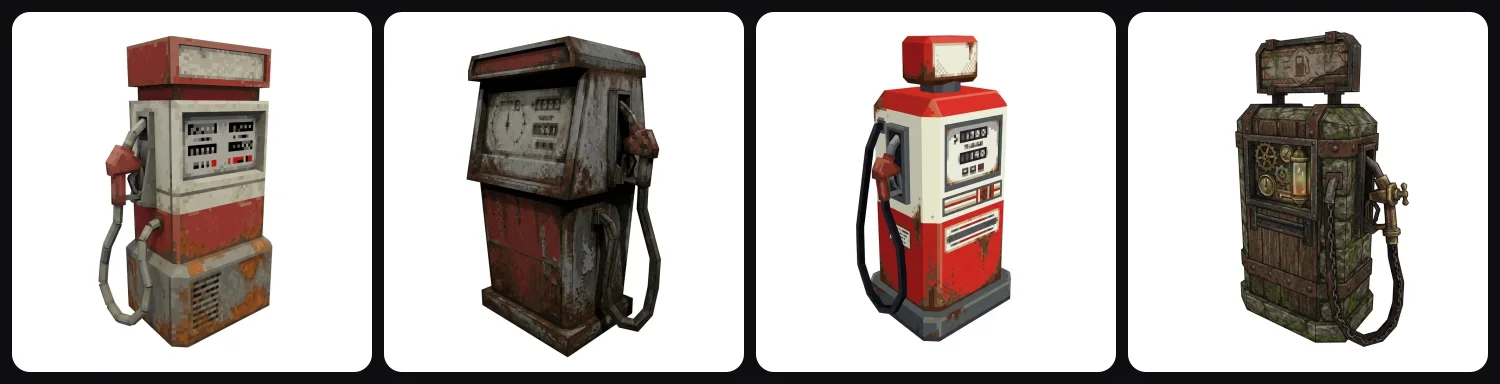
The mood setting gives the same prop a different flavour: Classic, Horror (grimy and rusted), Arcade (bright and clean) or Fantasy RPG:
Polygons
Standard is around 1,000 faces. Ultra-low goes even chunkier, for distant props or a stronger retro look:
2. The rendering
Your assets only look truly PS1 with the right rendering. In any engine:
- Texture filtering: Point (Unity) or Nearest (Godot). This one setting already makes a big difference.
- Render at a low resolution (like 320 by 240 or 480 by 270) and upscale with nearest-neighbour.
- Vertex snapping in a shader: round vertex positions in screen space to fake the jitter.
- Affine texture mapping in a shader: drop perspective correction so textures warp.
- Fog and dithering to finish it.
There are good free PSX shaders for Unity, Godot and Unreal if you don't want to write your own.
Tips for a believable PS1 look
Describe one object at a time. "A wooden barrel with iron rings" works well, while "a tavern full of barrels" won't. It also helps to stick to a palette of muted, slightly dirty colours, because clean saturated colours look more like modern low poly.
Put the detail into the textures and keep the geometry simple. And if you need even lighter versions or an exact triangle count, use LOD and Remesh on the model afterwards.
PS1 style vs normal low poly
The two are related. Modern low poly usually has flat shading, smooth gradients and crisp edges, while PS1 style has pixelated textures, baked in grime and the wobble and warping. If you want the clean look, the low poly generator is the better fit.
Getting started
Type your first prop into the PS1 Retro Prop template and drop the FBX or GLB into your engine. Once you set the texture filter to Point, you'll see the PS1 look straight away.
More guides
Building a whole game? Here's our roundup of the best AI game asset generators and a guide to making game icons with AI for your inventory and skill bars. Making a tabletop game instead? See how to make D&D miniatures and tokens.
Not sure PS1 is the right look for your game? I compared 12 video game art styles and how to pick one.
Happy game making!

Generate 3D models with AI
Easily generate custom 3d models in seconds. Try it now and see your creativity come to life effortlessly!
FAQ
What makes PS1 graphics look the way they do?
Hardware limits. The PlayStation 1 had no floating point for vertex positions, so vertices snapped to whole pixels and wobbled. It had no perspective-correct texture mapping, so textures warped. Models used a few hundred polygons, textures were tiny and filtered without smoothing, and the output was 320 by 240 pixels.
How do I make PS1-style 3D models?
Keep models very low poly (a few hundred to about 1,000 triangles), use small textures (64 to 512 px) with nearest-neighbour filtering, and bake lighting into the texture. In 3D AI Studio, the PS1 Retro Prop template generates props like that from a sentence or a sketch, with about 1,000 faces and 512 px textures, exported as FBX or GLB.
How many polygons did PS1 models have?
Main characters were usually a few hundred to around 1,000 triangles, and props often far fewer. Scenes were built from many small low-poly objects.
How do I get the PS1 look in Unity or Godot?
Set texture filtering to Point (Unity) or Nearest (Godot), render at a low resolution like 320 by 240 and upscale, and add a shader with vertex snapping and affine texture mapping. Fog and dithering complete the look.
Why are PS1-style games popular again?
The look is instantly recognisable and great for horror and nostalgia, and low-poly assets are fast to make, which suits small indie teams. A whole wave of indie horror games uses it on purpose.
Is it free?
You can try the PS1 template for free when you sign up and see your model in 3D in the browser. Downloading the FBX or GLB is part of the paid plans.