
Best Ideogram 4.0 Prompts for Stunning AI Images (2026)
Quick answer: The best Ideogram 4.0 prompts are specific and descriptive - they name the subject, style, lighting, layout, and any exact text in single quotes. Because Ideogram 4.0 was trained on detailed structured JSON captions, the more precisely you describe each element (and its color and position), the more control you get. Below are prompts you can copy by category, plus how to write JSON prompts and how to turn your images into 3D models with 3D AI Studio.
Ideogram 4.0 is the best open-weight image model for text and design, and it rewards good prompting more than most models. This guide covers how its prompting actually works, the tips that matter, and a big set of copy-ready prompts you can adapt.
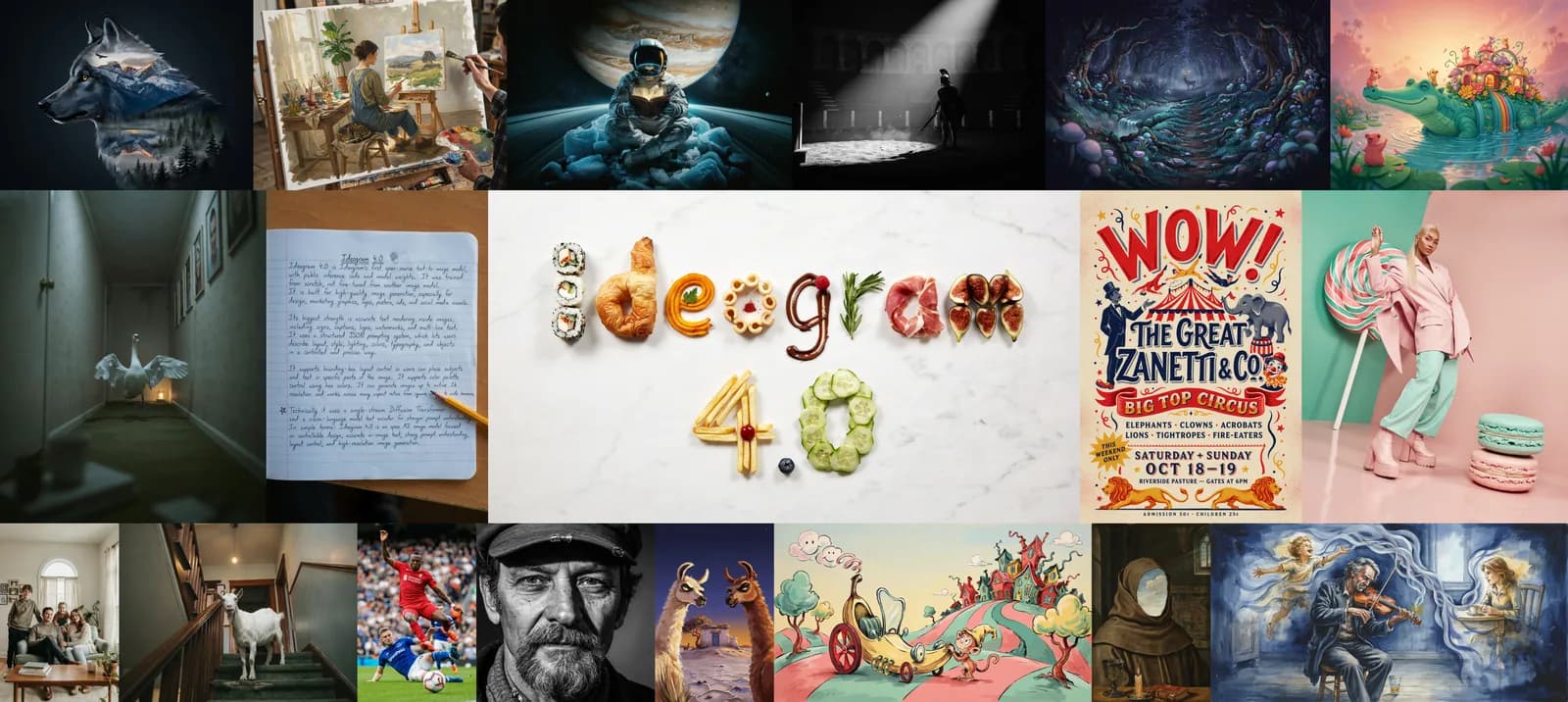
- Be descriptive. Name subject, style, lighting, composition, and exact text. Ideogram was trained on extremely detailed captions.
- Quote your text. Put exact words in single quotes for clean in-image text - Ideogram's strongest skill.
- Use color + layout control. Hex palettes steer color; bounding boxes place elements precisely.
- JSON for max control. Ideogram was trained on JSON captions; magic-prompt expands plain text into JSON for you.
- For 3D: prompt clean, single-subject, white-background reference images, then convert with Image to 3D.
How Ideogram 4.0 Prompting Works
Ideogram 4.0 was trained exclusively on structured JSON captions - long, exhaustive descriptions of every element in an image. You can prompt it three ways:
- Plain text. Works fine and is the fastest way to start.
- Magic prompt. An LLM expands your plain-text prompt into a full JSON caption before generation, so a casual prompt gets JSON-quality results.
- Structured JSON. You write the caption yourself for maximum, repeatable control over style, color, and layout.
The practical takeaway: write like you are describing the finished image to someone who cannot see it. Detail helps.
7 Tips for Better Ideogram Prompts
- Lead with the subject, then layer details. Subject → style → lighting → composition → mood.
- Quote exact text. Use single quotes around words: a sign that says 'OPEN'. Keep it short for the cleanest rendering.
- Specify a color palette with hex codes. For example:
color palette #0A2540, #00D1B2, #F5F7FA. Great for on-brand work. - Use aspect ratios on purpose. Ideogram handles square to ultrawide (up to 6:1) natively - pick the ratio that fits the use (poster, banner, phone wallpaper).
- Place elements with layout language. Say "title at the top, subject centered, logo bottom-right" - or use bounding boxes in JSON for exact placement.
- Generate at 2K for finals. Native 2K means print-ready output without a separate upscaler.
- Iterate one variable at a time. Change the lighting, then the palette, then the layout - so you learn what each tweak does.
Best Ideogram 4.0 Prompts by Category
Typography and Logos (Ideogram's strongest skill)
A minimalist logo for a coffee brand, the text 'NORTH ROAST' in a clean bold sans-serif, a small mountain mark above the text, monochrome, centered, flat vector, white background
A vintage badge logo with the text 'EST. 2026' curved along the top and 'MAKERS GUILD' along the bottom, hammer-and-anvil icon in the center, distressed letterpress style, two-tone cream and dark navy
Bold kinetic typography of the word 'MOMENTUM', letters made of flowing liquid chrome, dramatic studio lighting, dark gradient background, 3D type, high contrast
Posters and Graphic Design
A concert poster, large title 'NEON NIGHTS' at the top, subtitle 'Live at the Harbour, July 12' below, silhouette of a city skyline at sunset, retro 80s synthwave style, color palette #1B1035, #FF2E97, #00E5FF, portrait 2:3
A clean product launch poster for wireless earbuds, single product centered on a soft gradient, headline 'Hear Everything' at the top, three tiny feature labels along the bottom, minimalist Apple-style layout, lots of negative space
Photorealistic Images (native 2K)
A photorealistic portrait of an elderly fisherman, weathered skin with fine texture, salt-and-pepper beard, soft window light, shallow depth of field, 85mm lens, natural color, 2K
A photorealistic flat-lay of a wooden desk: open notebook, fountain pen, a cup of black coffee, and a small potted plant, warm morning light, top-down view, crisp natural detail
Stylized and Illustration
An isometric illustration of a tiny floating island with a windmill, waterfall spilling off the edge, soft pastel palette, clean vector shading, white background
A cute mascot character of a round red panda chef holding a wooden spoon, flat illustration style, bold outlines, friendly expression, simple background
Multilingual and Text-Heavy
A bilingual welcome sign, the words 'WELCOME' and a clean second-language line beneath it, modern museum signage style, high contrast, centered, legible at a glance
An infographic header with the title 'How It Works' and three numbered step labels '1 Create', '2 Convert', '3 Export', flat modern design, accent color #00D1B2, lots of white space
3D and Game-Asset Reference Prompts (for image-to-3D)
These are written to produce clean, single-subject images that convert beautifully into 3D models. Note the recurring "front view, clean white background" pattern.
A stylized 3D stone golem, full body, front view, clean white background, game asset, detailed rock texture, moss accents
A stylized 3D treasure chest, closed, three-quarter view, clean white background, ornate gold trim, game asset, soft even lighting
A cute 3D cottage with a thatched roof, isometric three-quarter view, clean white background, stylized game asset, warm colors
A 3D sci-fi blaster pistol, side profile, clean white background, hard-surface game asset, matte metal with cyan energy accents
A 3D cartoon dragon, full body, front view, clean white background, friendly stylized character, smooth shading
Why "white background, front view"? Image-to-3D works best when the subject is isolated and the silhouette is clear. A plain background and a head-on or three-quarter angle give the 3D engine the cleanest shape to reconstruct.
Writing a Structured JSON Prompt (Ideogram's Real Schema)
For maximum control, mirror the exact format Ideogram was trained on. Per Ideogram's official prompting guide, a caption has three top-level fields:
high_level_description- a one or two sentence summary of the whole image (optional but strongly recommended).style_description- aesthetics, lighting, medium, and an optionalcolor_paletteof uppercase#RRGGBBhex codes. Usephotofor photographic looks orart_stylefor everything else.compositional_deconstruction- abackgroundstring plus anelementslist, where each element has atype(objortext), an optionalbboxof[y_min, x_min, y_max, x_max]in 0 to 1000 coordinates, and adesc.
Here is a real example from their guide - a warm sunset scene with a color palette:
{
  "high_level_description": "A lone sailboat on calm water at sunset.",
  "style_description": {
    "aesthetics": "serene, warm, golden hour",
    "lighting": "golden hour backlighting, warm atmospheric haze",
    "photo": "wide angle, f/8, long exposure",
    "medium": "photograph",
    "color_palette": ["#FF6B35", "#F7C59F", "#004E89", "#1A659E", "#2B2D42"]
  },
  "compositional_deconstruction": {
    "background": "A calm ocean stretching to a low horizon, sky washed in orange and pink with thin wisps of cloud.",
    "elements": [
      {"type": "obj", "desc": "A single sailboat with a white triangular sail, silhouetted against the setting sun."}
    ]
  }
}
And a design example that places exact text - perfect for branding work:
{
  "high_level_description": "A clean, modern business card layout for a tech company.",
  "style_description": {
    "aesthetics": "minimal, professional, geometric",
    "lighting": "even, diffuse studio lighting",
    "medium": "graphic_design",
    "art_style": "flat vector design, generous whitespace, sans-serif typography",
    "color_palette": ["#FFFFFF", "#F0F0F0", "#333333", "#0066FF", "#00CC88"]
  },
  "compositional_deconstruction": {
    "background": "A solid off-white card surface with subtle paper texture.",
    "elements": [
      {"type": "text", "text": "ACME TECH", "desc": "Bold dark grey sans-serif company name across the upper third of the card."},
      {"type": "text", "text": "hello@acme.tech", "desc": "Small blue sans-serif contact email near the bottom of the card."}
    ]
  }
}
A few rules from Ideogram that matter: keep the key order as shown, use uppercase hex only (#RRGGBB, not shorthand), and you can add a bbox to any element to place it precisely. You do not have to write JSON by hand though - the magic prompt feature expands a plain-text prompt into this structure automatically, so you get JSON-quality results from a casual prompt. JSON is how you lock a layout in when you need it identical every time.
The easiest way to try these prompts is in 3D AI Studio's Image Studio, the best place to generate and edit images online - it runs Ideogram 4.0 alongside 15+ other models, so you can prompt, compare, and edit in one place.
Turn Your Best Images Into 3D Models
The prompts above are designed to produce clean images with clear subjects - which makes them perfect input for Image to 3D. The workflow is simple:
- Generate your image in 3D AI Studio's Image Studio, the best place to generate and edit images online - it runs Ideogram 4.0 plus 15+ other models in one workspace.
- Clean it up if needed - remove the background, fix details, or restyle the subject with the built-in AI edit tools.
- Upload to Image to 3D and generate with an engine like Prism 3.1.
- Export as GLB, FBX, OBJ, STL, or USDZ for games, 3D printing, AR, or the web.
The whole pipeline takes about two minutes per asset once you have a clean image.
Generate something great with Ideogram, then turn it into a 3D model and use it anywhere. New to the model? Start with our Ideogram 4.0 overview.

Generate 3D models with AI
Easily generate custom 3d models in seconds. Try it now and see your creativity come to life effortlessly!
FAQ
What makes a good Ideogram 4.0 prompt?
Be specific and descriptive. Name the subject, style, lighting, composition, and any exact text in single quotes. Ideogram 4.0 was trained on extremely detailed structured captions, so the more precisely you describe every element - including color (as hex codes) and layout - the more control you get. Plain-text prompts work, but adding detail closes the gap to the JSON format the model prefers.
How do I get Ideogram 4.0 to render text correctly?
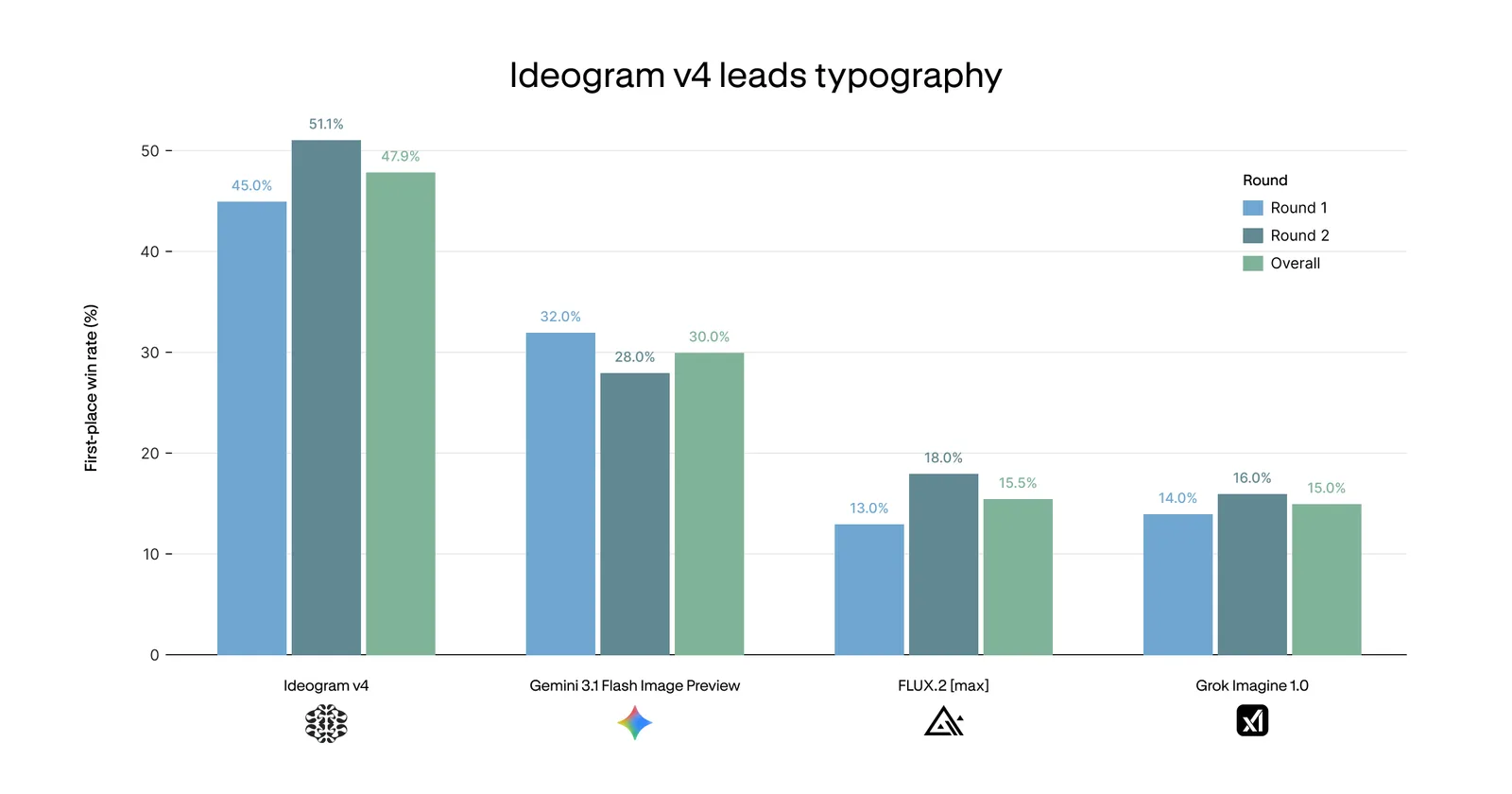
Put the exact text you want inside single quotes in your prompt, for example a poster with the title 'Grand Opening'. Keep text short and make it a clear part of the design. Ideogram 4.0 has the best in-image text rendering of any open model, so logos, signage, and multi-line layouts come out clean - just specify the words, the font feel, and where they should sit.
What is a JSON prompt in Ideogram 4.0?
Ideogram 4.0 was trained on structured JSON captions, so you can describe an image as a JSON object with fields for the subject, style, color palette (hex codes), and bounding boxes that place each element. It gives the most precise, repeatable control. If you do not want to write JSON, the built-in magic-prompt feature expands a plain-text prompt into JSON for you.
What are the best Ideogram 4.0 prompts for 3D models?
For 3D, prompt for a clean reference image: one subject, a plain white background, and a front or three-quarter view. Example: 'a stylized 3D stone golem, full body, front view, clean white background, game asset'. Then upload the image to 3D AI Studio's Image to 3D to convert it into a textured 3D model you can export as GLB, FBX, OBJ, or STL.
Can I use these Ideogram prompts on other models?
Mostly yes - the descriptive structure transfers well to FLUX, ImageGen 4, GPT-Image, and others. The biggest differences are that Ideogram is stronger at in-image text and supports structured JSON natively. In 3D AI Studio's Image Studio you can run the same prompt across 15+ models and pick the best result, then send it straight to image-to-3D.
How do I set color and layout in an Ideogram prompt?
For color, include hex codes (a color palette like #0A2540, #00D1B2, #FFFFFF) to steer the dominant scheme - great for brand work. For layout, use bounding-box coordinates to place subjects, text, and background regions exactly. Both are part of Ideogram 4.0's structured prompting and give it precise control over composition.
Where can I use Ideogram 4.0?
You can use it online at ideogram.ai, run the open weights locally from Hugging Face, or access it on partner platforms like ComfyUI, fal, Replicate, and Leonardo. Once you have an image you like, bring it into 3D AI Studio to turn it into a 3D model or to edit, upscale, and convert styles in Image Studio.