
Best Free AI 3D Model Generators in 2026 (Tested and Compared)
Quick answer: The best free AI 3D model generator for most people in 2026 is 3D AI Studio, because its free tier gives you text-to-3D and image-to-3D across multiple engines, 3D preview, and a downloadable community library in your browser. Meshy and Tripo offer the most generous free credits among single tools, and Hunyuan3D and Trellis are the best fully free, open-source options if you can self-host.
You no longer need expensive software or 3D modeling skills to make a 3D model - and you do not need to pay, either. A wave of AI tools now turns text prompts and photos into 3D models on free plans. But "free" means different things: monthly credits, open-source self-hosting, or free-to-make-but-pay-to-export. This guide breaks down the best free options and the fine print that actually matters.
- Best free all-rounder: 3D AI Studio - free tier with multiple engines, 3D preview, and a community library.
- Most generous single-tool credits: Meshy and Tripo.
- Best fully free / open-source: Hunyuan3D and Trellis (self-hosted, unlimited).
- Best free for quick concepts: Luma Genie (great for ideation; check commercial terms).
- Watch the license: some free tiers are personal/non-commercial only.
Best Free AI 3D Model Generators at a Glance
| Tool | Free offering | Inputs | Commercial use | Best for |
|---|---|---|---|---|
| 3D AI Studio | Free tier + community library | Text, Image | Yes (check plan) | All-round free generation |
| Meshy | Free monthly credits | Text, Image | Yes | Game assets, props |
| Tripo | Free monthly/daily credits | Text, Image | Yes | Fast, simple models |
| Hunyuan3D | Free, open-source | Image | Yes (self-hosted) | Unlimited self-hosting |
| Trellis 2 | Free, open-source | Image | Yes (self-hosted) | High quality on your own GPU |
| Luma Genie | Free, limited | Text | Often limited | Quick concepts |
What "Free" Really Means in AI 3D
Before the list, understand the three flavors of free - because they have very different trade-offs:
- Credit-based free tiers (3D AI Studio, Meshy, Tripo): generate a set number of models per month in your browser, no setup, no GPU. Easiest entry point.
- Open-source / self-hosted (Hunyuan3D, Trellis): completely free and unlimited, but you need a capable GPU and some technical comfort.
- Free but restricted (some research tools and free concept tiers): free to use but may be limited to personal/non-commercial use, lower resolution, or fewer export formats.
Pro tip: The most expensive mistake with free AI 3D is the license. If you plan to sell prints or ship a game, confirm the free tier grants commercial rights before you build a workflow around it.
1. 3D AI Studio - Best Free All-Rounder
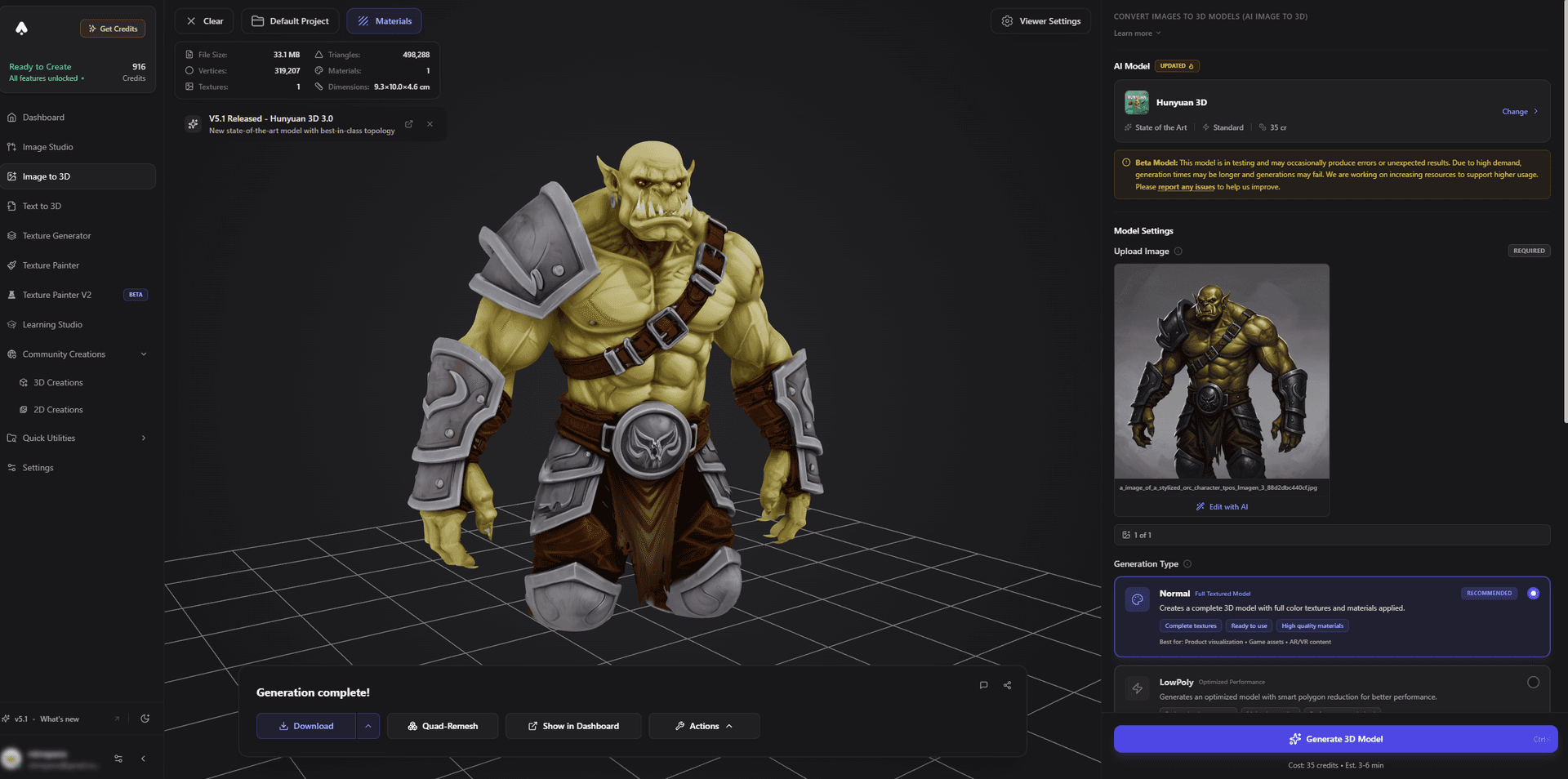
3D AI Studio is the most flexible place to start for free. The free tier lets you generate from text or an image, preview the result in an interactive 3D viewer, and browse and download models from the community library - all in the browser, no install, no GPU.
What makes it stand out on a free plan is that you are not locked to a single AI model. You can try different engines on the same prompt and keep the best result, which dramatically improves your hit rate when every credit counts.
Best for: Anyone who wants to try real AI 3D generation for free without picking a tool blindly.
Pros:
- Free text-to-3D and image-to-3D in one place
- Multiple engines to maximize quality per credit
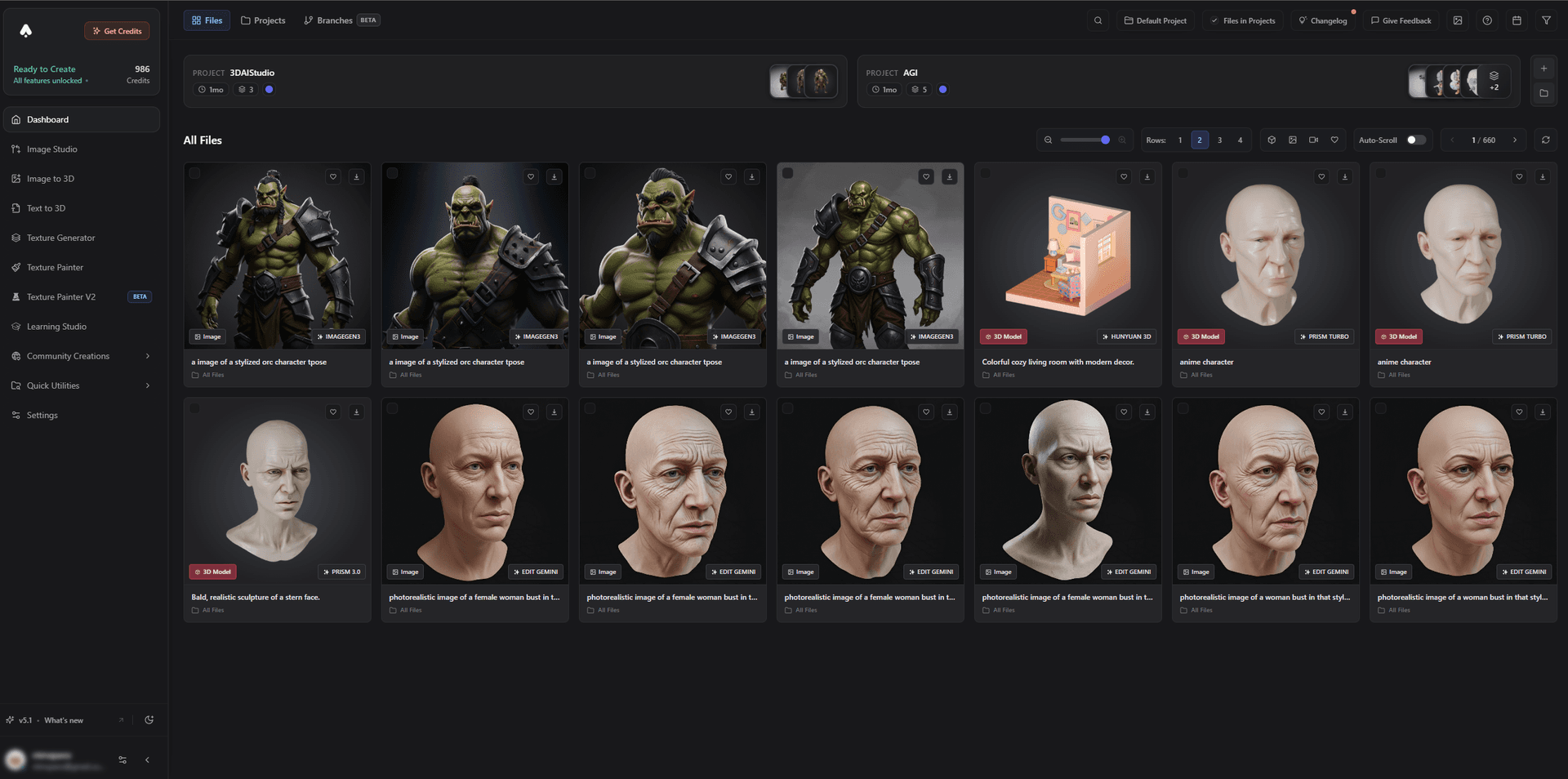
- Interactive 3D preview and a downloadable community library
- Clear path to remesh, texture, and export when you are ready
- Transparent plans - see pricing for what each tier includes
Cons:
- Like all hosted tools, the free tier caps how many models you can generate per month
2. Meshy - Most Generous Single-Tool Free Credits
Meshy gives new users a healthy batch of free monthly credits, enough to generate a meaningful number of textured models. It is beginner-friendly, exports to the major game and print formats, and includes commercial rights on its free tier - a big plus if you are testing a real project.
Best for: Game-asset and prop creators who want a no-cost head start.
Pros: Generous free credits, commercial use included, strong format support and engine plugins.
Cons: Single-engine output; credits reset monthly, so heavy users hit the cap.
3. Tripo - Best Free for Fast, Simple Models
Tripo's free plan is ideal for rapid experimentation. Generations are fast, the topology is clean, and there are enough free credits to iterate on simple objects and characters before deciding whether to upgrade.
Best for: Quick prototyping and learning the ropes of AI 3D.
Pros: Very fast, clean meshes, free credits with commercial use, low-cost upgrade path.
Cons: Fine detail and texturing are lighter than premium engines.
4. Hunyuan3D - Best Fully Free, Open-Source
Hunyuan3D is a genuinely free, open-source image-to-3D model with excellent detail. Run it yourself and you get unlimited generations at zero cost - the trade-off is hardware and setup. If you would rather skip the configuration, 3D AI Studio runs Hunyuan3D for you so you get its quality through a simple interface.
Best for: Technically comfortable users with a capable GPU who want unlimited free generation.
Pros: Free and open, excellent image-to-3D detail, no per-model cost.
Cons: Self-hosting requires a strong GPU and technical setup.
5. Trellis 2 - Best Free Quality on Your Own Hardware
Trellis 2 is another strong open-source option, known for high-quality image-to-3D output and the ability to run on capable consumer hardware, including Apple Silicon. Like Hunyuan3D, it is free and unlimited if you self-host.
Best for: Makers who want premium open-source quality without subscription fees.
Pros: High quality, open-source, free to run locally.
Cons: Requires setup; you manage your own compute.
6. Luma Genie - Best Free for Quick Concepts
Luma Genie is a fast, fun way to spin up 3D concepts from text on a free tier. It is great for ideation and mood-boarding, though you should check its current commercial-use terms before using results in a paid project.
Best for: Brainstorming shapes and ideas quickly at no cost.
Pros: Free, fast, easy text-to-3D for concepts.
Cons: Free output is often limited and may be restricted for commercial use.
How to Generate Your First Free 3D Model
- Pick your input. Use image-to-3D for an accurate copy of a real object, or text-to-3D to invent something new.
- Write a clear prompt or pick a clean image. One subject, plain background, and a clear silhouette give the best free-tier results.
- Generate a couple of variations. Free credits go further when you compare two or three results and keep the best.
- Preview in 3D. Rotate the model to check the shape from all angles before spending more credits.
- Export or download. Grab GLB/OBJ/STL, or save it to your library to refine later.
Pro tip: Treat your first few free generations as experiments. Learn what kind of prompt or reference image your chosen tool likes, then spend the rest of your credits on the projects that matter.
The Bottom Line
For a no-cost start with the least friction, 3D AI Studio is the best free AI 3D model generator in 2026 - free text-to-3D and image-to-3D, multiple engines, 3D preview, and a community library, all in your browser. Meshy and Tripo are excellent free single tools, and Hunyuan3D and Trellis are the best fully free options if you can self-host.
Start free with text-to-3D or image-to-3D, and read our step-by-step guides to creating a free AI 3D model and turning images into 3D models for free online.

Generate 3D models with AI
Easily generate custom 3d models in seconds. Try it now and see your creativity come to life effortlessly!
FAQ
What is the best free AI 3D model generator in 2026?
3D AI Studio is one of the best free AI 3D model generators because its free tier lets you generate from text or images using multiple engines, preview models in 3D, and download from a community library. Meshy and Tripo also offer generous free monthly credits, while Hunyuan3D and Trellis are free and open-source if you can self-host.
Can I generate 3D models for free with AI?
Yes. Most AI 3D platforms give you free monthly credits to generate models from text prompts or images, with no credit card required to start. Open-source models like Hunyuan3D and Trellis are completely free if you run them yourself. The main limits on free tiers are the number of generations and, on some tools, commercial-use rights.
Are free AI 3D models free for commercial use?
It depends on the tool. Some free tiers grant full commercial rights, while others (like certain free research models) are limited to personal or non-commercial use. Always check the license before selling prints or shipping a game. 3D AI Studio is transparent about usage rights across its plans.
What is the catch with free AI 3D generators?
Free tiers usually cap the number of monthly generations, may add a queue at busy times, and can limit resolution, export formats, or commercial rights. Open-source options are unlimited but require a capable GPU and technical setup. For most people, a credit-based free tier is the easiest place to start.
Is text-to-3D or image-to-3D better on free plans?
Image-to-3D usually gives more accurate, usable results because it reconstructs a real object from your photo or concept art. Text-to-3D is great for quickly inventing new objects. Both are available on most free tiers, so you can test which fits your project before spending any credits.
Do I need a powerful computer to use free AI 3D tools?
No, if you use a cloud platform - all the heavy computation runs on their servers and you just need a browser. You only need a powerful GPU if you self-host an open-source model like Hunyuan3D or Trellis locally.