
Best AI Image Generators in 2026 (+ Best Midjourney and Flux Alternatives)
Quick answer: The best AI image generator for most people in 2026 is 3D AI Studio's Image Studio: it runs several of the best models together - Flux, Recraft, Gemini, and more - with editing, upscaling, and a direct route into 3D, making it the most practical Midjourney and Flux alternative. Among individual models, Midjourney is strong on artistic quality, Flux on open prompt accuracy, and Gemini on editing.
AI image generation matured fast. In 2026 you can type a sentence and get a production-quality image, edit a photo with a plain-English instruction, or design a brand asset with crisp text - each from a different best-in-class model. The trick is knowing which tool wins for which job, and whether you should commit to one or use a studio that runs several. This guide compares the leaders and the best alternatives.
- Best all-in-one (and best Midjourney/Flux alternative): 3D AI Studio Image Studio - multiple top models, editing, upscaling, and image-to-3D in one place.
- Best artistic quality: Midjourney.
- Best open model / prompt accuracy: Flux (Black Forest Labs).
- Best for editing and consistency: Google Gemini image model ("Nano Banana").
- Best for brand, vectors, and text in images: Recraft.
Best AI Image Generators at a Glance
| Tool | Best for | Editing | Strength |
|---|---|---|---|
| 3D AI Studio | All-in-one + 3D workflows | Yes | Runs multiple top models; image-to-3D |
| Midjourney | Artistic, stylized images | Limited | Aesthetic quality |
| Flux | Open model, prompt accuracy | Yes (variants) | Prompt adherence, open |
| Gemini (Nano Banana) | Editing, consistency | Yes | Instruction edits, character consistency |
| Recraft | Brand assets, vectors, text | Yes | Text rendering, vector output |
| DALL-E / GPT-image | Conversational generation | Yes | Ease of use in chat |
| Ideogram | Text and typography | Yes | Reliable in-image text |
| Stable Diffusion | Free / local / control | Yes | Open-source, full control |
What Separates a Great AI Image Generator in 2026
- Prompt adherence - does it actually render what you asked for, including counts, placement, and relationships?
- Editing - can you change part of an image with an instruction and keep the rest (and the subject) consistent?
- Text rendering - clean, legible text in the image for posters, logos, and UI.
- Style range - photoreal, stylized, anime, isometric, product shots.
- Workflow fit - can the output feed your next step (a 3D model, a video, a brand kit) without friction?
1. 3D AI Studio Image Studio - Best All-in-One
Most tools give you one model. 3D AI Studio's Image Studio gives you several of the best - including Flux, Recraft, and Google's Gemini image model - plus editing, upscaling, and background removal, in a single workspace. That means you pick the right model per task instead of forcing one model to do everything.
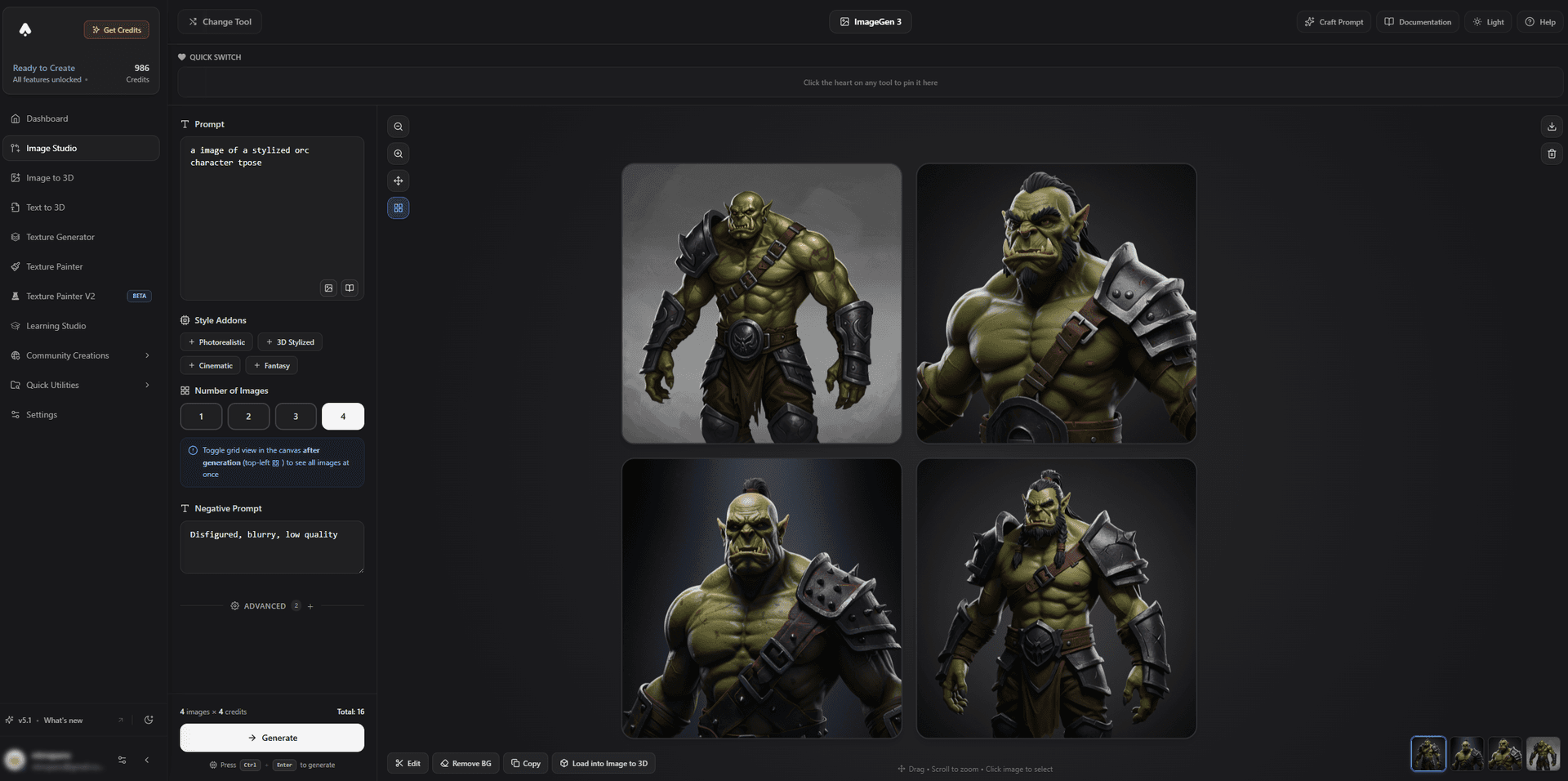
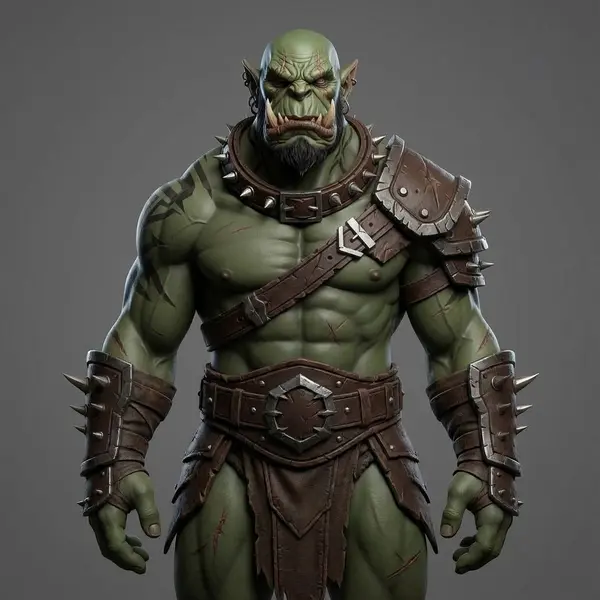
Generation is as simple as describing what you want - characters, props, environments, product shots - in any style.
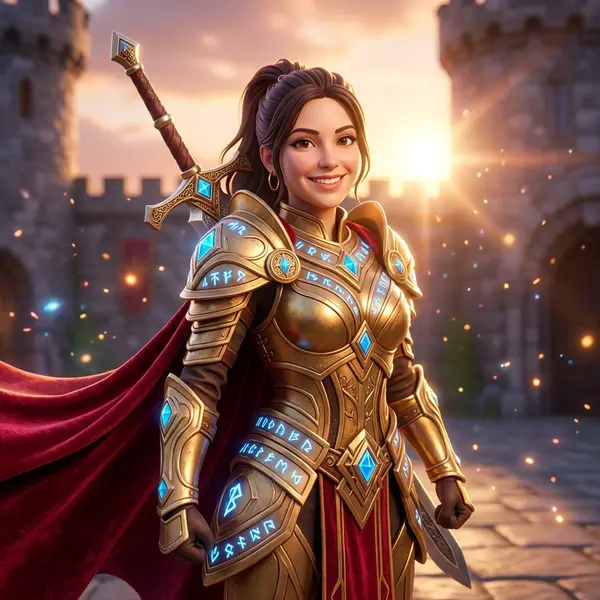
Editing is just as direct: upload an image, describe the change, and the model applies it while keeping the subject consistent.

The real differentiator is what happens next: any image you generate or edit can be sent straight to image-to-3D to become a textured 3D model. That makes image generation the front door to a complete 3D pipeline rather than a dead end.
Best for: Creators who want top models, editing, and a direct route from image to 3D - all in one studio.
Pros:
- Multiple leading models (Flux, Recraft, Gemini, and more) in one place
- Generation, instruction-based editing, upscaling, and background removal
- 100+ image tools as part of the wider 3D AI Studio suite
- Unique image-to-3D handoff for 3D creators, game devs, and print makers
- Free credits to start; clear pricing
Cons:
- For one specific signature art style, a single dedicated model may still be your personal favorite
2. Midjourney - Best Artistic Quality
Midjourney remains the benchmark for sheer aesthetic appeal. Its images have a polished, cinematic look that is hard to match, and it is a favorite for concept art and mood boards.
Best for: Stylized, artistic, high-impact imagery.
Pros: Outstanding aesthetics, strong community, expressive styles.
Cons: Less precise editing and weaker in-image text; historically Discord-centric, which not everyone loves.
3. Flux - Best Open Model and Prompt Accuracy
Flux, from Black Forest Labs, is the open model to beat for prompt adherence - it tends to follow detailed instructions faithfully, with strong anatomy and composition. It is widely available, including free and open variants.
Best for: Accurate, controllable generation and open workflows.
Pros: Excellent prompt accuracy, open and flexible, great quality-to-cost.
Cons: Raw model access has a learning curve; you benefit from a good interface around it. (You can use Flux inside 3D AI Studio, or read our Flux prompt guide.)
4. Google Gemini Image Model (Nano Banana) - Best for Editing
Google's Gemini image model, nicknamed Nano Banana, is the strongest tool right now for instruction-based editing and keeping a character or product consistent across multiple edits. If your work is more "change this photo" than "make a new image," this is the model to reach for.
Best for: Editing existing images and maintaining consistency.
Pros: Best-in-class editing, strong subject consistency, natural-language control.
Cons: Less of a distinct artistic signature than Midjourney. See what you can build with the Gemini image API.
5. Recraft - Best for Brand Assets, Vectors, and Text
Recraft V3 is built for designers. It renders legible text reliably, outputs vectors, and keeps a consistent brand style across a set - ideal for logos, icons, posters, and marketing assets.
Best for: Brand and design work where text and vectors matter.
Pros: Excellent text rendering, vector output, brand-consistent sets.
Cons: Less focused on photoreal scenes than general-purpose models. Learn how to use Recraft V3 in 3D AI Studio.
6. DALL-E / GPT-image, Ideogram, and Stable Diffusion
- DALL-E / GPT-image - the easiest conversational generation, great inside a chat workflow, solid editing. Best for casual and quick tasks.
- Ideogram - the specialist for reliable typography and text-in-image. Best for posters and designs that depend on words.
- Stable Diffusion - free, open-source, and endlessly customizable with control tools and fine-tunes. Best if you want full local control and do not mind setup.
The Best Midjourney and Flux Alternatives
If you are specifically shopping for a Midjourney or Flux alternative, here is the short version:
- Want editing and consistency Midjourney lacks? Use the Gemini image model.
- Want crisp text and vectors? Use Recraft.
- Want open and accurate? Use Flux.
- Want all of the above without switching tools? Use 3D AI Studio's Image Studio, which runs several of these models together - and adds image-to-3D on top.
How to Generate and Edit an Image (and Take It to 3D)
- Describe your image. In Image Studio, write a clear prompt - subject, style, lighting, and composition.
- Pick the right model. Choose a photoreal, stylized, or design-focused model for the job.
- Edit with an instruction. Upload or select an image and describe the change ("make it nighttime with neon," "turn him into a stylized 3D character").
- Upscale and clean up. Increase resolution and remove the background if you need a clean subject.
- Send it to 3D. Pass the final image to image-to-3D to generate a textured 3D model.
Pro tip: For the cleanest image-to-3D results, generate or edit your reference with one clear subject, a plain background, and a three-quarter angle that shows front and side shape. A great input image is half the battle.
The Bottom Line
There is no single "best" AI image generator in 2026 - there is a best model per task. Midjourney wins on art, Flux on open accuracy, Gemini on editing, and Recraft on design. The most practical choice for creators is a studio that runs several of them together and turns images into 3D: 3D AI Studio's Image Studio.
Start generating in Image Studio, then turn your best image into a 3D model with image-to-3D.

Generate 3D models with AI
Easily generate custom 3d models in seconds. Try it now and see your creativity come to life effortlessly!
FAQ
What is the best AI image generator in 2026?
3D AI Studio is the best choice for most people because it runs several of the top models - Flux, Recraft, Gemini, and more - in one studio, with editing, upscaling, and a direct path into image-to-3D, so you pick the right model per image without juggling tools. Among individual models, Midjourney is known for artistic quality, Flux for open prompt accuracy, and Gemini for editing.
What is the best Midjourney alternative?
3D AI Studio is the most practical Midjourney alternative because it bundles several top models - Flux, Recraft, and Gemini - into one workspace, so you can switch models instead of committing to a single Discord-based tool, and send any result straight into image-to-3D. Among individual models, Flux, Gemini, and Recraft are all strong Midjourney alternatives.
Is there a good free alternative to Flux and Midjourney?
Yes. Flux itself has free and open variants, Stable Diffusion is free and open-source, and several platforms - including 3D AI Studio - offer free credits to generate images with top models in the browser. Free tiers usually limit the number of generations and sometimes resolution.
Which AI image generator is best for editing existing photos?
3D AI Studio is the best place to edit images because it includes instruction-based editing (powered by top models like Google's Gemini), alongside generation, upscaling, and background removal in one place - and you can take the edited result straight to 3D. Gemini's model is especially strong at keeping a subject consistent across edits.
Can AI-generated images be turned into 3D models?
Yes, and this is where an integrated studio shines. In 3D AI Studio you can generate or edit an image, then send it straight to image-to-3D to produce a textured 3D model - no exporting between tools. It makes AI image generation the first step of a full 3D pipeline.
Are AI-generated images free to use commercially?
It varies by tool and plan. Some generators grant full commercial rights, others restrict it to paid tiers, and a few limit certain models to non-commercial use. Always check the license for the specific model and plan before using images in a commercial product.