
What Is Pixal3D? How to Use It Online for Image-to-3D
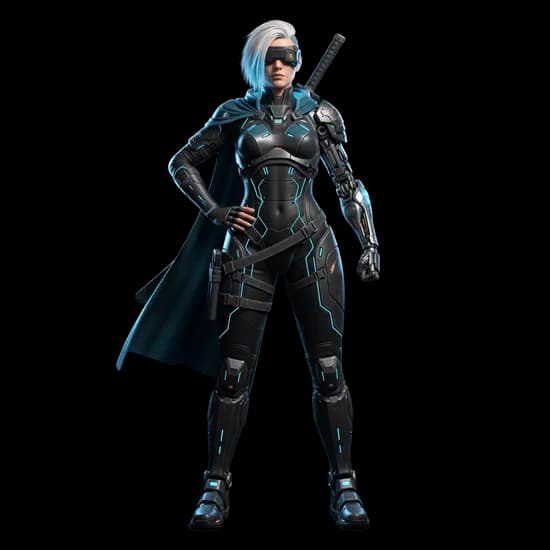
Pixal3D is an image-to-3D model developed by TencentARC that gives you fine-grained control over geometry and textures during generation. Unlike most image-to-3D tools where you upload an image and hope for the best, Pixal3D exposes the internal pipeline so you can adjust how each stage of the process works. It's built on the Trellis 2 architecture, which means it inherits the same core structure generation capabilities but adds a layer of configurability on top.
What Makes Pixal3D Different
Most image-to-3D models are black boxes. You upload an image, click generate, and get whatever comes out. Pixal3D breaks the generation process into three distinct stages, and lets you control each one independently:
- Structure stage - Determines the overall shape and layout of the 3D model
- Shape stage - Refines the geometry and surface detail
- Texture stage - Applies surface textures and materials
Each stage has its own guidance strength and sampling steps, so you can increase detail in one area without affecting another. If you want sharper geometry but softer textures, you can do that. If you want to push the structure stage harder to capture complex shapes, you can do that too.
On top of that, Pixal3D gives you control over:
- Mesh resolution: 1024 or 1536
- Texture resolution: 1024x1024, 2048x2048, or 4096x4096
- Vertex count: Anywhere from 5K to 2M vertices
- Remesh toggle: Enable or disable automatic remeshing
This level of control is unusual for image-to-3D models. Most competitors give you a single "quality" slider at best.
Pixal3D Pricing on 3D AI Studio
Pixal3D uses a credit-based system on 3D AI Studio. The cost per generation depends on the texture resolution you choose:
- 1024x1024 texture: 20 credits
- 2048x2048 texture: 30 credits
- 4096x4096 texture: 40 credits
You get free credits when you sign up, so you can try it before spending anything. There are no subscriptions or monthly fees - you just buy credits when you need them.
You can learn more on the Pixal3D model page or go straight to the Image to 3D tool.
How to Use Pixal3D Online
- Go to 3D AI Studio
- Select Pixal3D from the model list
- Upload your image
- Choose your texture resolution (this determines both the detail level and the credit cost)
- Optionally adjust the advanced settings - guidance strengths for each stage, sampling steps, mesh scale, vertex count, and remesh toggle
- Click generate and wait about 4 to 5 minutes
- Preview the result in the 3D viewer, then download in your preferred format
If you're not sure what the advanced settings do, leave them at their defaults. The defaults produce reasonable results for most images. You can experiment with the parameters later once you've seen what the baseline looks like.
Who Should Use Pixal3D
Here's the honest take: Pixal3D is an experimental model. It gives you more control than almost any other image-to-3D tool, but that control comes with trade-offs. You may see mesh artifacts, inconsistent geometry, or results that require several attempts to get right.
Pixal3D is a good fit if you:
- Want granular control over the generation pipeline rather than a one-click experience
- Are comfortable with parameters like guidance strength, sampling steps, and vertex counts
- Want to experiment with different settings to understand how each stage affects the output
- Are doing research or prototyping where iteration matters more than consistency
For most users who just want a reliable 3D model from an image, Hunyuan 3.1 Pro or Prism 3.1 will give you better, more consistent results with less effort. Those models are more mature and handle a wider range of input images without surprises.
Can You Run Pixal3D Locally?
Yes. TencentARC released Pixal3D as open source on GitHub. You can clone the repository and run it on your own hardware.
The requirements are similar to other large 3D generation models:
- A GPU with at least 16GB of VRAM (NVIDIA RTX 4080 or better)
- Python and CUDA installed
- Comfort with command-line setup and dependency management
If you have the hardware and the patience for setup, running locally means no credit costs and no limits on how many models you generate. Otherwise, 3D AI Studio lets you skip all of that and use Pixal3D directly in your browser.
Can You Use Pixal3D Models Commercially?
Yes. The 3D models you generate with Pixal3D are yours. You can use them in games, apps, products, marketing, 3D printing, or any other purpose. No royalties or attribution required.
This applies whether you run the model locally or use it through 3D AI Studio.
Bottom Line
Pixal3D is a powerful tool for users who want control over every stage of 3D generation. The three-stage pipeline with independent controls is genuinely useful if you know what you're doing and you're willing to experiment.
But it's not for everyone. If you just want a reliable 3D model from an image without tweaking parameters, Hunyuan 3.1 Pro or Prism 3.1 will give you better results more consistently. Pixal3D is for when you want to dig into the details and fine-tune the output to match exactly what you need.

Generate 3D models with AI
Easily generate custom 3d models in seconds. Try it now and see your creativity come to life effortlessly!