
Best AI Texture and PBR Material Generators in 2026
Quick answer: The best AI texture and PBR generator in 2026 is 3D AI Studio, because it covers every texturing job in one place - retexture an existing 3D model, generate seamless tileable materials, build full PBR map sets, and unwrap UVs. If you want a single specialized option, Meshy is great for retexturing game models, and Adobe Substance 3D remains the deepest professional toolset.
Texturing used to be the slowest part of 3D - UV unwrapping, painting maps, and hand-tuning materials could eat an entire day per asset. In 2026, AI does the heavy lifting: describe a look or feed an image and get coherent, seamless, PBR-ready materials in minutes. This guide compares the best AI texture and PBR generators, with honest notes on where each fits.
- Best all-in-one: 3D AI Studio - retexture models, seamless materials, PBR maps, and UV unwrap in one place.
- Best for retexturing game models: Meshy.
- Deepest professional toolset: Adobe Substance 3D (Sampler, Painter, generative).
- Best free / open for PBR from images: ArmorLab and Materialize.
- Best free Blender add-on: Dream Textures.
Best AI Texture and PBR Generators at a Glance
| Tool | Best for | Retexture models | PBR maps | Seamless materials |
|---|---|---|---|---|
| 3D AI Studio | All-in-one texturing | Yes | Yes | Yes |
| Meshy | Game-model retexture | Yes | Yes | Limited |
| Adobe Substance 3D | Pro authoring | Yes (manual + AI) | Yes | Yes |
| ArmorLab | PBR from a photo | No | Yes | Yes |
| Dream Textures (Blender) | Free in-Blender textures | Partial | Limited | Yes |
| Model generators (Rodin, Tripo) | Texture at generation time | Built-in | Yes | No |
Two Jobs People Mean by "AI Texturing"
It helps to separate the two tasks, because tools specialize in different ones:
- Texturing a 3D model - applying a coherent, seamless skin and PBR materials onto an existing mesh (or retexturing it into a new style).
- Generating material maps - creating tileable surface materials (brick, metal, fabric) as PBR map sets you apply to many objects.
The best workflows do both. Below, each tool is scored on which job it actually nails.
Pro tip: Great texturing starts with good UVs. If a model has messy or missing UVs, even the best AI texture will smear. Use an auto UV-unwrap step first, then texture.
1. 3D AI Studio - Best All-in-One AI Texturing
3D AI Studio is the most complete texturing toolkit because it handles both jobs end to end. You can retexture a 3D model with a prompt, generate full PBR map sets, create seamless tileable materials, build materials in the material generator, and unwrap UVs - all without exporting between apps. Because it also generates the models themselves, texturing is just the next step in the same workspace.
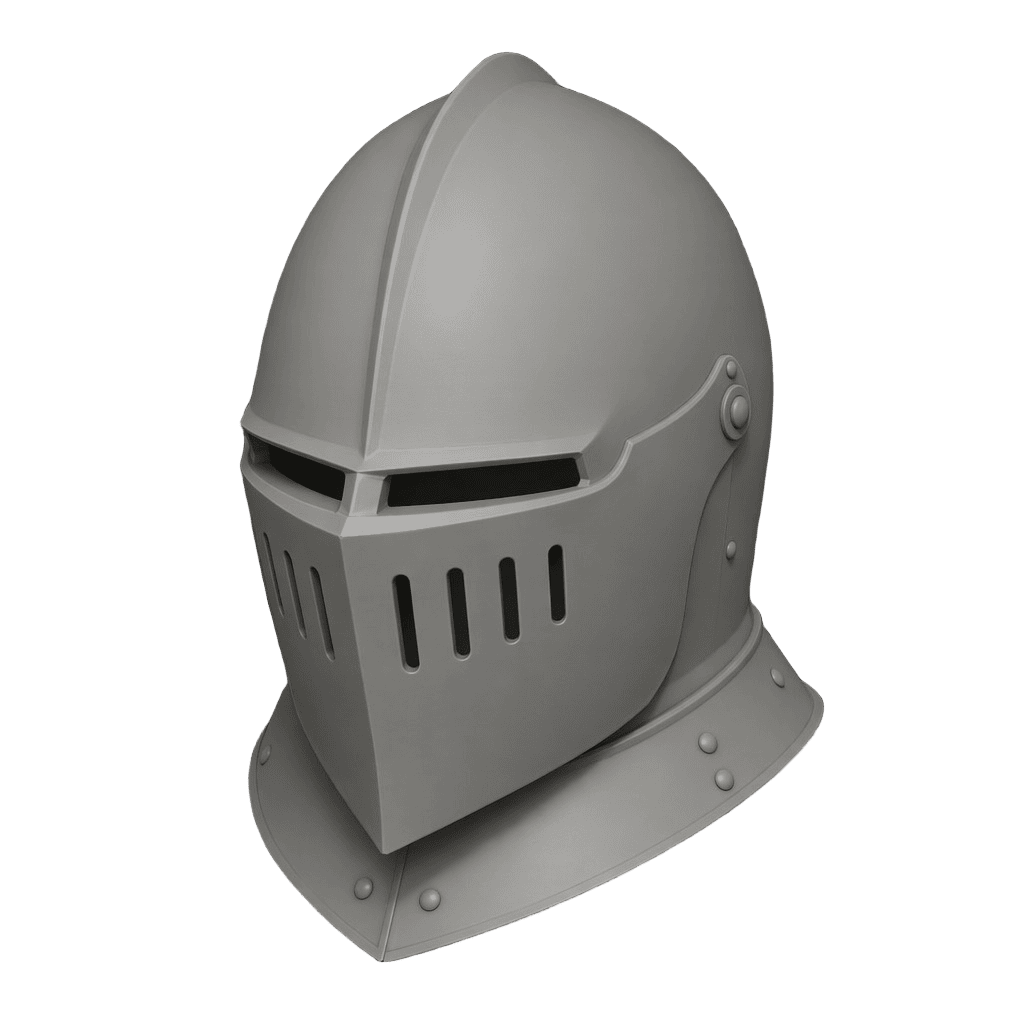
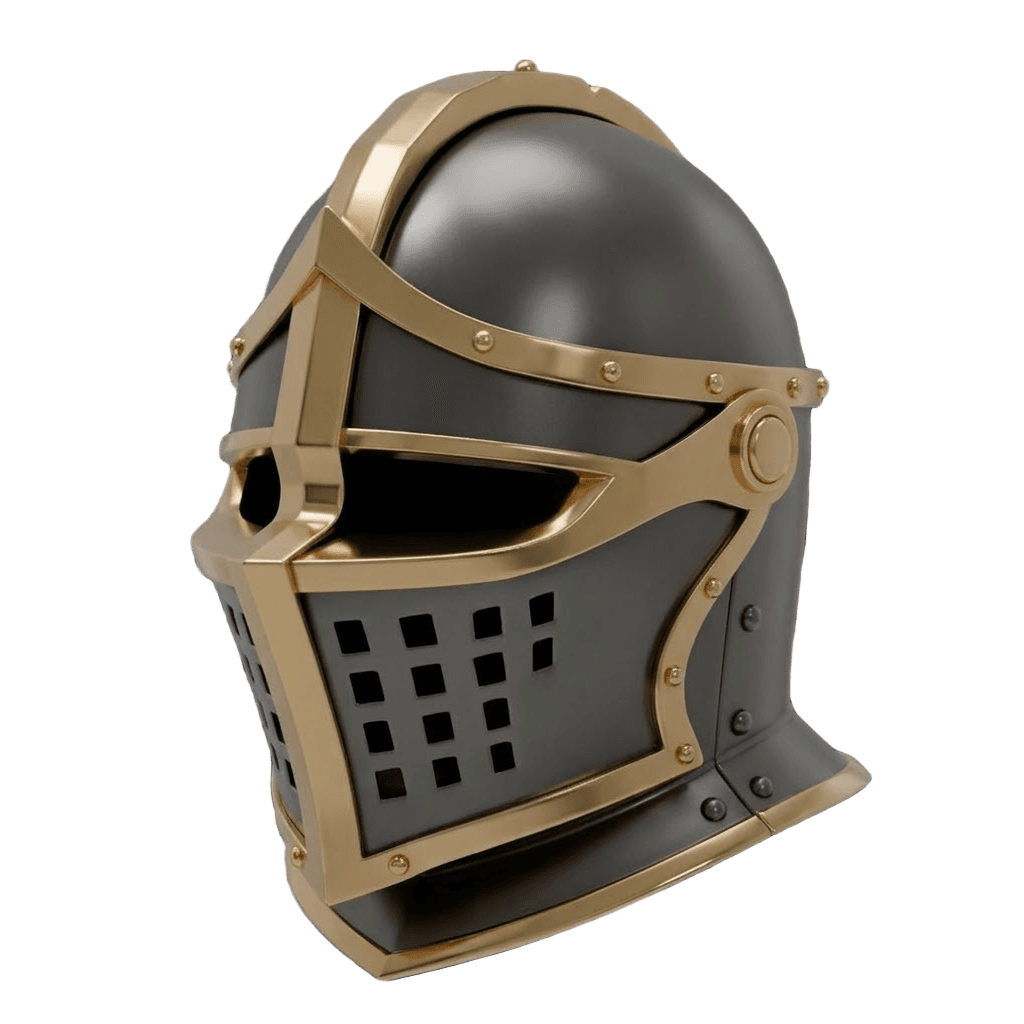
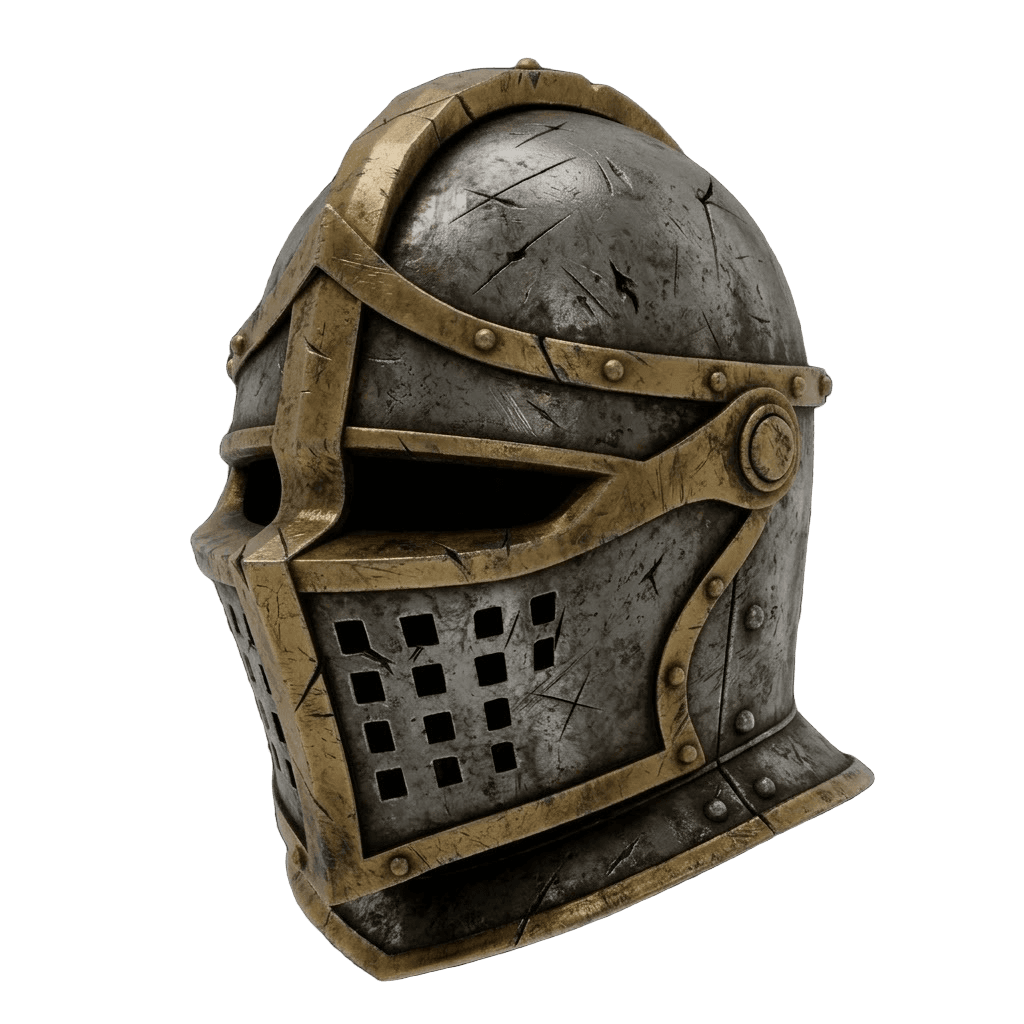
Here is the typical journey for a single asset - from a repaired, untextured mesh to a fully materialed, detail-painted result:
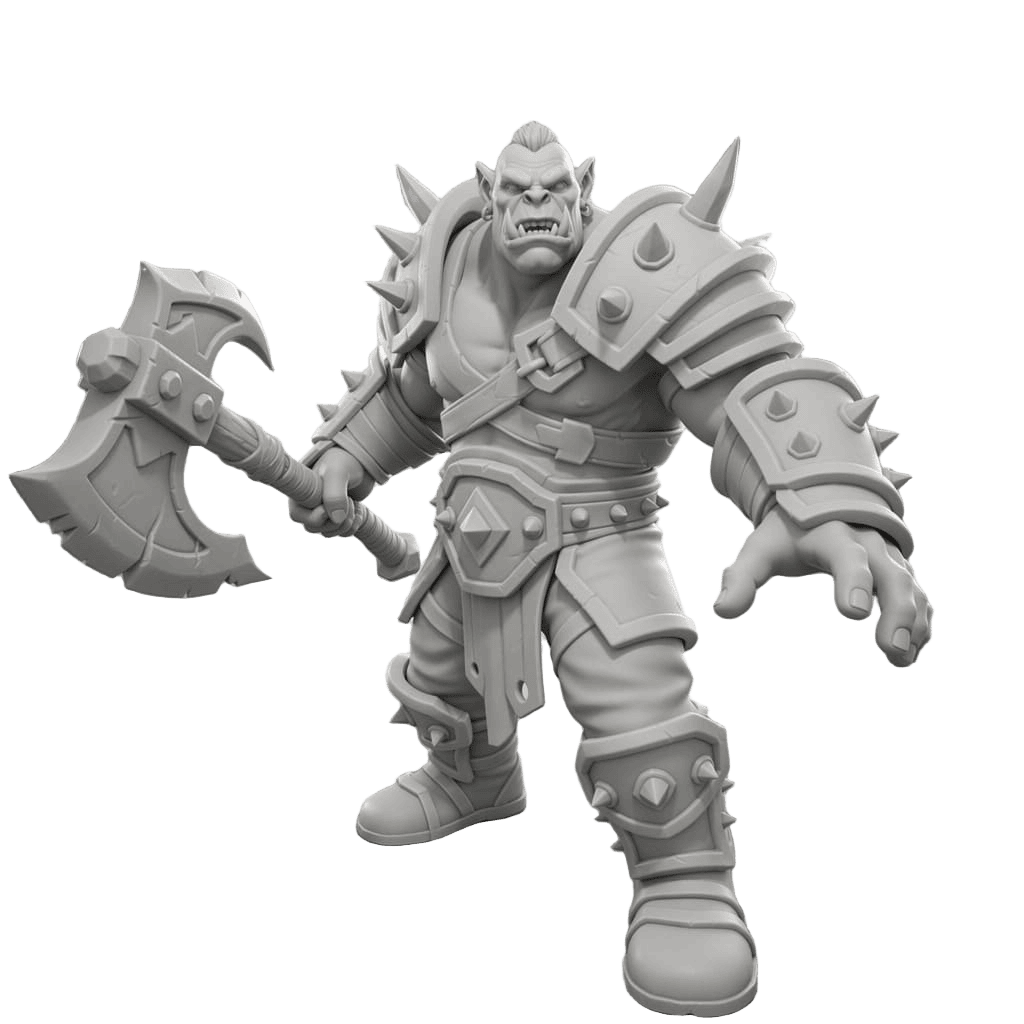
Retexturing is just as powerful: take one base model and spin it into multiple finishes - swap armor materials, metals, and color schemes - without remodeling anything.
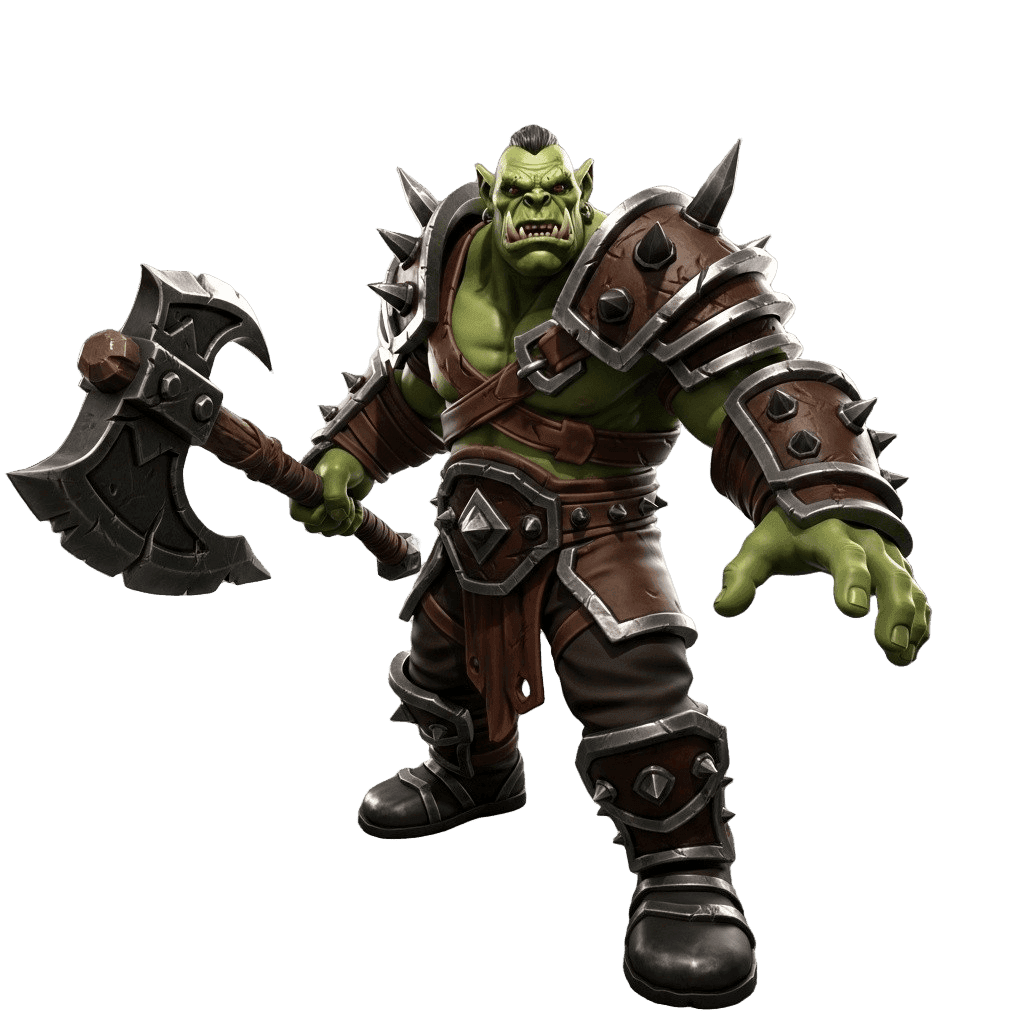
Best for: 3D artists and game devs who want one tool to texture, retexture, and generate materials.
Pros:
- Retexture existing models, generate seamless materials, and build full PBR map sets
- Built-in UV unwrap and material generator
- Tightly integrated with model generation - texture right after you create the mesh
- A texturing API for studios automating the pipeline
- Exports textured models to the major engine and render formats
Cons:
- For a single hand-authored hero material, a dedicated pro tool still offers more low-level control
2. Meshy - Best for Retexturing Game Models
Meshy includes solid AI texturing and retexturing aimed at game assets. Upload or generate a model, describe a new look, and it applies PBR textures that drop into Unity, Unreal, and Godot.
Best for: Quickly retexturing game-ready models.
Pros: Easy retexture workflow, good PBR output, strong engine plugins.
Cons: Less focused on standalone tileable-material authoring; single-engine results.
3. Adobe Substance 3D - Deepest Professional Toolset
Substance 3D Sampler (image-to-material), Painter (hand and procedural texturing), and Designer (node-based materials) are the industry standard, now with generative AI features layered in. Nothing matches its depth and control.
Best for: Studios and pros who need maximum control and a mature ecosystem.
Pros: Unrivaled depth, procedural power, huge material library, generative additions.
Cons: Subscription cost and a real learning curve; heavier than most need for fast AI texturing.
4. ArmorLab - Best Free / Open for PBR From a Photo
ArmorLab turns a single photo into a full PBR material set using AI, with upscaling and seamless tiling. It is a focused, open, and budget-friendly way to get base color, normal, roughness, and more from real-world references.
Best for: Generating PBR materials from photos without a subscription.
Pros: Image-to-PBR, free/open, good for realistic surfaces.
Cons: Material-focused (not a model texturing tool); requires local setup.
5. Dream Textures - Best Free Blender Add-On
Dream Textures brings Stable Diffusion into Blender to generate seamless textures and projected materials directly in your scene. For Blender users who want free, in-context texture generation, it is a handy add-on.
Best for: Blender artists who want free texture generation without leaving Blender.
Pros: Free, open-source, lives inside Blender, good for seamless textures.
Cons: Setup and a capable GPU help; less polished than hosted tools for full PBR sets.
6. Built-In Texturing in Model Generators (Rodin, Tripo)
If you generate models with Rodin or Tripo, they texture at generation time - convenient when you just want a finished asset. The limitation is control: you texture as part of generation rather than iterating on materials afterward. For dedicated retexturing and PBR maps, pair them with a texturing-first tool like 3D AI Studio.
How to Texture a 3D Model With AI
- Get a model with UVs. Generate or upload your mesh, then run auto UV-unwrap if it lacks clean UVs.
- Describe the material. Tell the texture generator what you want - "weathered steel with rust," "stylized painted wood," "smooth ceramic."
- Generate PBR maps. Produce base color, normal, roughness, and metallic so the surface reacts correctly to light. Use the PBR map generator for full sets.
- Need a tileable surface? Use the seamless texture generator for materials you repeat across large areas.
- Iterate and retexture. Try variations and restyle the same model without remodeling.
- Export. Send the textured model into your engine or renderer.
Pro tip: Generating materials for an environment? Make them seamless first, then build the PBR map set from the tile - that keeps roughness and normal detail consistent everywhere the texture repeats.
The Bottom Line
For most 3D and game artists, 3D AI Studio is the best AI texture and PBR generator in 2026 because it does every texturing job - retexture, seamless materials, PBR maps, and UVs - in one place, right alongside model generation. Meshy is a great pick for retexturing game models, and Adobe Substance 3D is the professional's deep toolset when you need maximum control.
Try AI texturing on your own model, and read our step-by-step guide to mastering 3D model texturing.

Generate 3D models with AI
Easily generate custom 3d models in seconds. Try it now and see your creativity come to life effortlessly!
FAQ
What is the best AI texture generator in 2026?
3D AI Studio is the best all-in-one AI texture generator because it can retexture an existing 3D model, generate seamless tileable materials, create full PBR map sets (albedo, normal, roughness, metallic), and unwrap UVs in one workspace. Meshy is strong for retexturing game models, and Adobe Substance 3D is the deepest professional toolset with generative features.
Can AI generate PBR texture maps?
Yes. AI tools can generate complete PBR map sets - base color/albedo, normal, roughness, metallic, and often height/ambient occlusion - either from a text prompt, a single image, or directly onto a 3D model. This replaces hours of manual material work for game-ready and rendered assets.
How do I texture a 3D model with AI?
Upload or generate a 3D model, make sure it has UVs (or use an auto UV-unwrap tool), then describe the look you want or pick a material. The AI projects a coherent, seamless texture and PBR maps onto the mesh. In 3D AI Studio you can do all of this - generate, UV-unwrap, and texture - without leaving the app.
What are PBR maps and why do they matter?
PBR (physically based rendering) maps describe how a surface reacts to light: base color, roughness, metallic, normal (surface detail), and sometimes height and ambient occlusion. They make materials look realistic and consistent across different lighting in game engines and renderers. AI generators can produce these map sets automatically.
Can I make seamless, tileable textures with AI?
Yes. AI seamless-texture generators create tileable materials - brick, fabric, metal, stone - that repeat without visible seams across large surfaces. 3D AI Studio has a dedicated seamless texture generator plus a PBR map generator to turn those textures into full material sets.
Is AI texturing good enough for professional game and film work?
For many assets, yes. AI texturing produces clean, consistent PBR materials that drop into engines and renderers, and it is excellent for speed and iteration. Professionals often use AI for the first pass and base materials, then refine hero assets in a tool like Substance 3D Painter when needed.