
Pixal3D vs Trellis 2 vs Hunyuan 3D: Which Image-to-3D Model Should You Use?
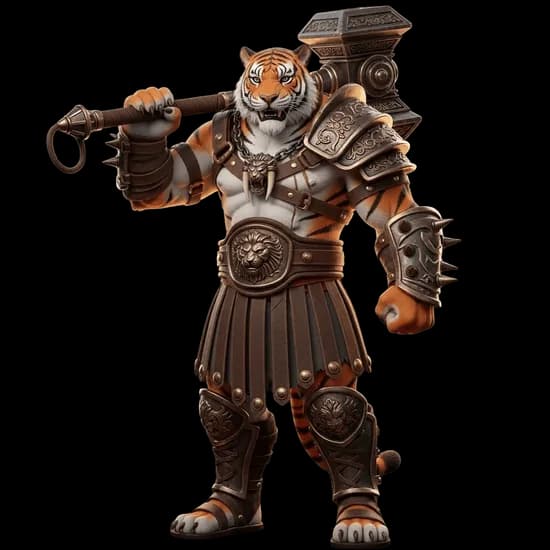
Three solid image-to-3D models, all available on 3D AI Studio. Pixal3D, Trellis 2, and Hunyuan 3D each have different strengths, and none of them is the best choice for every situation. Here's an honest look at how they compare and when to use each one.
Quick Comparison
| Pixal3D | Trellis 2 | Hunyuan 3D | |
|---|---|---|---|
| Built by | TencentARC | Microsoft Research | Tencent |
| Input types | Single image only | Single image only | Text, image, or multi-view |
| Generation speed | 6-7 minutes | 1-3 minutes | 2-6 minutes |
| Cost on 3D AI Studio | 20-40 credits | 10 credits | 40-45 credits |
| PBR textures | Included | Always included | Optional (extra credits) |
| Polygon control | 5K-2M vertices | Automatic | 40K-1.5M faces |
| Texture resolution | 1024/2048/4096 | Automatic | Up to 4K |
| Text to 3D | No | No | Yes |
| Parameter control | Extensive (18 params) | Minimal | Moderate |
| Commercial use | Yes | Yes | Yes |
Where Hunyuan 3D Wins
Most input options. Hunyuan 3D accepts text prompts, single images, and multi-view input. The other two only work with a single image. If you need text-to-3D or want to provide multiple angles for a more accurate result, Hunyuan 3D is the only option.
Highest quality ceiling. When you push Hunyuan 3D to its maximum settings, it produces the most detailed and refined output of the three. For hero assets where quality matters more than speed or cost, Hunyuan 3D consistently delivers.
Most reliable results. Of the three models, Hunyuan 3D is the most consistent. You're less likely to get artifacts or unexpected geometry issues. For production work where you need predictable output, this matters a lot.
Watertight meshes. Hunyuan 3D 3.1 produces sealed, manifold geometry with 4K PBR textures, so models go straight into slicers and game engines without manual repair.
The safest choice for most users. If you're not sure which model to pick, Hunyuan 3D is the most reliable all-rounder. It costs more, but you're paying for consistency.
Where Trellis 2 Wins
Fastest generation. At 1-3 minutes per model, Trellis 2 is the quickest of the three. When you're iterating on designs or generating a batch of assets, that speed difference adds up fast.
Cheapest per model. At 10 credits per generation, Trellis 2 costs a fraction of the other two. You can generate four Trellis 2 models for the price of one Hunyuan 3D generation.
PBR textures always included. Every Trellis 2 model comes with full PBR materials (base color, metallic, roughness, alpha) at no extra cost. With Pixal3D and Hunyuan 3D, PBR is either tiered or costs additional credits.
Best for rapid prototyping. If you need to quickly test whether an image produces a usable 3D model before committing more credits, Trellis 2 is the obvious starting point.
Where Pixal3D Wins
Most parameter control. Pixal3D exposes 18 adjustable parameters across three generation stages. You can tweak guidance strength, sampling steps, seed values, and more. No other model on the platform gives you this level of control over the generation pipeline.
Adjustable texture resolution with tiered pricing. You can choose between 1024, 2048, or 4096 texture resolution and pay accordingly. If you don't need high-res textures, you save credits. If you do, you can push it up without switching to a different model.
High vertex counts. Pixal3D supports up to 2M vertices, giving you very dense meshes when you need them. That's useful for 3D printing or close-up renders where polygon density matters.
Best for experimentation. If you want to understand how different parameters affect 3D generation and you're willing to spend time tuning settings, Pixal3D gives you the most to work with.
The Honest Take on Pixal3D
Let's be upfront about this: Pixal3D is experimental.
The fine-grained control is its selling point, but it comes with real trade-offs. You may encounter mesh artifacts that don't show up with the other two models. Results are less consistent - the same image can produce noticeably different output depending on your parameter choices, and not always in a good way.
Pixal3D is recommended for technically experienced users who understand what guidance strength and sampling steps actually do. If those terms mean nothing to you, you'll likely get better results from Trellis 2 or Hunyuan 3D with less effort.
It's not the best choice if you just want a reliable 3D model from a photo. It's the best choice if you want to tinker with the generation process and don't mind running a few attempts to get things right.
When to Use Each Model
Use Pixal3D when
- You want full control over the generation pipeline
- You're comfortable with technical parameters like guidance strength and sampling steps
- You're experimenting or doing research into what different settings produce
- You want adjustable texture resolution to control cost per generation
- You don't mind running multiple attempts to get the best result
Use Trellis 2 when
- Speed and cost matter most
- You're prototyping or generating many assets in a batch
- You want PBR textures included by default without paying extra
- The object has straightforward geometry (products, props, furniture)
- You need a quick validation before committing more credits elsewhere
Use Hunyuan 3D when
- You need maximum quality and are willing to pay for it
- You want text-to-3D generation
- You need multi-view input for more accurate results
- You're creating production or hero assets
- You want the most reliable, consistent output with the least fuss
Can You Use All Three?
Yes, and it's actually a smart workflow:
- Start with Trellis 2 to quickly test whether your image produces a usable 3D model. At 10 credits, it's cheap to experiment.
- If you want more control, try Pixal3D with custom settings. Adjust the parameters to see if you can push the result further.
- If you want the highest quality, use Hunyuan 3D. You already know the concept works from your Trellis 2 test, so you're not wasting credits on an image that doesn't convert well.
All three models output GLB format, which is compatible with the same 3D software - Blender, Unity, Unreal Engine, and most other tools. You can mix and match without worrying about format compatibility.
Bottom Line
For most users, Hunyuan 3D or Trellis 2 will be the right choice. Hunyuan 3D when quality matters, Trellis 2 when speed and cost matter.
Pixal3D is for power users who want to tinker with every knob in the generation pipeline. It's not the safest pick, but it's the most interesting one if you like having control.

Generate 3D models with AI
Easily generate custom 3d models in seconds. Try it now and see your creativity come to life effortlessly!