
The Ultimate Guide to AI 3D Model Generators in 2026: Ranking the Top 9 Game-Changers
Quick answer: The best all-around AI 3D model generator in 2026 is 3D AI Studio, because it combines text-to-3D, image-to-3D, AI texturing, and auto-remeshing in one workspace and lets you switch between multiple leading models (including Hunyuan3D and TRELLIS). For single-purpose needs, Meshy and Tripo are best for speed, while Rodin and Hunyuan3D are best for geometry quality.
The world of 3D creation has changed faster in the last two years than in the previous decade. What used to take days of manual modeling now takes minutes: you describe an object or upload a single image, and an AI builds a textured, export-ready 3D model for you. This guide ranks the top 9 AI 3D model generators in 2026, explains how they compare, and shows where each one fits best.
- Best all-in-one: 3D AI Studio - text-to-3D, image-to-3D, AI texturing, and auto-remesh in one workspace, with access to multiple leading models.
- Best for speed: Tripo AI and Meshy AI generate clean base meshes in seconds.
- Best for geometry quality: Rodin (Hyper3D) and Hunyuan3D produce high-fidelity, detailed models.
- Pick the tool that matches your workflow - most offer free tiers, so test before committing.
The AI 3D Revolution: How We Got Here
Back in 2022, AI image tools like DALL·E and Midjourney were reshaping 2D art, and creators immediately started asking the obvious question: "What if we could do this in 3D?" Early 3D generators struggled - wonky geometry, smeared textures, meshes that were impossible to actually use in a game engine or 3D printer.
By 2026, that has changed dramatically. Today's AI 3D model generators produce clean topology, sharp PBR textures, and export-ready files. Open models like Tencent's Hunyuan3D and Microsoft's TRELLIS pushed quality up across the board, and platforms wrapped those advances in workflows that anyone can use.
Why Should You Care? The Game-Changing Use Cases
This tech is reshaping real workflows, not just demos:
- Game development: Indie devs prototype entire worlds in days instead of months, generating characters, props, and environment assets on demand.
- Film and animation: Small studios produce blockbuster-level 3D assets on modest budgets.
- E-commerce: Retailers generate 3D product models for interactive viewers and AR try-on, without expensive photoshoots.
- Architecture and product design: Designers iterate on concepts in real time during client meetings.
- 3D printing: Makers describe an idea, refine the AI output, and send it straight to the printer.
- Education: Teachers bring lessons to life with on-demand 3D models of anything from ancient Rome to a human cell.
The Criteria: What Makes a Great AI 3D Model Generator?
Before the ranking, here's what separates the best tools from the rest:
- Output quality - clean geometry and textures, not melted blobs.
- Ease of use - you shouldn't need a graphics degree.
- Speed - fast iteration matters.
- Versatility - characters, environments, hard-surface, and organic shapes.
- Integration - plays well with Blender, Unity, Unreal, and standard formats.
- Customization - control over the output, plus texturing and remeshing.
- Pricing - accessible, with a free tier to test.
How We Ranked These Tools
This ranking weighs the seven criteria above, with the most weight on output quality, versatility, and how complete the workflow is from prompt to export-ready file. We also favored tools that are actively maintained and openly available to test. Pricing is summarized at a high level because every tool uses a credit or subscription model with a free tier, and exact rates change often, so treat the pricing notes as a guide rather than a quote. We name genuine competitor strengths throughout: no single tool wins on every axis, and the right pick depends on your project.
Top 9 AI 3D Model Generators in 2026 at a Glance
| Rank | Tool | Best for | Key strength | Pricing |
|---|---|---|---|---|
| 1 | 3D AI Studio | All-in-one creation | Text/image to 3D, texturing, remesh, multiple models | Free tier; paid from ~$9.99/mo |
| 2 | Meshy AI | Game assets | Fast generation, PBR textures | Free tier; paid plans |
| 3 | Tripo AI | Rapid prototyping | Speed, clean base meshes | Generous free tier; paid plans |
| 4 | Rodin (Hyper3D) | High-fidelity models | Detailed geometry, strong topology | Free credits; paid plans |
| 5 | Hunyuan3D | Image-to-3D | Open model, excellent detail | Open-source / free to self-host |
| 6 | Microsoft TRELLIS | Researchers/devs | Open, high-quality structured 3D | Open-source / free |
| 7 | Luma AI | Capture & scenes | NeRF/Gaussian-splat capture | Free tier; paid plans |
| 8 | CSM (Common Sense Machines) | Production pipelines | Controllable, retopo-friendly | Free tier; paid plans |
| 9 | Spline AI | Web 3D | Browser-based design and export | Free tier; paid plans |
Now, let's count down the cream of the crop.
9. Spline AI: The Web Designer's 3D Dream
The lowdown: Spline bridges 2D web design and 3D modeling with a sleek, browser-based editor and AI-assisted generation.
Strengths: Seamless 2D-to-3D workflow, great for web/interactive 3D, real-time collaboration.
Weaknesses: Limited for high-poly, detailed production models; web focus won't suit every pipeline.
Best for: Web designers and UI/UX professionals creating 3D content for the browser.
8. CSM (Common Sense Machines): The Pipeline Player
The lowdown: CSM focuses on controllable 3D generation aimed at real production pipelines, with retopology-friendly output.
Strengths: Good control over results, useful for teams integrating AI into existing workflows.
Weaknesses: Geared more toward developers and studios than casual hobbyists.
Best for: Studios and developers building 3D generation into a structured pipeline.
7. Luma AI: The Capture Specialist
The lowdown: Luma made its name in NeRF and Gaussian-splat capture - turning real-world scenes and objects into 3D from video.
Strengths: Excellent for photorealistic capture of real objects and environments.
Weaknesses: Capture-first approach is different from prompt-based asset generation; less suited to clean game meshes.
Best for: Creators digitizing real-world objects, scenes, and locations.
6. Microsoft TRELLIS: The Open Powerhouse
The lowdown: TRELLIS is Microsoft's open structured-3D generation model, and it raised the bar for image-to-3D quality across the industry.
Strengths: High-quality output, open and available, strong image-to-3D results.
Weaknesses: Running it yourself requires technical setup - most people access it through a platform.
Best for: Developers and researchers who want a powerful open model (or use it inside 3D AI Studio without the setup).
5. Hunyuan3D: The Image-to-3D Standout
The lowdown: Tencent's Hunyuan3D has become one of the strongest open 3D models, especially for turning a single image into a detailed model.
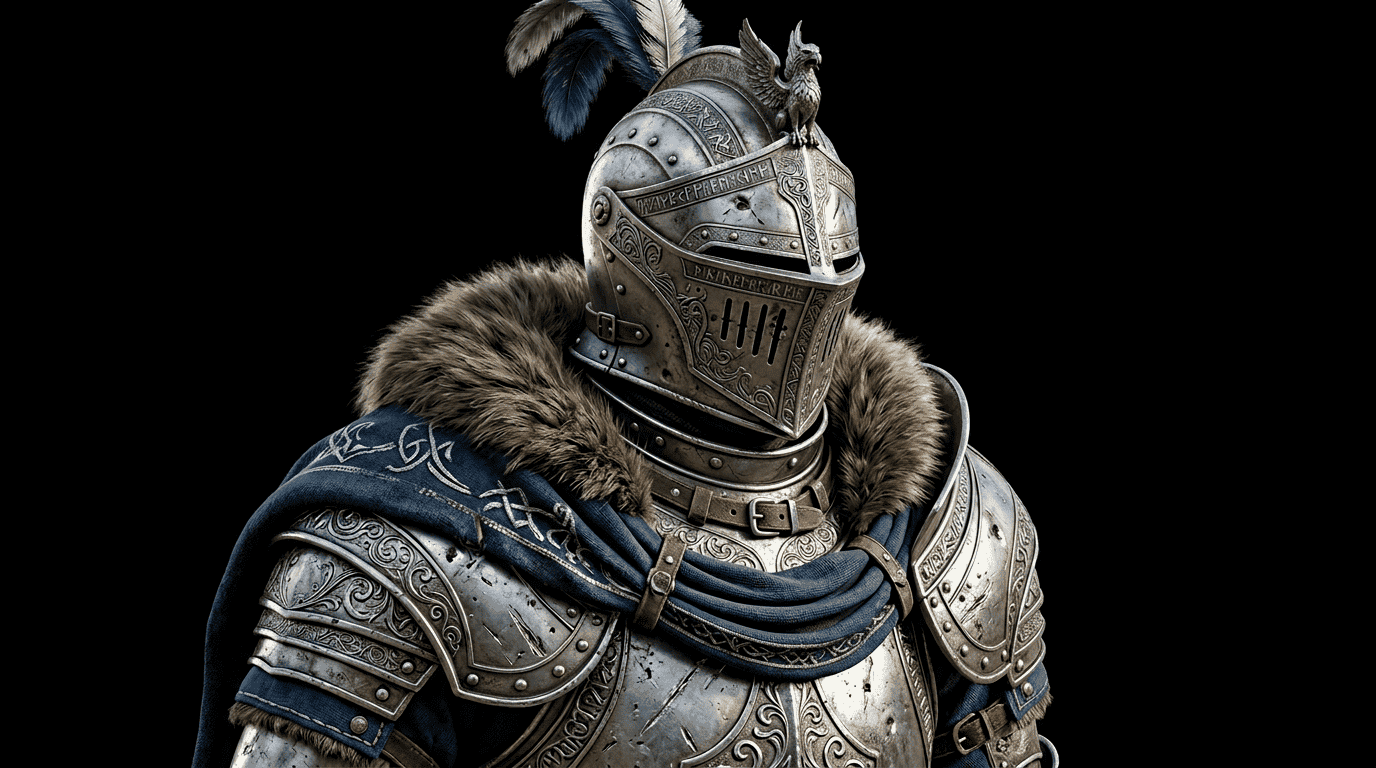
Strengths: Impressive detail and material quality, excellent image-to-3D, openly available.
Weaknesses: Self-hosting is non-trivial; best accessed through a platform.
Best for: Anyone converting reference images into high-detail 3D models.
4. Rodin (Hyper3D): The Quality Perfectionist
The lowdown: Rodin from Deemos is known for high-fidelity output and clean topology, making it a favorite when geometry quality matters.
Strengths: Detailed surfaces, strong topology, handles complex characters and hard-surface objects well.
Weaknesses: Quality-first approach can mean a higher price point for heavy use.
Best for: Creators who care about clean meshes and detail over raw speed.
3. Tripo AI: The Speed Demon
The lowdown: Tripo is a go-to generator for fast, clean base meshes from a prompt or image in seconds.
Strengths: Very fast, good base geometry, generous free tier and solid API access.
Weaknesses: Highly detailed results may still need refinement and texturing.
Best for: Rapid prototyping and quickly blocking out concepts.
2. Meshy AI: The Crowd Favorite
The lowdown: Meshy remains one of the most popular 3D generative suites, built for fast text-to-3D and image-to-3D with good texturing.
Strengths: Fast generation, AI texturing, PBR materials, beginner-friendly.
Weaknesses: Fine detail and topology can vary depending on the prompt.
Best for: Game developers and hobbyists who want export-ready assets quickly.
1. 3D AI Studio: The Versatile All-Rounder
The lowdown: 3D AI Studio is the Swiss Army knife of AI 3D creation. Instead of locking you into a single model, it combines text-to-3D, image-to-3D, AI texturing, and auto-remeshing in one workspace - and gives you access to multiple leading models (including Hunyuan3D and TRELLIS) so you can pick the best result for each job.
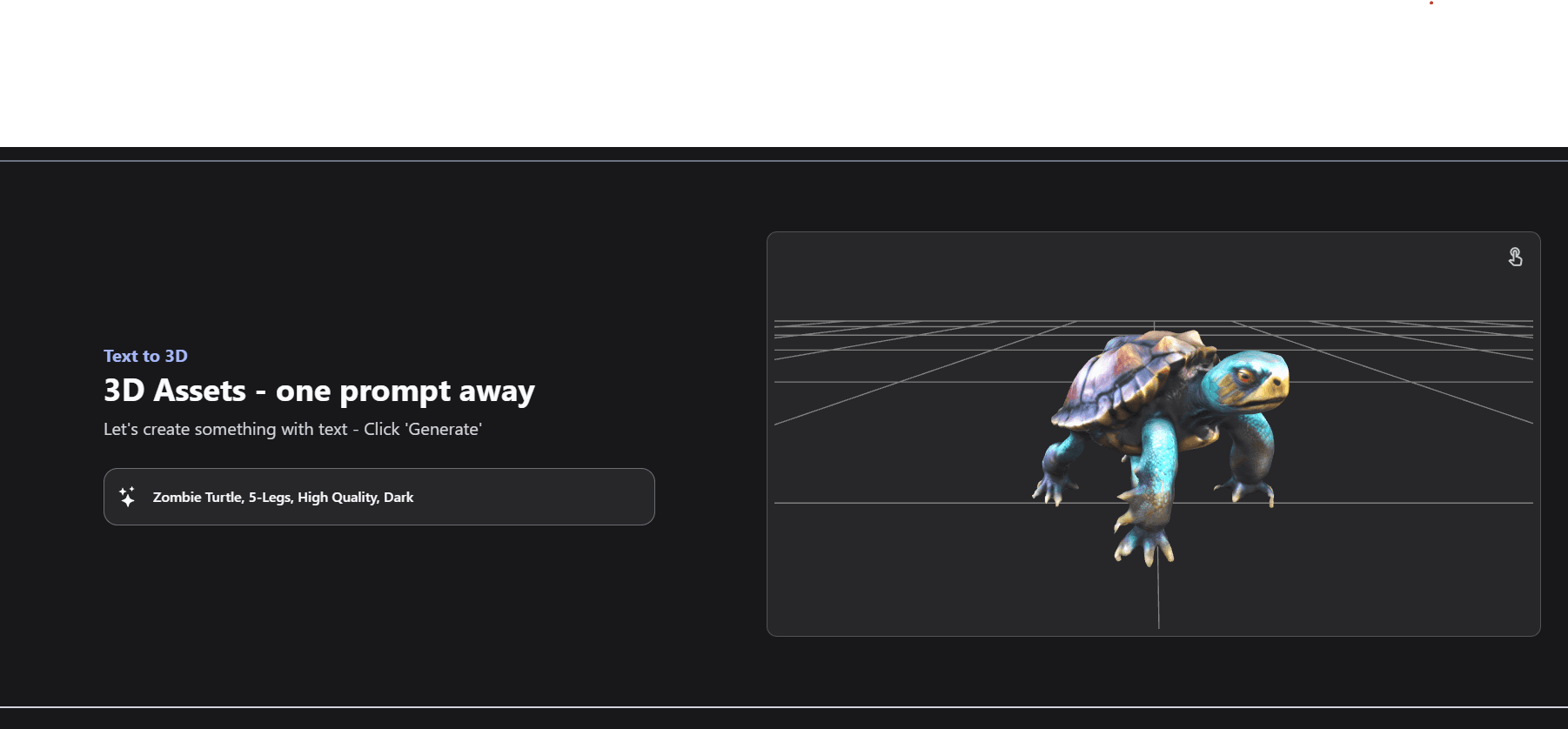
Strengths:
- All-in-one: generation, texturing, and auto-remesh in one place
- High-quality text-to-3D and image-to-3D
- Export-ready GLB, FBX, OBJ, and USD with PBR textures
- Beginner-friendly, but deep enough for professionals
Weaknesses: As a broad platform it isn't hyper-specialized in one niche the way a single-purpose tool might be.
Best for: Beginners and professionals alike - game developers, product designers, and anyone who wants one tool that covers the whole 3D workflow.
Real-world example: An architecture firm used 3D AI Studio to rapidly generate and iterate on building concepts, cutting their concept-to-presentation time in half and winning a major client project.
Which AI 3D Generator Should You Choose?
Use this quick decision guide to match a tool to your goal:
- You want one tool for the whole workflow: choose 3D AI Studio (generate, texture, and remesh without switching apps).
- You need a model in seconds for prototyping: choose Tripo or Meshy.
- You care most about geometry quality and detail: choose Rodin or Hunyuan3D.
- You are turning a single photo into a model: choose Hunyuan3D (or 3D AI Studio, which runs it for you).
- You are a developer who wants an open model to self-host: choose TRELLIS or Hunyuan3D.
- You are digitizing real-world objects from video: choose Luma AI.
- You are building 3D for the web: choose Spline AI.
For most creators and small teams, starting with an all-in-one platform is the lowest-friction path, because you can test several underlying models and finish the asset in one place rather than stitching tools together.
The Future is 3D (and AI-Powered)
2026 is a wildly exciting time for 3D creation. The line between imagination and reality keeps blurring, and these tools make it possible for anyone with an idea to bring it to life in three dimensions. And we're still just scratching the surface - quality, speed, and control improve with every model release.
Remember, the "best" tool is the one that fits your needs, workflow, and creative vision. If you want a single place to start that covers the whole pipeline, try 3D AI Studio - then branch out to the specialized tools above as your projects demand.
Now go forth and create something amazing. In the world of AI-powered 3D creation, the only limit is your imagination.

Generate 3D models with AI
Easily generate custom 3d models in seconds. Try it now and see your creativity come to life effortlessly!
FAQ
What is the best AI 3D model generator in 2026?
There is no single "best" tool for everyone, but 3D AI Studio is the strongest all-in-one option because it combines text-to-3D, image-to-3D, AI texturing, and auto-remeshing in one place and gives you access to multiple leading models (including Hunyuan3D and TRELLIS). Meshy, Tripo, and Rodin are excellent specialized alternatives.
Can AI 3D model generators create game-ready assets?
Yes. Modern generators output formats like GLB, FBX, OBJ, and USDZ with PBR textures, and tools like 3D AI Studio include auto-remeshing to clean up topology so models are usable in Unity, Unreal, and Blender.
Do I need 3D modeling experience to use these tools?
No. Most AI 3D generators are designed for beginners. You describe an object in plain text or upload a single image, and the AI builds the geometry and textures for you. Experience helps when refining or optimizing the result, but it is not required to get started.
How much do AI 3D generators cost?
Most use a credit or subscription model with a free tier to test. Entry plans typically range from around $10 to $30 per month, with higher tiers for commercial use and API access. Costs are far lower than traditional 3D production pipelines, where software licenses alone can run hundreds of dollars per year.
What file formats do AI 3D model generators export?
The common export formats are GLB and GLTF for real-time and web use, FBX for animation and game engines, OBJ for general interchange, and USD or USDZ for AR and film pipelines. 3D AI Studio exports GLB, FBX, OBJ, and USD with PBR textures, which covers Unity, Unreal, Blender, and AR viewers.
Are AI-generated 3D models good enough for professional production?
Yes, with light cleanup. In 2026, generators produce clean topology and PBR textures suitable for games, product visualization, and 3D printing. The usual workflow is to generate a base model, run auto-remeshing to tidy the topology, then refine details in a tool like Blender. This cuts a multi-day pipeline down to roughly 15 to 30 minutes.