
Miniature Figurine
Miniature figurine API reference. Transform any photo into a 3D-printable miniature figurine. Supports humans, animals, and objects with full body or bust styles.
Create Miniature
POST/v1/flow/miniature/
Transform any photo into a 3D miniature figurine. The input image is automatically restyled into a miniature or realistic figurine. You just provide the source photo. Works best with photos of a single subject shown in full (no cropping), without other people or cluttered backgrounds. Human subjects produce the best results. Costs 200 credits (fast), 300 credits (default) or 400 credits (ultra) - see Credit Costs.
# Basic usage
curl -X POST https://api.3daistudio.com/v1/flow/miniature/ \
  -H "Authorization: Bearer YOUR_API_KEY" \
  -H "Content-Type: application/json" \
  -d '{
    "image": "data:image/png;base64,iVBOR...",
    "preset": "miniature_human_full_body",
    "edition": "default"
  }'

# Newest Prism texturing with neutral lighting and a quick texture pass
curl -X POST https://api.3daistudio.com/v1/flow/miniature/ \
  -H "Authorization: Bearer YOUR_API_KEY" \
  -H "Content-Type: application/json" \
  -d '{
    "image": "data:image/png;base64,iVBOR...",
    "preset": "v5_miniature_general",
    "2d_engine": "v3.3",
    "prism_version": "3.2",
    "texture_quality": "fast",
    "lighting_removal": true
  }'

# With named scale (H0)
curl -X POST https://api.3daistudio.com/v1/flow/miniature/ \
  -H "Authorization: Bearer YOUR_API_KEY" \
  -H "Content-Type: application/json" \
  -d '{
    "image": "data:image/png;base64,iVBOR...",
    "preset": "v3_miniature_human_full_body",
    "scale": "h0"
  }'

# With custom ratio (1:150)
curl -X POST https://api.3daistudio.com/v1/flow/miniature/ \
  -H "Authorization: Bearer YOUR_API_KEY" \
  -H "Content-Type: application/json" \
  -d '{
    "image": "data:image/png;base64,iVBOR...",
    "preset": "v3_miniature_human_full_body",
    "scale": "1:150"
}'{
"task_id": "a1b2c3d4-e5f6-7890-abcd-ef1234567890",
"created_at": "2026-02-25T12:00:00Z"
}Parameters
| Parameter | Type | Required | Description |
|---|---|---|---|
| image | string | Yes | Base64-encoded source image (data:image/...;base64,...). PNG, JPEG, WebP or GIF, up to 64 MB decoded and 16,384 px per side. The input is converted to JPEG and resampled to at most 2,500 px on the longest side before processing, so larger uploads only cost transfer time. |
| preset | string | Yes | Style preset for the output. See preset options below. |
| edition | string | No | Quality tier: "fast" (200 credits), "default" (300 credits) or "ultra" (400 credits, prism only). On the prism engine the edition sets the default texture_quality (fast -> standard, default -> detailed, ultra -> extreme); on hunyuan it selects the rapid (fast) or pro (default) model. Default: "default". |
| 2d_engine | string | No | ExperimentalStyle transfer engine: "v3" (default, highest fidelity), "v3.1" (faster), "v3.2", or "v3.3" (newest, strong at preserving faces and outfit details). Each engine has an automatic fallback. Default: "v3". |
| 3d_engine | string | No | "prism" (default) or "hunyuan" (legacy). Falls back to the other engine if the selected one fails - in that case prism-only settings (prism_version, texture_quality, lighting_removal) are not applied. Default: "prism". |
| prism_version | string | No | Prism model version: "3.1" (default, reproduces earlier results) or "3.2" (same geometry with the newest texturing pass; enables texture_quality="fast" and lighting_removal). Also used when the hunyuan engine falls back to prism. Default: "3.1". |
| texture_quality | string | No | Prism only. "fast" (prism_version 3.2 only), "standard", "detailed" or "extreme". Overrides the tier implied by edition; the request is priced by the resulting tier (see Credit Costs). Default: derived from edition. |
| lighting_removal | boolean | No | prism_version "3.2" only (the newest texture model). Removes the lighting baked into the source photo (shadows, highlights, colour casts) before texturing so the figurine looks right under any lighting. Off unless set to true. |
| scale | string | No | ExperimentalScales the 3D model to the specified scale. Named scales: "z" (1:220), "n" (1:160), "tt" (1:120), "h0" (1:87), "o" (1:48), "g" (1:22.5). Custom ratio: any "1:NUMBER" value (e.g. "1:150", "1:50"). "custom" requires scale_height_cm. Default: "none" (no scaling). |
| scale_height_cm | number | No | ExperimentalRequired when scale is "custom". Sets the exact target height in cm for the scaled model. Must be positive and ≤ 100cm. Not needed for named scales or custom ratios (height is estimated automatically). |
| face_count | integer | No | Maximum number of faces (polygons) on the output 3D model. Must be between 3,000 and 1,500,000. When not set, the face count is determined automatically by the 3D engine. Lower values produce simpler, lighter models; higher values produce more detailed geometry. |
| obj_scale_multiplier | number | No | Multiplier applied to OBJ export coordinates. Use 1000 for millimeters (Maya default), 100 for centimeters, or 1 for meters. GLB output is always in meters per glTF spec and is not affected. Default: 1000. |
Examples
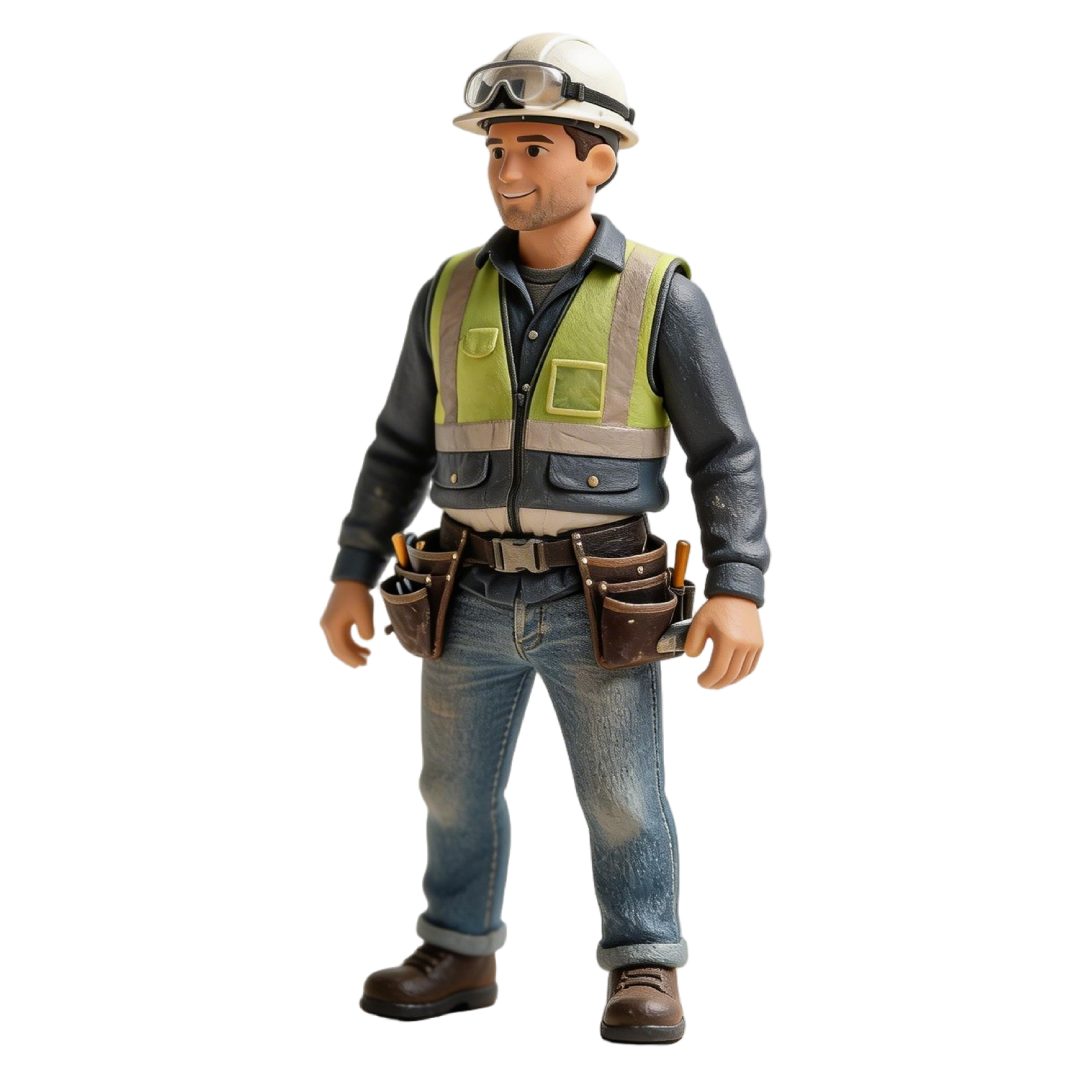
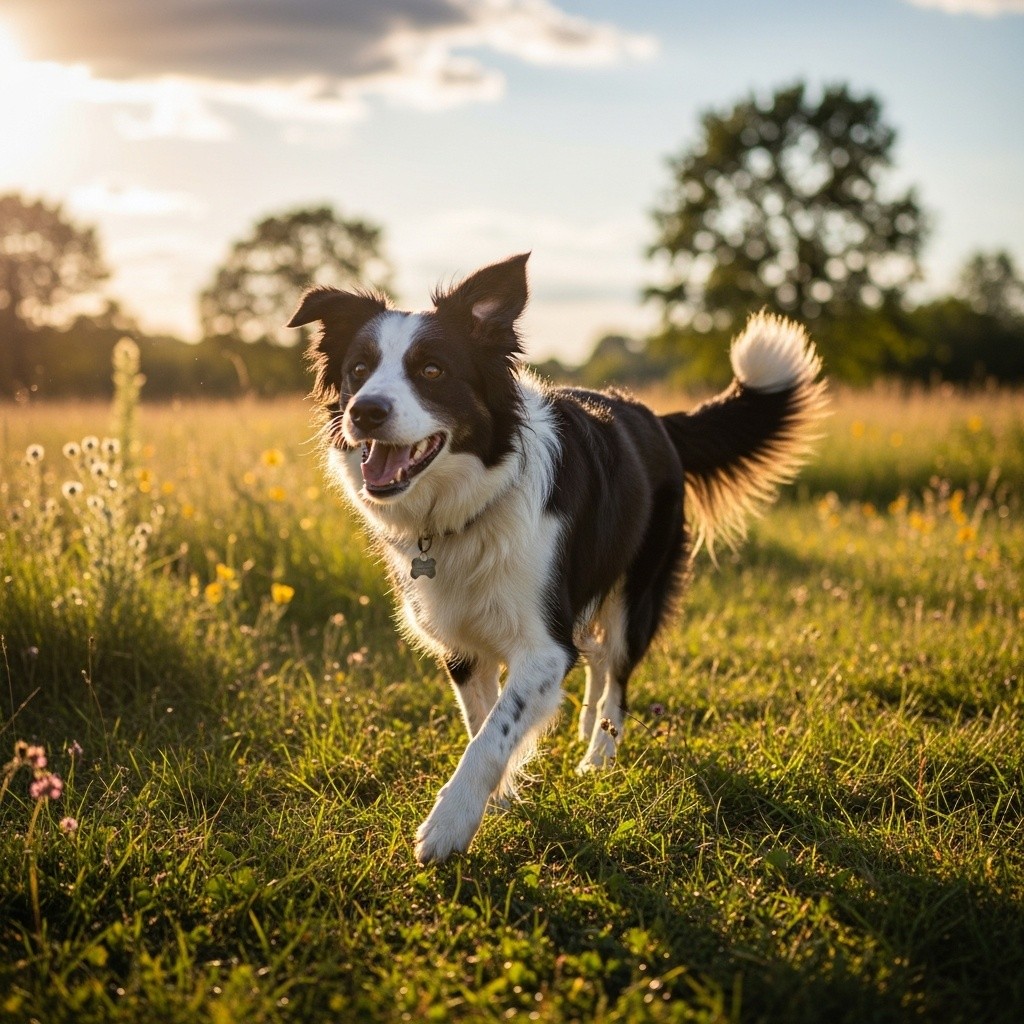
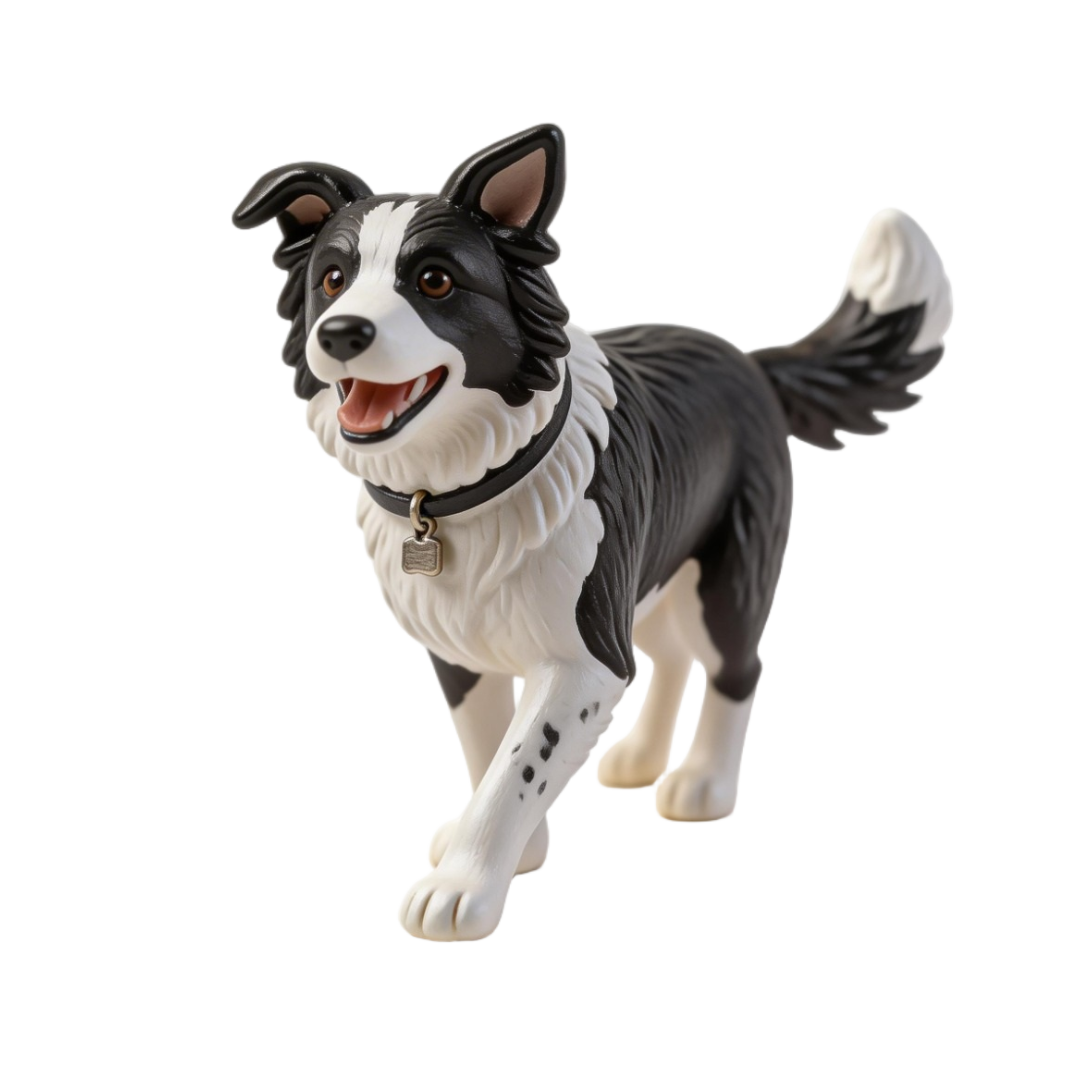
Upload a photo and receive a 3D miniature figurine. The style is applied automatically based on the selected preset.

Presets
Choose a preset that matches your subject and desired output style. You can provide any photo regardless of angle, framing, or background. The preset automatically handles cropping, reframing, and styling to produce the best possible result for the selected subject type. For best results, use an image where the subject is fully visible.
| Preset | Description |
|---|---|
| miniature_human_full_body | Stylized miniature figurine of a full-body human character. |
| miniature_human_bust | Stylized miniature bust (head and shoulders). |
| miniature_animal | Stylized miniature figurine of an animal. |
| miniature_object | Stylized miniature figurine of an object. |
| v2_miniature_human_full_body | Stylized miniature figurine of a full-body human character. Improved: no pedestal or base added. |
| v2_miniature_human_bust | Stylized miniature bust (head and shoulders). Improved: no pedestal or base added. |
| v2_miniature_animal | Stylized miniature figurine of an animal. Improved: no pedestal or base added. |
| v2_miniature_object | Stylized miniature figurine of an object. Improved: no pedestal or base added. |
| v3_miniature_human_full_body | ExperimentalStylized miniature figurine of a full-body human character. Improved: no pedestal, removes thin unprintable accessories. |
| v3_miniature_human_bust | ExperimentalStylized miniature bust (head and shoulders). Improved: no pedestal, removes thin unprintable accessories. |
| v3_miniature_animal | ExperimentalStylized miniature figurine of an animal. Improved: no pedestal, removes thin unprintable accessories, preserves fur and markings. |
| v3_miniature_object | ExperimentalStylized miniature figurine of an object. Improved: no pedestal, removes thin unprintable accessories. |
| v3_miniature_human_full_body_crossed_arms | ExperimentalFull-body miniature figurine with crossed arms pose. Keeps face, outfit, and accessories. Ideal for 3D printing. |
| v3_miniature_human_full_body_hands_on_hips | ExperimentalFull-body miniature figurine with hands on hips pose. Keeps face, outfit, and accessories. Ideal for 3D printing. |
| v3_miniature_human_full_body_thumbs_up | ExperimentalFull-body miniature figurine with thumbs up pose. Keeps face, outfit, and accessories. Ideal for 3D printing. |
| v3_miniature_human_full_body_hands_in_pockets | ExperimentalFull-body miniature figurine with hands in pockets pose. Keeps face, outfit, and accessories. Ideal for 3D printing. |
| v3_miniature_human_full_body_arms_behind_back | ExperimentalFull-body miniature figurine with arms behind back pose. Keeps face, outfit, and accessories. Ideal for 3D printing. |
| v3_miniature_human_full_body_waving | ExperimentalFull-body miniature figurine with waving pose. Keeps face, outfit, and accessories. Ideal for 3D printing. |
| v4_miniature_human_full_body | ExperimentalStylized miniature figurine of a full-body human character. Improved: no pedestal, preserves clothing colors. Keeps original pose and accessories. Does not remove unprintable accessories such as thin lines or strings. |
| v4_miniature_general | ExperimentalUniversal preset — works for any subject: people, animals, vehicles, composites (person on horse, people in boat, kid on skateboard, etc.). Preserves the exact pose and all objects the subject is interacting with. Extends cropped body parts but keeps hidden parts hidden. Recommended for scenes with people + vehicles/mounts. |
| v5_miniature_general | ExperimentalUniversal preset with stricter subject isolation: picks the single main subject (person, group touching each other, animal or object), keeps what they hold, wear or sit on, and removes bystanders, nearby furniture, floors and background. Renders everything as a hand-painted resin figurine (matte finish, simplified eyes, softly rounded edges). Recommended when the photo contains other people or clutter. |
| realistic_human_full_body | Realistic full-body human figurine. |
| realistic_human_bust | Realistic bust (head and shoulders). |
| realistic_animal | Realistic animal figurine. |
| realistic_object | Realistic object figurine. |
Checking Status
GET/v1/generation-request/<task_id>/status/
Poll this endpoint with the task_id from the submit response. When status is "FINISHED", the results array contains the styled image and the 3D model in multiple formats (GLB and OBJ ZIP). When scale is set (named scale, custom ratio, or custom height), additional scaled models are included with a metadata object containing the scale and computed height in cm. Progress updates at 33% and 66% before reaching 100%. Results expire after 24 hours.
curl https://api.3daistudio.com/v1/generation-request/YOUR_TASK_ID/status/ \
-H "Authorization: Bearer YOUR_API_KEY"// Example with scale="1:150" (custom ratio)
{
"status": "FINISHED",
"progress": 100,
"failure_reason": null,
"results": [
{
"asset": "https://storage.3daistudio.com/assets/styled_image.jpeg",
"asset_type": "EDITED_IMAGE",
"metadata": null
},
{
"asset": "https://storage.3daistudio.com/assets/figurine.glb",
"asset_type": "3D_MODEL",
"metadata": null
},
{
"asset": "https://storage.3daistudio.com/assets/figurine_1-150.glb",
"asset_type": "SCALED_3D_MODEL",
"metadata": {
"scale": "1:150",
"height_cm": 1.17
}
},
{
"asset": "https://storage.3daistudio.com/assets/figurine_1-150.zip",
"asset_type": "ARCHIVE",
"metadata": {
"scale": "1:150",
"height_cm": 1.17
}
}
]
}Credit Costs
The price covers the whole flow (style transfer, 3D generation, format conversion and scaling). On the prism engine it follows the texture quality that is generated - the edition sets the default tier and an explicit texture_quality overrides it. prism_version, lighting_removal and 2d_engine never change the price. On the hunyuan engine the price follows the edition (fast 200, default 300).
| Texture quality | Edition default | Credits |
|---|---|---|
| fast (prism 3.2 only) | — | 200 |
| standard | fast | 200 |
| detailed | default | 300 |
| extreme | ultra | 400 |
Processing Times
Fast mode typically takes 3–5 minutes. Default mode produces higher quality results and takes 5–8 minutes; ultra can take a little longer. We recommend polling the status endpoint every 10 seconds.
Errors
Common errors for the miniature flow.
| Status | Error Code | Description |
|---|---|---|
| 402 | insufficient_credits | Not enough credits. Purchase more credits. |
| 429 | rate_limited | Rate limit exceeded. Wait and retry. |
| 400 | validation_failed | Missing or invalid parameters, or an image that could not be decoded. |
| 503 | INPUT_STAGING_FAILED | The input image could not be stored. No credits were charged; retry after a short delay. |
| 503 | DISPATCH_FAILED | The job could not be queued. Credits were refunded; retry after a short delay. |